
Convert Supplier Invoices to EDI Before Manual Processing Slows Accounts Payable
Supplier invoices arriving as PDFs, scans, spreadsheets, and email attachments can quickly overwhelm an accounts payable team. Employees must download documents, identify the correct supplier, re-enter invoice details, check totals, and resolve missing information before anything reaches the ERP.
Companies can convert supplier invoices to EDI to replace this repetitive work with structured, validated invoice data. Suppliers can continue using their familiar invoice formats while the receiving business gains a more controlled and automated process.
Why convert supplier invoices to EDI instead of processing them manually?
Converting supplier invoices to EDI allows invoice information to enter finance and ERP workflows without employees manually retyping every field. This reduces processing queues and helps the accounts payable team focus on invoices that genuinely require attention.
Manual processing becomes difficult to control when invoice volumes grow. A small error in an invoice number, purchase order reference, tax amount, currency, or supplier identifier can lead to incorrect postings, duplicate records, delayed approvals, or rejected invoices.
With supplier invoice automation, standard invoices can move through extraction, validation, mapping, and system delivery automatically. Only documents with missing or conflicting information need to be reviewed by the finance team.
The result is not simply faster data entry. It is a more predictable invoice process with better visibility into which invoices were received, accepted, rejected, or held for correction.
Which supplier invoice formats can be converted?
Suppliers do not all need to produce traditional EDI files for invoice automation to work. Businesses can receive documents in several formats and transform them into a consistent structure before delivering the data to their internal systems.
Common source formats include:
Text-based PDF invoices
Scanned or image-based invoices
Email attachments
XML files
CSV files and spreadsheets
Existing EDI documents
Supplier-specific file layouts
The conversion method depends on the source document. Structured files such as XML or CSV can normally be mapped directly. PDFs and scanned invoices require data extraction through optical character recognition or intelligent document processing.
HubBroker’s PDF-to-XML invoice conversion solution extracts information from digital and scanned PDFs and transforms it into structured data that can be delivered to ERP, accounting, EDI, and other business systems.
This PDF invoice to EDI conversion approach is useful for suppliers that cannot produce structured invoices but regularly send predictable invoice layouts.
How does supplier invoice conversion work from receipt to ERP?
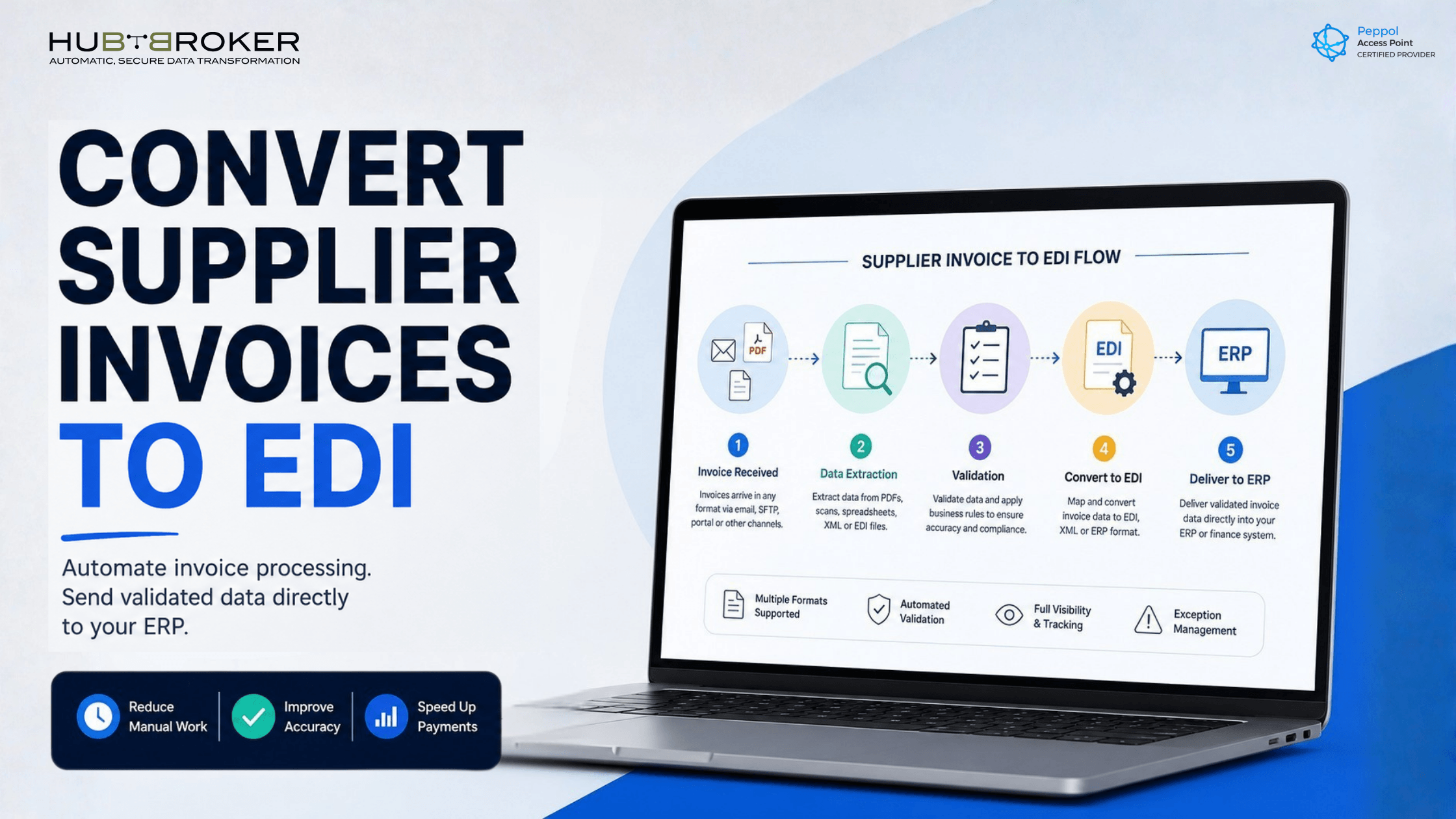
A supplier invoice conversion workflow usually contains five connected stages.
1. Invoice receipt
The invoice enters the workflow through an agreed channel, such as email, SFTP, API, EDI, Peppol, or another document exchange method.
2. Data extraction
The system reads important invoice fields, including:
Supplier name and identifier
Invoice number and date
Purchase order reference
Line-item descriptions
Product numbers
Quantities and unit prices
Tax information
Currency
Payment information
Subtotals and invoice totals
3. Validation
The extracted information is checked against document rules and business requirements. This stage helps identify incomplete, duplicated, or inconsistent invoice data before it reaches the ERP.
4. Mapping and conversion
Validated invoice information is mapped into the format required by the receiving business. The destination could require EDIFACT, XML, JSON, CSV, an ERP-specific structure, or another partner-defined format.
5. ERP delivery
The converted invoice is sent to the ERP or finance platform for further matching, approval, posting, or exception management.
HubBroker’s EDI and ERP integration capabilities support the mapping of ERP fields to formats including EDIFACT, X12, XML, JSON, and partner-specific layouts.
What happens when invoice data is missing or incorrect?
Automated invoice processing should not mean that every document is accepted without control. The workflow must identify problems before incorrect information becomes an ERP or payment issue.
An invoice may be held for review when it contains:
A missing purchase order number
An unknown supplier identifier
A duplicate invoice number
Incorrect line or header totals
Missing tax information
An unsupported currency
An invalid item number
Differences between the invoice and purchase order
Missing mandatory fields
Rather than allowing the document to disappear into an email inbox, the system should record the exception and provide a clear reason for the failure. The finance team can then correct the invoice, contact the supplier, or route it to the appropriate owner.
This exception-based model is more practical than trying to automate every invoice without safeguards. Standard documents move forward automatically, while employees retain control over unusual or incomplete cases.
What does this mean for your ERP and existing systems?
Converting supplier invoices to EDI does not require replacing the ERP, accounting platform, approval system, or existing supplier communication channels.
HubBroker operates as the integration layer between incoming supplier documents and the systems the company already uses. It receives the invoice, extracts or reads the data, applies validation rules, converts the information, and delivers it in the structure expected by the destination system.
Through ERP EDI integration, invoice fields can be mapped to the relevant ERP tables, document types, supplier records, posting structures, and business rules. HubBroker’s published ERP integration process includes requirement analysis, document-flow planning, mapping, configuration, testing, go-live, monitoring, and support.
This approach also makes it easier to introduce new suppliers. A supplier sending PDF invoices can be added without redesigning the complete accounts payable environment or forcing every trading partner onto the same technology.
For a broader explanation of how structured documents connect with internal systems, see EDI integration with ERP.
When is invoice-to-EDI conversion the right approach?
Invoice conversion is particularly useful when a company has a mix of digitally mature suppliers and smaller suppliers that continue to send PDFs, scans, or spreadsheets.
It is worth considering when:
Invoice volumes are increasing
Manual entry is creating a processing backlog
Suppliers use several document formats
The ERP requires structured invoice data
Finance teams repeatedly correct data-entry errors
Supplier onboarding to direct EDI is progressing slowly
The business needs better invoice status and exception visibility
Direct EDI remains appropriate for suppliers that can send structured documents. Invoice conversion covers the suppliers that cannot yet support a direct EDI connection.
A combined model is often the most practical. High-volume suppliers can exchange native EDI messages, while PDF and non-EDI suppliers are handled through intelligent document processing and document conversion.
Businesses dealing specifically with PDF-based documents can also review HubBroker’s guide on how to convert PDF to EDIFACT without manual entry.
Move one supplier invoice flow out of manual processing
Speak with HubBroker to review one supplier invoice flow and determine how it can be extracted, validated, converted, and delivered to your existing ERP.
