
15+
Years Experience











15+
Years Experience
120K+
Monthly Transition
100+
Global Clients
40+
Countries
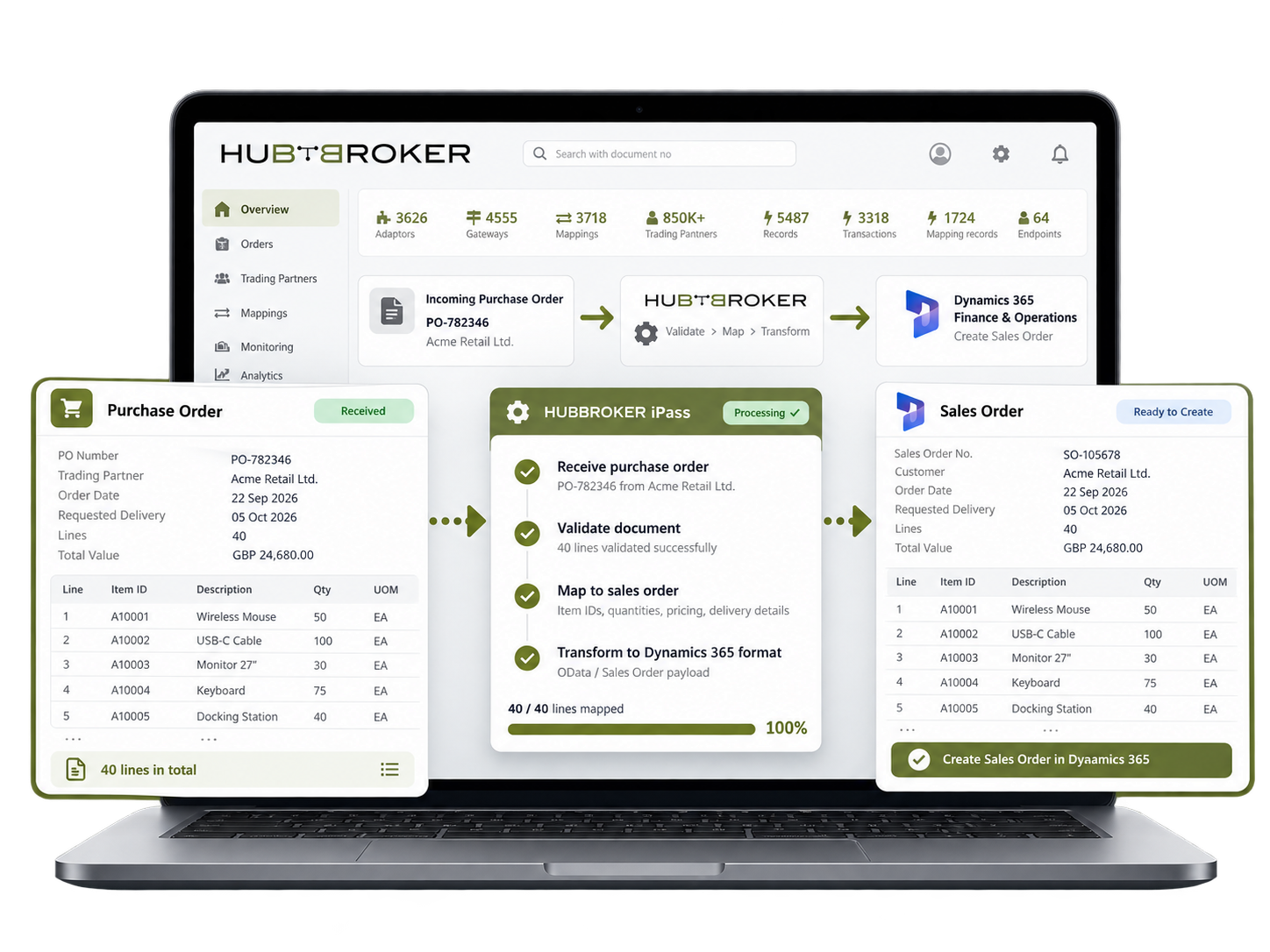
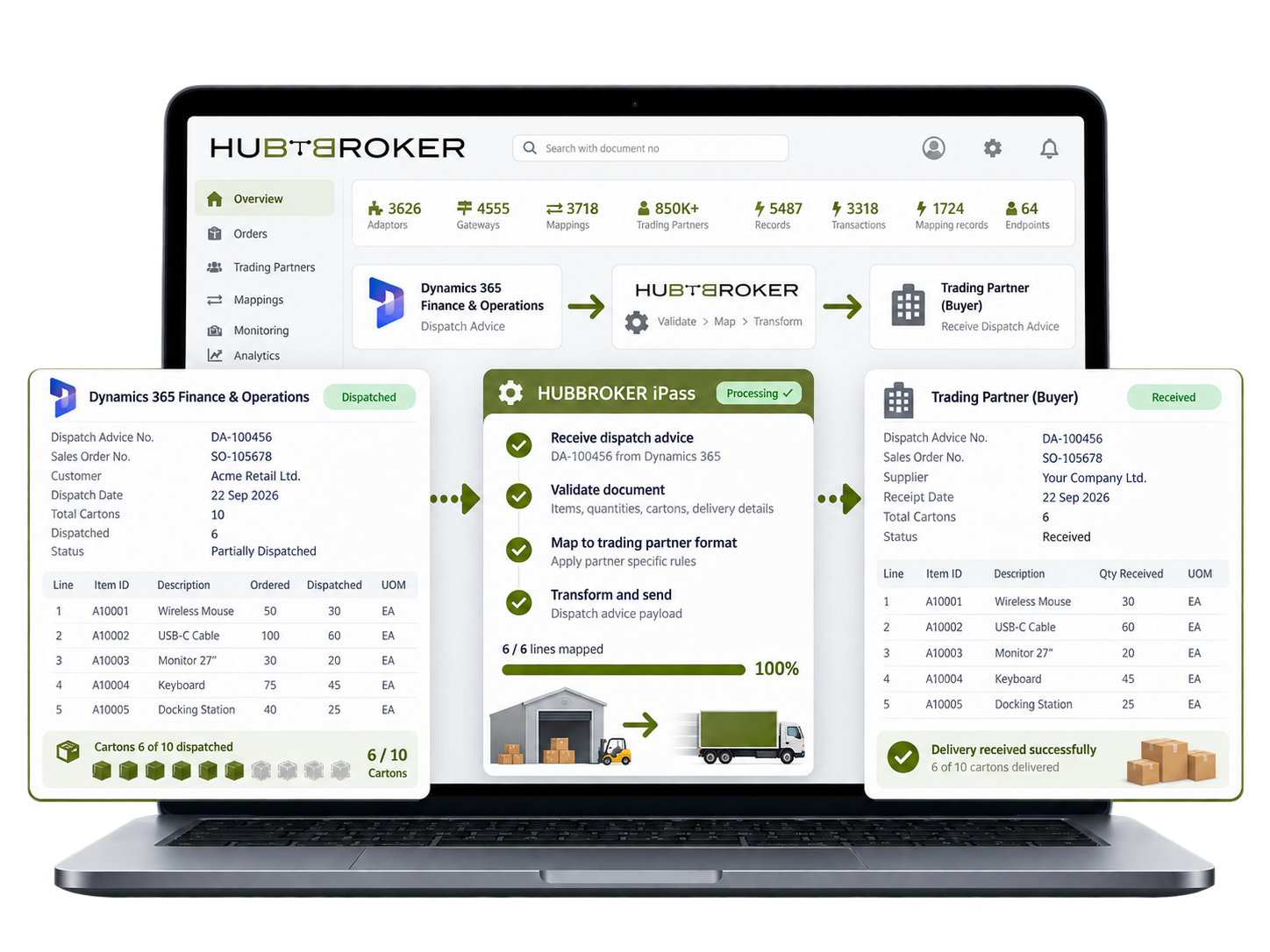
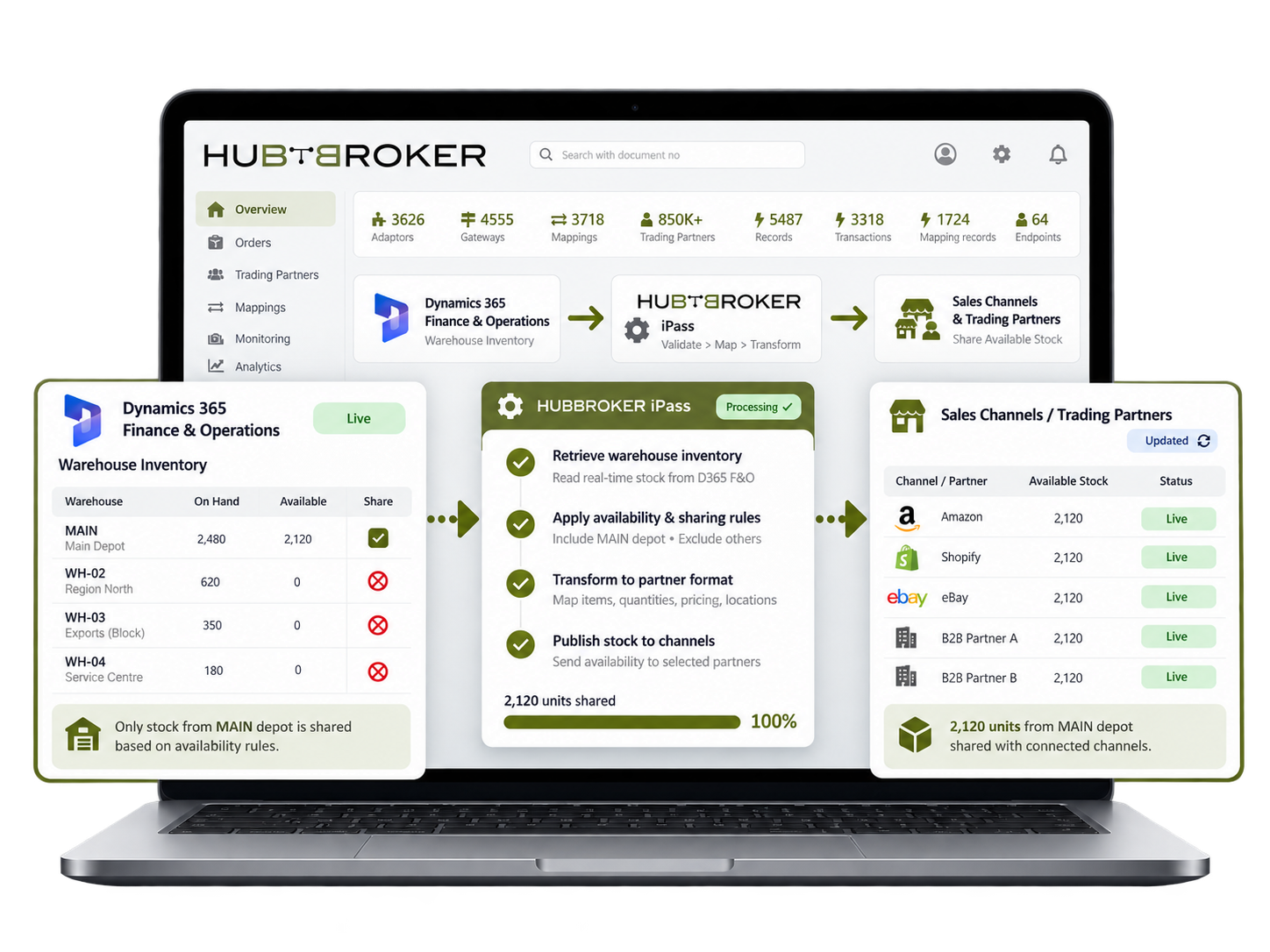
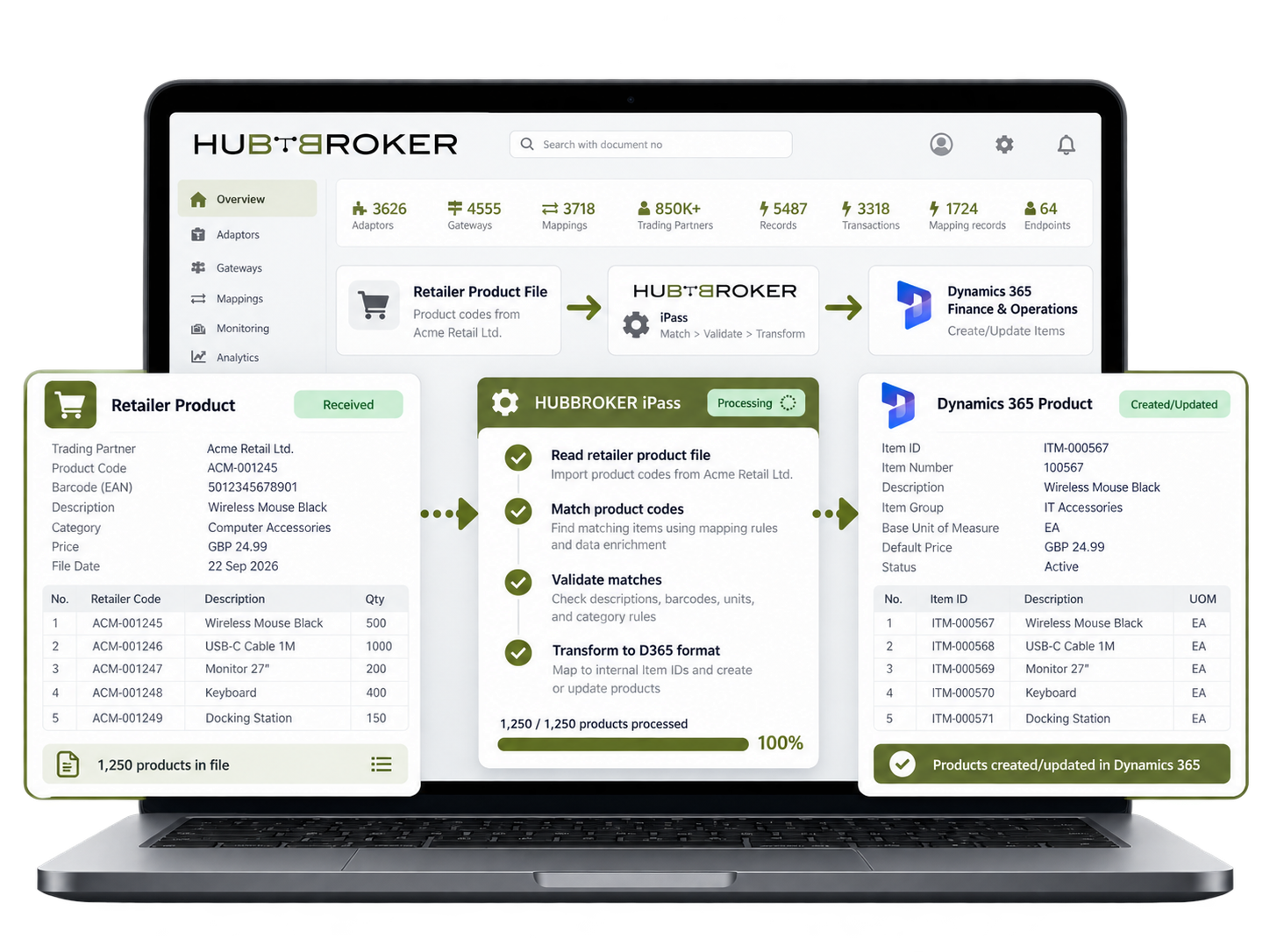
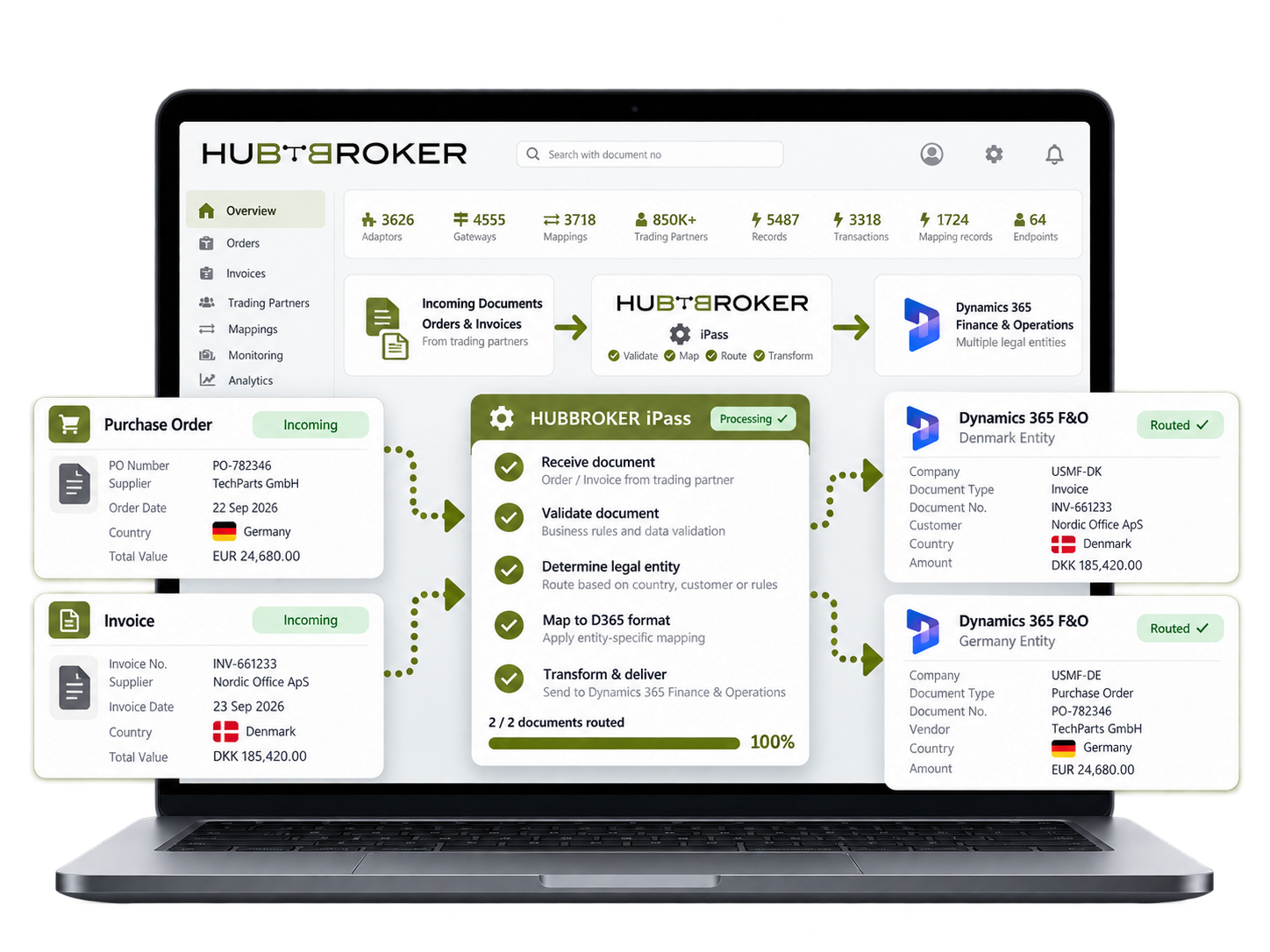
Bring retailer and distributor orders into Finance & Operations with item IDs, quantities and delivery details. A 40-line purchase order becomes a sales order your team can review without retyping it.
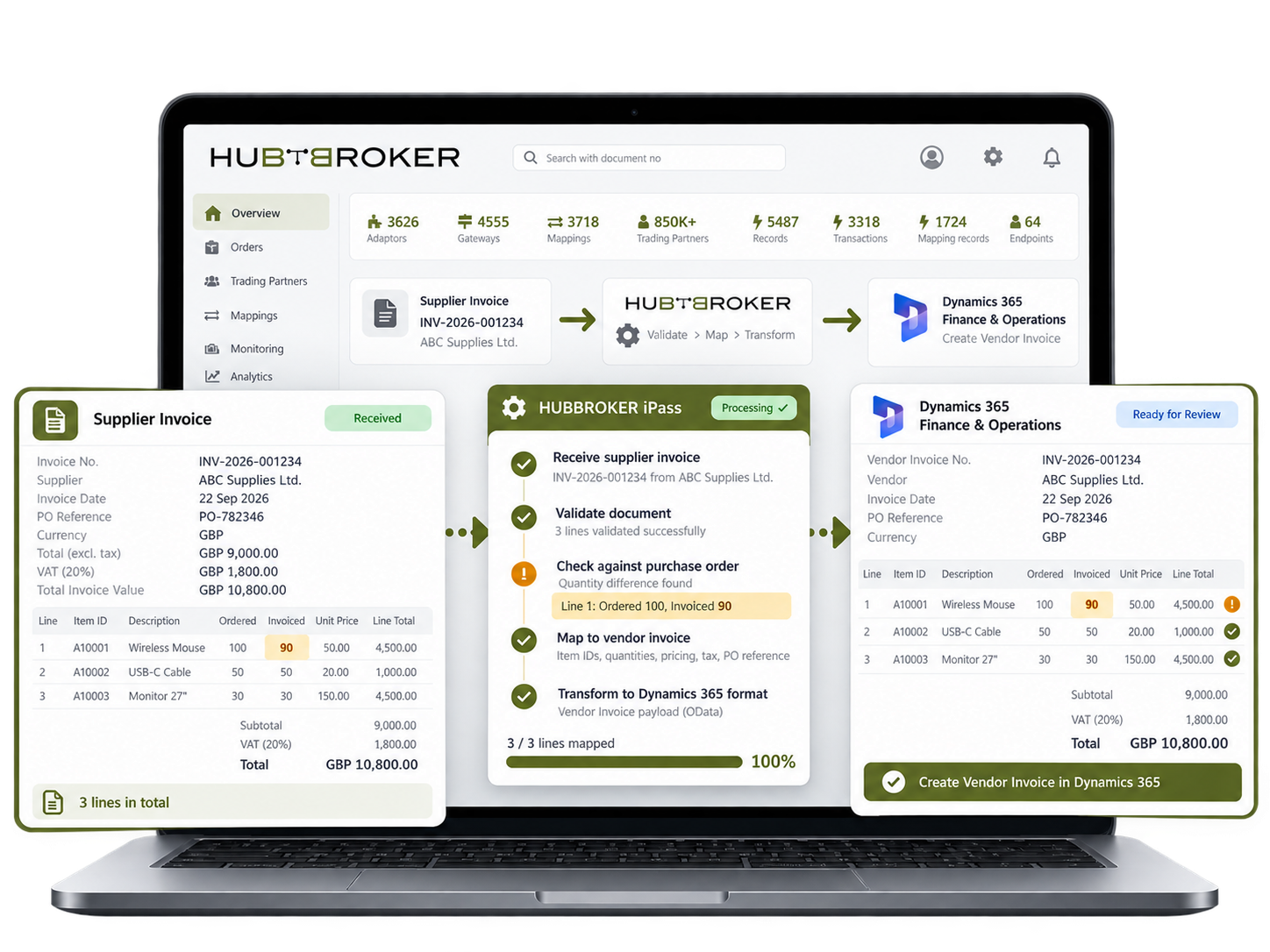
Bring supplier invoice lines, tax amounts and purchase order references into Finance for review. When a supplier bills for 90 of 100 ordered units, your team can inspect the difference before posting.
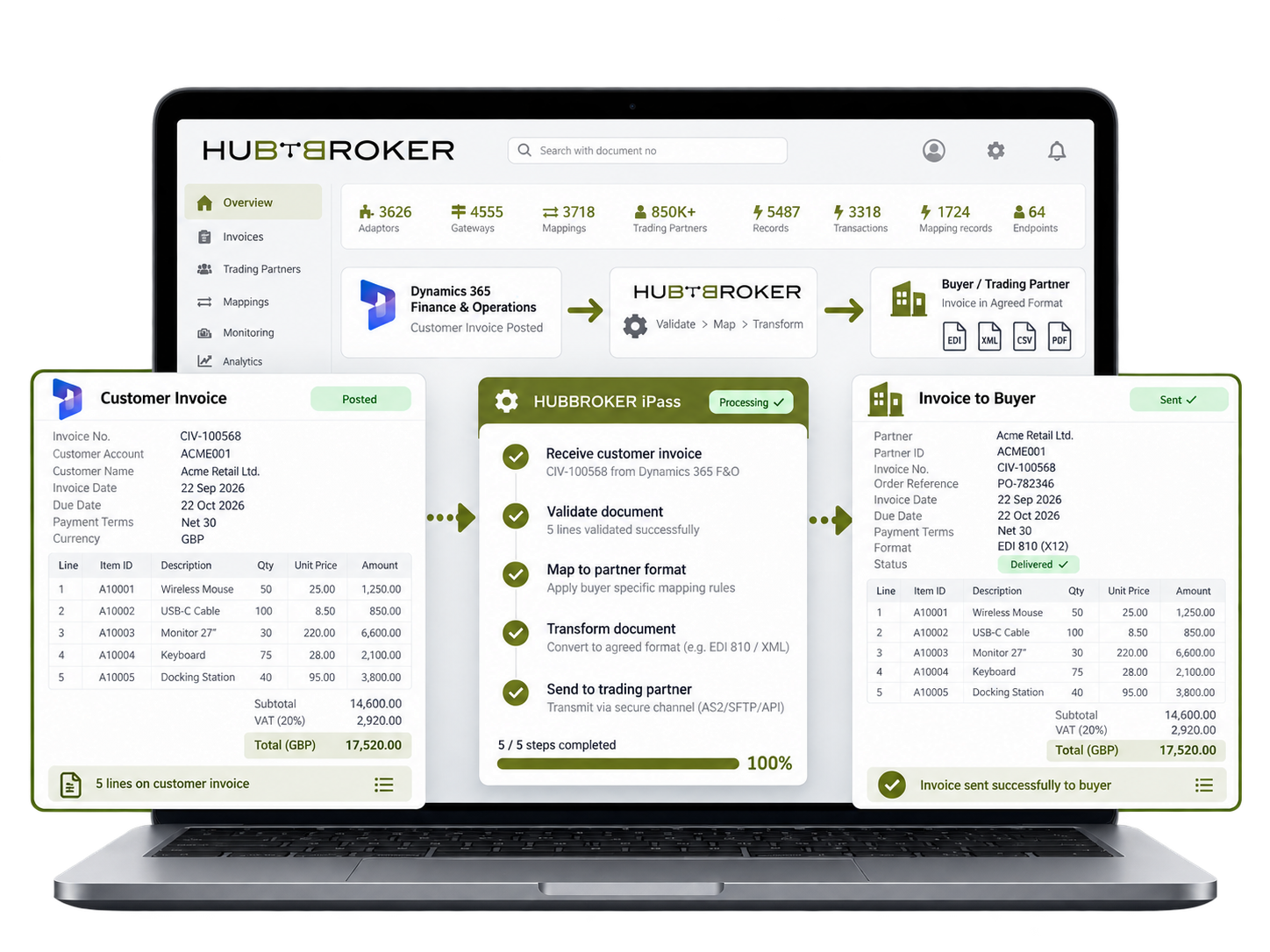
Send posted customer invoices to connected buyers using an agreed document format. Keep order references, tax breakdown and payment terms together so a retailer can match the bill to its own purchase.
Send shipment details from Finance & Operations to trading partners, with the items and quantities dispatched. When six of ten cartons leave your depot, the buyer sees what is coming in that delivery.
Share stock figures from your warehouses with connected sales channels, using agreed availability rules. A distributor can offer stock from its main depot without including units held at another site.
Match customer and supplier item references to Finance & Operations product IDs. An order for a retailer's own product number reaches the correct internal item instead of leaving staff to identify it.
Route incoming orders and invoices to the correct Finance & Operations company. A group with separate Danish and German entities can keep each document with the business responsible for processing it.


Connect Amazon with ERP systems through EDI to automate orders, inventory, shipping, returns, and invoice data exchange.
Connect BigCommerce with your ERP through EDI to automate orders, invoices, inventory, and shipping data exchange across systems.
Connect Visma e-conomic with ERP and business systems through EDI to automate invoices, orders, finance, and accounting data.
Connect Microsoft Business Central with ERP, commerce, and trading systems through EDI to automate orders, invoices, and inventory.
Connect Rackbeat with ERP and commerce systems through EDI to automate inventory, orders, purchases, and invoice data exchange.
Connect Microsoft Dynamics 365 F&O with business platforms through EDI to automate finance, supply chain, orders, and invoicing data.
Connect Shopify with your ERP through EDI to automate orders, inventory, invoices, and fulfilment data exchange across systems.
Connect Uniconta with business systems through EDI to automate invoices, orders, inventory, and finance data exchange.
Connect SAP Business One with trading platforms through EDI to automate orders, invoices, inventory, and finance data exchange.
Connect OpenCart with your ERP through EDI to automate orders, invoices, inventory, and shipping data flow across business systems.
Let's schedule a demo and discover how our integration platform connects your apps and automates processes.
HubBroker connects Dynamics 365 F&O with the EDI platform using APIs, web services or other supported methods, creating a direct flow between your ERP and trading partners.
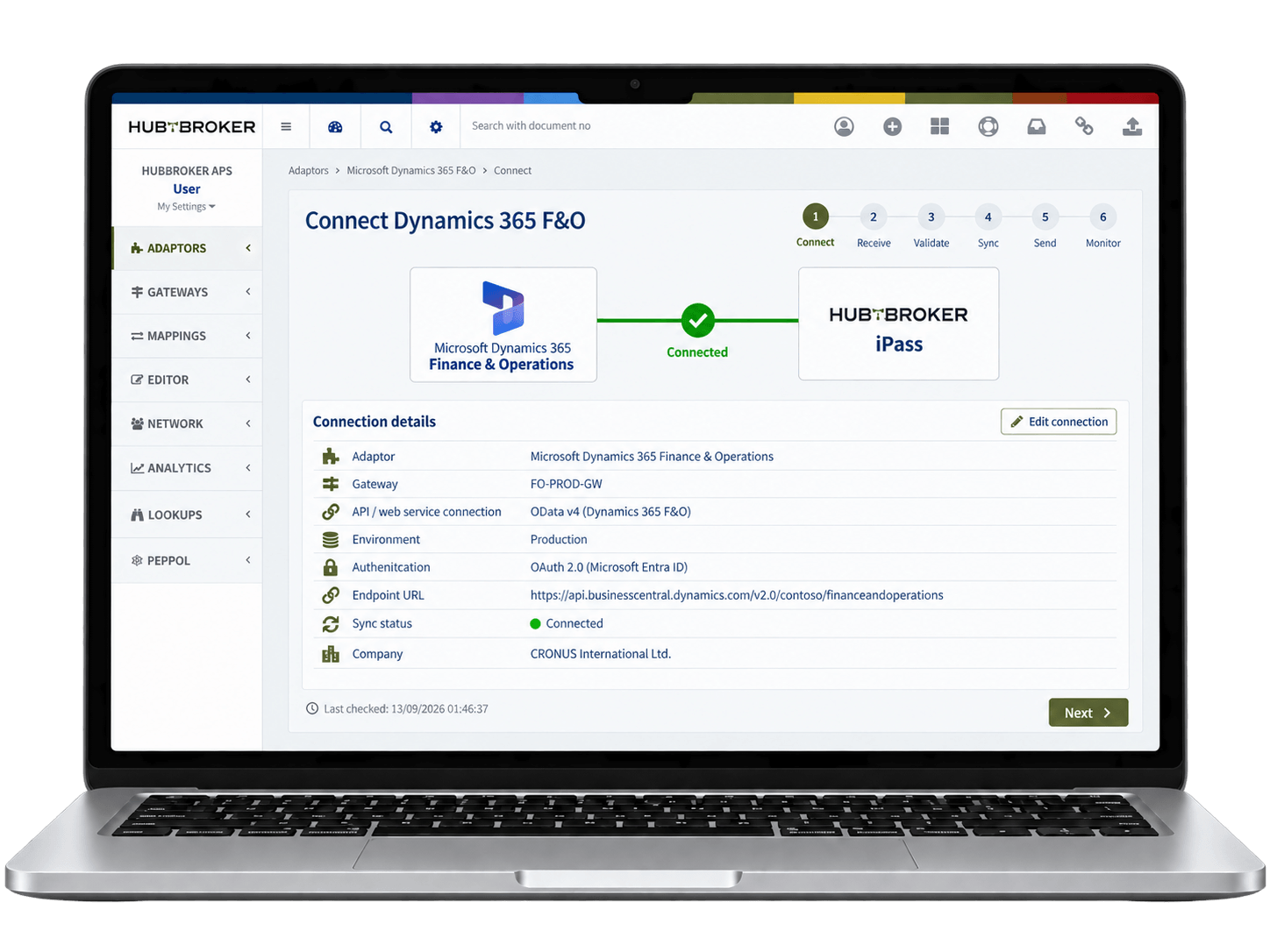
Customer or supplier EDI documents such as purchase orders, invoices and shipping notices are received automatically through HubBroker and prepared for processing.
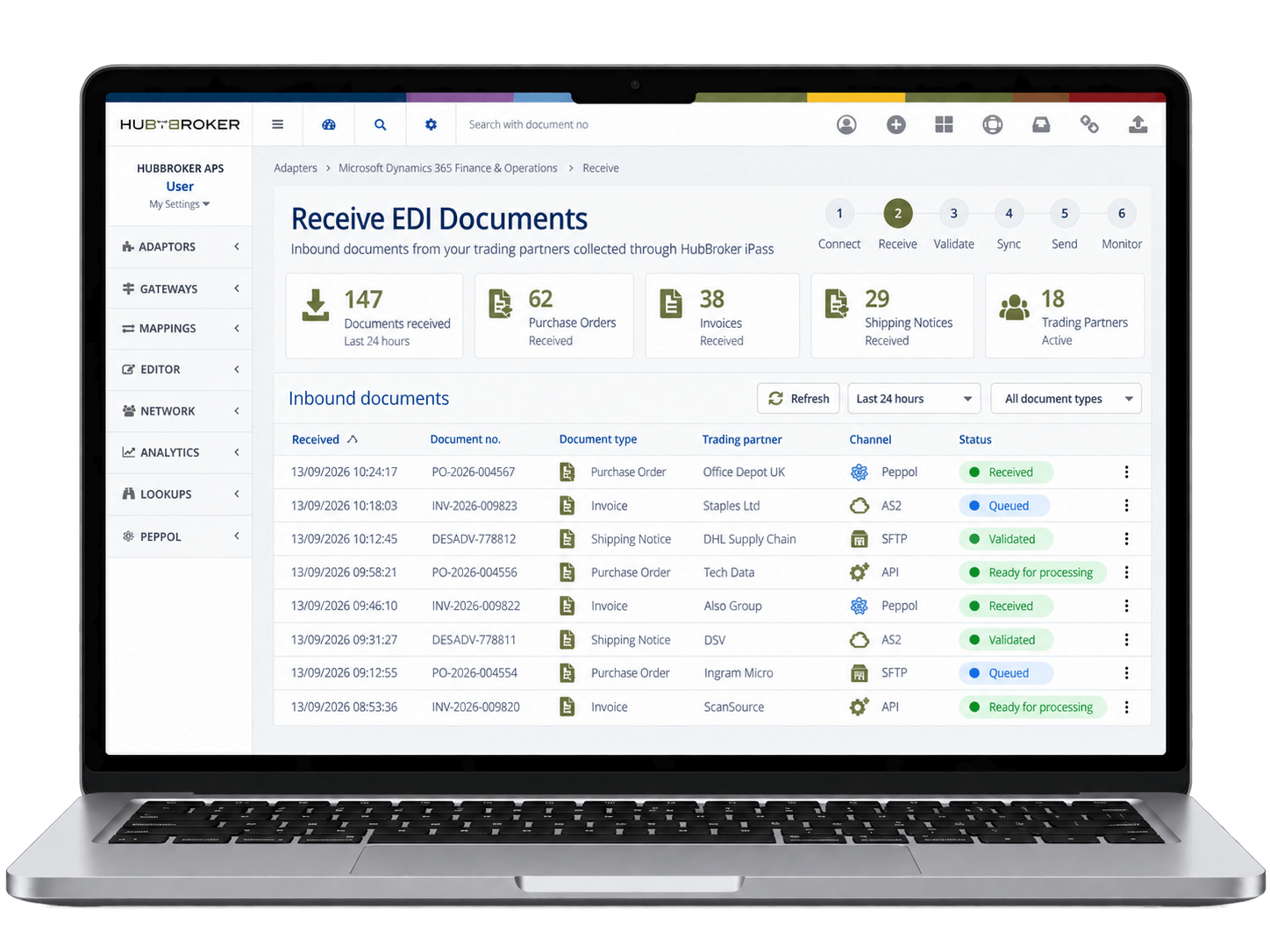
HubBroker validates the incoming document, checks required fields and transforms EDIFACT, X12, XML or other formats into the structure required by Dynamics 365 F&O.
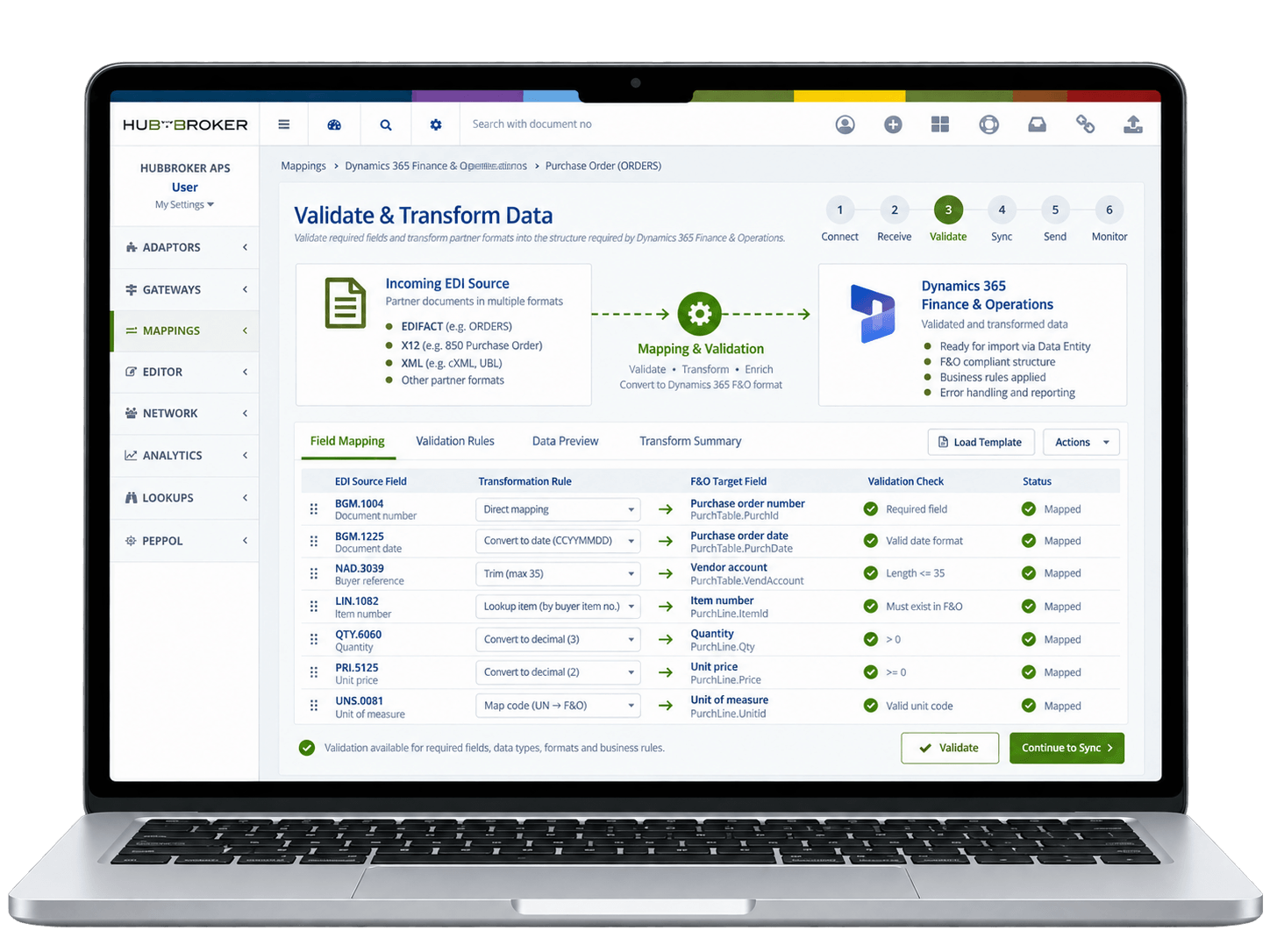
Validated EDI data is sent directly into Dynamics 365 F&O to create or update sales orders, purchase orders, invoices or other business transactions without manual re-keying.
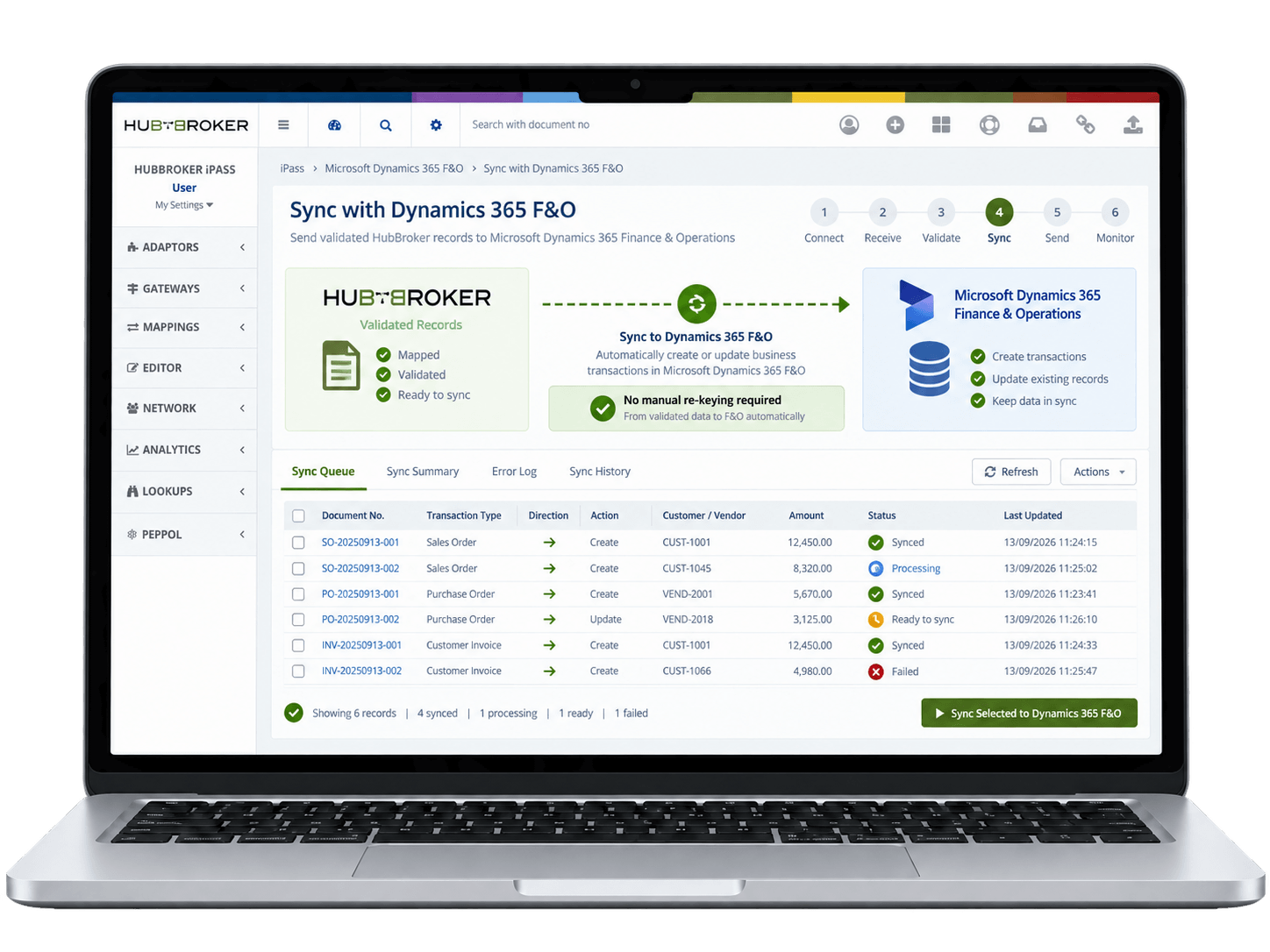
Dynamics 365 F&O data is converted into the trading partner’s required EDI format and sent automatically as order confirmations, shipping notices, invoices or other responses.
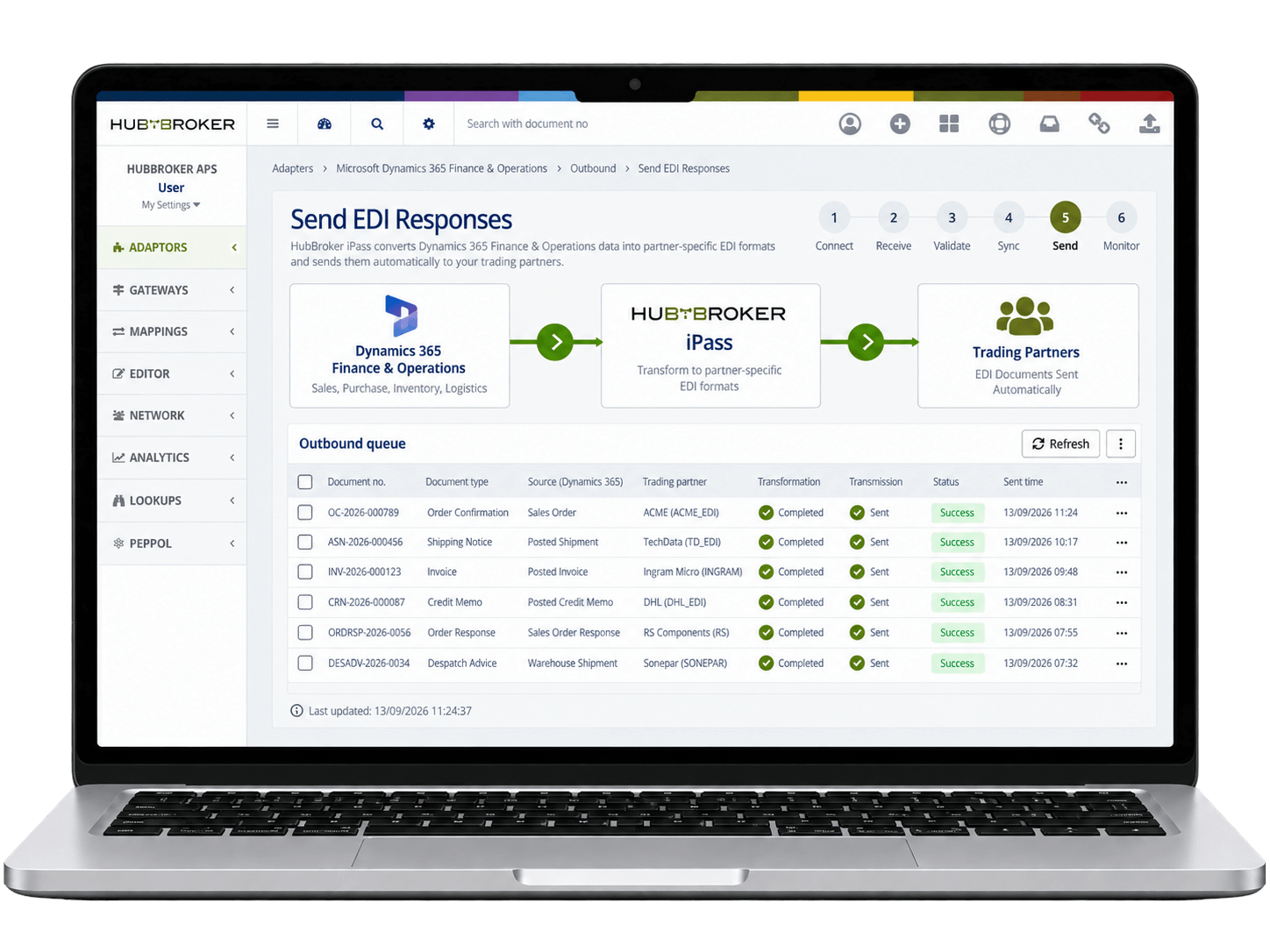
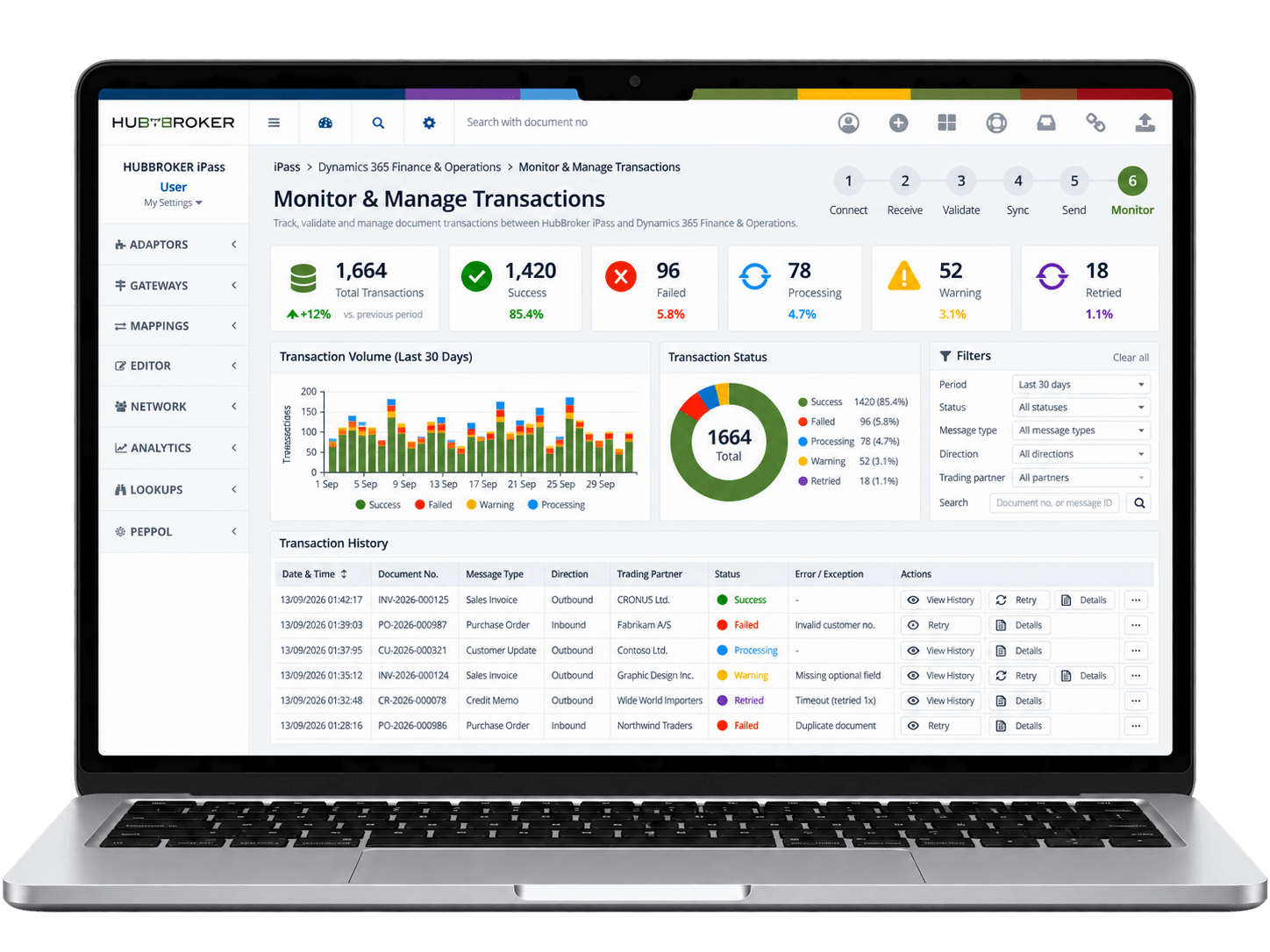
HubBroker tracks document status, processing errors and transaction history, helping your team quickly identify failed documents and manage ongoing EDI flows.













F&O usually runs several legal entities in several countries, each with its own e-invoicing rules. HubBroker iPaaS takes posted customer and project invoices from every legal entity, builds the format each country requires, validates it and routes it to the right network or tax platform – outbound and inbound – from one connection.
Reach Peppol-registered buyers across Europe from every legal entity. Tip: register each legal entity’s own Peppol participant ID and map invoices by legal entity – sharing one ID across entities causes misrouted invoices and credit notes.
Invoice German public-sector and B2B buyers in the structured German format. Tip: run a few real project and sales invoices through the free HubBroker validator before go-live – project invoice lines are where mapping errors usually hide.
Clear invoices for an Italian legal entity through the Sistema di Interscambio. Tip: map every exempt or reverse-charge sales tax code in F&O to its Natura code; missing Natura codes are a frequent reason for SdI rejection.
Issue invoices for a Polish legal entity through KSeF, the national e-invoicing platform. Tip: the invoice is only issued once KSeF returns its KSeF number – write that number back to F&O and use it on payment and correction documents.
Issue e-invoices for a Saudi legal entity under the ZATCA FATOORAH programme. Tip: standard B2B tax invoices must be cleared by ZATCA before the buyer receives them; keep the returned stamp and QR code on the customer copy.
Invoice Norwegian customers in EHF, the Peppol-based Norwegian format. Tip: use the buyer’s organisasjonsnummer as the endpoint and carry the buyer reference the customer asks for, or the invoice is often returned unpaid.
Process high volumes of orders, invoices, and dispatch documents in and out of Dynamics 365 F&O; without adding finance or operations headcount, even as your transaction volume scales.
Customer, supplier, item, and pricing data is validated as part of every EDI exchange, so D365 F&O; master data stays clean and reporting reflects the true state of your business activity.
Customer orders arrive directly in D365 F&O; sales documents and trigger picking, dispatch, and invoicing automatically, helping global operations meet tighter service-level commitments.
Outbound and inbound invoices are validated for format, VAT, country-specific tax fields, and partner rules before reaching D365 F&O; AR or AP, reducing rejections and disputes
Send and receive Peppol-compliant e-invoices and orders from D365 F&O; across Europe, meeting B2G and country-level mandates without separate portals or one-off compliance projects.
Track every EDI document, status, and exception alongside D365 F&O; records with logs, dashboards, and audit trails for finance, IT, supply chain, and compliance teams to share.
Our integration is designed around D365 F&O;'s enterprise structures, security, and posting flows rather than treating it like a small-business ERP, so it supports real corporate complexity.
EDI processing for D365 F&O; is built for the order, invoice, and dispatch volumes that global businesses actually run, with monitoring and exception handling sized accordingly.
D365 F&O; users get certified Peppol Access Point connectivity included, with country-specific BIS profiles handled so compliance is managed for you, not piled on internal teams.
Our D365 F&O; EDI projects follow a documented enterprise path from requirement review through testing, sign-off, and go-live, so IT, finance, and operations stakeholders stay aligned.
Our teams in Denmark and India support D365 F&O; EDI customers directly on partner onboarding, mapping changes, and ERP-side issues during European and overlapping working hours.
Dynamics 365 F&O; can be extended with intelligent document processing, Peppol e-invoicing, and ERP API integration through the same HubBroker platform, so automation grows enterprise-wide.

ERIKS is a globally recognized industrial service provider with over 80 years of experience in delivering technical products, engineering expertise, and tailored services.
Read More
Orkla House Care Europe, a division of Orkla ASA, is a leading manufacturer and distributor of high-quality painting tools for both professionals and DIY users. Operating across Sweden, Denmark, Norway, and the UK.
Read More
Bella Group is a leading hospitality and event management company in Denmark, known for managing some of the country’s most iconic hotels and event venues.
Read More
LEPO A/S is a Danish, family-owned company established in 1933, specializing in the development and production of fish patties and other high-quality food products. These products are primarily sold under the brands of their customers, serving the needs of institutional commercial kitchens through partnerships with wholesalers.
Read More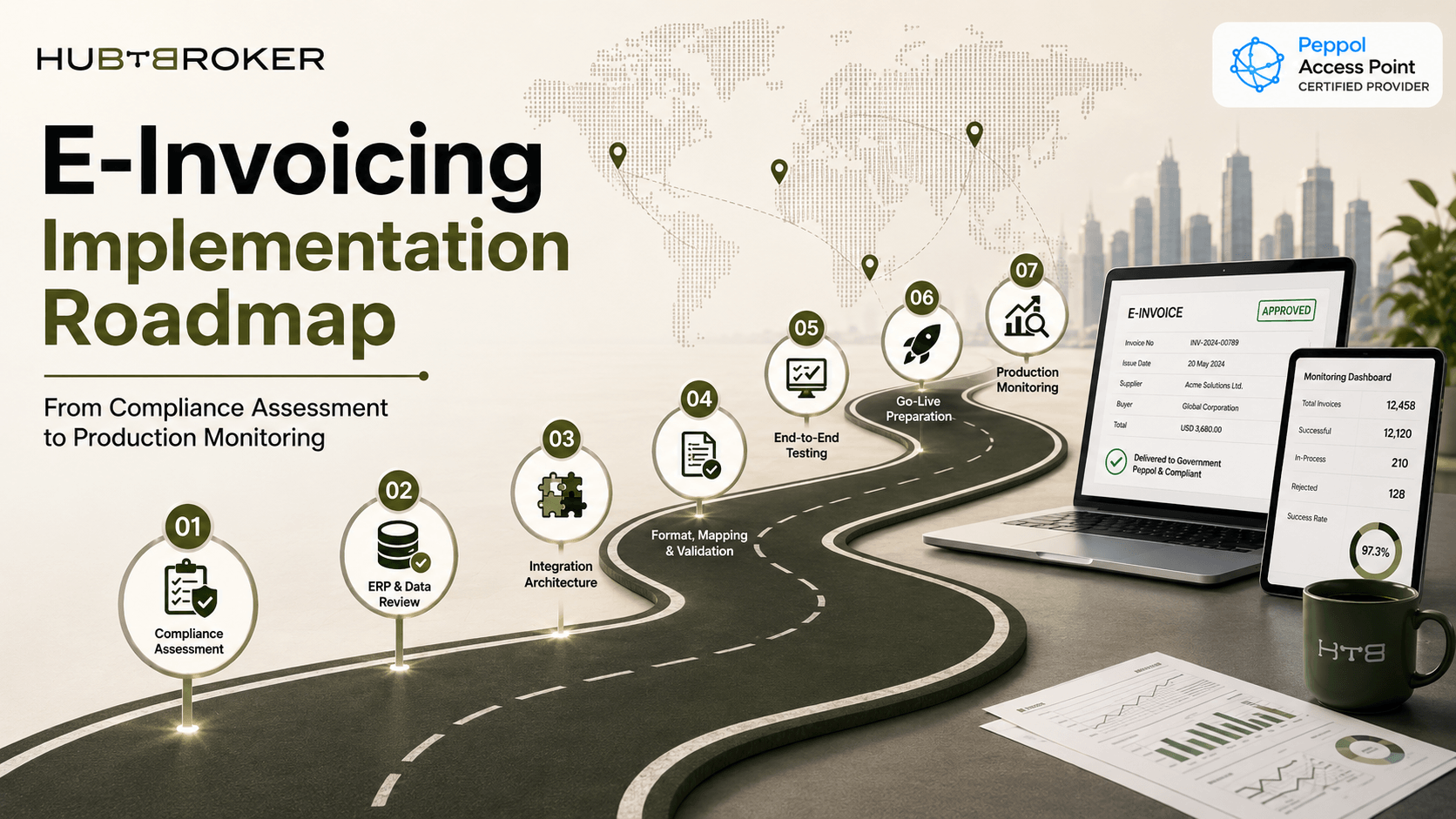
Plan e-invoicing implementation from compliance assessment to production monitoring with a scalable solution built for global regulatory requirements.
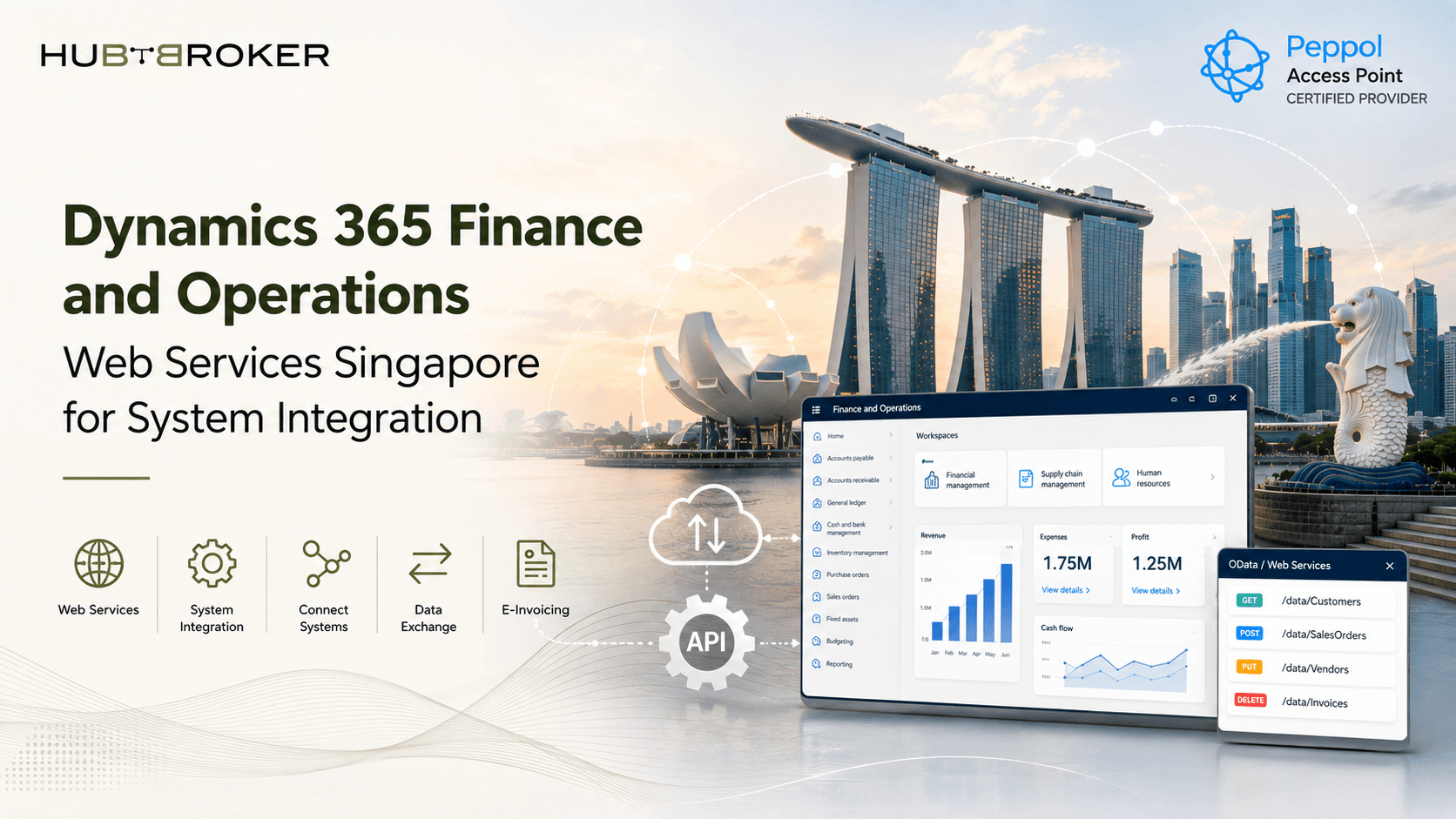
Explore Dynamics 365 Finance and Operations web services in Singapore for secure application integration automated data exchange and ERP connectivity.
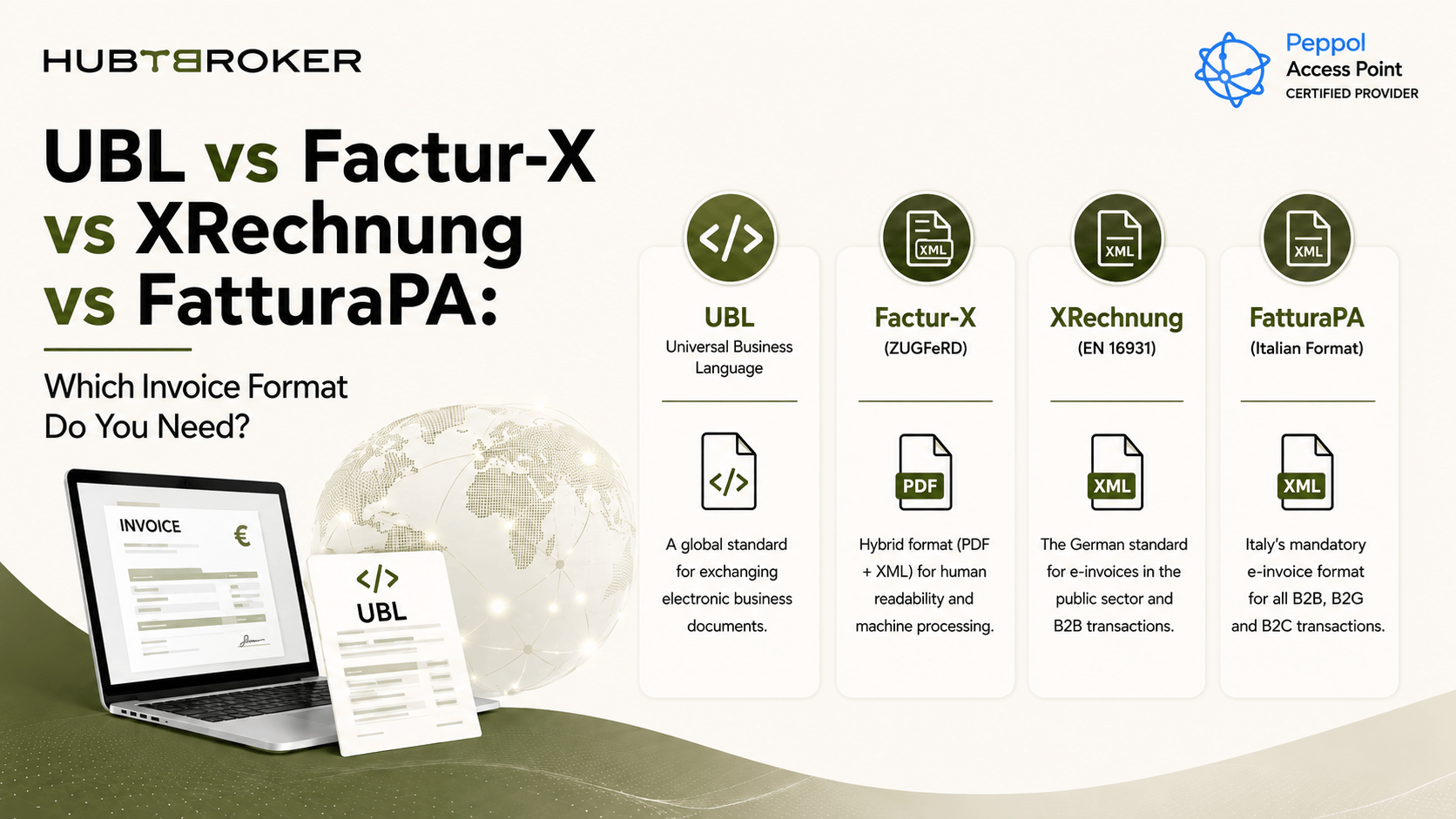
Compare UBL, Factur X, XRechnung and FatturaPA invoice formats and learn where each is used, how they differ, and which format your business may need.
HubBroker solutions support businesses across industries where reliable data exchange, automation, compliance, and partner connectivity are essential.
Support fast-moving order, invoice, inventory, and marketplace workflows with automated document and system integrations.
Help manufacturers connect suppliers, customers, ERP systems, and logistics partners for smoother production and supply chain operations.
Enable structured data exchange for shipping, delivery, tracking, invoicing, and partner communication across logistics networks.
Support secure and accurate document exchange where compliance, reliability, and process efficiency are critical.
Help financial businesses improve document processing, data accuracy, reporting flows, and secure business communication.
Automate order-to-cash and procure-to-pay workflows across customers, suppliers, warehouses, and ERP systems.
HubBroker provides Dynamics 365 Finance & Operations integration for enterprises managing large volumes of purchase orders, invoices, and shipping documents. Its platform automates EDI data exchange, validates transactions, and connects trading partners with existing ERP workflows.
Integration costs depend on transaction volume, trading partners, EDI formats, and customization requirements. HubBroker offers tailored Dynamics 365 Finance & Operations integration services. Businesses can request pricing based on their integration scope and automation needs.
Yes. HubBroker connects Dynamics 365 Finance & Operations with suppliers, customers, and logistics partners through EDI. The integration automates purchase orders, order confirmations, shipping notices, and invoices while reducing manual data entry.
HubBroker provides Peppol e-invoicing integration for Dynamics 365 Finance & Operations through its certified Peppol Access Point. Businesses can exchange structured electronic invoices, validate required fields, and support applicable European invoicing requirements.
Yes. HubBroker integrates with existing Dynamics 365 Finance & Operations environments through supported interfaces and data mapping. Businesses can automate EDI transactions while retaining their established finance, procurement, and supply chain processes.
HubBroker offers tailored demonstrations for Dynamics 365 Finance & Operations integration. Businesses can discuss ERP connectivity, EDI document automation, trading partner requirements, and Peppol invoicing before implementation. Book a demo to explore the solution.
45B 1260 Bredgade , København K Capital Region, Denmark
D-1010, The First, B/H ITC Narmada, Ahmedabad, Gujarat, 380015, India