
15+
Years Experience











15+
Years Experience
120K+
Monthly Transition
100+
Global Clients
40+
Countries
Manual exports and imports between ERP and other tools
ERP, CRM, eCommerce, and portals running in isolation
One-off code builds for each new app or marketplace
ERP and connected apps drifting out of sync
No central log of API calls, errors, or exceptions.
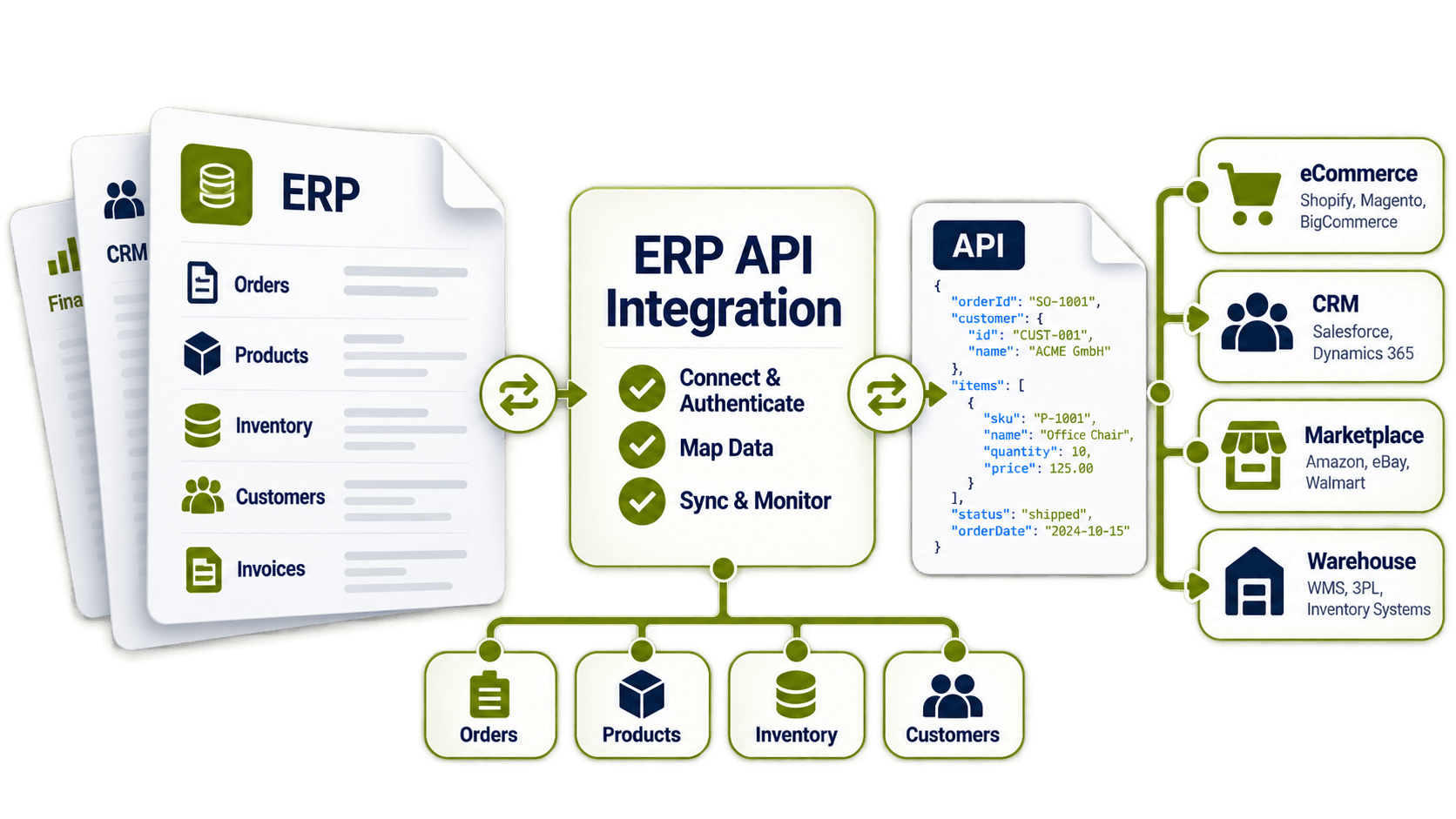
Stable API links between ERP and your business apps
ERP, marketplaces, portals, and CRM in one setup
Pre-built API templates speed up new connections
Data flows between ERP and apps in near real time
One log of every API call, error, and exception
Let's schedule a demo and discover how our integration platform connects your apps and automates processes.
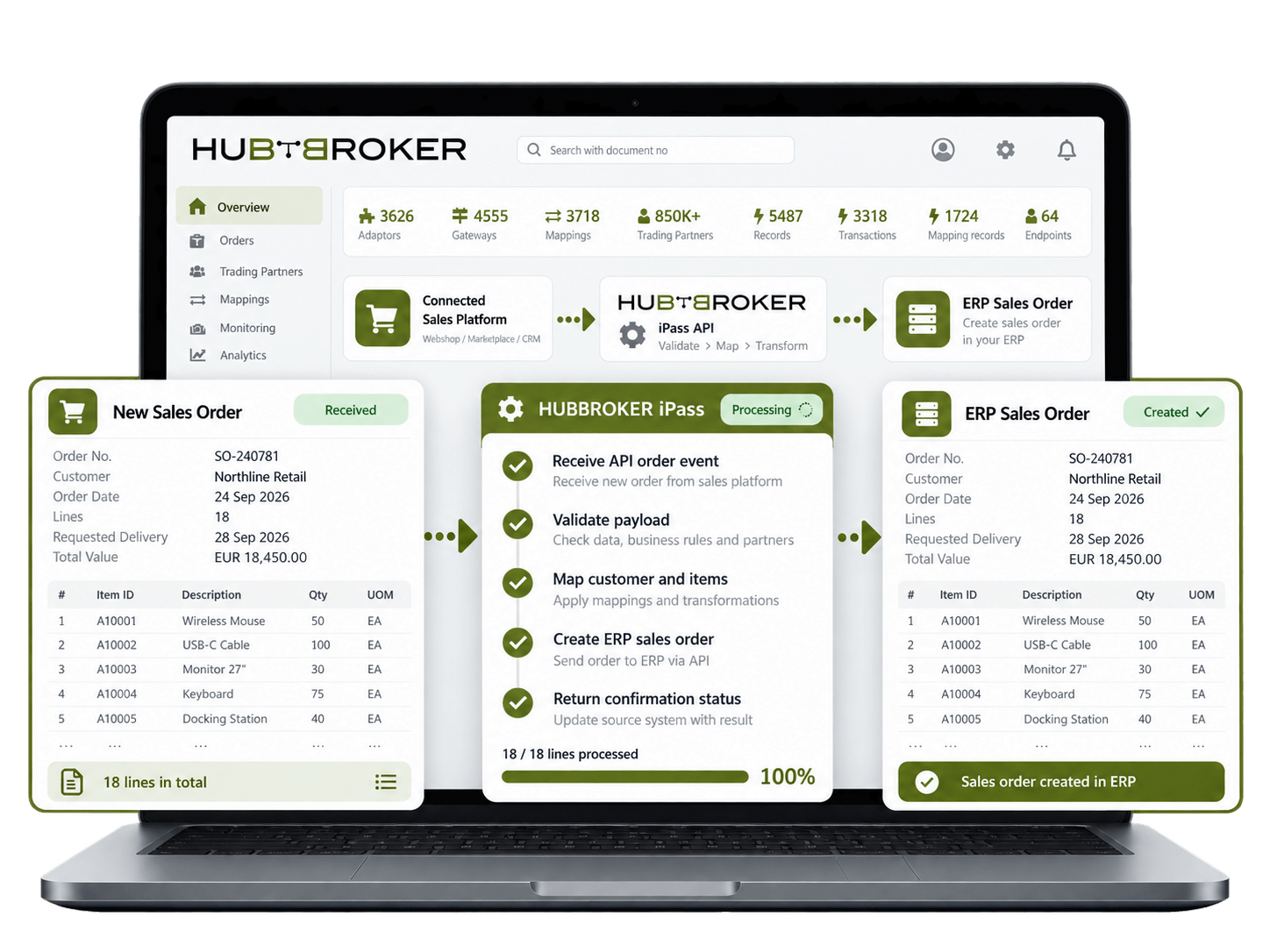
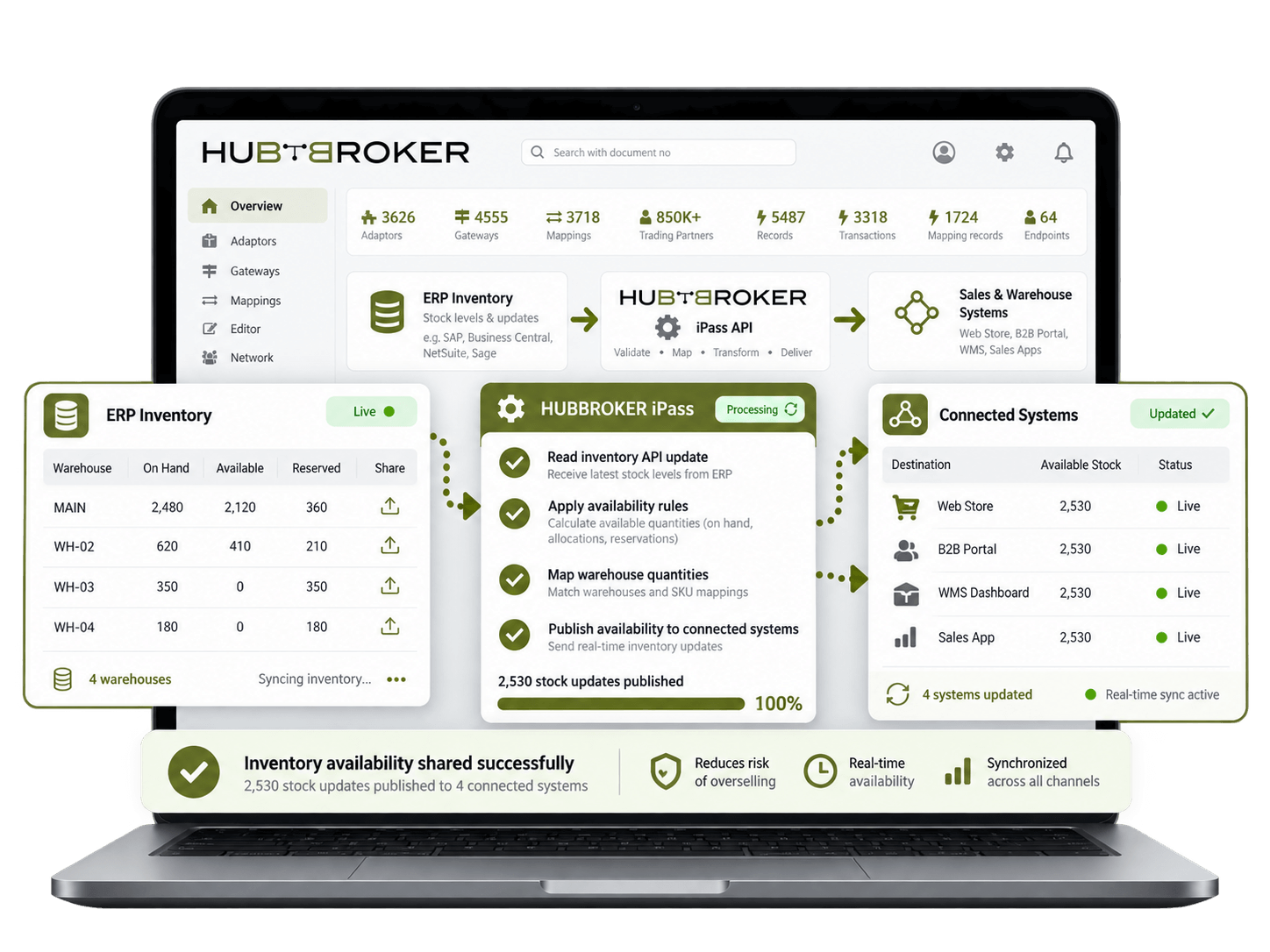
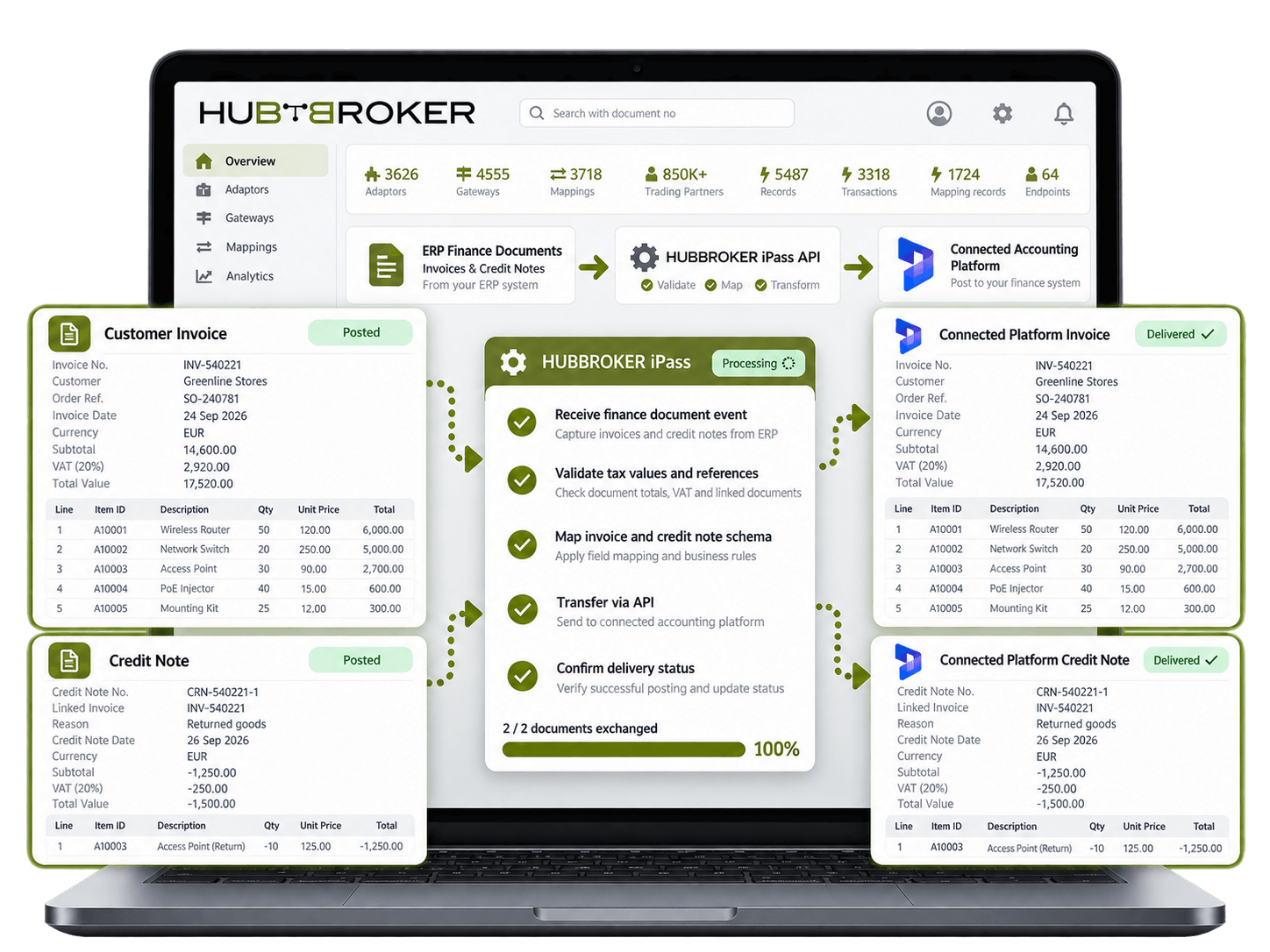
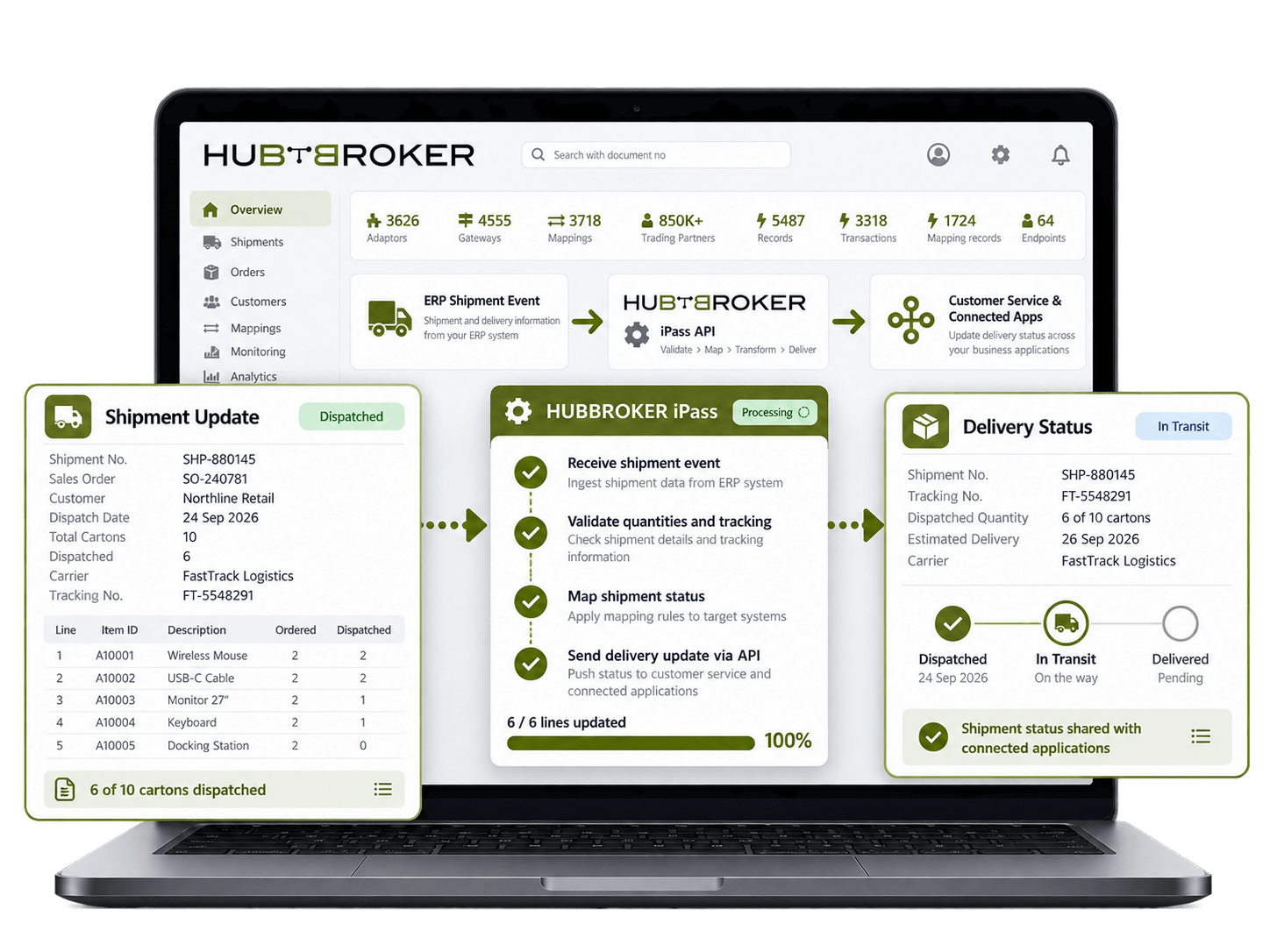
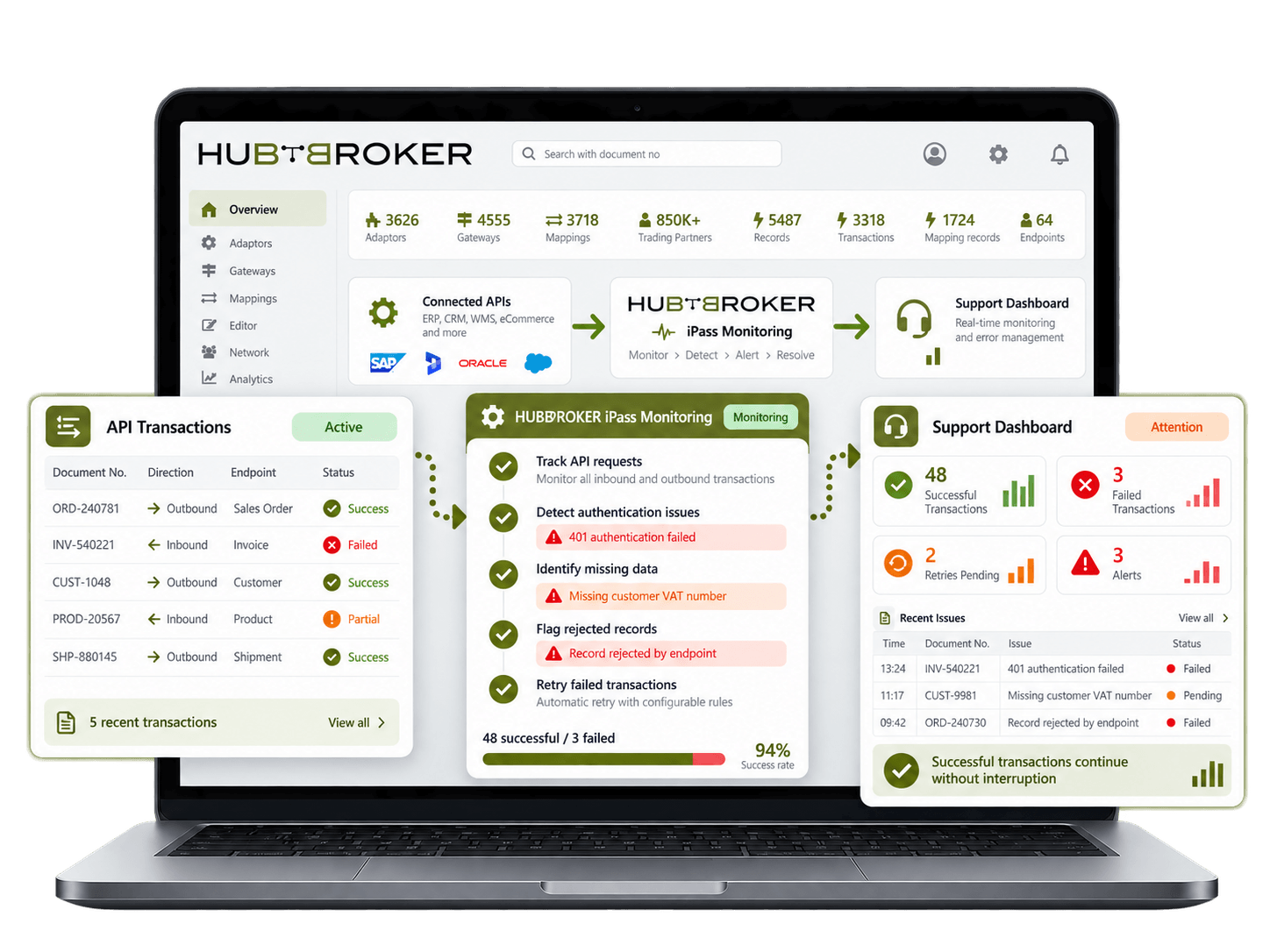
Send orders between connected systems and your ERP through APIs so sales teams can work from current order data without waiting for manual imports, file uploads or repeated data entry.
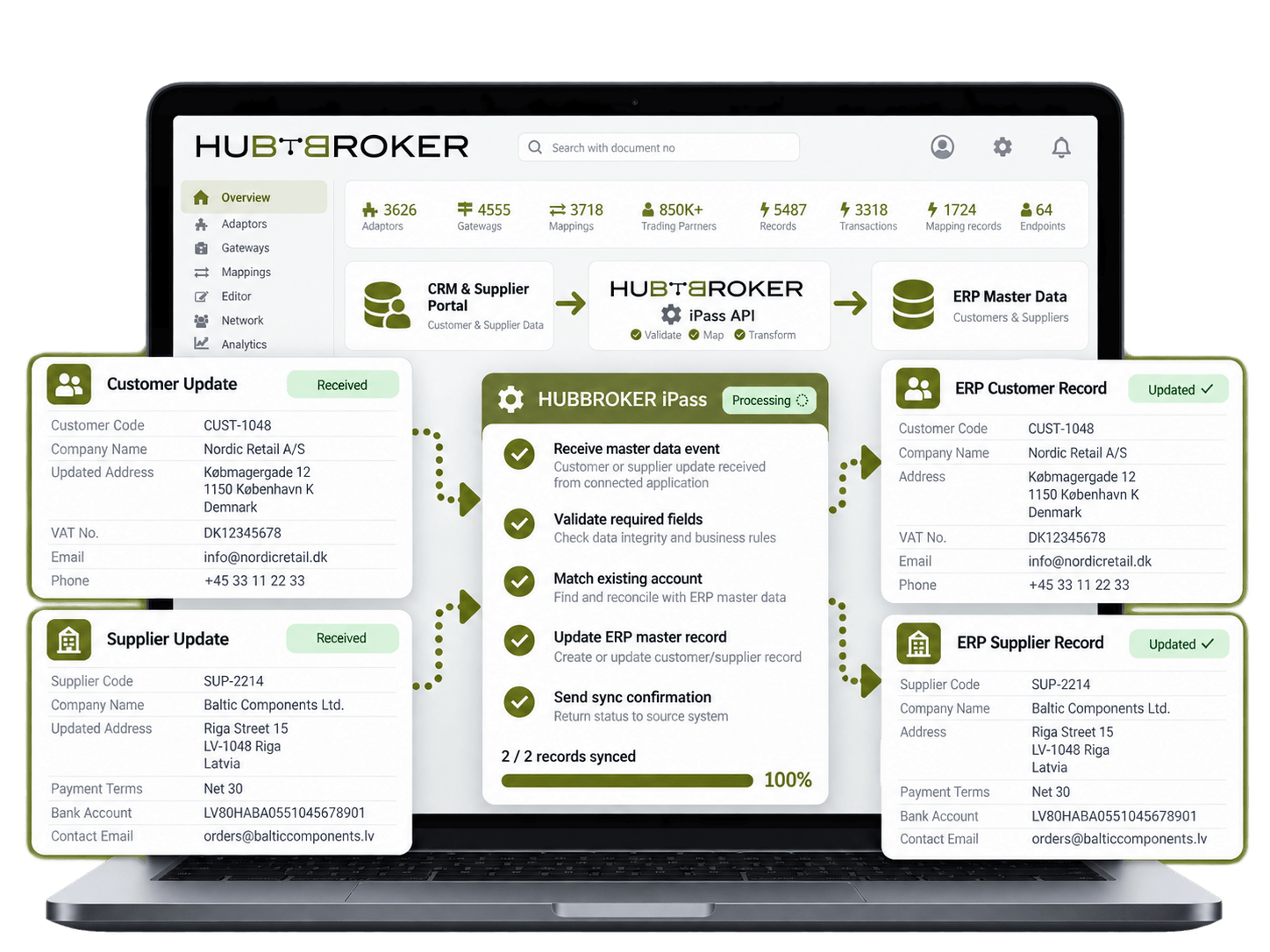
Keep customer and supplier details aligned between your ERP and connected applications. Updated names, addresses or account data can be shared without maintaining separate records manually.
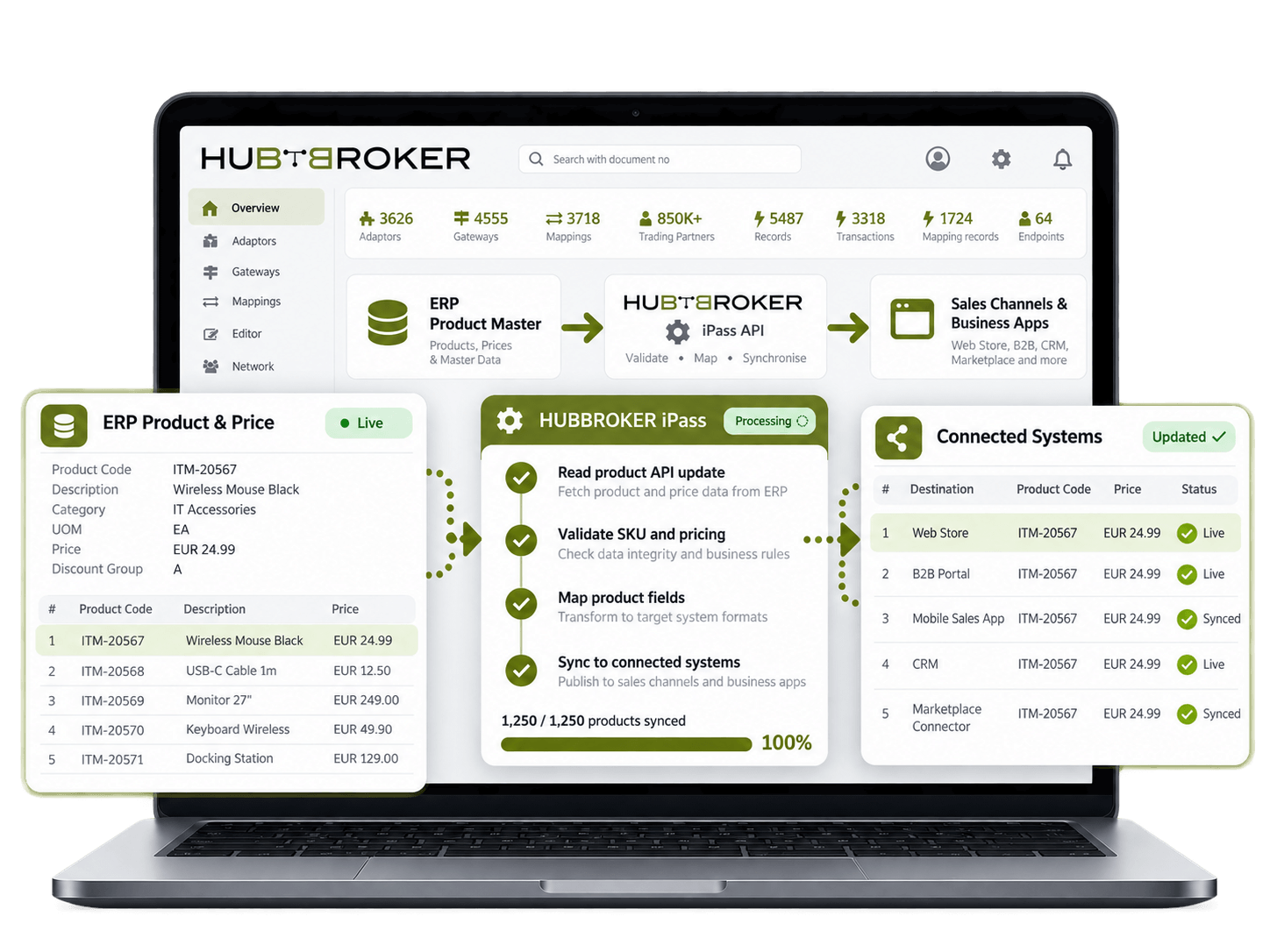
Share product codes, descriptions, prices and related item data between your ERP and external systems so sales channels and business applications work with consistent product information.
Send stock quantities from your ERP to connected sales or warehouse systems so users can work with current availability and reduce the risk of accepting orders for unavailable products.
Transfer invoices and credit notes between your ERP and connected platforms while keeping document numbers, tax values and references intact for accounting, customer service and reconciliation.
Share shipment details, dispatched quantities and delivery status from your ERP with connected applications so customer service teams can see what has shipped without checking multiple systems.
Track failed API requests and transaction errors so integration teams can identify missing data, authentication issues or rejected records without interrupting successful transactions.
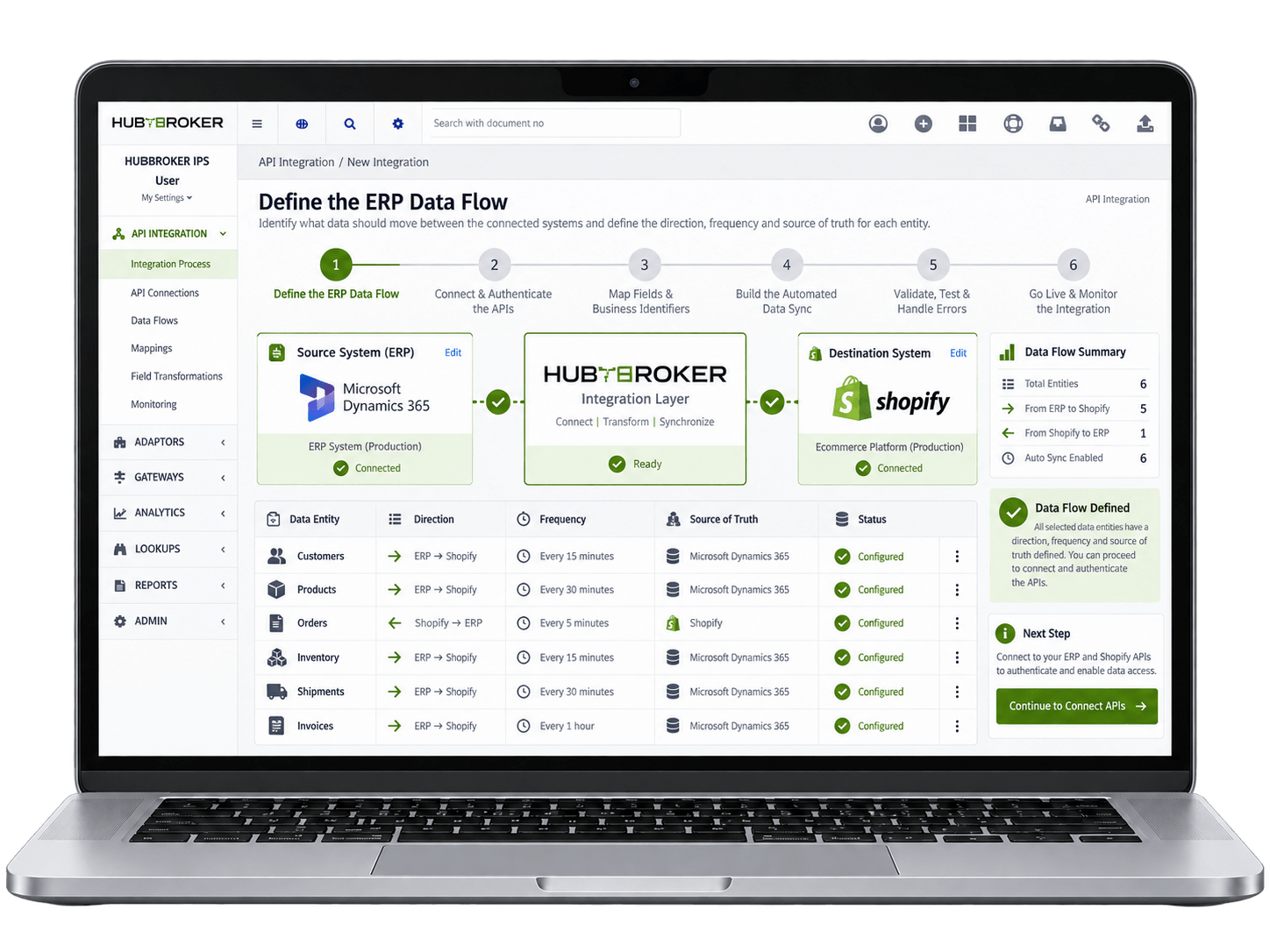
First, identify exactly what information needs to move between the connected systems, such as customers, products, orders, inventory, shipments, and invoices. Define where each data comes from, where it needs to go, how often it should move, and which system should be treated as main source for each record. This gives a clear data flow before the actual API connection is built.
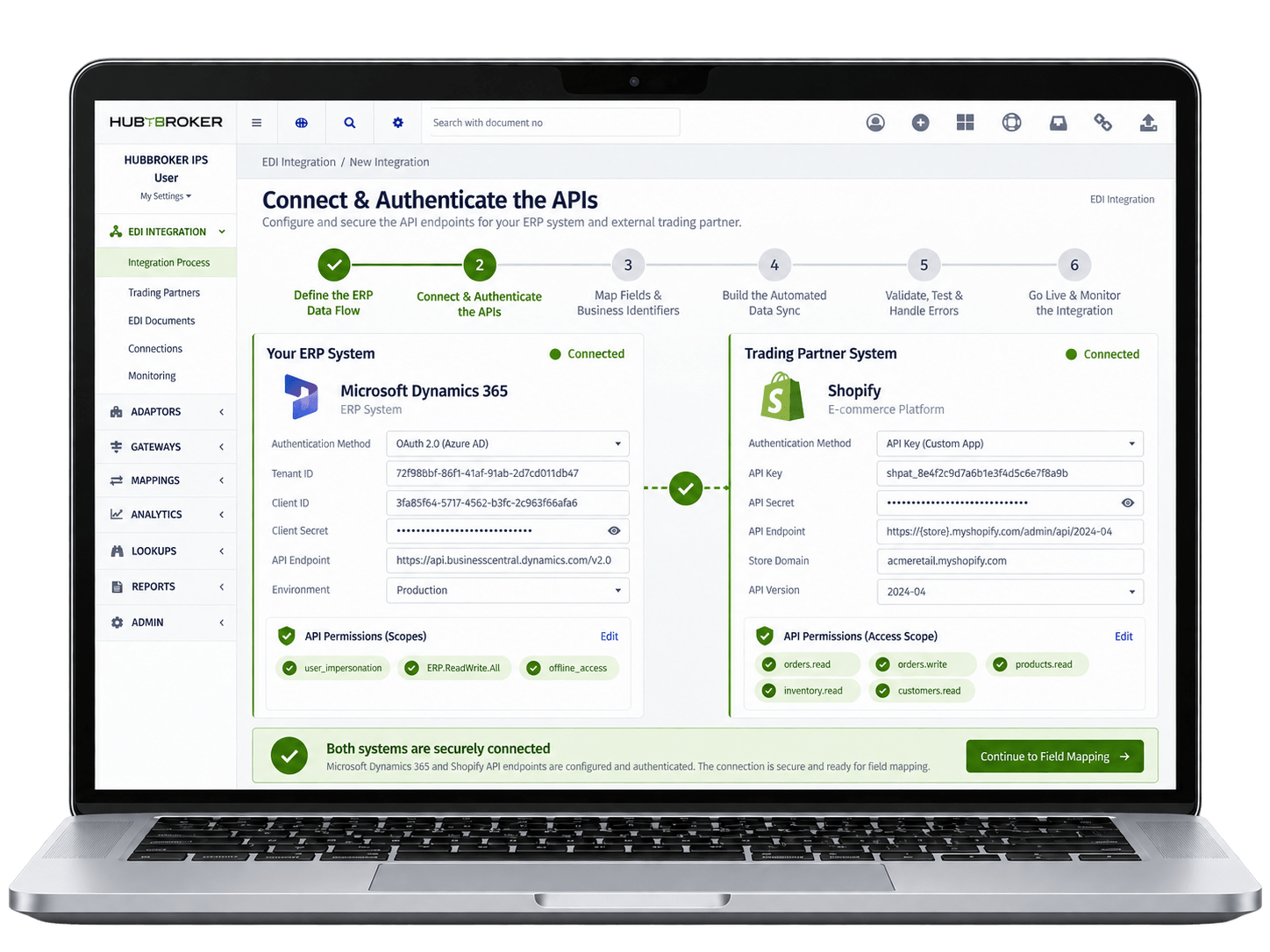
Configure the API endpoints for your ERP and the external system, then set up secure authentication using OAuth, API keys, certificates, or other supported credentials. The connection should have permission to read the required data and create or update records where needed. Once authentication is working correctly, both systems can exchange business data securely through the API.
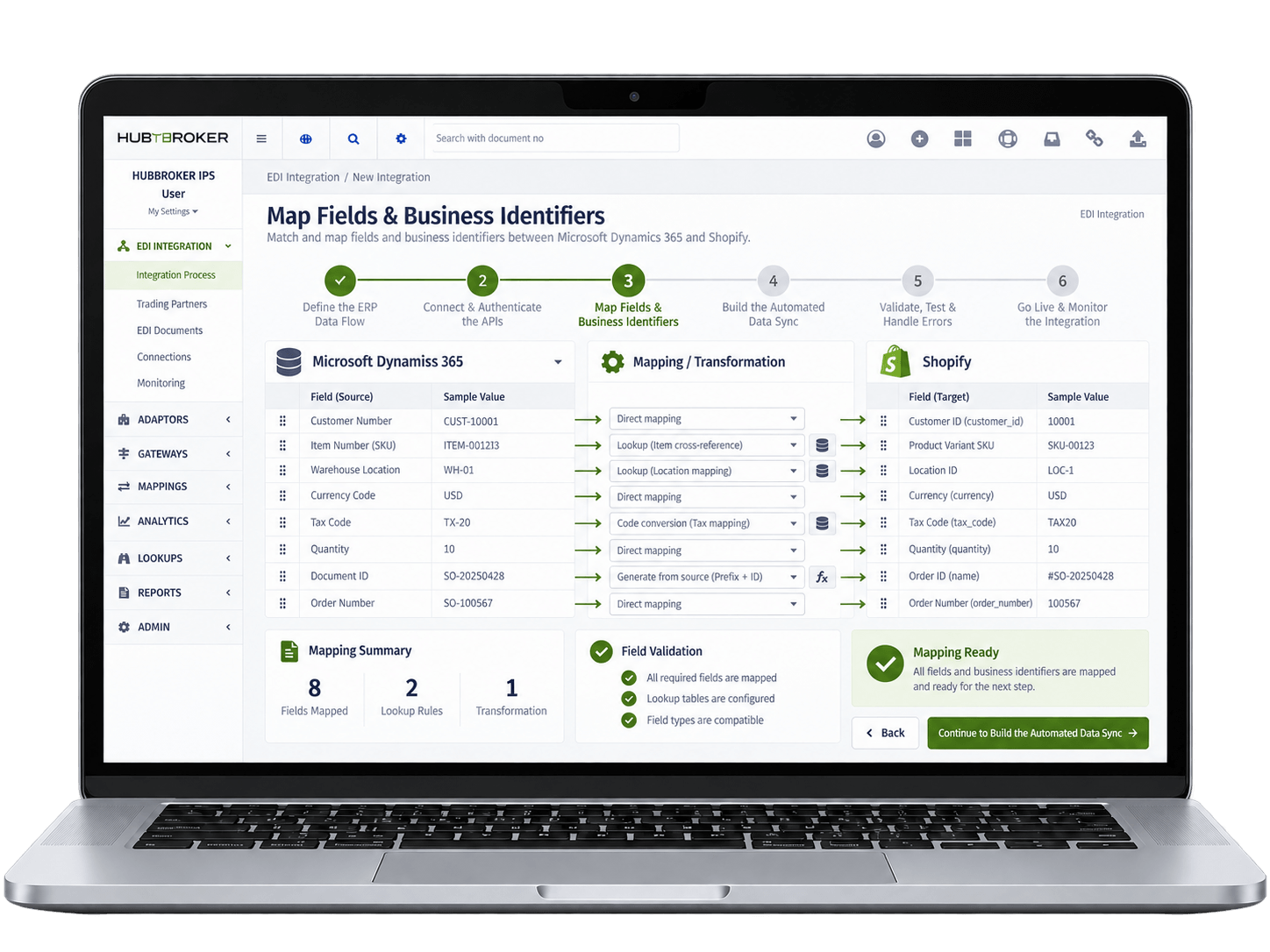
Match the fields used by both systems, including customer numbers, SKUs, warehouse locations, currencies, tax codes, quantities, and document IDs. Sometimes both systems use different codes for same customer, product, or location, so lookup and cross-reference rules may be required. Proper mapping makes sure data reaches the correct record instead of creating incorrect or duplicate information.
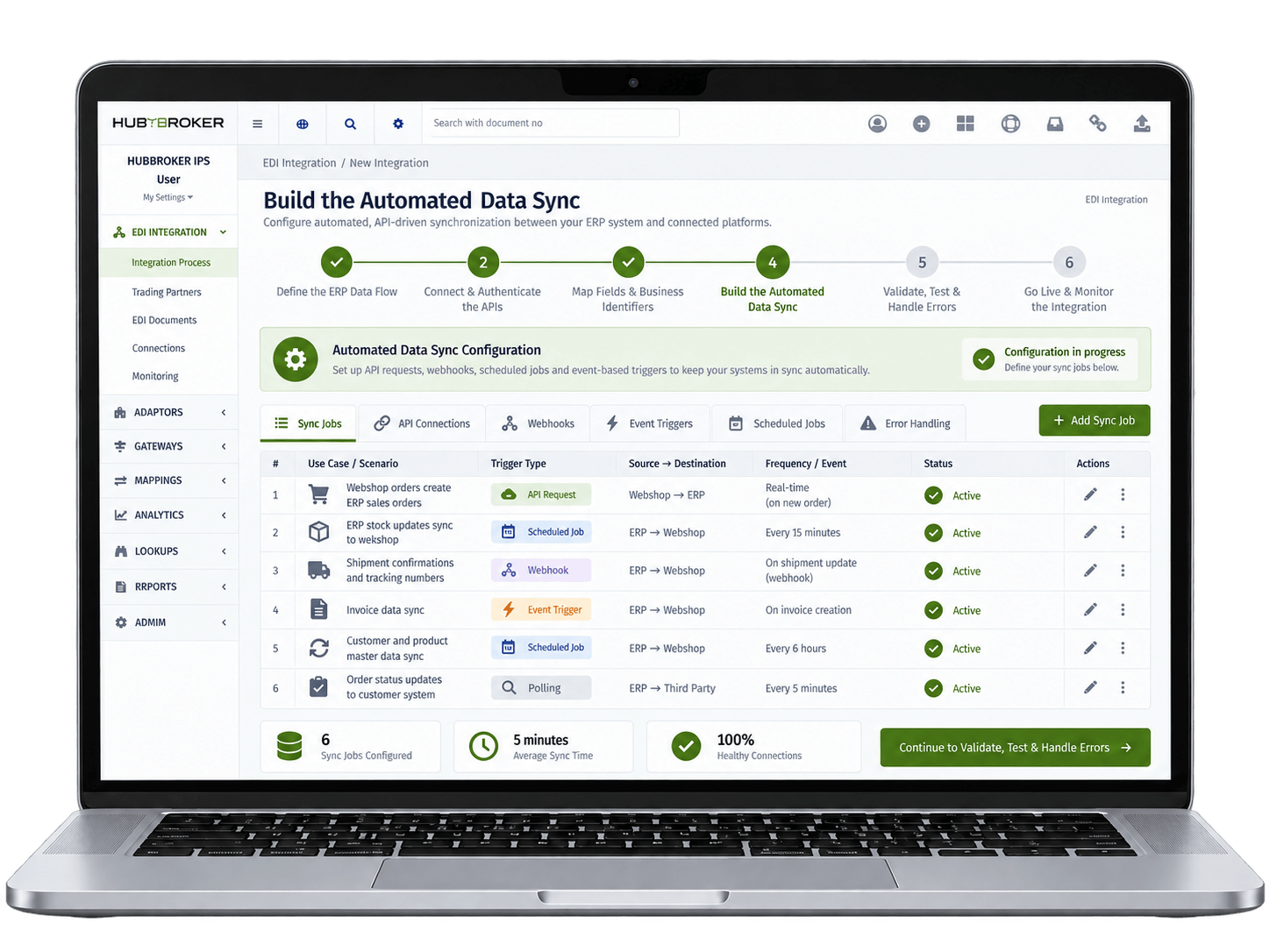
Configure when and how data should move using API requests, webhooks, events, scheduled jobs, or polling depending on the system. For example, a new webshop order can automatically create ERP sales order, while ERP stock updates can be sent back to the webshop. Shipment, tracking, invoice, or order-status updates can also move automatically back to the connected system.
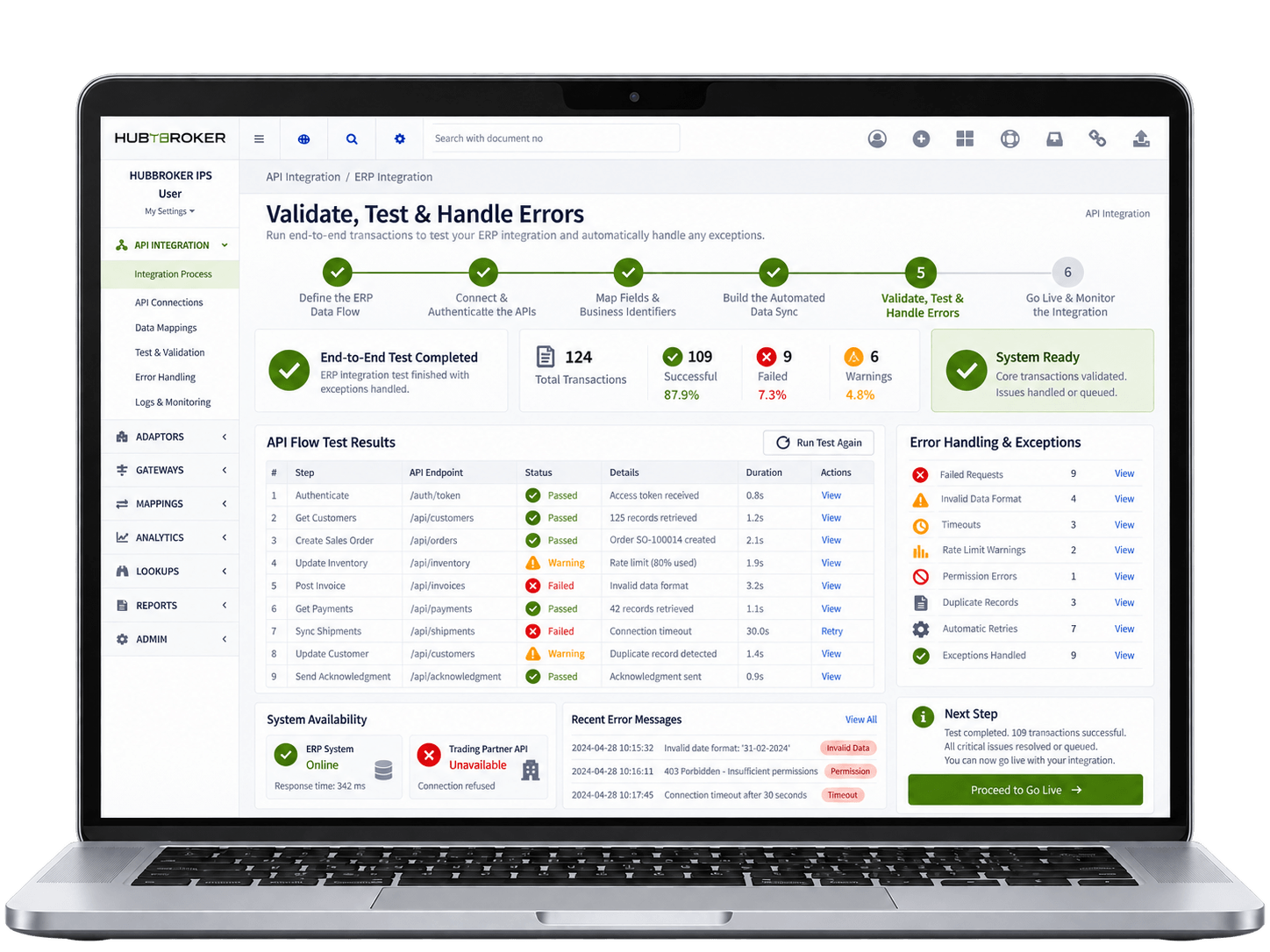
Run realistic end-to-end transactions to check field mapping, permissions, duplicate records, failed requests, timeouts, rate limits, and incorrect data. Also test what happens when one system is unavailable or sends information in an unexpected format. Retries, exception handling, and clear error messages should be configured so one failed API request does not stop the complete integration.
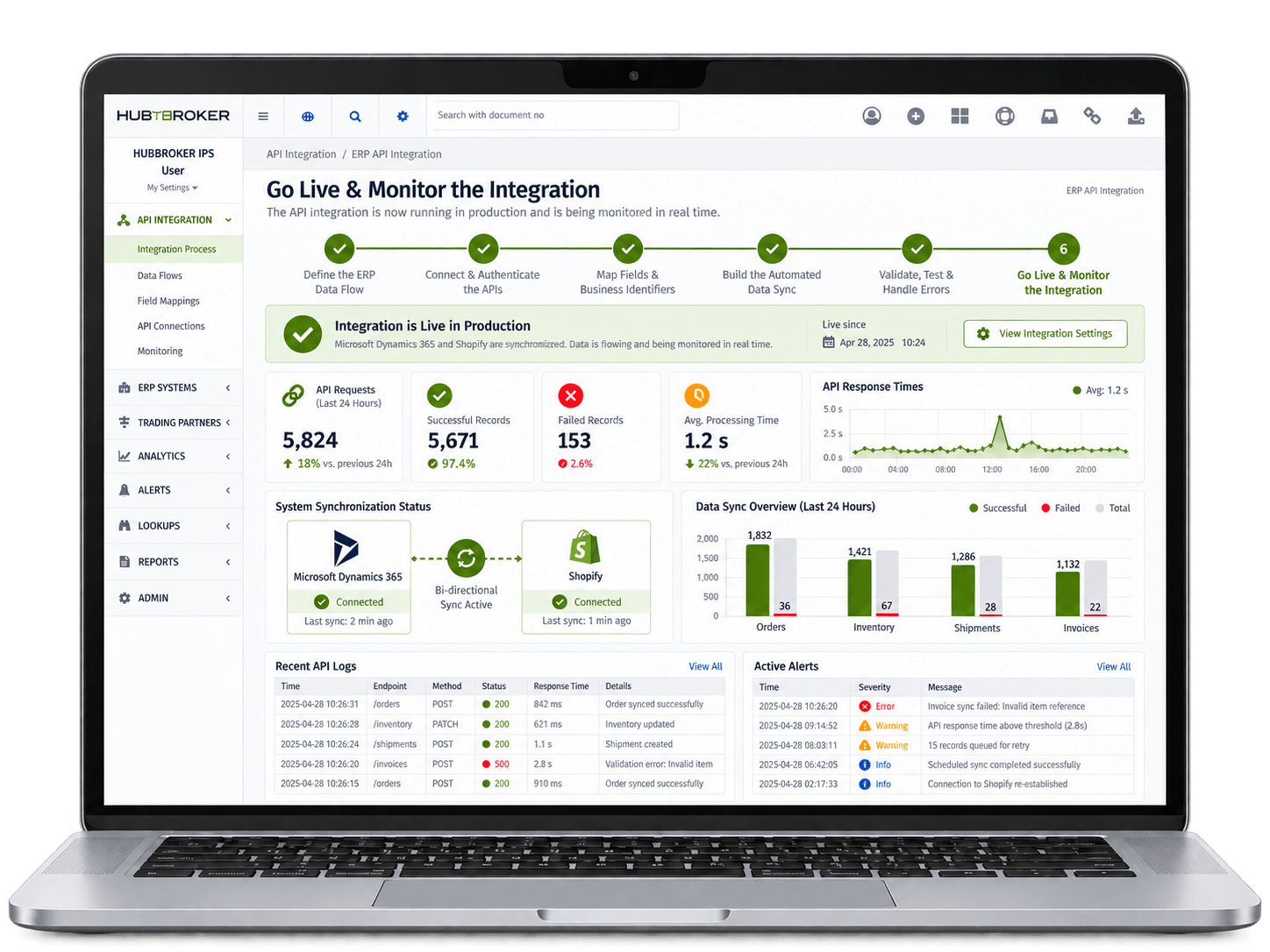
Once testing is completed and approved, move the API integration into production and start processing real business transactions. Monitor API responses, failed records, processing times, synchronization status, and other important integration activity. Logs and alerts help teams quickly find problems and confirm that data between both systems stays properly synchronized.









ERP data moves to and from connected apps and marketplaces through APIs, so finance and operations teams stop running manual exports, file imports, and copy-paste workflows daily.
Orders, invoices, customer records, and inventory updates move between your ERP and connected platforms in near real time, helping teams act on accurate, current information faster.
Validation and field mapping happen at each API call, so the data sitting in your ERP and connected apps stays consistent rather than drifting apart between manual sync cycles each week.
Adding a new app, marketplace, or portal becomes a configurable step rather than a custom build, so the integration layer scales as your business adds new tools and growth channels.
API calls, errors, and exceptions are logged centrally, so IT, finance, and audit teams share one place to see what data moved when, between which systems, and under whose authorisation.
Your ERP API setup connects naturally to EDI, Peppol e-invoicing, intelligent document processing, and PDF-to-XML in the same HubBroker platform, so automation can grow over time.













Our integration uses the real APIs offered by ERPs like Business Central, SAP B1, Visma e-conomic, and Uniconta, with proper handling of rate limits, scopes, and platform quirks built in.
Connect your ERP once to apps, marketplaces, portals, CRMs, eCommerce platforms, and partner systems through the same HubBroker layer, instead of building separate integrations per tool.
API integration sits alongside EDI, certified Peppol Access, and intelligent document processing in one platform, so structured and unstructured data flows share the same setup.
Our ERP API projects follow a documented path from requirement review through testing and go-live, so IT, finance, and operations teams stay aligned on timeline, scope, and effort.
Our teams in Denmark and India support API customers directly on endpoint changes, error handling, and new app onboarding, so integrations stay healthy as platforms keep evolving.
Every API call, response, and error is logged centrally in HubBroker, so issues are diagnosed and resolved quickly rather than buried inside individual app dashboards or logs.

ERIKS is a globally recognized industrial service provider with over 80 years of experience in delivering technical products, engineering expertise, and tailored services.
Read More
Orkla House Care Europe, a division of Orkla ASA, is a leading manufacturer and distributor of high-quality painting tools for both professionals and DIY users. Operating across Sweden, Denmark, Norway, and the UK.
Read More
Ammega Group, through its Megadyne division, is a global leader in the manufacturing and distribution of power transmission belts and industrial conveyor solutions.
Read More
TDC Brands is a Danish telecommunications group, home to six brands: YouSee, TDC Erhverv, Telmore, Hiper, eesy and Relatel.
Read More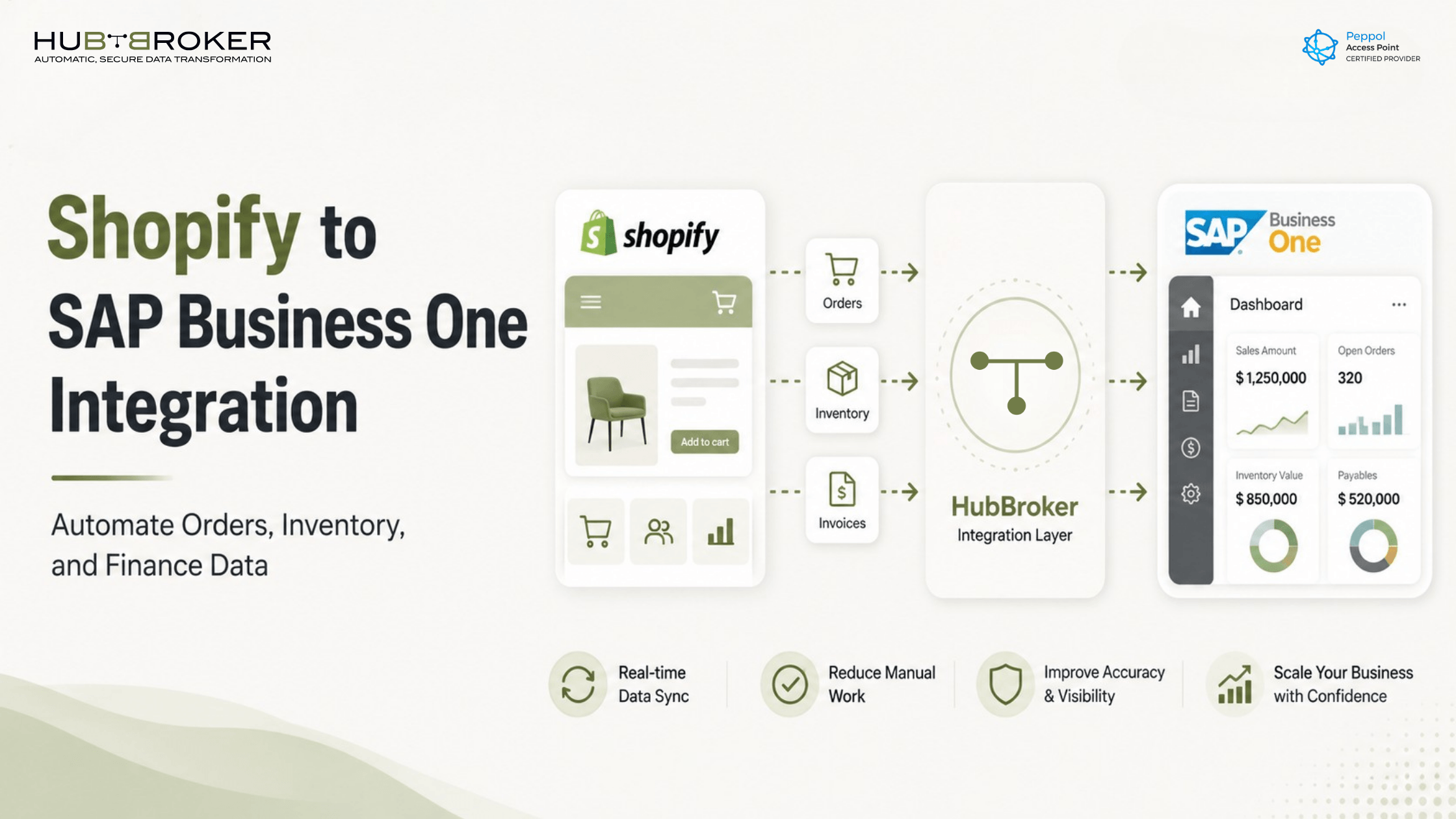
Connect Shopify with SAP Business One to automate orders, inventory, invoices, and finance data. Reduce manual work and improve ecommerce ERP control.
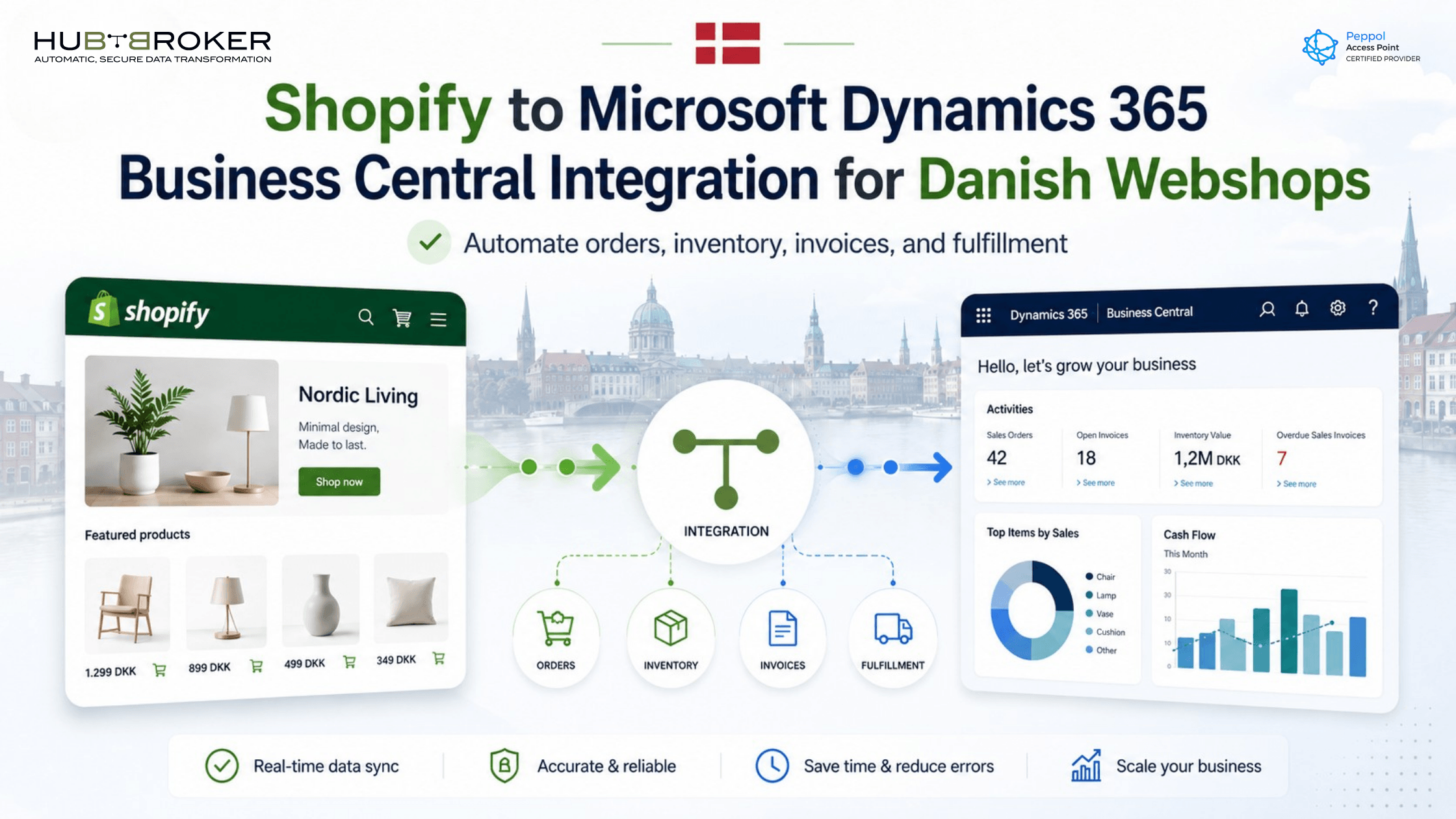
Connect Shopify with Microsoft Dynamics 365 Business Central to automate orders, inventory, invoices, and customer data for Danish webshops.
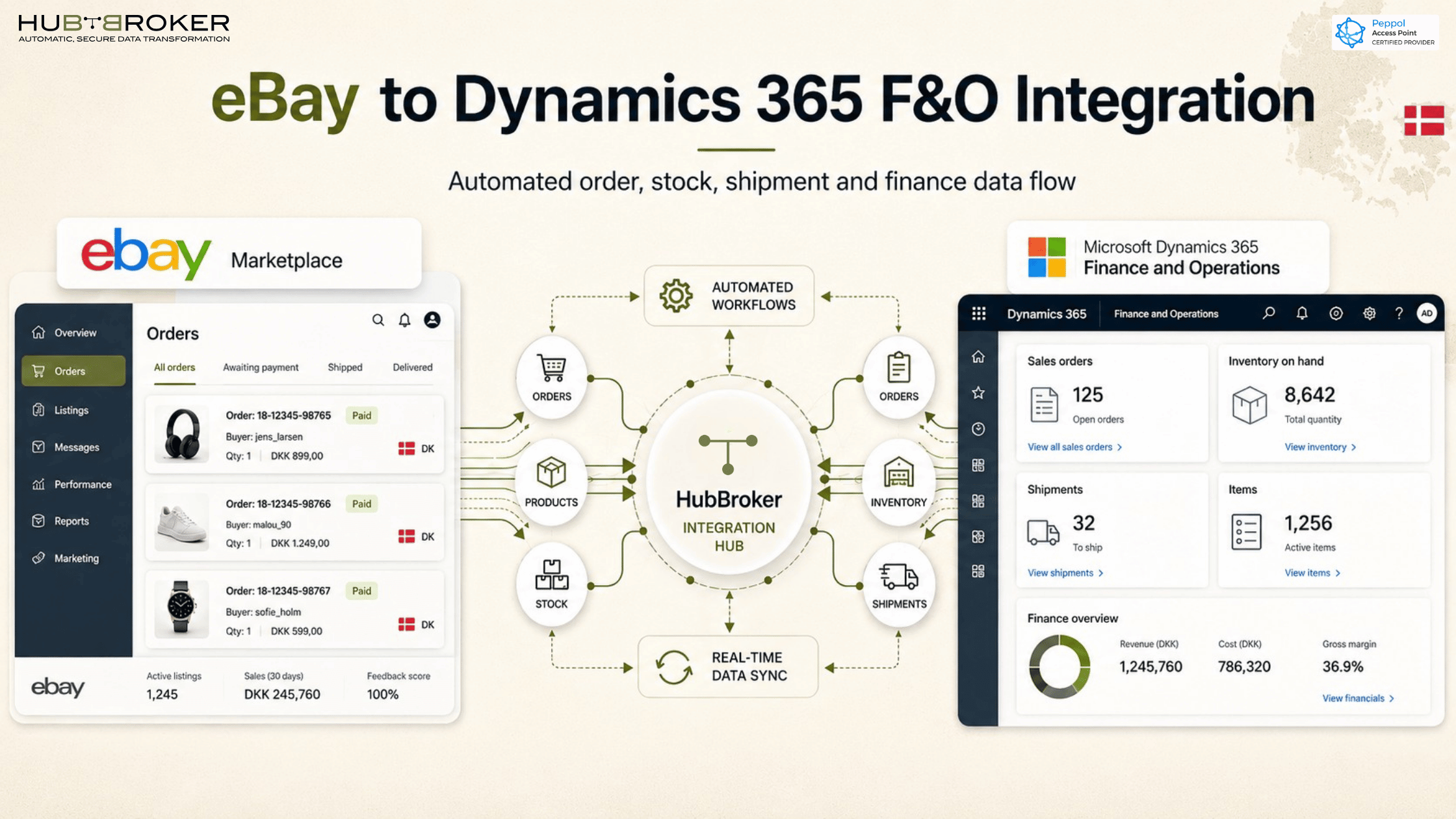
eBay Dynamics 365 F&O integration in Denmark connects marketplace sales with orders, inventory, invoices, and ERP workflows.
API integration is the process of connecting two or more applications via their Application Programming Interfaces (APIs) to exchange data and perform automated tasks. This allows software to "talk" to each other without human intervention.
API integration is the process of connecting two or more software applications using their Application Programming Interfaces (APIs) to automatically exchange data and perform tasks without human intervention. It acts as a digital bridge that allows completely different systems—even those built by different companies using different programming languages—to seamlessly speak to one another.
To integrate an API, you must read the official documentation, obtain an authentication key, and write code to send network requests to designated endpoints. This process connects separate software systems so they can automatically share data and execute functions.
HubBroker solutions support businesses across industries where reliable data exchange, automation, compliance, and partner connectivity are essential.
Support fast-moving order, invoice, inventory, and marketplace workflows with automated document and system integrations.
Help manufacturers connect suppliers, customers, ERP systems, and logistics partners for smoother production and supply chain operations.
Enable structured data exchange for shipping, delivery, tracking, invoicing, and partner communication across logistics networks.
Support secure and accurate document exchange where compliance, reliability, and process efficiency are critical.
Help financial businesses improve document processing, data accuracy, reporting flows, and secure business communication.
Automate order-to-cash and procure-to-pay workflows across customers, suppliers, warehouses, and ERP systems.
45B 1260 Bredgade , København K Capital Region, Denmark
D-1010, The First, B/H ITC Narmada, Ahmedabad, Gujarat, 380015, India