
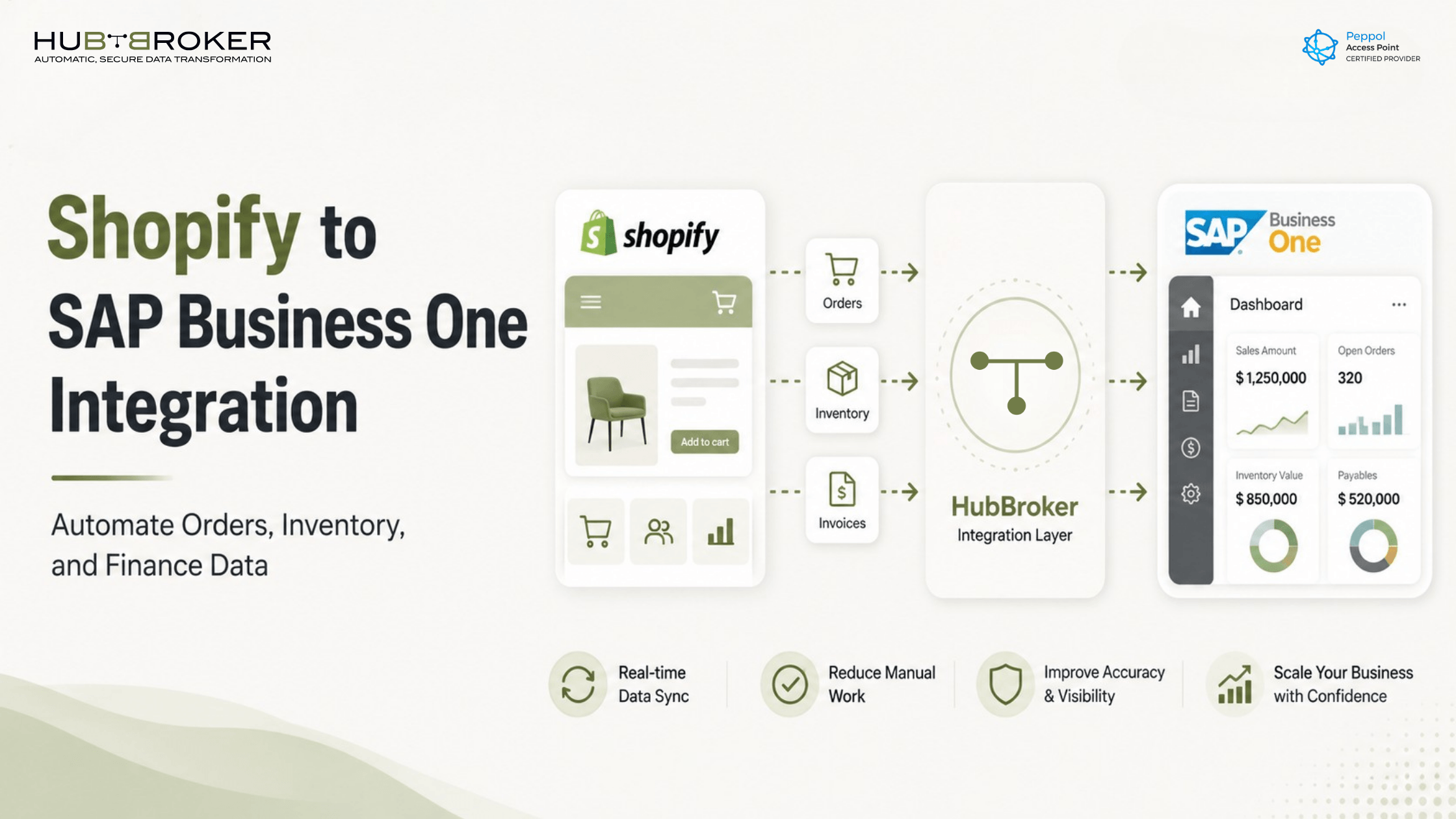
Shopify to SAP Business One Integration: How to Automate Orders, Inventory, and Finance Data
Your Shopify store may be taking orders smoothly, but what happens after the order arrives?
If your team still copies Shopify orders into SAP Business One by hand, updates stock manually, or checks invoice details across different screens, your ecommerce process is not fully connected. It may look digital from the customer side, but behind the scenes, your team is still doing repetitive admin work.
That is where Shopify to SAP Business One integration becomes valuable. It connects your online store with your ERP, so orders, customers, products, inventory, shipment details, and invoice data can move between systems with less manual effort.
SAP Business One is designed to help small and midsize businesses manage accounting, financials, purchasing, inventory, sales, customer relationships, reporting, and analytics. Shopify supports ecommerce order management, fulfillment, shipping, payments, refunds, cancellations, and inventory tracking. When both systems work together, your business gets a cleaner flow from online sale to ERP processing.
Why Shopify and SAP Business One Need to Work Together
Shopify is usually where the sale starts. SAP Business One is where the business manages the operational and financial side.
When these two systems are disconnected, teams often deal with problems like:
Manual order entry from Shopify into SAP Business One
Wrong customer, SKU, price, or quantity entered into the ERP
Stock levels that do not match between Shopify and SAP Business One
Delays in preparing invoices
Finance and operations teams working from different data
More time spent checking errors instead of processing orders
For a small number of orders, manual work may feel manageable. But as order volume grows, the risk increases. One wrong SKU, one missed stock update, or one delayed invoice can affect the customer experience and your internal workflow.
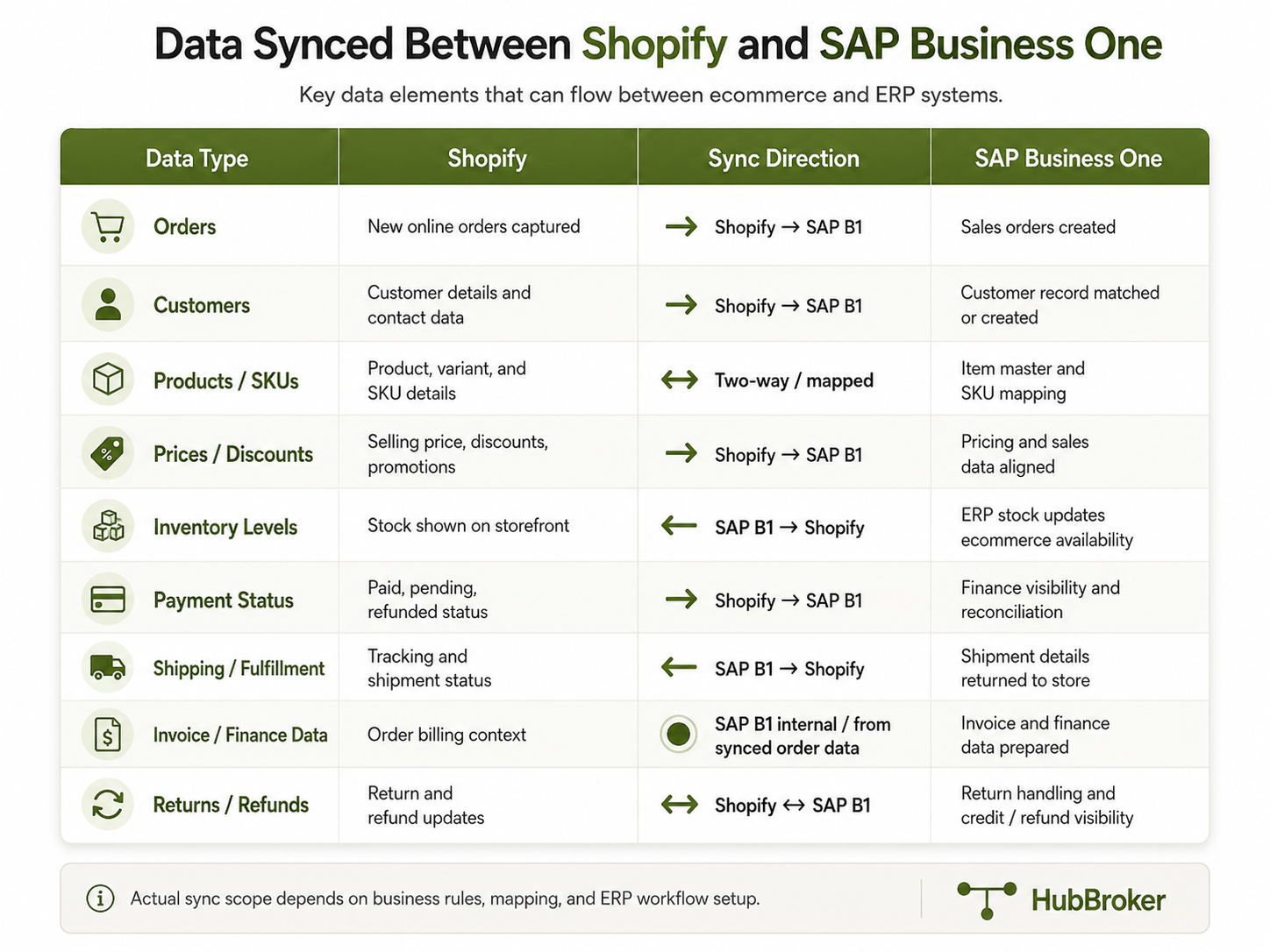
What Data Can Sync Between Shopify and SAP Business One?
A good Shopify SAP Business One integration should not only move orders. It should support the data your business needs to process ecommerce sales properly.
Common data flows include:
Shopify orders
Customer details
Product and SKU information
Prices and discounts
Tax or VAT details
Payment status
Inventory levels
Shipping and fulfillment updates
Invoice and finance data
Returns, refunds, or cancellations
The exact setup depends on your business process. Some companies need Shopify orders to become sales orders in SAP Business One. Others also need stock updates, shipment confirmations, invoice creation, and multi-warehouse handling.
How Shopify to SAP Business One Integration Works
A simple integration flow can look like this:
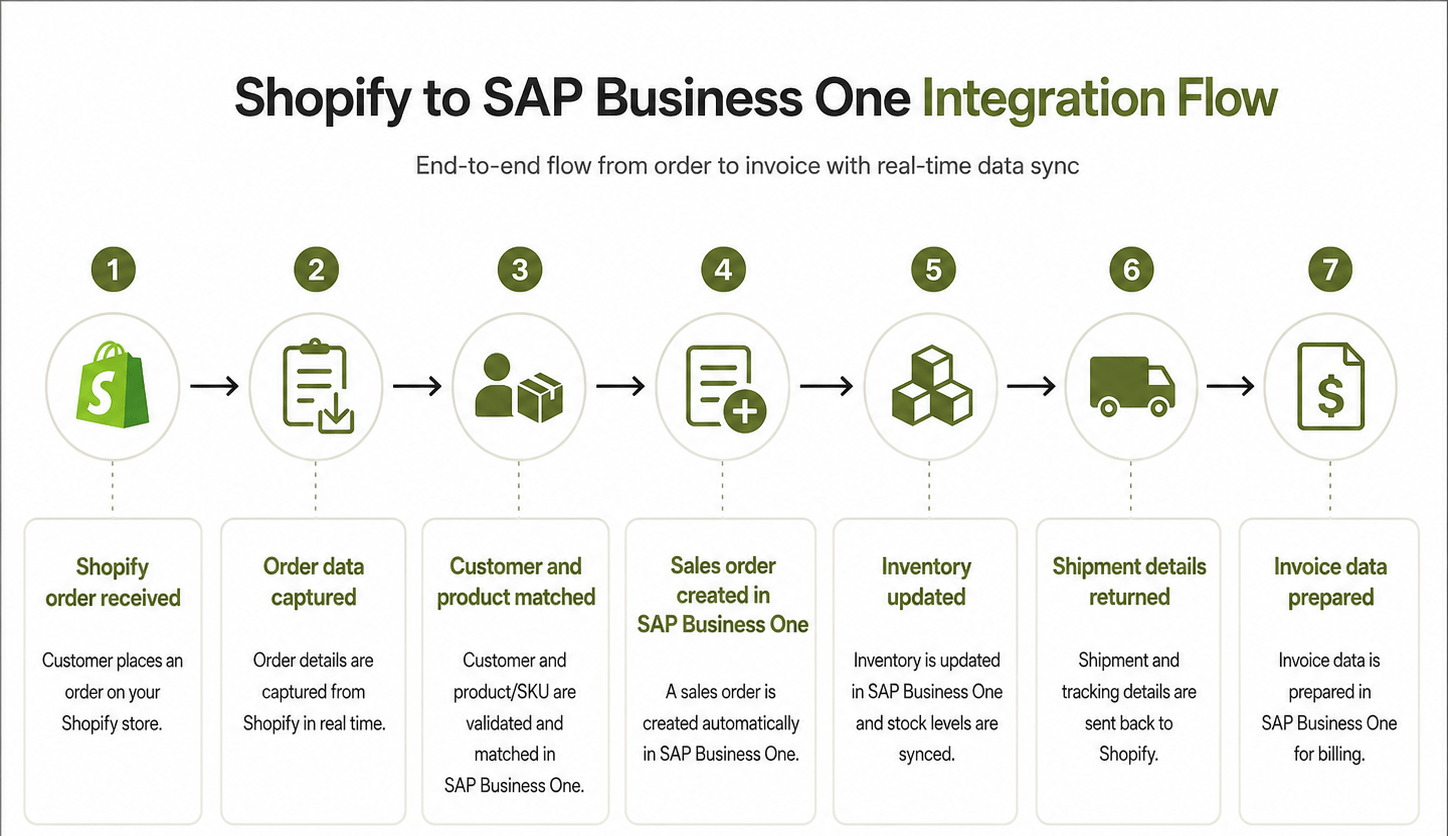
This removes the need for someone to manually copy the order from Shopify and type it again into SAP Business One.
Key Benefits of Shopify SAP Business One Integration
Less Manual Order Entry
Manual data entry is slow and easy to get wrong. With integration, Shopify order data can be transferred into SAP Business One automatically. This helps your team reduce copy-paste work and focus on exception handling instead of routine entry.
Cleaner Order Processing
When order data moves directly into SAP Business One, the sales team, warehouse team, and finance team can work from the same information. This helps reduce confusion around order status, product details, customer information, and fulfillment.
Better Inventory Control
Inventory mismatch is one of the biggest issues in ecommerce. Shopify’s own inventory guidance explains that inventory management helps businesses avoid selling products that are out of stock and understand when more stock is needed.
With Shopify inventory sync to SAP Business One, stock data can be updated more reliably. This is especially important if SAP Business One is your main system for inventory control. If your stock levels still drift apart even when the sync looks healthy.
Faster Finance Workflow
Finance teams do not want to chase order details from Shopify, payment reports, and ERP screens separately. Integration can help prepare invoice and finance data in SAP Business One so the process becomes cleaner and faster.
Better Visibility Across Teams
When ecommerce, warehouse, and finance data are connected, teams can see what is happening without asking for manual updates. This helps improve daily operations and gives management better reporting visibility.
Common Integration Challenges to Plan For
A Shopify to SAP Business One integration should be planned carefully. The connection is not only about moving data from one system to another. It is about making sure the data lands correctly.
Common challenges include:
Different SKU codes in Shopify and SAP Business One
Customer matching rules
Tax, VAT, and country-specific invoice logic
Multiple warehouses or stock locations
Partial shipments
Returns and refunds
Shopify custom fields or apps
SAP Business One custom setup
Different price lists or discount rules
This is why choosing the right Shopify to SAP Business One integration solution matters. A basic connector may move data, but a proper integration should understand your actual business workflow.
Ready to automate your Shopify and SAP Business One workflow? Contact us to discuss your integration needs.
What to Look for in a Shopify to SAP Business One Integration Solution
Before choosing an integration partner, ask practical questions:
Can Shopify orders be created automatically in SAP Business One?
Can product and customer data be mapped correctly?
Can inventory updates flow between both systems?
Can invoice and finance data be handled?
Is there error monitoring if something fails?
Can the setup support custom rules?
Can the integration scale if more ecommerce channels are added later?
The right setup should reduce manual work without creating a black box. Your team should be able to see what was processed, what failed, and what needs attention.
Where HubBroker Can Help
HubBroker helps businesses connect ecommerce platforms like Shopify with ERP systems such as SAP Business One, so order, inventory, customer, and invoice data can move smoothly between both systems.
With HubBroker, your business can:
Automate Shopify order sync into SAP Business One
Reduce manual order entry and copy-paste work
Map customer, product, and SKU data correctly between both systems
Keep inventory data updated for better stock visibility
Prepare invoice and finance data with fewer delays
Handle errors and exceptions with better monitoring
Create a scalable integration flow for future ecommerce growth
Instead of spending time fixing data issues, your team can focus on processing orders faster, improving accuracy, and managing business growth with cleaner ERP data.
FAQ
What is Shopify to SAP Business One integration?
Shopify to SAP Business One integration connects your Shopify store with SAP Business One so order, customer, product, inventory, shipping, and invoice data can move between both systems automatically.
Can Shopify orders be created automatically in SAP Business One?
Yes. With the right integration setup, Shopify orders can be captured and used to create sales orders in SAP Business One.
Can inventory sync between Shopify and SAP Business One?
Yes. Inventory data can be synced so Shopify reflects more accurate stock information from SAP Business One, depending on your business rules and warehouse setup.
Does the integration support invoice data?
Yes. Invoice and finance data can be prepared or synced based on how your SAP Business One process is configured.
Is this only for large ecommerce businesses?
No. It is useful for any growing business that uses Shopify for sales and SAP Business One for ERP, finance, inventory, or reporting.
Ready to Connect Shopify with SAP Business One?
If your team is still copying Shopify orders into SAP Business One manually, it may be time to automate the process.
HubBroker can help you connect Shopify with SAP Business One and create a smoother flow for orders, inventory, invoices, and ERP data.
Contact us today to discuss your Shopify to SAP Business One integration requirements.
