
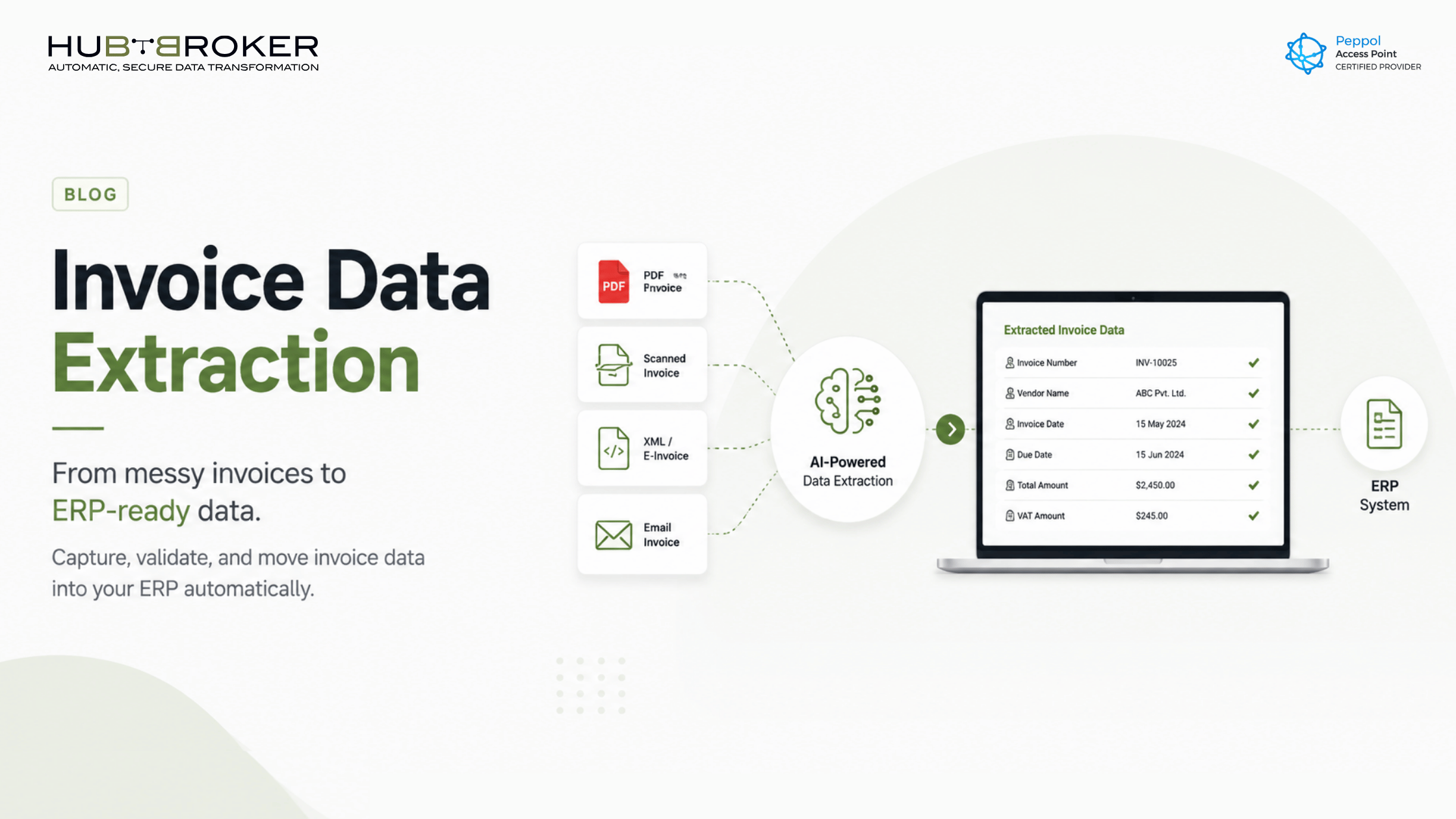
Invoice Data Extraction: A Complete Guide
Every invoice tells a business story.
Who supplied the goods? What was ordered? When is payment due? Which tax amount applies? Which purchase order does it match?
The problem is that many finance teams still have to dig through PDFs, emails, scans, spreadsheets, and supplier portals just to find those answers. That means someone is manually copying invoice numbers, dates, VAT details, supplier names, line items, and totals into an ERP or accounting system.
That is slow. It creates errors. And it keeps finance teams busy with work that should already be automated.
This is where invoice data extraction becomes valuable. It helps businesses capture invoice details automatically and turn them into structured data that can move into ERP, accounting, approval, or compliance systems.
What Is Invoice Data Extraction?
Invoice data extraction is the process of automatically capturing important information from invoices and converting it into usable digital data.
Instead of a finance user opening every invoice and typing the details manually, the system reads the document and extracts key fields such as:
Supplier name
Invoice number
Invoice date
Due date
Purchase order number
VAT or tax details
Currency
Total amount
Line-item details
Bank or payment information
Once extracted, this data can be validated, approved, converted, and sent to the right business system.
For finance teams, the goal is simple: less manual entry, fewer errors, and faster invoice processing.
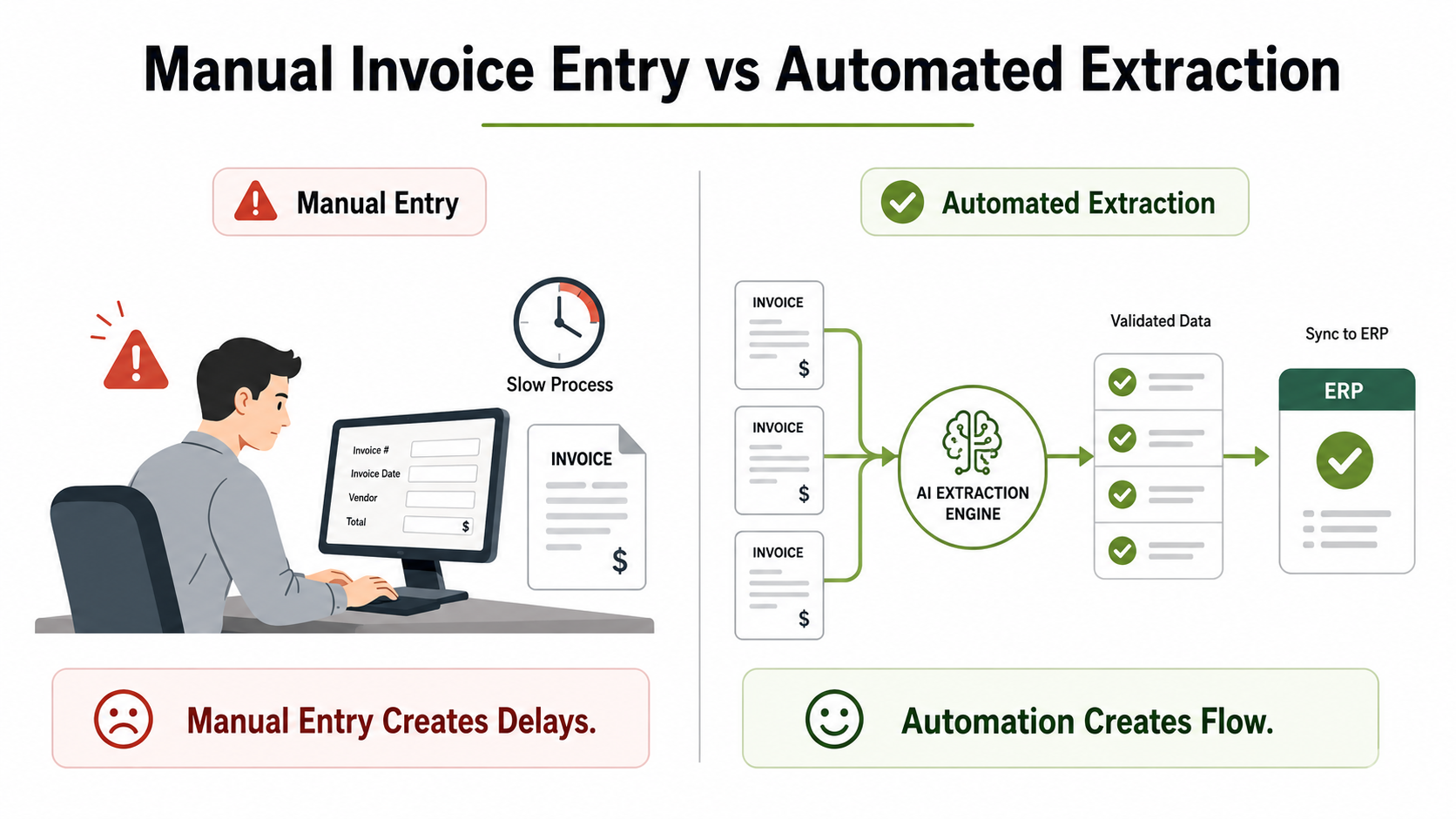
Why Manual Invoice Entry Still Creates Problems
Manual invoice processing may look manageable when invoice volumes are low. But as the business grows, the cracks become visible.
A finance team may receive invoices from different suppliers in different formats. Some arrive as PDF attachments. Some come as scanned copies. Some are e-invoices, XML files, EDI documents, or Peppol invoices. Others may come through portals.
When every invoice needs human checking and typing, the process becomes slow and inconsistent.
Common problems include:
Incorrect invoice numbers
Wrong tax or VAT values
Missing purchase order references
Duplicate invoice entries
Delayed approvals
Late payments
Poor visibility into pending invoices
More pressure during month-end closing
The real issue is not just speed. Manual invoice handling also weakens control. If invoice data is entered incorrectly, it can affect payments, reporting, compliance, and supplier relationships.
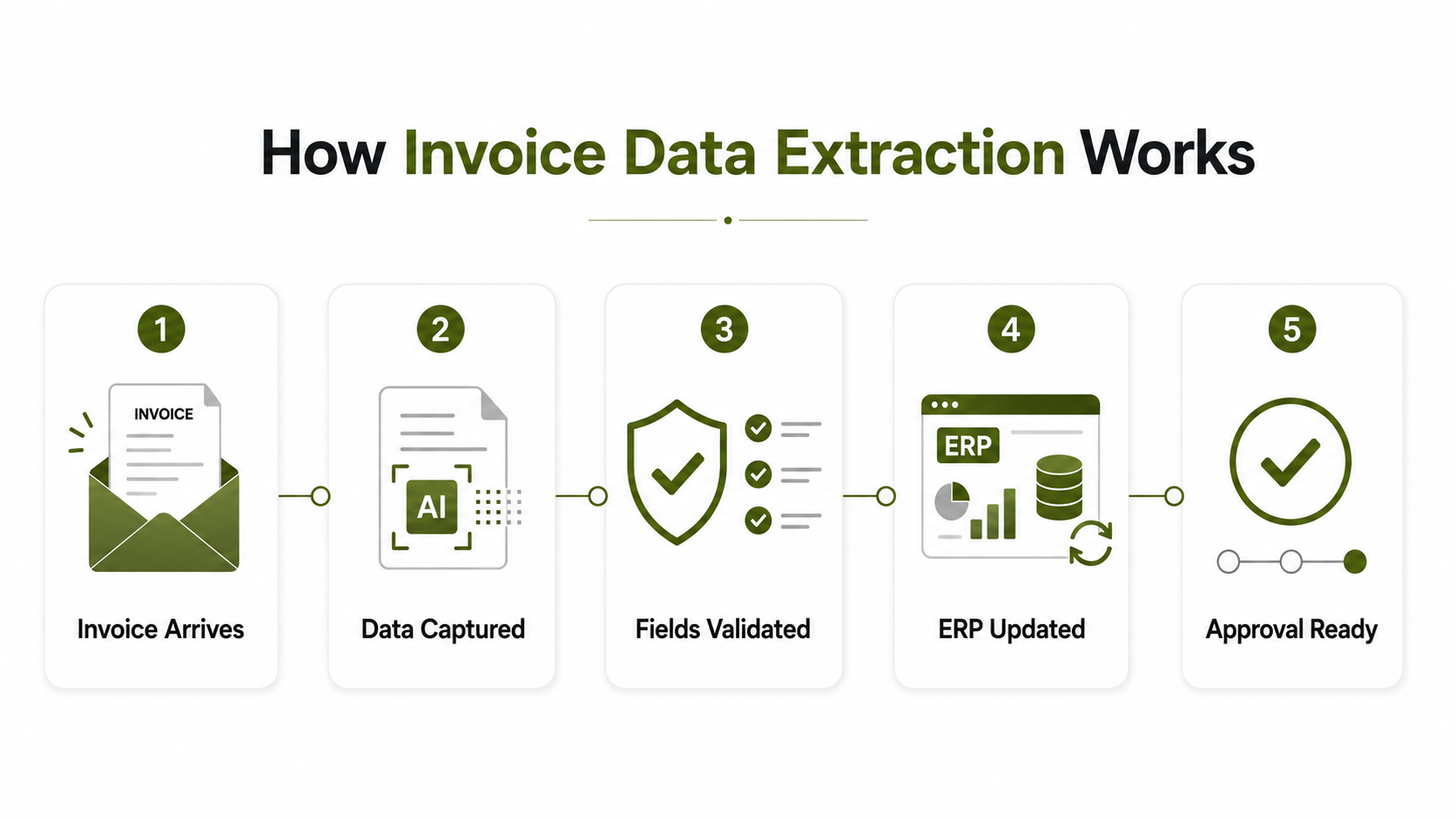
How Does Invoice Data Extraction Work?
Invoice data extraction usually follows a simple workflow.
PDF Invoices vs E-Invoices: Why the Format Matters
Not all invoices are equal from an automation point of view.
A PDF invoice is easy for humans to read. It looks like a normal document and can be opened by almost anyone. But for software, a PDF is not always easy to process because the data may be locked inside a visual layout.
An e-invoice, on the other hand, contains structured data. Formats such as XML make it easier for systems to read, validate, and exchange invoice information automatically.
Many companies today receive both. One supplier may send PDF invoices. Another may send XML. A government or large enterprise customer may require Peppol e-invoicing. Some trading partners may still use EDI.
That is why modern invoice automation should support multiple formats, including PDF, XML, EDI, and e-invoice workflows.
Automate Invoice Data Extraction with Accuracy
Capture invoice details from PDFs, scanned documents, and digital files faster with HubBroker’s intelligent document processing and ERP integration solutions.
Contact Us to Know More
OCR Is Useful, But It Is Not the Full Solution
OCR is often the first technology people think about when they hear invoice data extraction.
OCR can read text from a scanned document or PDF. That is useful, but finance automation needs more than text reading.
The system must also understand the meaning of the data.
For example:
Which number is the invoice total?
Which date is the due date?
Which value is VAT?
Which line item belongs to which amount?
Which supplier sent the invoice?
Does the purchase order match?
Basic OCR may capture text, but it does not always understand business context. That is why many companies are moving toward Intelligent Document Processing, or IDP.
Where Intelligent Document Processing Fits In
Intelligent Document Processing combines OCR, AI-based data capture, validation rules, and integration.
In simple terms, IDP does not just read the invoice. It helps prepare the invoice data for business use.
This is important when invoices come in different layouts, languages, currencies, supplier templates, and file types. A human can understand these differences easily, but software needs a smarter process to handle them consistently.
With IDP, businesses can reduce manual checking and improve the quality of invoice data before it enters the ERP system.
For companies dealing with high invoice volumes, IDP can become the bridge between messy incoming documents and clean, structured finance data.
What Happens After the Data Is Extracted?
Invoice data extraction is only one part of the process.
The real value comes when the extracted data moves into the next step automatically.
After extraction, the invoice data can be used for:
ERP posting
Approval workflows
Purchase order matching
Supplier validation
VAT and tax checks
Exception handling
Digital archiving
Reporting and audit trails
For example, if an invoice matches the purchase order and supplier record, it can move forward faster. If something is missing or incorrect, the system can flag it for review.
This helps finance teams focus on exceptions instead of manually processing every invoice from the beginning.
Benefits of Invoice Data Extraction for Finance Teams
Invoice data extraction gives finance teams more control over the invoice process.
The main benefits include:
Faster invoice processing
Fewer manual data-entry errors
Better visibility into invoice status
Reduced duplicate invoices
Improved compliance checks
Lower processing effort
Faster month-end closing
Better supplier communication
Easier ERP integration
For CFOs and finance directors, the benefit is not only operational. Better invoice data also supports better cash flow visibility, reporting accuracy, and financial control.
For IT managers, the value comes from reducing disconnected manual work and creating a more reliable flow between documents, systems, and users.
When Should a Business Automate Invoice Data Extraction?
A business should consider invoice data extraction when manual invoice handling starts slowing down finance operations.
Common signs include:
Your AP team manually enters invoice data into ERP.
You receive invoices in multiple formats.
Invoice approvals take too long.
You often deal with missing or incorrect invoice data.
Your team spends too much time checking PDF invoices.
You need to process XML, EDI, or Peppol invoices.
You want cleaner data flowing into your ERP or accounting system.
The more invoice formats and suppliers you manage, the more important automation becomes.
How HubBroker Helps with Invoice Data Extraction
HubBroker helps businesses simplify invoice data extraction by connecting document capture, validation, conversion, and integration into one workflow.
With HubBroker, companies can manage different invoice formats such as PDF, XML, EDI, and Peppol e-invoices. Invoice data can be captured, structured, validated, and delivered to ERP or accounting systems with less manual effort.
Relevant HubBroker solutions include:
Intelligent Document Processing
PDF to XML Conversion
EDI Integration
E-Invoicing Solutions
Peppol Access Point
ERP Integration
This makes it easier for finance and IT teams to build a cleaner invoice workflow from document receipt to ERP processing.
FAQ
What is invoice data extraction?
Invoice data extraction is the process of automatically capturing key invoice details and converting them into structured data for ERP, accounting, approval, or finance systems.
Can invoice data extraction work with PDF invoices?
Yes. PDF invoices can be processed using OCR, AI-based extraction, or PDF to XML conversion, depending on the invoice format and business requirement.
Is an e-invoice the same as a PDF invoice?
No. A PDF invoice is mainly a visual document. An e-invoice contains structured data that systems can process automatically.
What invoice fields can be extracted automatically?
Common fields include supplier name, invoice number, invoice date, due date, purchase order number, VAT details, currency, total amount, and line items.
Does invoice data extraction connect with ERP systems?
Yes. Extracted invoice data can be validated and sent to ERP or accounting systems such as Microsoft Dynamics, SAP, Oracle, Business Central, and other platforms.
What is the difference between OCR and IDP?
OCR reads text from documents. IDP goes further by understanding, validating, and preparing that data for business use.
