
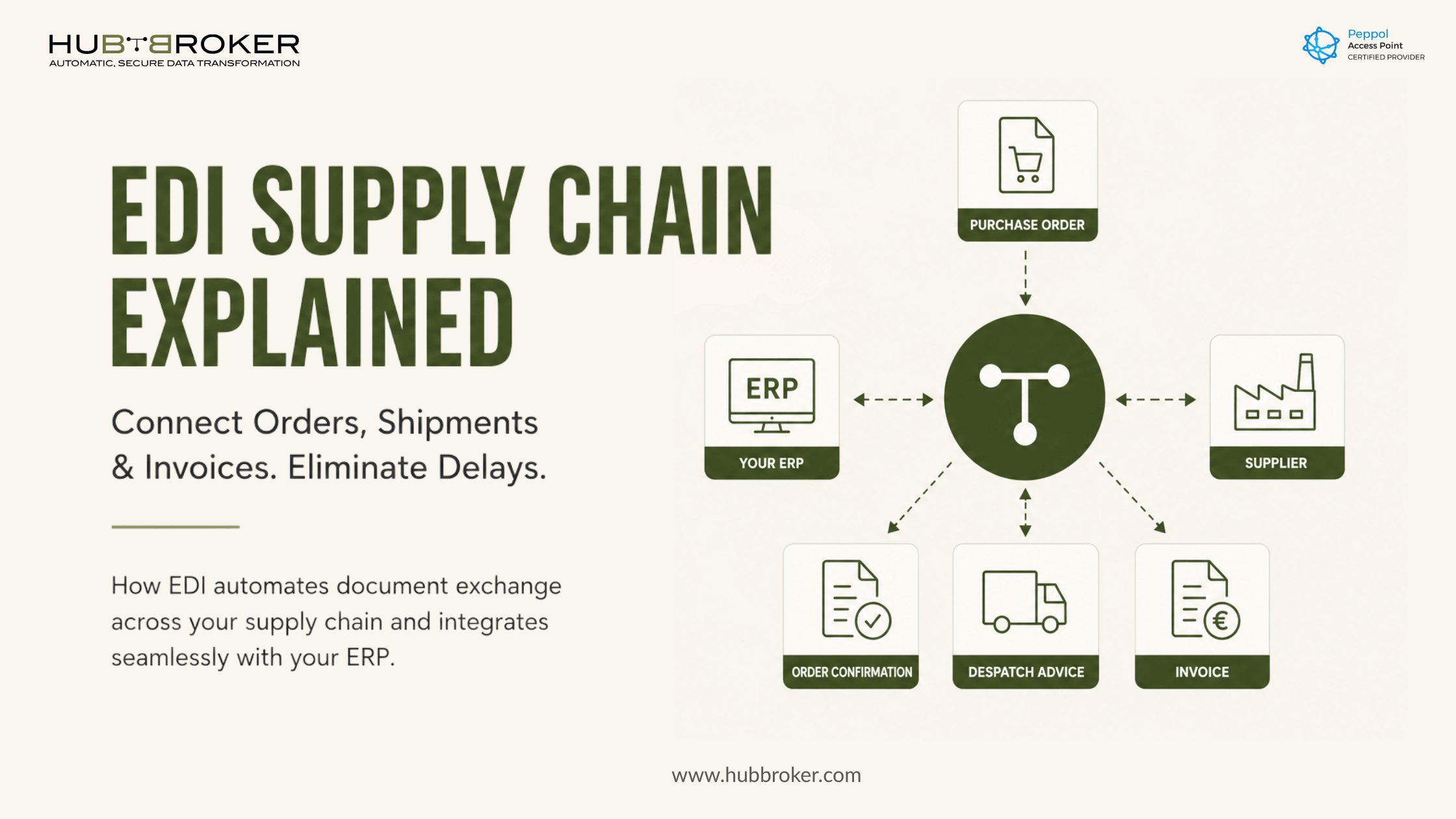
EDI Supply Chain Problems Often Start Before Anyone Notices Here Is How to Prevent Them
A customer order enters the wrong system. A warehouse does not receive updated delivery information. An invoice cannot be matched with its purchase order. By the time someone notices, fulfilment has slowed and finance is investigating records across emails, spreadsheets and ERP screens.
An EDI supply chain reduces this risk by moving structured business documents directly between the systems used by buyers, suppliers, warehouses and logistics partners.
What Does EDI Mean in a Supply Chain?
Electronic Data Interchange, or EDI, is the system-to-system exchange of business documents in a structured format. Instead of employees reading an email attachment and manually entering its information, the receiving system can process the document automatically.
Common supply chain documents include:
A PDF invoice sent by email may be digital, but it is not automatically structured for processing. EDI formats organise each data field—such as the order number, product code, quantity and delivery location so the receiving system knows how to use it.
Businesses can learn more about the wider process on HubBroker’s EDI integration platform page.
Where Does an EDI Supply Chain Reduce Operational Disruption?
An EDI supply chain reduces disruption at the points where employees would otherwise copy, check and re-enter information.
For example, a purchase order can move directly from the buyer’s system into the supplier’s ERP. The supplier can then return an order confirmation without manually preparing and emailing another document. Shipping and invoicing messages follow the same connected flow.
This helps prevent common problems such as:
Orders waiting in shared inboxes
Incorrect product numbers or quantities
Outdated delivery addresses
Missing shipment information
Invoices blocked by unmatched references
Delays caused by manual correction and approval
The main benefit is not simply faster document transmission. It is reducing the number of manual handovers that can interrupt order-to-cash and procure-to-pay processes.
How Does Information Move from Order to Invoice?
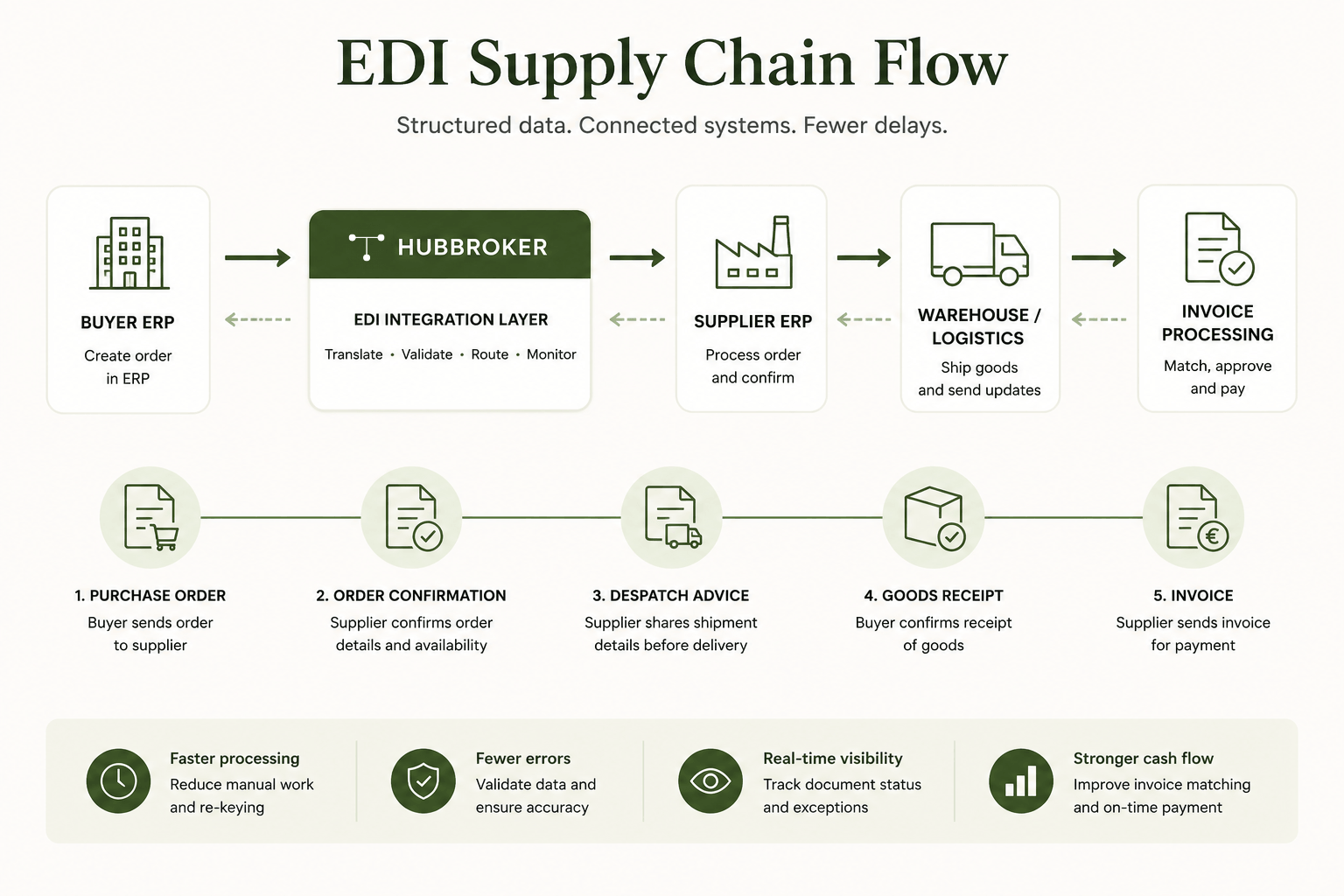
A typical supply chain EDI flow begins when the buyer creates a purchase order in its ERP.
The integration layer translates that order into the format required by the supplier. The supplier receives the order in its own system and returns an order confirmation. Before delivery, it may send a despatch message containing shipment details, quantities and references.
Once the goods have been delivered, the invoice can be compared with the purchase order and shipment information. When the references and values match, finance can process the invoice with less manual investigation.
The systems involved may use EDIFACT, XML, JSON, CSV or another partner-specific structure. The integration layer handles the conversion so each organisation can continue using its preferred internal format.
For a closer look at the connection between external document exchange and internal systems, see EDI integration with ERP.
What Can Go Wrong Even After EDI Is Introduced?
Sending documents electronically does not guarantee that the complete process is automated.
A transaction can reach its destination but fail because a required buyer reference is missing. A product code may not match the receiver’s master data. A trading partner may also require a field or document structure that other partners do not use.
Common causes of EDI disruption include:
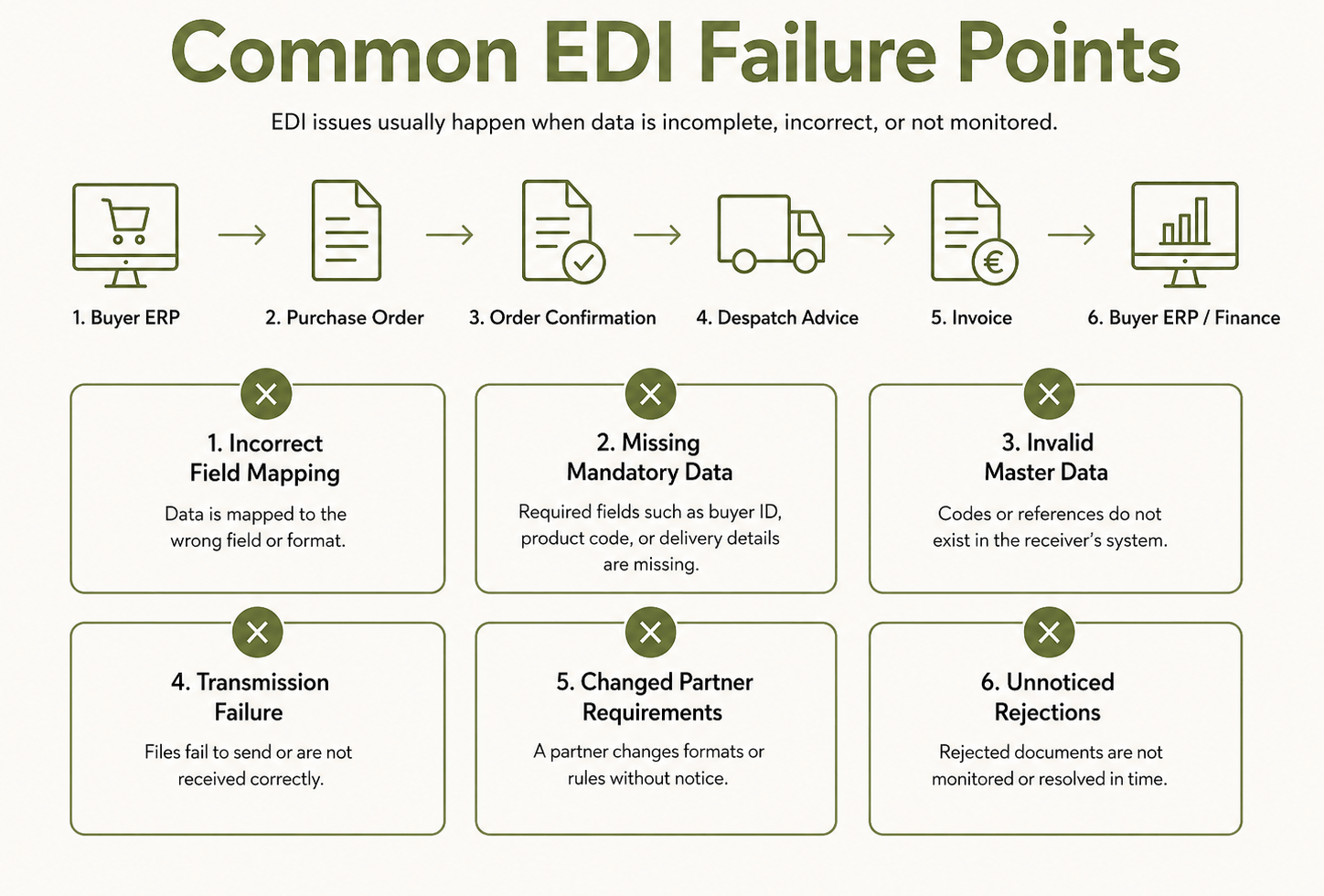
Reliable EDI therefore requires validation, acknowledgements, monitoring and clear exception handling. Teams need to know whether a document was sent, received, accepted or rejected—not simply whether a file left the original system.
HubBroker’s EDI integration process includes document-flow mapping, format conversion, testing, validation and post-go-live monitoring.
What Does This Mean for Your ERP and Existing Systems?
Introducing EDI does not require a business to remove or replace its existing ERP.
The ERP remains the main system for customers, products, inventory, purchase orders, sales orders and invoices. HubBroker works as the integration layer between that ERP and the systems used by customers, suppliers, warehouses, marketplaces and logistics providers.
The integration layer can:
Receive documents from external trading partners
Validate required fields and business rules
Convert data into the ERP’s required structure
Send ERP-generated documents in partner-specific formats
Record transaction statuses and exceptions
Support additional partners without redesigning the full ERP environment
This approach allows businesses to keep the systems employees already understand while improving how information moves between them.
HubBroker’s ERP EDI integration services connect ERP data with purchase orders, invoices, confirmations and dispatch documents while supporting mapping, testing and transaction monitoring.
When Should a Business Consider Supply Chain EDI Integration?
A business should consider EDI when manual document handling begins affecting customer service, fulfilment or cash flow.
Typical warning signs include:
Order volumes are increasing faster than the operations team.
Employees enter the same information into several systems.
Customers require specific EDI documents or connection methods.
Invoice disputes result from missing order or delivery references.
Every new trading partner requires a separate custom process.
Finance and operations cannot easily see why transactions failed.
Businesses in manufacturing can also read EDI Integration for Manufacturing Supply Chains in Europe for further guidance on connecting supplier, inventory, order and invoice processes.
The strongest business case is usually not replacing email alone. It is creating a controlled document flow in which orders, deliveries and invoices reach the correct system with fewer manual interventions.
Connect One Supply Chain Process First
Review one high-volume customer or supplier document flow with HubBroker to identify where manual entry, processing delays and transaction failures can be removed through EDI integration.