

How to Automate E-Invoicing in Dynamics 365 Business Central Before the French Deadline
If your French invoice process depends on PDFs, email inboxes, or manual uploads, the risk is not only compliance. The bigger issue is operational disruption: invoices that cannot be received, validated, matched, or posted correctly inside your ERP. To automate e-invoicing in Dynamics 365 Business Central, businesses need a controlled integration layer between Business Central, approved platforms, invoice formats, suppliers, and customers.
Why does the French deadline create a Business Central problem?
France’s e-invoicing reform affects how invoices are exchanged, not just how they are stored. From 1 September 2026, all companies must be able to receive electronic invoices, while large and intermediate-sized companies must also issue them electronically. Smaller companies have until 1 September 2027 for issuing.
That means suppliers may start sending structured invoices before your finance team is ready to process them inside Business Central. If the invoice arrives correctly outside your ERP but cannot be converted into usable Business Central data, AP teams face delays, rejected documents, and manual corrections.
What changes when PDFs are no longer enough?
A normal PDF invoice sent by email will not meet the French reform definition of a compliant electronic invoice. French guidance says e-invoices must use structured formats such as UBL, CII, or a mixed structured/image format, and they must be transmitted through a registered platform.
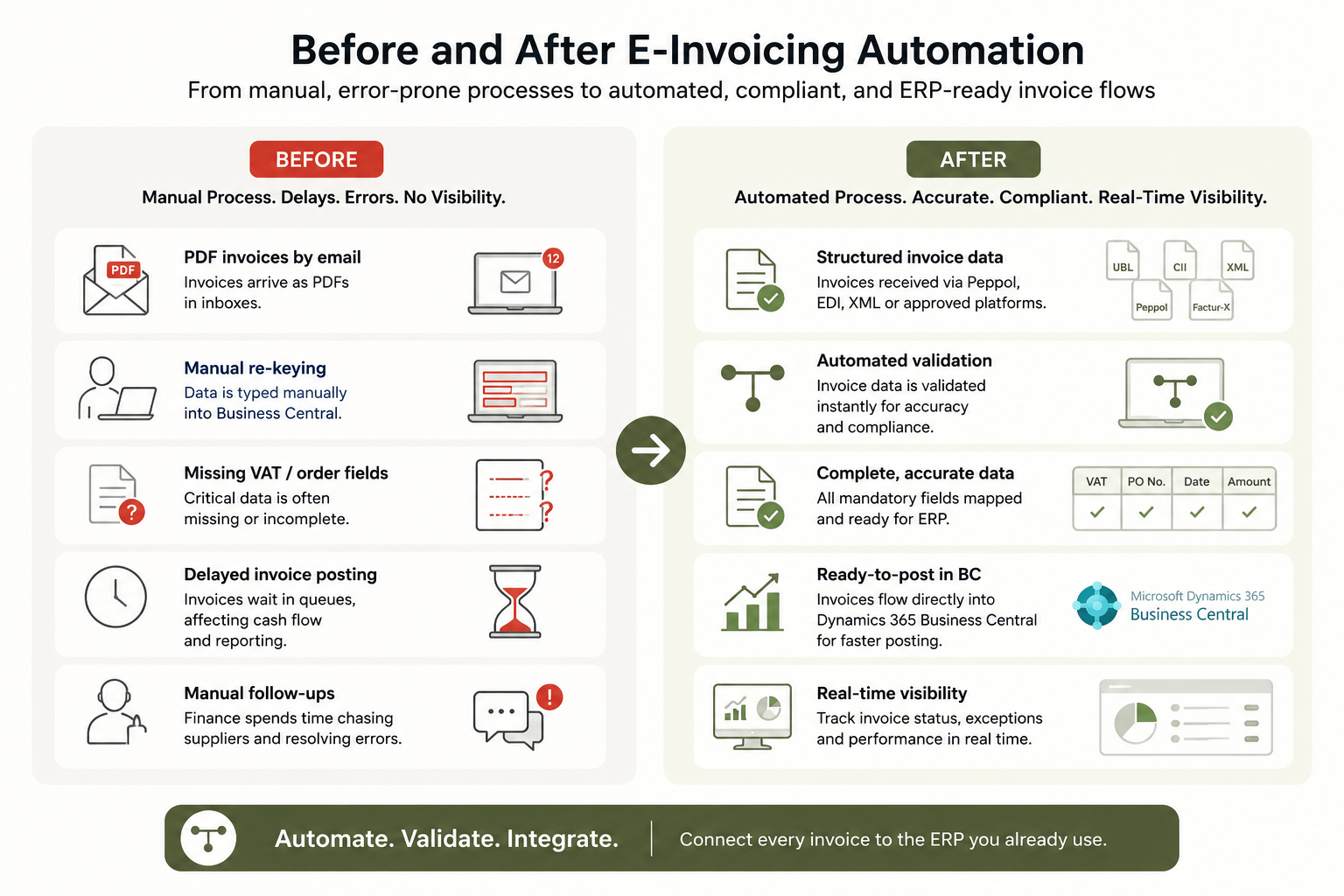
For finance teams, this changes the daily workflow. Instead of reading invoice data from a PDF, the business must receive invoice data in a structured format, validate required fields, route exceptions, and move clean data into Business Central without re-keying.
How do you automate e-invoicing in Dynamics 365 Business Central?
To automate e-invoicing in Dynamics 365 Business Central, start by mapping every invoice flow connected to France: supplier invoices, customer invoices, credit notes, cross-border flows, and any PDF-based process that finance uses as a fallback.
Then define how each document should enter and leave Business Central. HubBroker’s Microsoft Dynamics 365 Business Central EDI integration supports automated document exchange, format transformation, validation, Peppol, XML, EDIFACT, ANSI X12, and other structured B2B formats.
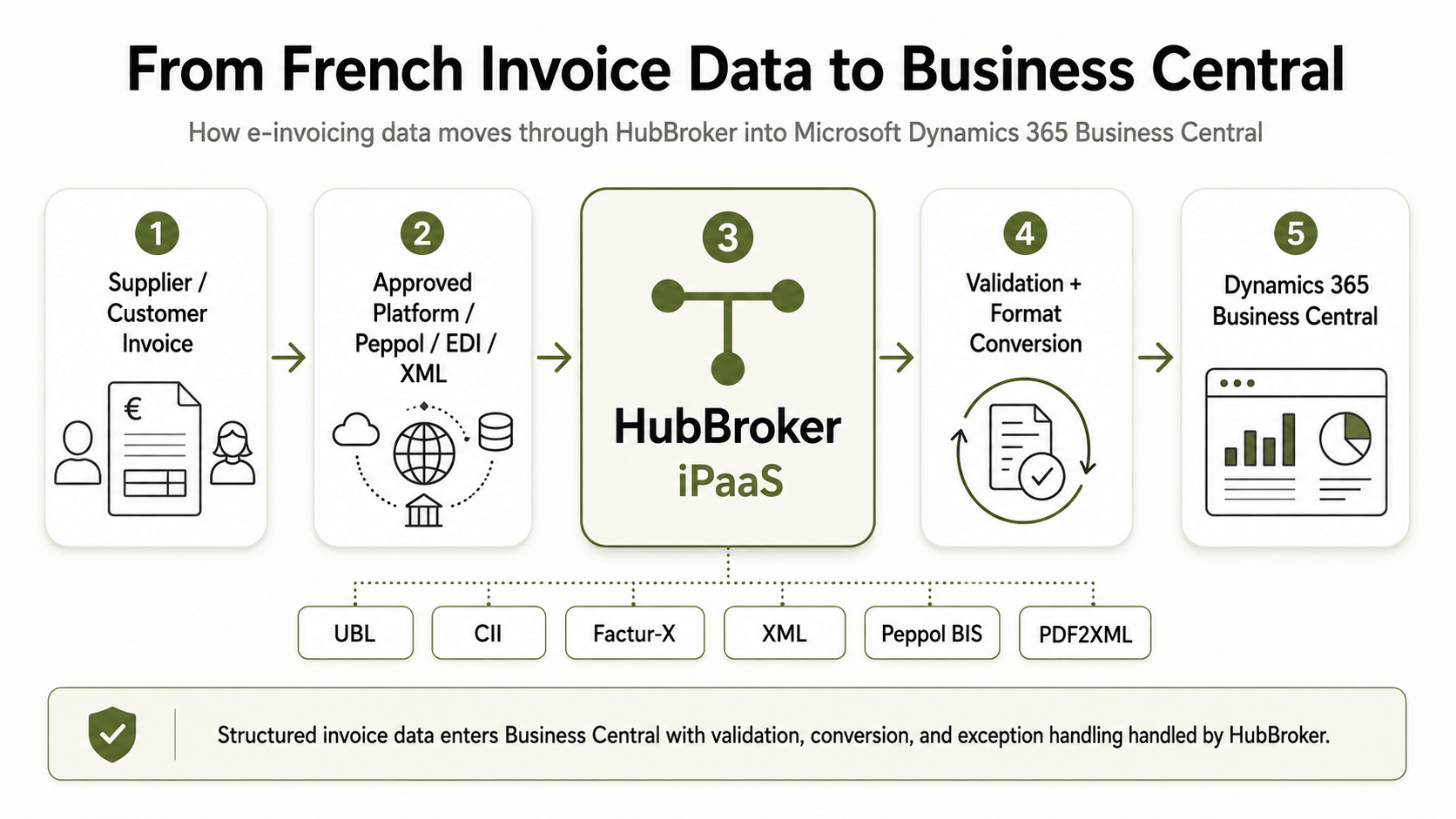
A practical automation flow looks like this:
Receive invoice data from a platform, Peppol, EDI, XML, PDF, or supplier channel.
Validate mandatory fields before import.
Convert the document into Business Central-ready data.
Route errors to an exception workflow.
Post or forward approved invoice data into the right Business Central process.
Track delivery, status, and failed documents.
What does this mean for your ERP and systems?
You do not need to replace Dynamics 365 Business Central because of the French mandate. The better approach is to connect Business Central to the required invoice exchange model.
HubBroker works as the integration layer around the systems you already run. Its iPaaS platform connects ERP, EDI, API, e-invoicing, IDP, and PDF-to-XML workflows, so Business Central can remain the finance system of record while invoice data moves in the correct structure.
Do not rebuild your ERP around the mandate. Build a controlled integration layer around the ERP you already use.
Where do companies usually get stuck?
The common failure point is not one missing connector. It is fragmented invoice data.
One supplier sends a PDF. Another uses XML. A customer expects Peppol. A marketplace sends invoice data through an API. Finance then needs everything to land in Business Central with the right VAT data, supplier details, order reference, line details, and posting structure.
This is where HubBroker’s e-invoicing solution can help connect compliance, validation, format conversion, and ERP integration in one controlled flow. HubBroker supports formats such as XML, UBL, EDIFACT, and PDF/A-3, with validation and workflow automation for invoice processing.
What should you prepare before September 2026?
Start with a readiness check across finance and IT:
List all French suppliers, customers, and invoice flows.
Identify which invoices are received by PDF, email, EDI, XML, Peppol, or portal.
Check whether Business Central can receive structured invoice data today.
Confirm required invoice fields, formats, and platform routes.
Test mapping into Business Central before supplier testing starts.
Define how failed invoices will be corrected and reprocessed.
Ready to connect Dynamics 365 Business Central with compliant e-invoicing? Contact HubBroker to review your invoice flow.
