
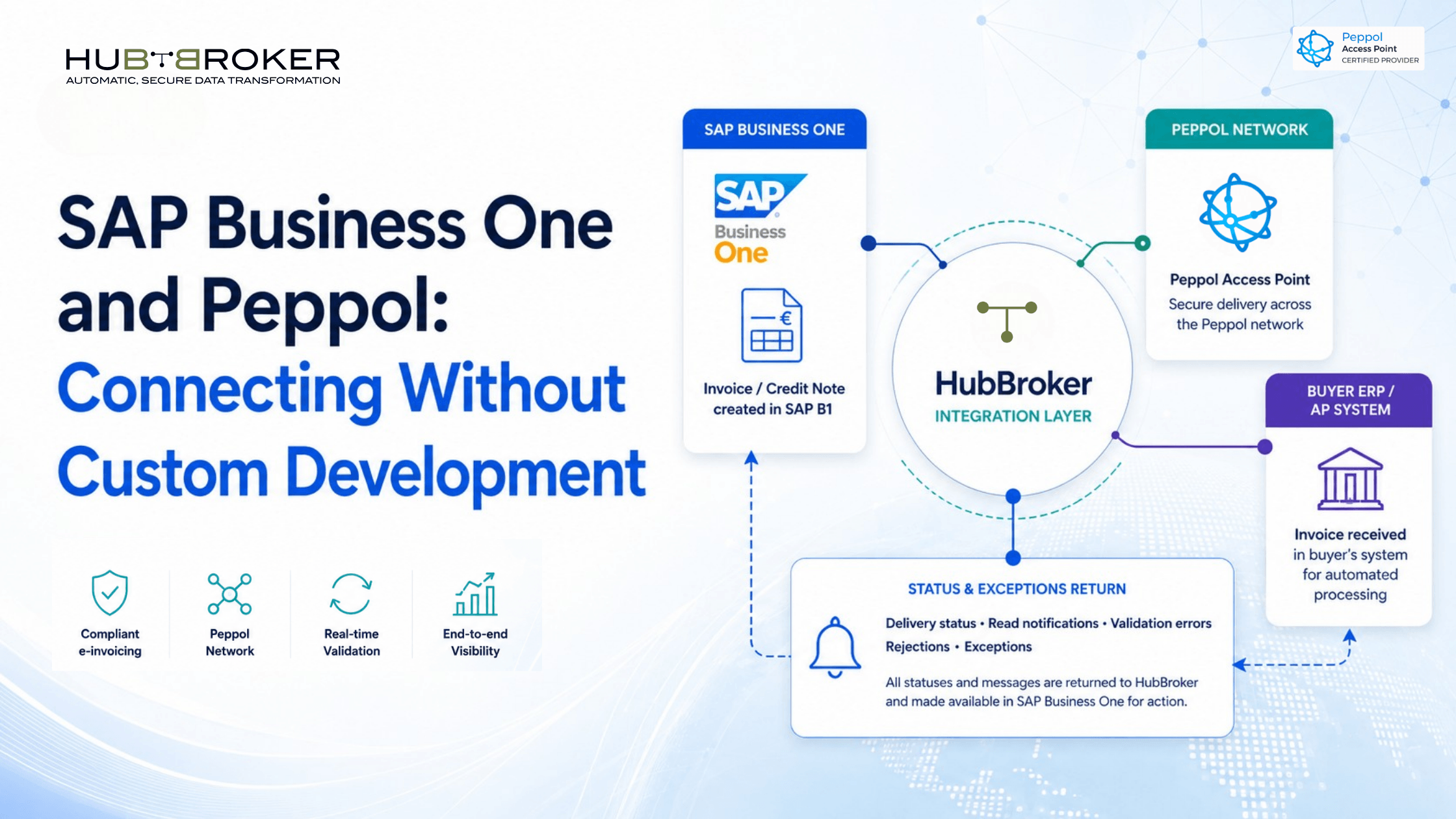
SAP Business One and Peppol: Avoid Blocked Invoices Without Custom Development
A buyer asks for Peppol invoices, but your team can only send PDFs or upload files through a portal. The invoice may be correct in SAP Business One, yet it can be rejected before reaching the buyer’s finance system. That creates manual rework, delays invoice acceptance, and puts cash collection at risk. Connecting SAP Business One and Peppol through an integration layer removes that gap without replacing your ERP.
Why can an invoice from SAP Business One be delayed on Peppol?
An invoice that looks complete to a person is not necessarily ready for Peppol. Peppol exchanges structured data, so buyer identifiers, tax details, currencies, payment information, line items, and order references must be present in the required fields.
The invoice must also be converted into the applicable Peppol BIS Billing 3.0 profile, validated against network and country rules, and routed through a Peppol Access Point. A missing reference, invalid identifier, or mapping error can stop the document even when the original SAP Business One invoice appears correct.
Can SAP Business One and Peppol connect without custom development?
Yes provided “without custom development” means avoiding a one-off Peppol connection written and maintained inside SAP Business One. The practical alternative is a configured integration layer between the ERP and the Peppol network.
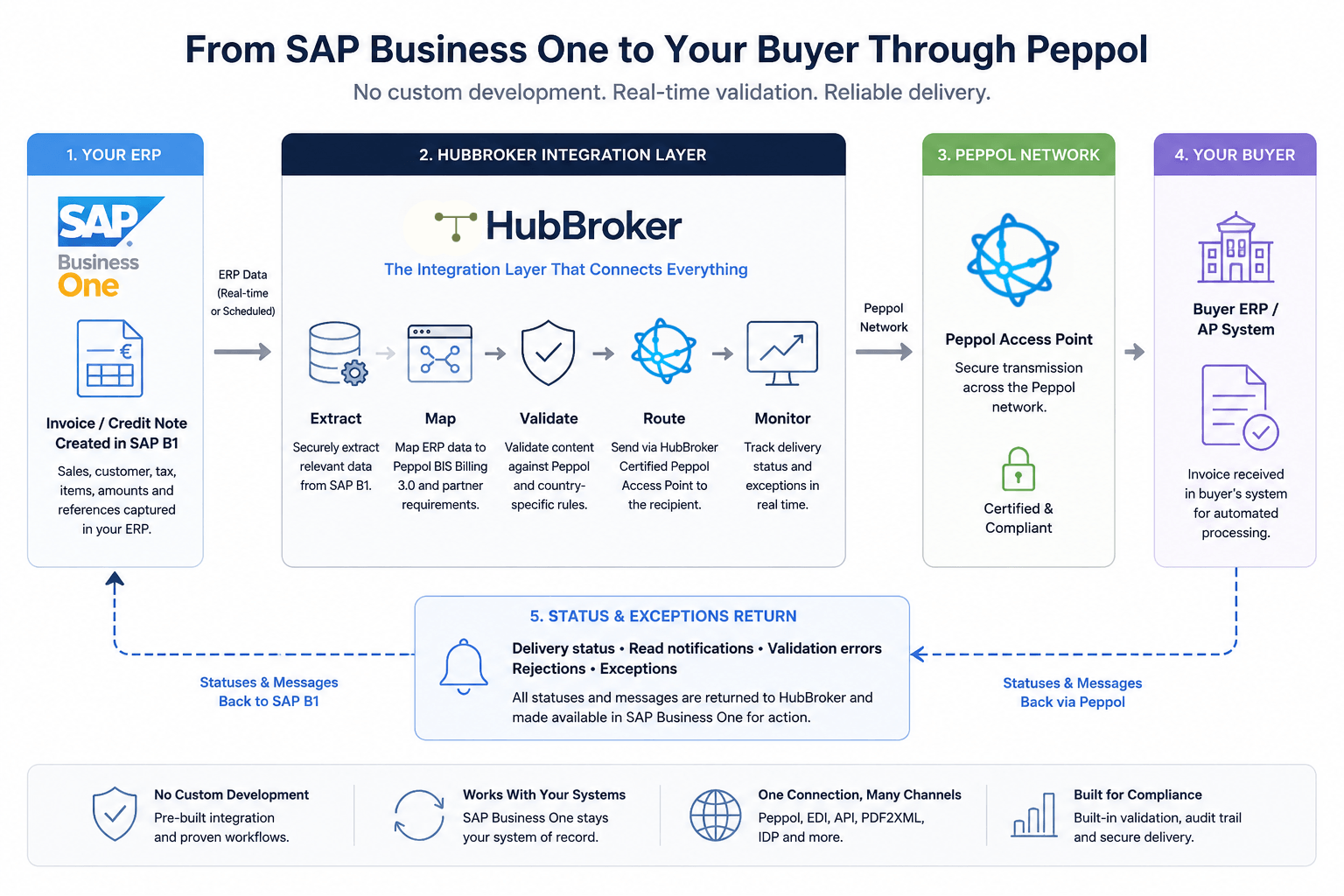
A typical SAP Business One Peppol integration works like this:
SAP Business One creates the invoice or credit note.
HubBroker receives the required ERP data through the agreed connection.
The integration maps SAP fields to the required Peppol structure.
Validation identifies missing or invalid data before transmission.
HubBroker’s Access Point routes the document to the recipient.
Delivery information and exceptions are made available for follow-up.
This approach removes the need to build the network connection, mapping logic, validation, and partner routing from scratch. It does not remove implementation work: field mapping, master-data preparation, testing, and exception ownership remain necessary. HubBroker’s current SAP Business One and Peppol pages describe mapping, validation, testing, direct ERP integration, and Peppol-ready invoice transmission as parts of the implementation flow.
What invoice data needs to move between SAP Business One and Peppol?
The connection must carry more than the invoice total and a customer address. SAP B1 e-invoicing usually depends on accurate seller and buyer details, VAT or tax identifiers, Peppol participant IDs, invoice dates, currencies, tax categories, payment terms, line descriptions, quantities, prices, and totals.
Many buyers also require purchase-order, contract, project, or delivery references. Bank details and payment instructions may be required, while validation messages and rejection information must move back to the team responsible for correction.
This is why master-data quality matters. An integration can transform data, but it cannot reliably infer a buyer identifier or order reference that was never captured in SAP Business One.
What does this mean for your ERP and surrounding systems?
SAP Business One remains the operational and financial system of record. HubBroker acts as the integration layer between the ERP, the Peppol network, customers, suppliers, and other document channels; it handles transformation, validation, routing, and monitoring outside the ERP core.
Finance teams continue to create and process transactions through their existing SAP Business One workflows. IT avoids embedding changing document rules and partner requirements in custom ERP code. The same layer can also connect EDI, XML, APIs, PDF-to-XML conversion, and intelligent document processing where different partners use different channels.
This is an integration project, not an ERP replacement project. New recipients, document profiles, and country requirements can be added at the integration layer rather than through separate point-to-point builds.
What should finance and IT confirm before go-live?
Start by defining the operating scope, not by selecting a format. Finance and IT should confirm:
SAP Business One version, database, hosting model, and relevant add-ons
Whether the flow is outbound, inbound, or bidirectional
The legal entities, countries, buyers, and document types in scope
Required identifiers, tax fields, order references, and payment data
Where validation errors and delivery statuses will be monitored
Who corrects master data or transactions when a document fails
Test participants, sample invoices, and acceptance criteria
Ownership for support, new partner onboarding, and future changes
Finance owns invoice correctness and continuity of billing. IT owns secure data movement, system access, supportability, and technical monitoring. Both teams need an agreed exception process before production traffic begins.
For a wider review of finance processes, country coverage, invoice reception, archiving, and ERP readiness, use HubBroker’s e-invoicing compliance checklist for CFOs.
When is an integration layer better than a custom Peppol build?
An integration layer is usually the stronger choice when the business expects new buyers, countries, entities, or document types; needs one place to monitor traffic; or already manages several invoice and order channels. It also keeps Peppol rules and partner mappings outside the SAP Business One release cycle.
A custom build may suit a narrow and stable use case with experienced internal integration resources. The trade-off is ownership: your team becomes responsible for specification changes, testing, monitoring, incident handling, and long-term maintenance.
Book a short HubBroker demo to review how your current SAP Business One invoice flow could connect to Peppol without replacing the ERP.
