
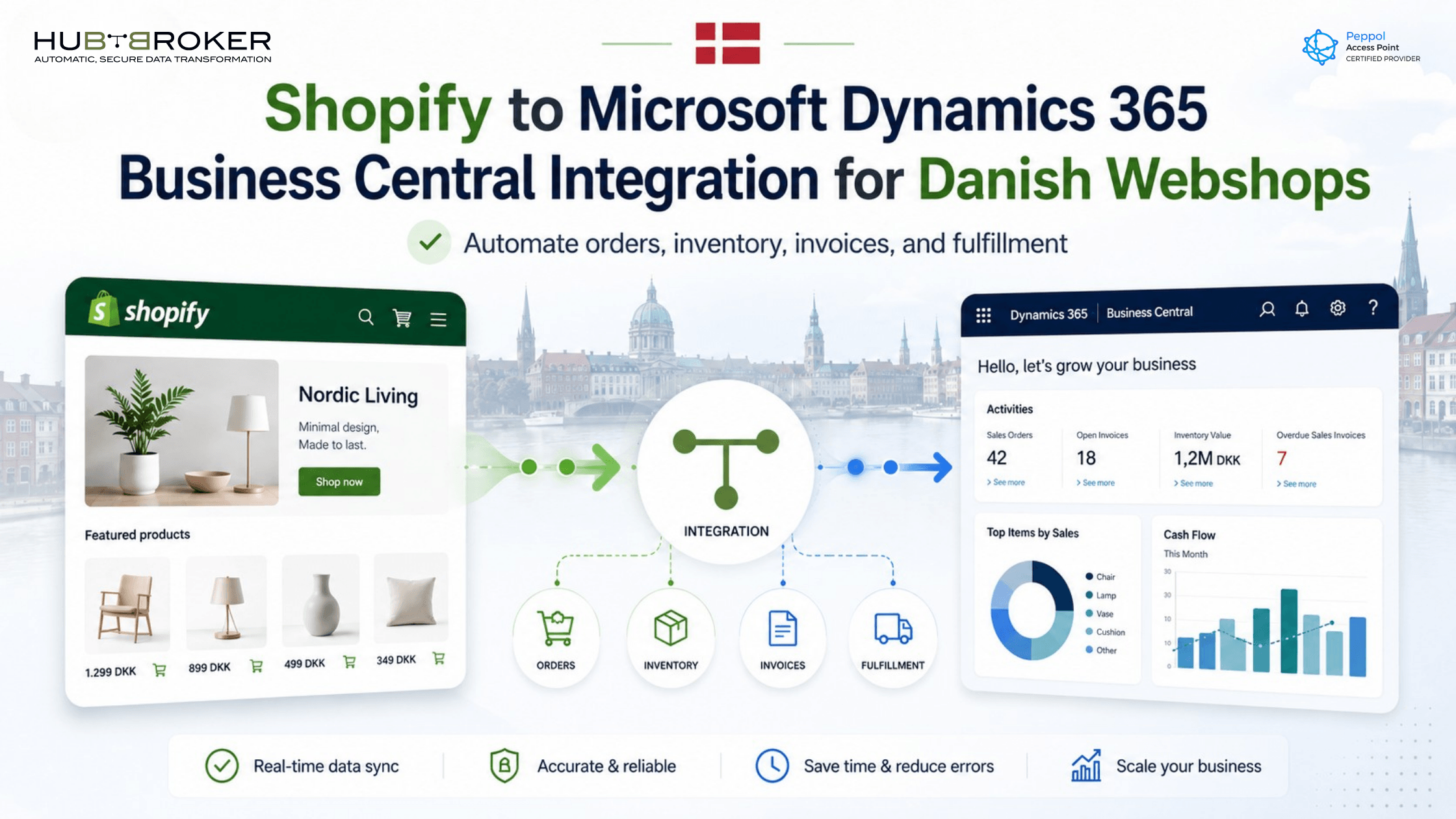
Shopify to Microsoft Dynamics 365 Business Central Integration for Danish Webshops
Running a Shopify webshop is easy when the business is small. Orders come in, the team checks the details, stock is updated, and invoices are created.
But once order volume grows, the same process becomes slow.
Someone has to copy Shopify orders into Microsoft Dynamics 365 Business Central. Someone has to check stock. Someone has to prepare invoices, update customer details, handle VAT information, and correct mistakes when data does not match.
For Danish webshops, this can quickly become a daily operational problem.
That is why Shopify to Microsoft Dynamics 365 Business Central integration is important. It connects your online store with your ERP system, so orders, customers, products, inventory, invoices, and fulfillment data can move more smoothly between both platforms.
Why Danish Webshops Need Shopify and Business Central to Work Together
Shopify is built for ecommerce. It helps Danish webshops sell online, manage products, accept orders, and create a good customer experience.
Business Central is built for the back office. It helps manage finance, inventory, purchasing, sales orders, reporting, and daily operations.
The problem starts when both systems work separately. Shopify has the order, but Business Central needs the same data for finance, stock, and fulfillment. If the data is copied manually, the business becomes dependent on people checking, typing, and correcting information every day.
That may work for a few orders. It does not work well for a growing webshop.
What Is Shopify to Business Central Integration?
Shopify to Business Central integration means your Shopify store and Microsoft Dynamics 365 Business Central can exchange business data automatically.
A simple flow can look like this:
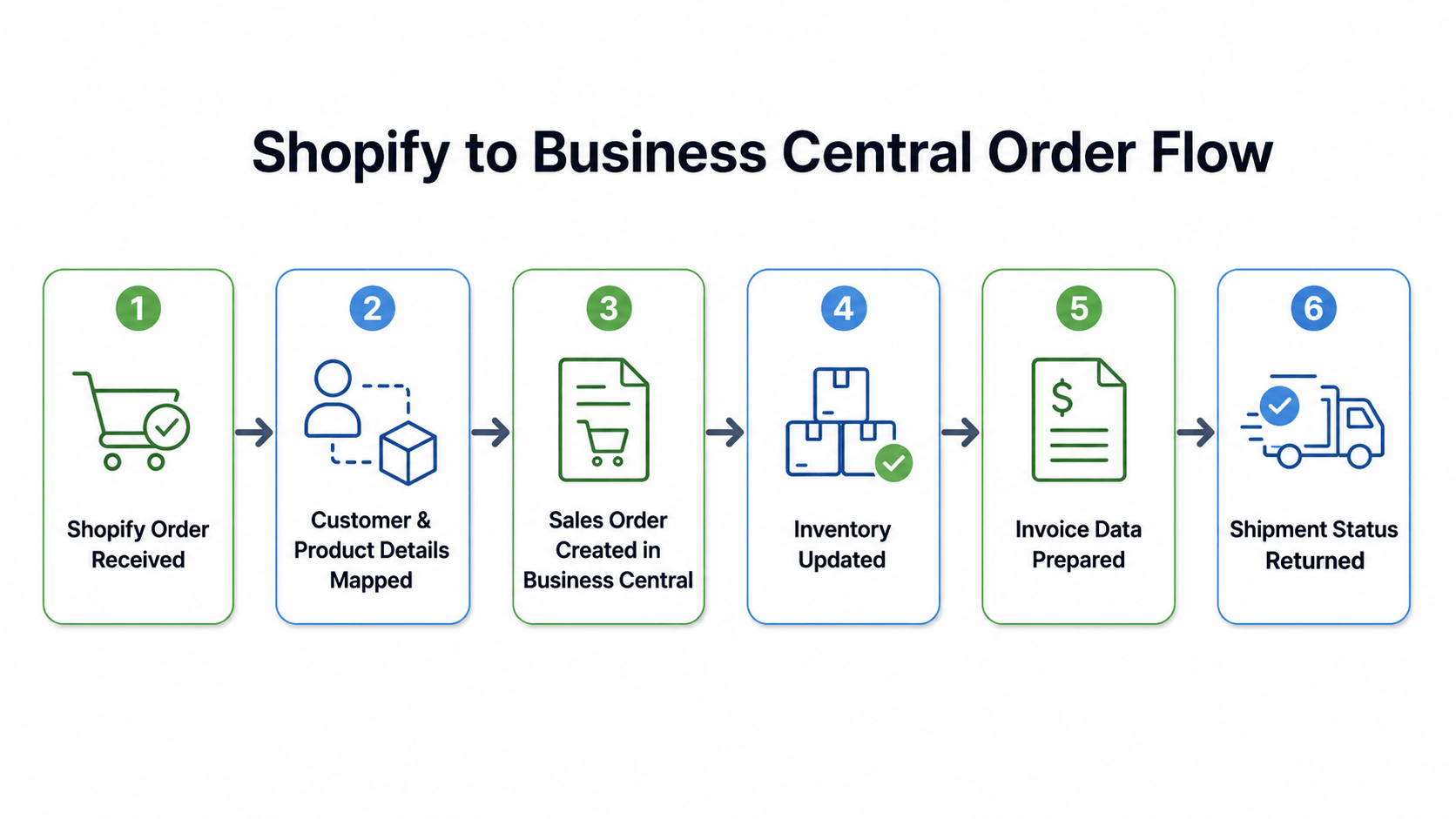
The setup depends on how your webshop works. Some Danish businesses only need order import. Others need a complete flow covering inventory, prices, B2B customers, VAT, invoices, returns, refunds, and fulfillment updates.
The goal is simple: reduce manual work and make sure Business Central receives clean, usable data.
What Data Can Be Synced?
A well-planned Shopify Business Central integration can support many important data flows, including:
Orders from Shopify
Customer and company details
Products, SKUs, and variants
Inventory levels
Prices and discounts
Shipping methods
Payment details
VAT and tax-related fields
Sales orders and invoices
Fulfillment updates
Returns, refunds, and credit notes
The most important part is not just moving the data. The data must also be mapped correctly. For example, Shopify product variants must match Business Central item numbers. Customer details must be handled in the right way. VAT, currency, and payment information must land in the correct fields.
Stop copying Shopify orders manually. Let HubBroker help you automate the flow into Business Central.
Common Problems Without Integration
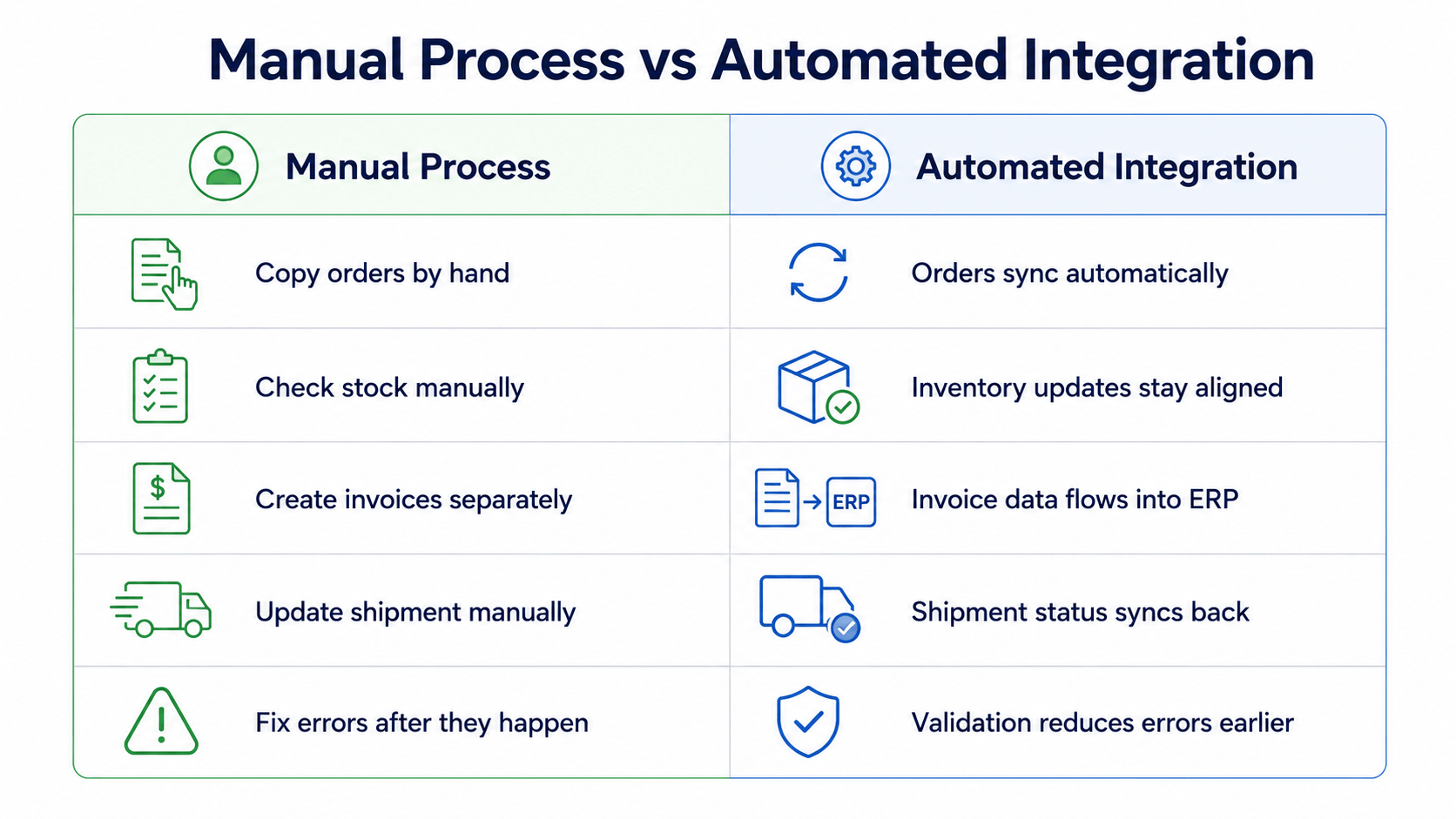
Without Shopify ERP integration, the same order often passes through too many manual steps.
A team member checks the Shopify order. Another person enters the order into Business Central. Stock is checked separately. Finance prepares the invoice. The warehouse updates shipment status. If the customer changes something, the process starts again.
This creates problems such as wrong SKUs, incorrect quantities, duplicate customer records, delayed invoices, stock mismatches, and manual VAT checks.
For Danish webshops selling across Denmark, the EU, or multiple markets, these problems become more serious as order volume increases. The more orders you receive, the more pressure your team faces.
How Integration Helps Danish Webshops
Faster Order Processing
Orders can move from Shopify into Business Central without manual copy-paste. This helps your team process more orders in less time and reduces delays between online purchase and ERP order creation.
Cleaner Inventory Updates
When inventory data is connected, your webshop and ERP can stay more aligned. This helps reduce overselling, stock confusion, and customer service issues caused by inaccurate availability.
Better Finance Control
Finance teams need correct customer, order, invoice, VAT, and payment data. Integration gives them cleaner information inside Business Central, so they spend less time checking basic details and more time managing finance properly.
Fewer Manual Errors
Manual typing always creates risk. One wrong SKU, quantity, or customer detail can delay the order. Integration reduces these repetitive tasks and helps create a more reliable workflow.
Easier Growth
A growing webshop should not need to add more admin work for every increase in order volume. Integration helps the business scale without making daily operations heavier.
What to Check Before Starting Integration
Before starting a Shopify ERP integration Denmark project, Danish businesses should review their current setup.
Key questions include:
Are Shopify SKUs clean and consistent?
Are products created correctly in Business Central?
Should Shopify customers create new ERP customers?
Should B2C orders use a default customer?
How should B2B company orders be handled?
Should Shopify orders create sales orders, invoices, or both?
How should VAT, currency, and payment terms be mapped?
Should inventory sync one way or both ways?
How should returns and refunds be handled?
Who will monitor failed transactions?
Answering these questions early helps avoid problems after go-live.
Why Work With an Integration Partner?
A basic connector may be enough for a simple webshop. But many Danish webshops need more than a standard setup.
Real e-commerce data is often messy. Products have variants. Customers may be B2C or B2B. VAT rules can differ. Payment methods may vary. Stock may be managed across locations. Business Central may also need data in a specific structure.
An integration partner helps plan the right workflow, map the right fields, validate the data, and monitor failed transactions.
HubBroker helps businesses connect Shopify with Microsoft Dynamics 365 Business Central using integration workflows for orders, customers, products, inventory, invoices, fulfillment, and ERP-ready data exchange.
Relevant internal links to add:
iPaaS Platform
ERP Integration
Shopify Integration
Microsoft Dynamics 365 Business Central Integration
API Integration
Example Integration Flow
Imagine a Danish webshop selling lifestyle products through Shopify.
A customer places an order online. The order is captured automatically. Customer details, product SKUs, quantities, prices, shipping method, and payment details are mapped and sent into Business Central. A sales order is created. Inventory is updated. Finance receives invoice-ready data. When the order is fulfilled, shipment status can be sent back to Shopify.
Instead of several manual steps, the webshop gets one cleaner data flow.
FAQ
Can Shopify integrate with Microsoft Dynamics 365 Business Central?
Yes. Shopify can be connected with Business Central so orders, customers, products, inventory, and other data can move between both systems.
Is this useful for Danish webshops?
Yes. It is useful for Danish webshops that want to reduce manual order handling, improve stock accuracy, and give finance teams cleaner ERP data.
Can B2B and B2C orders both be handled?
Yes. The integration can support both, but customer mapping should be planned carefully.
Can inventory be updated automatically?
Yes. Inventory synchronization can help keep Shopify and Business Central more aligned, depending on the setup.
Ready to Connect Shopify With Business Central?
If your Danish webshop is spending too much time copying orders, checking stock, preparing invoices, or fixing data mistakes, it may be time to connect Shopify with Microsoft Dynamics 365 Business Central.
HubBroker can help you build a smoother integration flow for orders, customers, products, inventory, invoices, and fulfillment.
Use the Contact Us form to discuss your Shopify to Business Central integration requirements.
