
15+
Years Experience











15+
Years Experience
500+
Projects Delivered
2000+
Global Clients
40+
Countries



Connect Amazon with ERP systems through EDI to automate orders, inventory, shipping, returns, and invoice data exchange.
Connect BigCommerce with your ERP through EDI to automate orders, invoices, inventory, and shipping data exchange across systems.
Connect Visma e-conomic with ERP and business systems through EDI to automate invoices, orders, finance, and accounting data.
Connect Microsoft Business Central with ERP, commerce, and trading systems through EDI to automate orders, invoices, and inventory.
Connect Rackbeat with ERP and commerce systems through EDI to automate inventory, orders, purchases, and invoice data exchange.
Connect Microsoft Dynamics 365 F&O with business platforms through EDI to automate finance, supply chain, orders, and invoicing data.
Connect Shopify with your ERP through EDI to automate orders, inventory, invoices, and fulfilment data exchange across systems.
Connect Uniconta with business systems through EDI to automate invoices, orders, inventory, and finance data exchange.
Connect SAP Business One with trading platforms through EDI to automate orders, invoices, inventory, and finance data exchange.
Connect OpenCart with your ERP through EDI to automate orders, invoices, inventory, and shipping data flow across business systems.
Let's schedule a demo and discover how our integration platform connects your apps and automates processes.
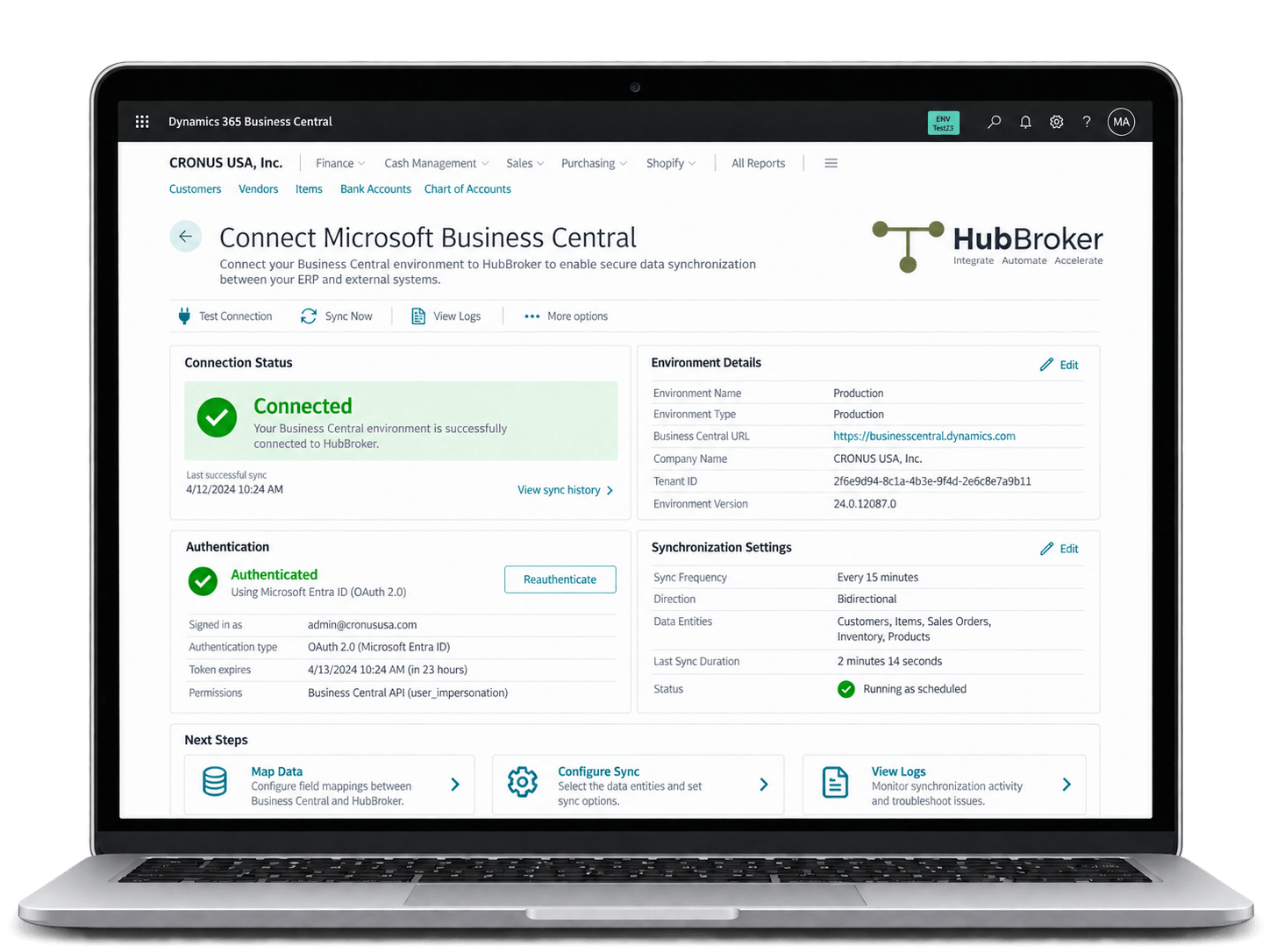
HubBroker connects Microsoft Business Central with the iPaaS platform through a connector or API, enabling automated EDI data exchange with customers and suppliers.
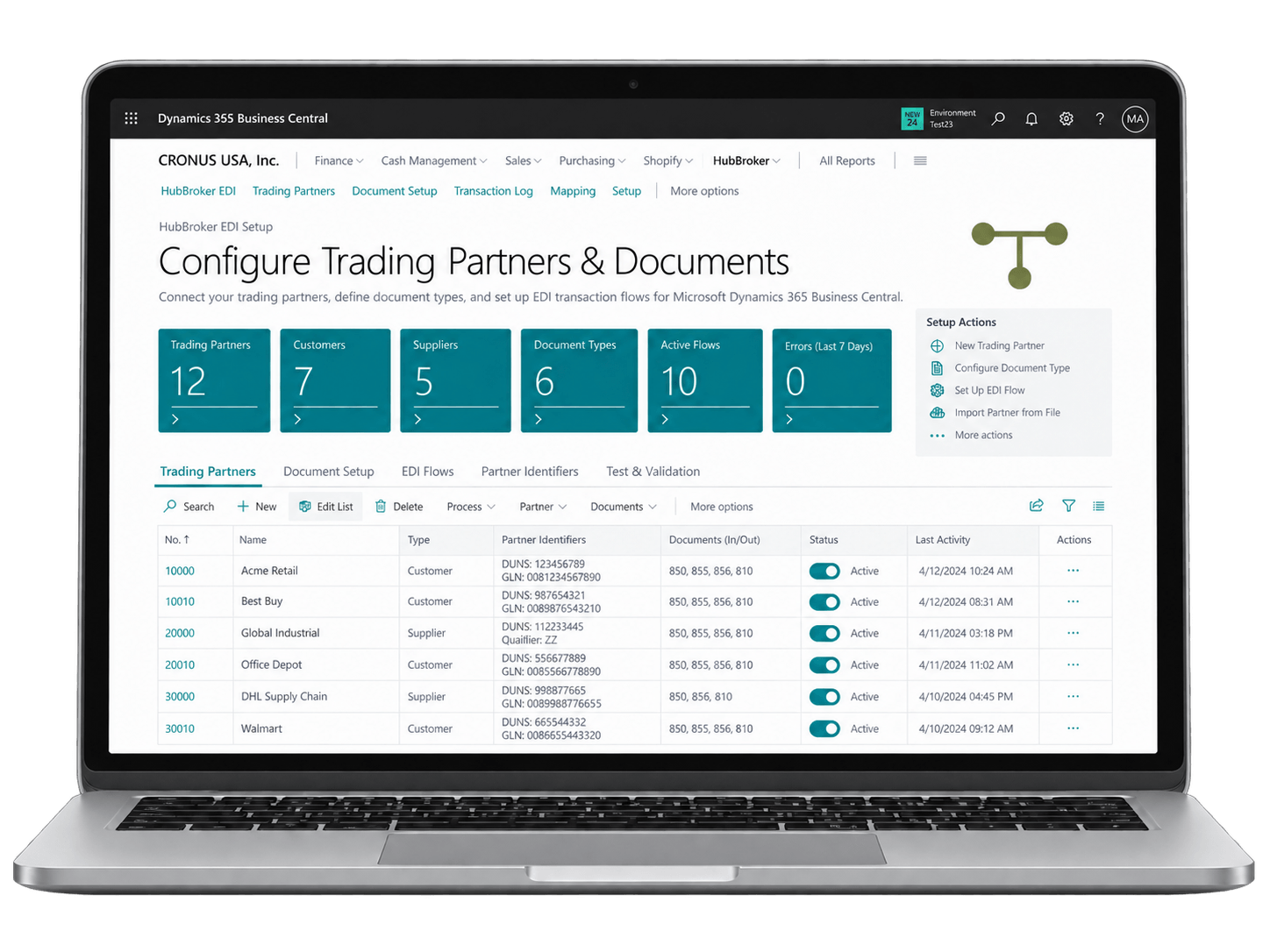
Customers, suppliers and required EDI documents such as purchase orders, order confirmations, shipping notices, invoices and credit notes are configured in HubBroker.
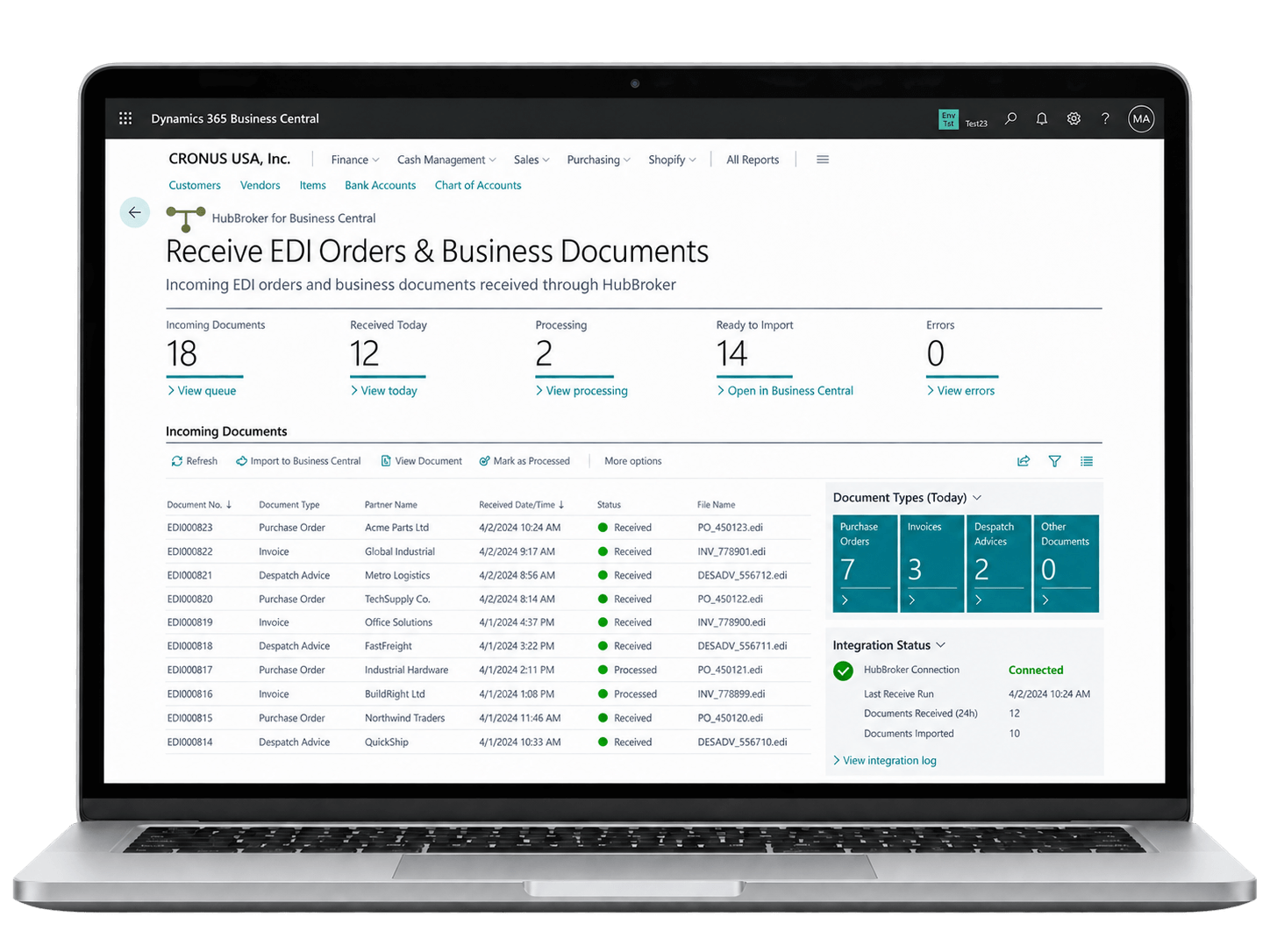
Incoming EDI orders and other business documents are received automatically through HubBroker and routed into the correct Business Central process without manual file handling.
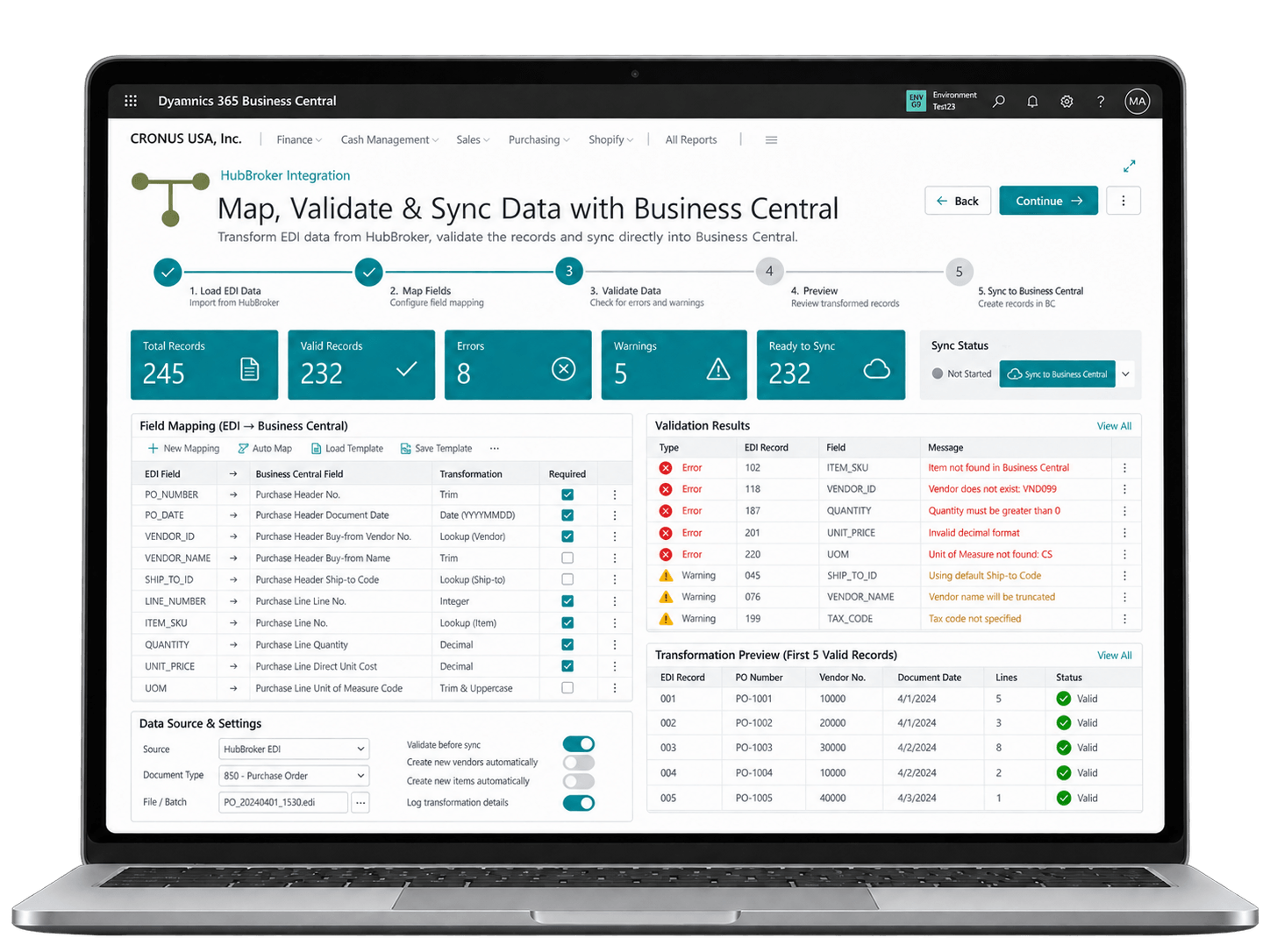
HubBroker maps partner data to Business Central fields, validates required information and transforms the document before creating or updating the correct BC record.
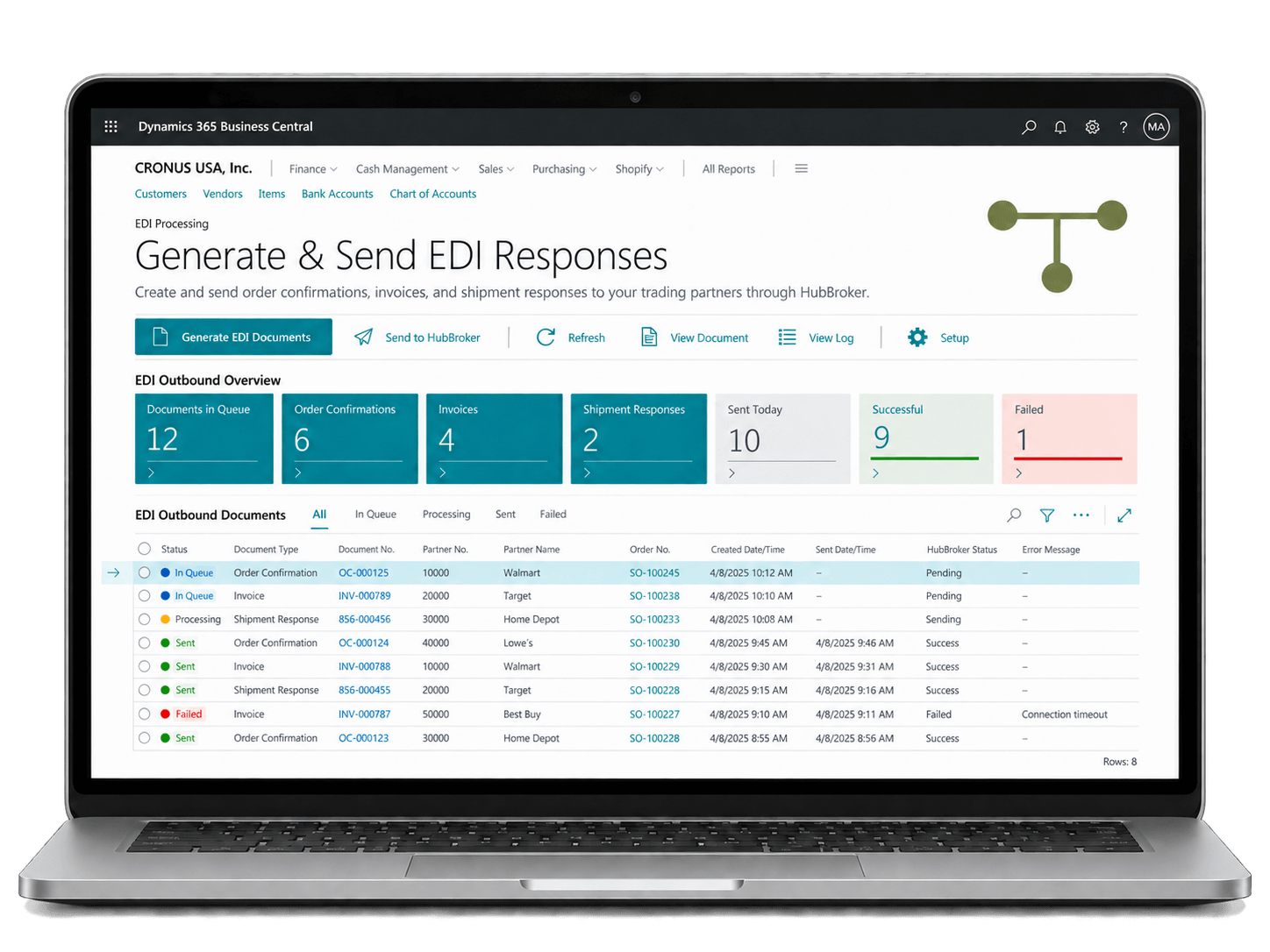
Business Central data is converted into the trading partner’s required EDI format and sent automatically as order confirmations, shipping notices, invoices or other responses.
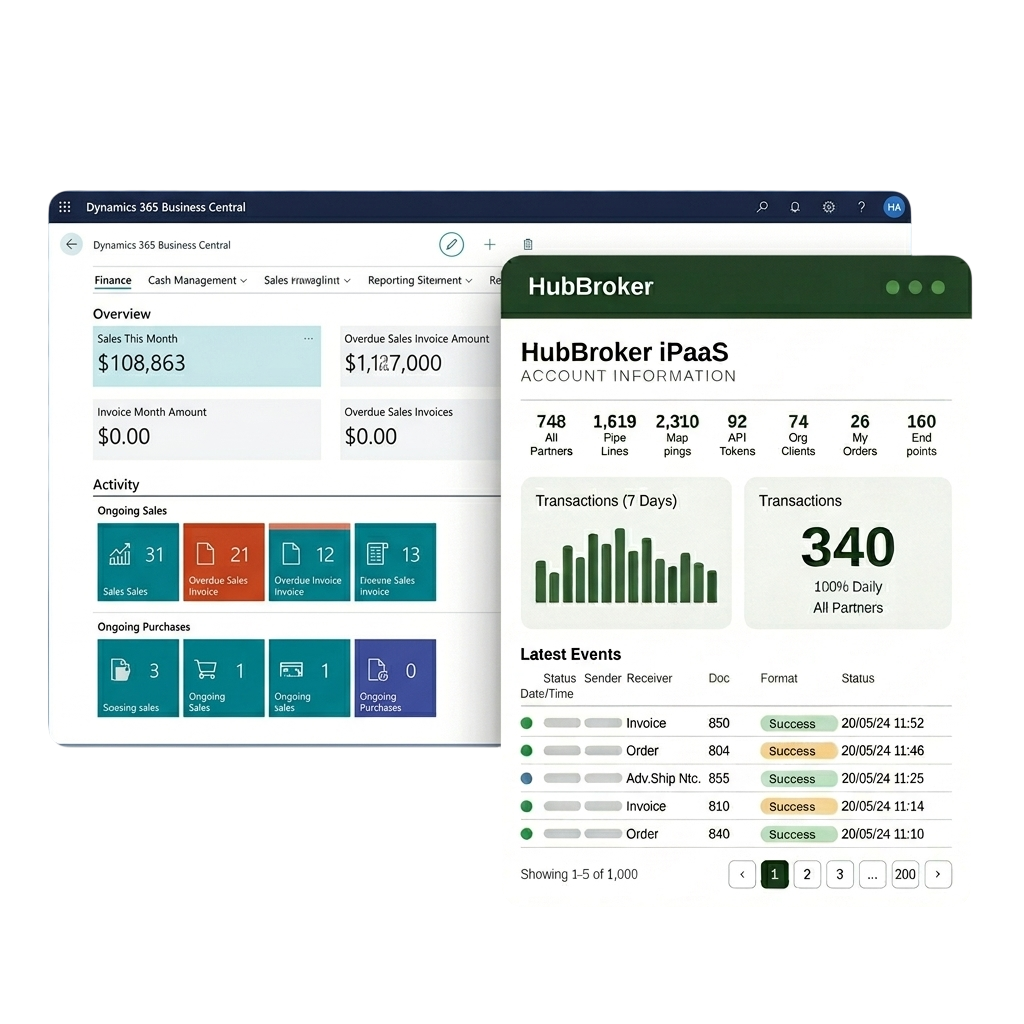
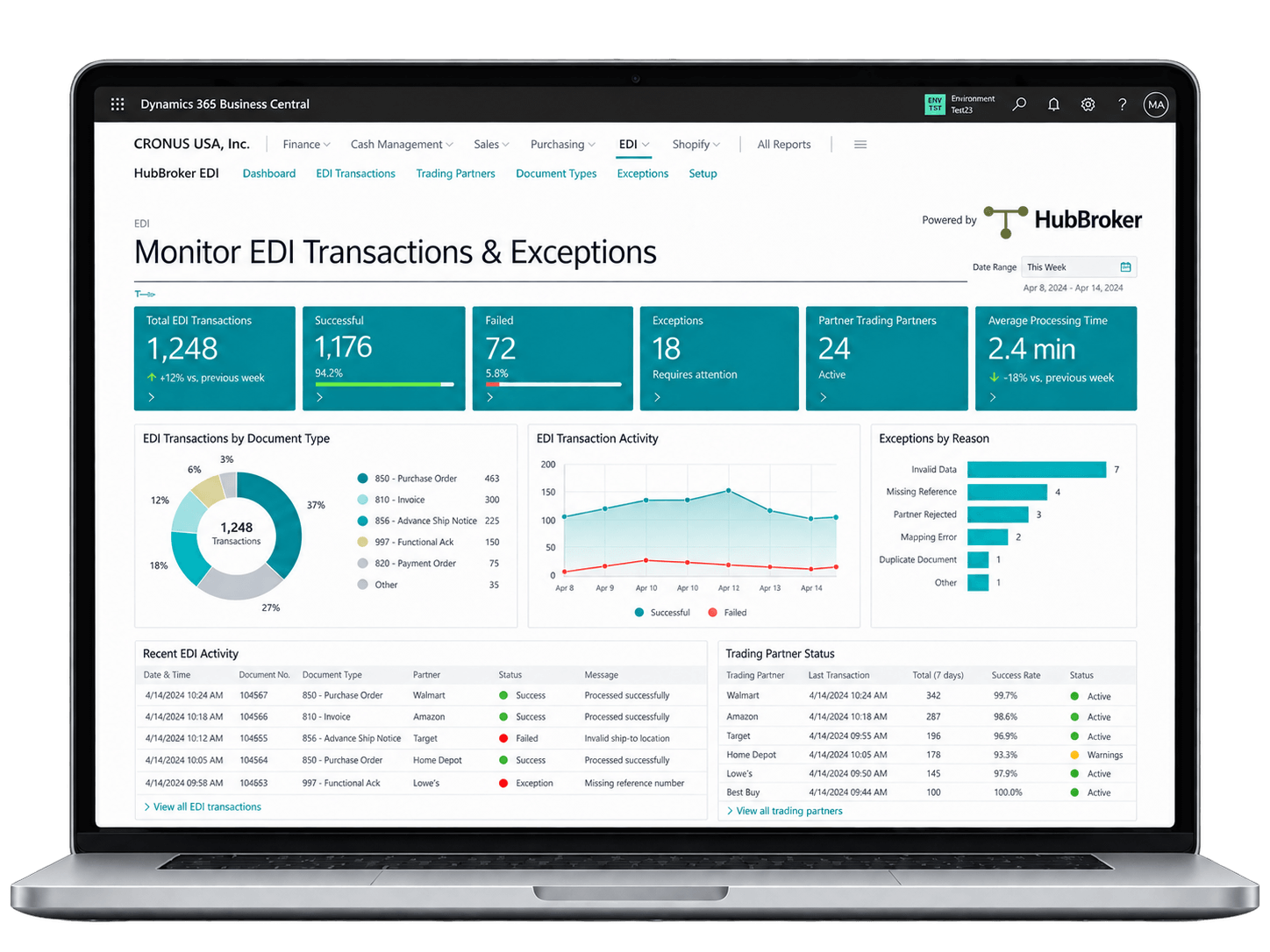
HubBroker tracks document status, processing errors and transaction history, helping teams manage failed documents and ongoing EDI activity from one platform.













Customer orders, supplier invoices, and dispatch notes flow into Business Central automatically, so your finance and operations teams stop rekeying the same data across multiple business systems.
Sales orders received via EDI land directly in Business Central sales documents, so order confirmation, picking, dispatch, and invoicing all start sooner and customers see faster turnaround times.
Outbound and inbound invoices are validated for format, VAT fields, and partner rules before they leave Business Central or reach AP, reducing rejections, disputes, and end-of-month cleanup work.
New customers, suppliers, and retailers can be added to your Business Central EDI flow without custom development, using reusable mappings, partner profiles, and predefined document templates.
Send and receive Peppol-compliant e-invoices and orders directly from Business Central, meeting B2G and EU mandates without separate portals, manual uploads, or third-party invoicing tools
Track every EDI document, status, and exception from within Business Central with logs, audit trails, and dashboards, so finance, IT, and operations teams share one accurate view of activity.
Our integration follows how Business Central actually works, mapping to standard sales, purchase, item, and posting flows rather than forcing your team to change familiar ERP processes.
You connect Business Central once and onboard every customer, supplier, retailer, or 3PL through the same HubBroker platform, instead of stacking separate EDI tools for each partner.
Business Central users get certified Peppol Access Point connectivity included, so B2G invoicing, EU compliance, and growing public-sector mandates are handled inside one connected platform.
Our process for Business Central EDI is repeatable and documented, with clear stages from requirement review through testing to go-live, so your IT team knows what to expect at each step.
With teams across Denmark and India, you get hands-on help with partner onboarding, format changes, and Business Central-specific questions during European and overlapping working hours.
Business Central is connected to EDI, intelligent document processing, Peppol e-invoicing, and ERP APIs through the same platform, so you can extend automation as the business grows.

ERIKS is a globally recognized industrial service provider with over 80 years of experience in delivering technical products, engineering expertise, and tailored services.
Read More
Orkla House Care Europe, a division of Orkla ASA, is a leading manufacturer and distributor of high-quality painting tools for both professionals and DIY users. Operating across Sweden, Denmark, Norway, and the UK.
Read More
Ammega Group, through its Megadyne division, is a global leader in the manufacturing and distribution of power transmission belts and industrial conveyor solutions.
Read More
TDC Brands is a Danish telecommunications group, home to six brands: YouSee, TDC Erhverv, Telmore, Hiper, eesy and Relatel.
Read More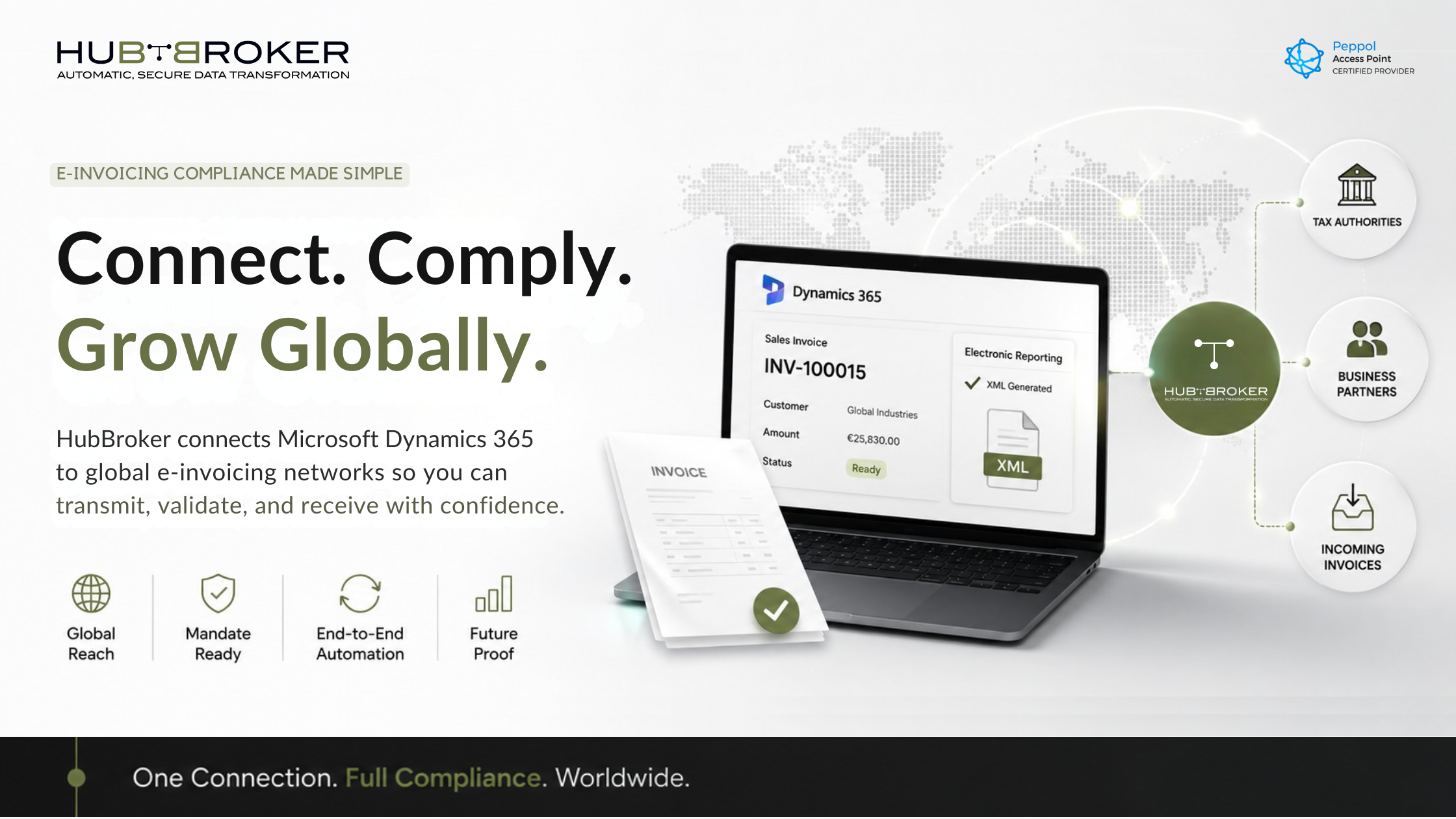
Close Microsoft Dynamics 365 e-invoicing compliance gaps with HubBroker automation, validation and Peppol support.
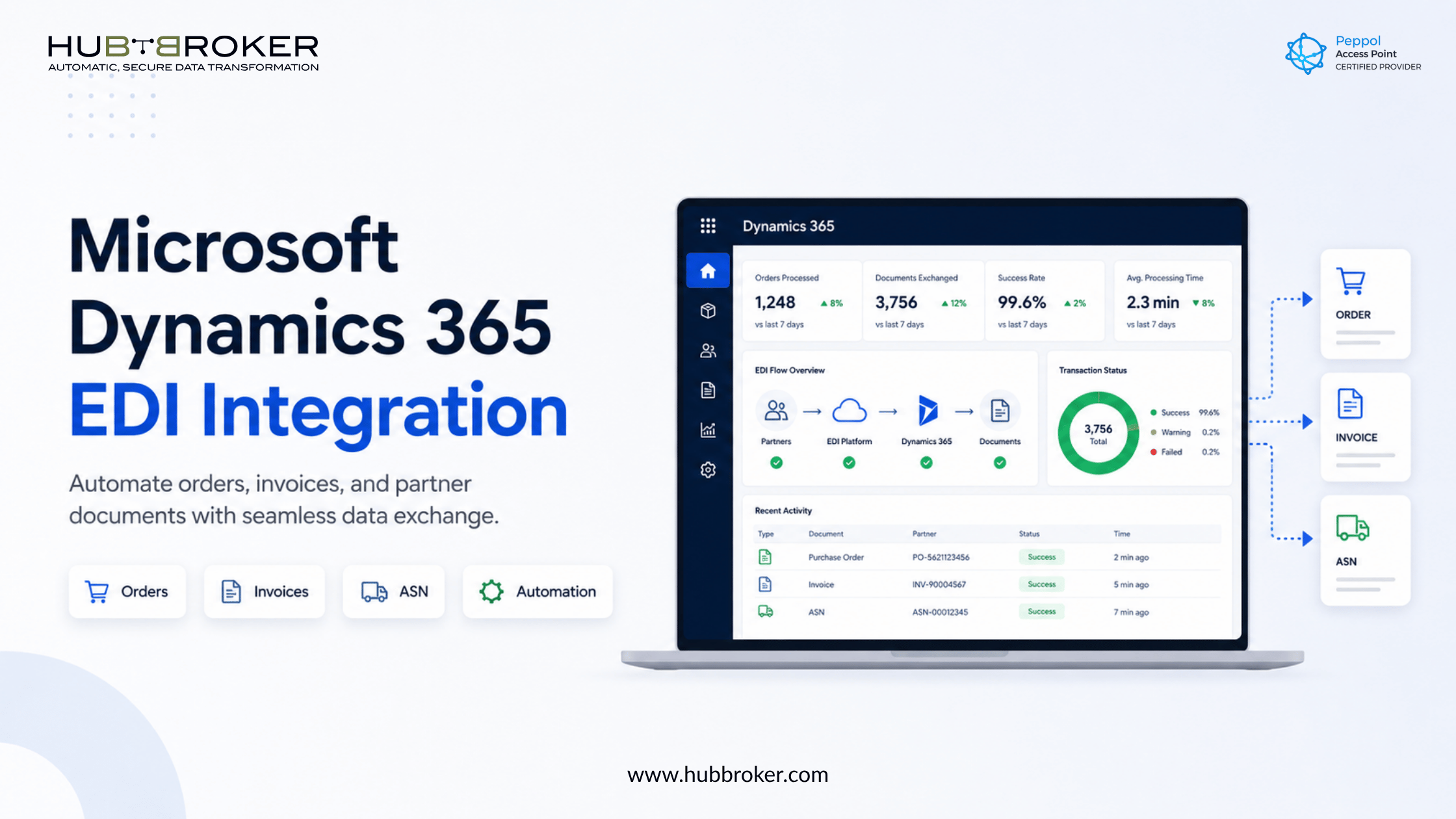
Automate orders, invoices, and partner documents with Microsoft Dynamics 365 EDI integration. Reduce manual work, errors, and processing delays.
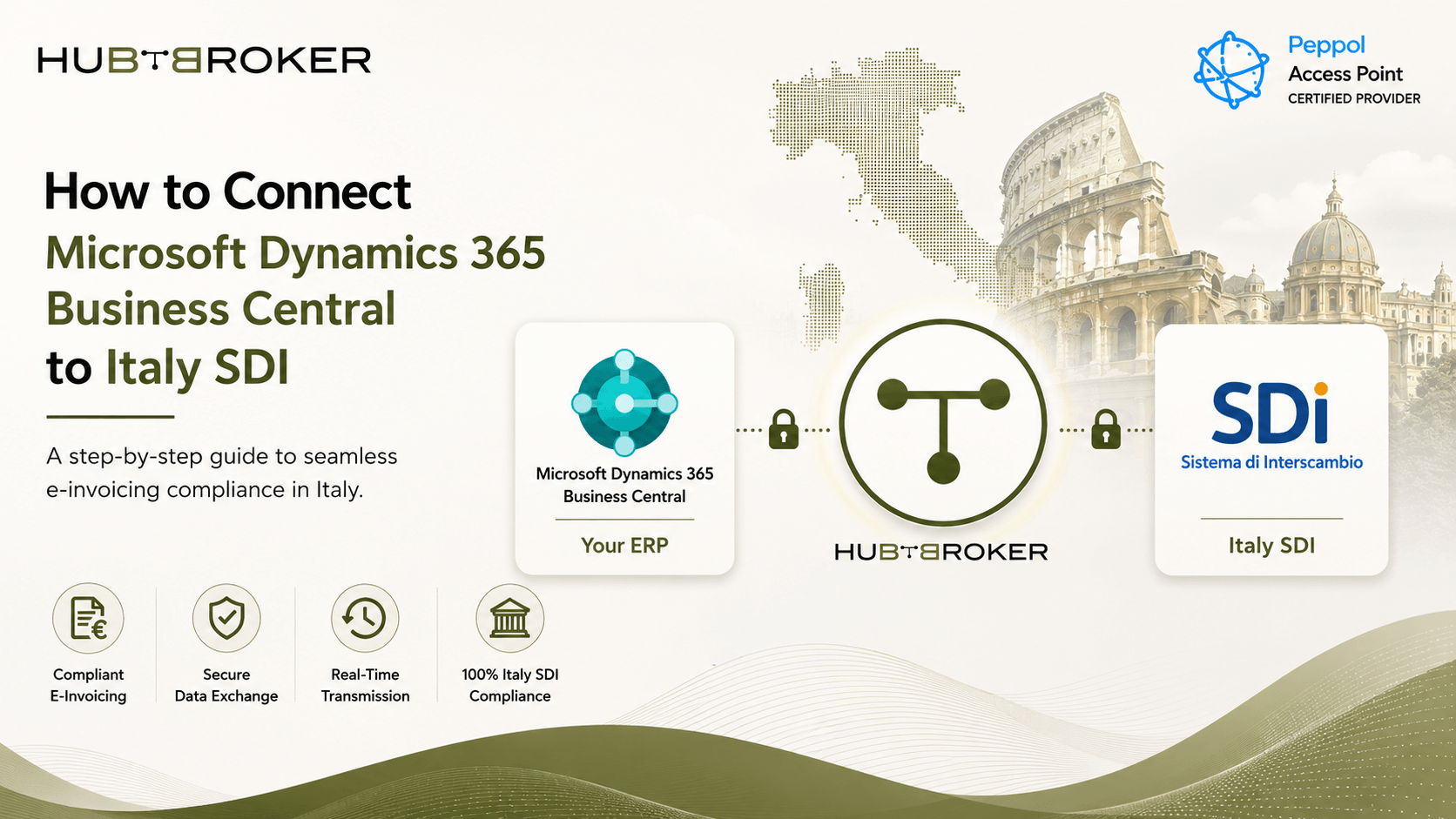
Connect Microsoft Dynamics 365 Business Central with Italy SDI easy. Learn how HubBroker help send e-invoices, stay compliant and make invoicing simple.
HubBroker solutions support businesses across industries where reliable data exchange, automation, compliance, and partner connectivity are essential.
Support fast-moving order, invoice, inventory, and marketplace workflows with automated document and system integrations.
Help manufacturers connect suppliers, customers, ERP systems, and logistics partners for smoother production and supply chain operations.
Enable structured data exchange for shipping, delivery, tracking, invoicing, and partner communication across logistics networks.
Support secure and accurate document exchange where compliance, reliability, and process efficiency are critical.
Help financial businesses improve document processing, data accuracy, reporting flows, and secure business communication.
Automate order-to-cash and procure-to-pay workflows across customers, suppliers, warehouses, and ERP systems.
Yes. Business Central can export EDI invoices using an EDI app or middleware to map and send invoices to trading partners.
Dynamics 365 Business Central (D365 BC) is an all-in-one, cloud-based Enterprise Resource Planning (ERP) system by Microsoft designed for small and mid-sized businesses. It unifies a company’s financials, sales, inventory, supply chain, and operations into one connected platform.
Microsoft Dynamics 365 Business Central and Dynamics 365 Finance and Operations (now formally split into Dynamics 365 Finance and Dynamics 365 Supply Chain Management) are both powerful ERP platforms, but they cater to vastly different business sizes and operational needs.
Bredgade 45B 1260 , København K Capital Region, Denmark
D-1010, The First, B/H ITC Narmada, Ahmedabad, Gujarat, 380015, India