
15+
Years Experience











15+
Years Experience
120K+
Monthly Transition
100+
Global Clients
40+
Countries
Hours spent rekeying supplier PDFs into ERP each week
Varied PDF layouts across many suppliers and regions
OCR or manual errors in VAT, totals, and line items
Delayed approvals and missed discount windows from delays
Hard to trace PDF, data, and posting back to one record
PDFs from email, scan, or portal captured automatically
Headers, lines, VAT, and totals extracted from any layout
Structured XML mapped to your ERP format on every invoice
Checks against supplier, VAT, and PO rules before posting
Original PDF, XML, and posting linked to one record
Let's schedule a demo and discover how our integration platform connects your apps and automates processes.
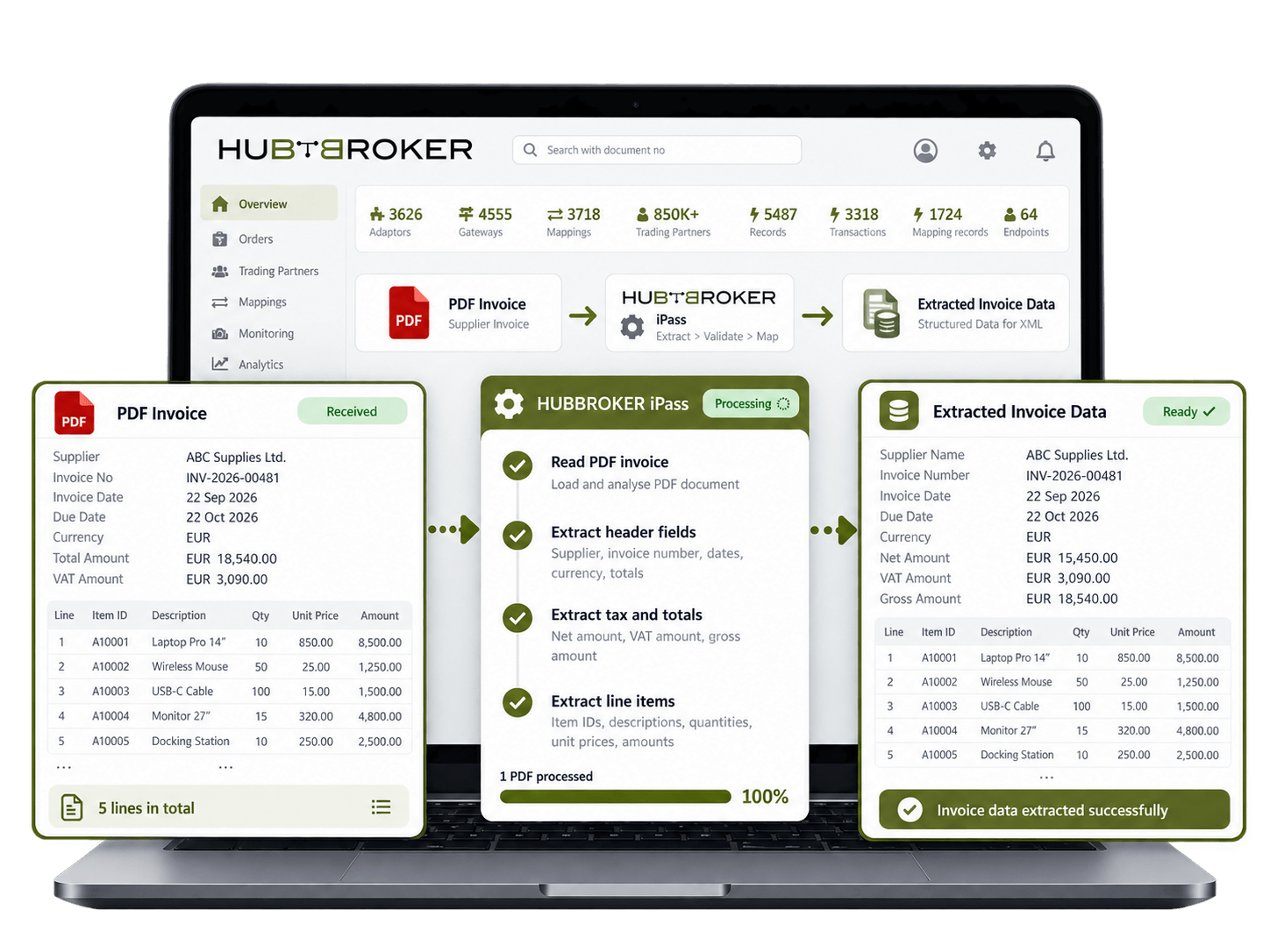
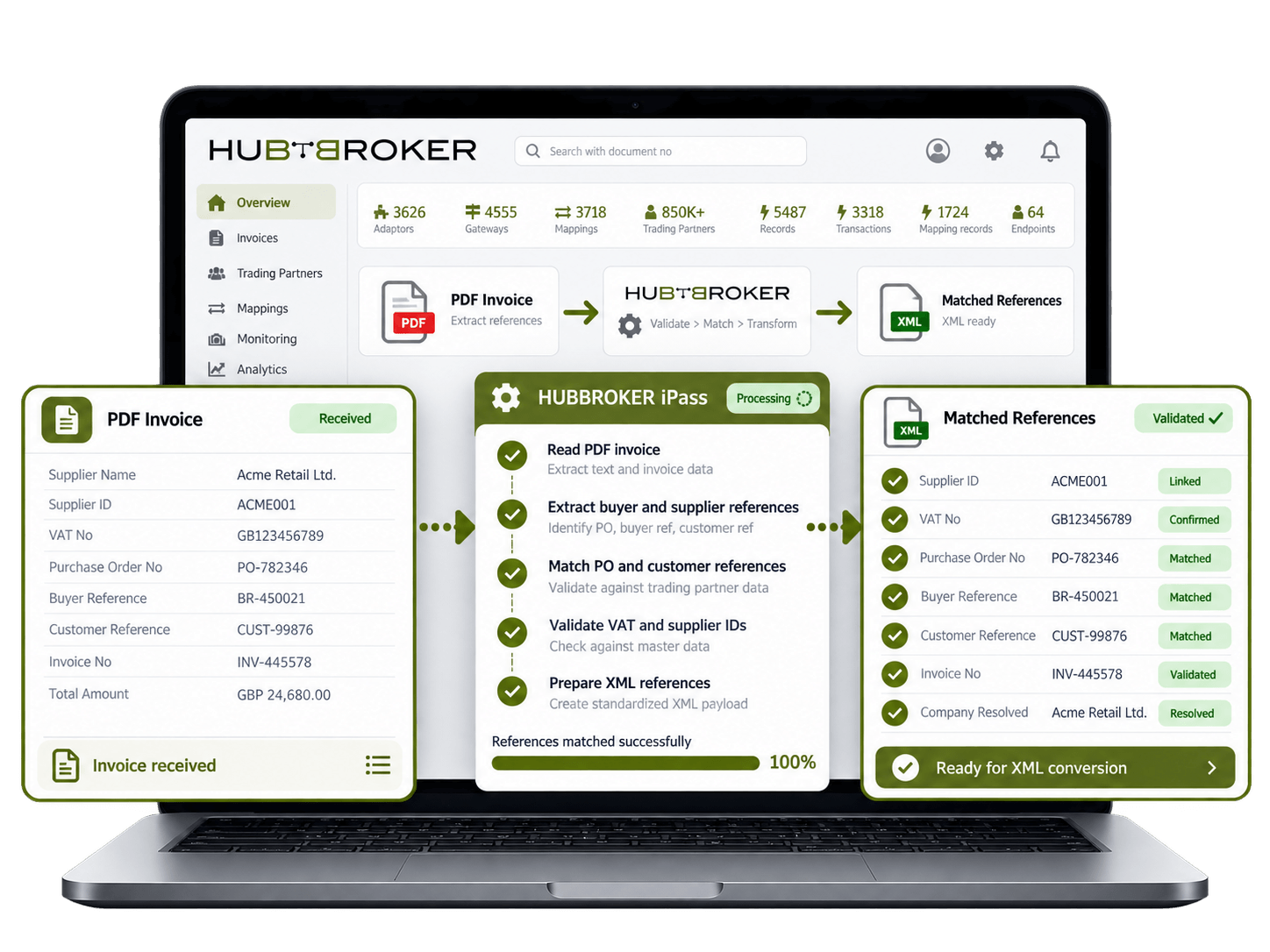
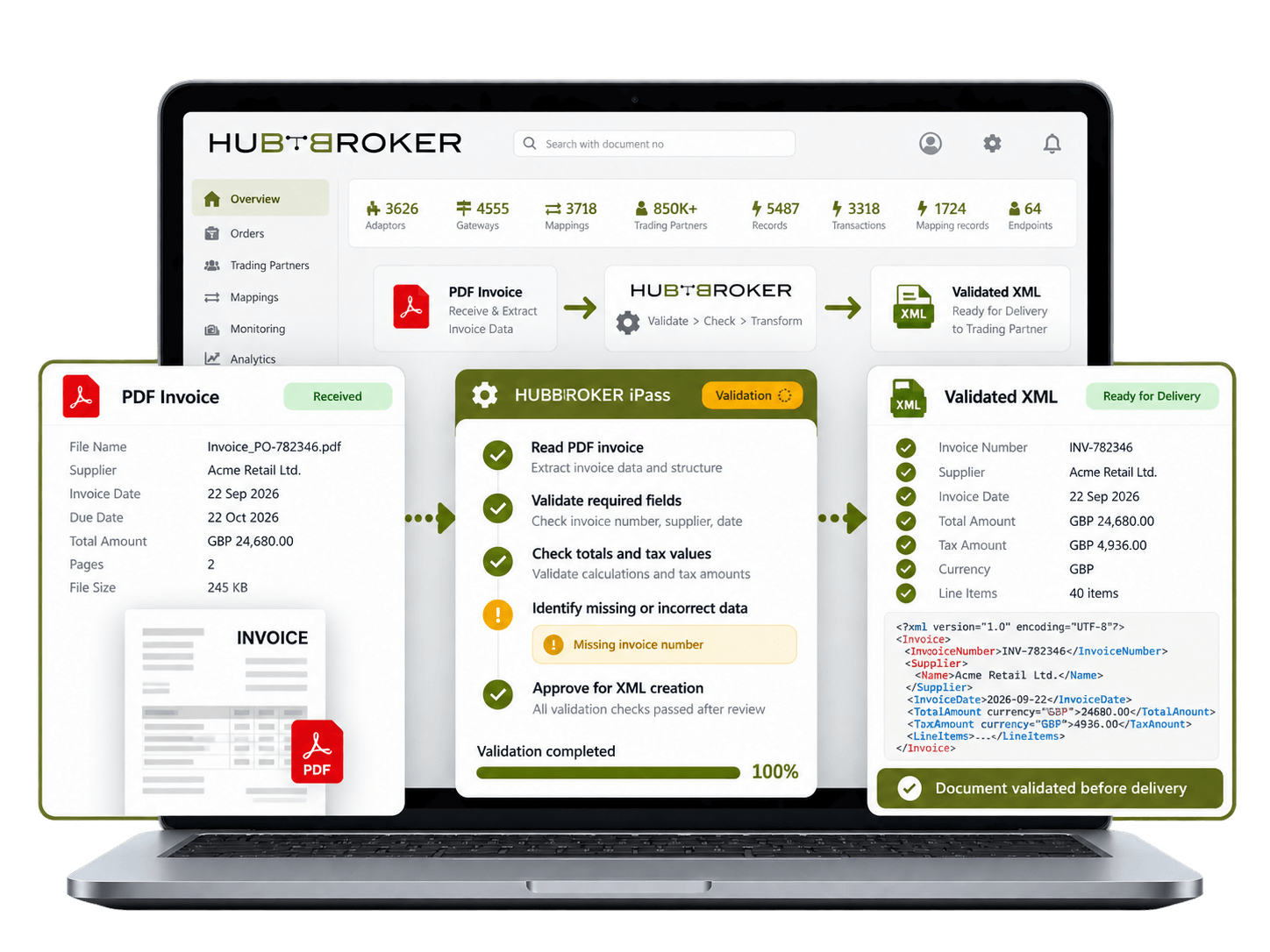
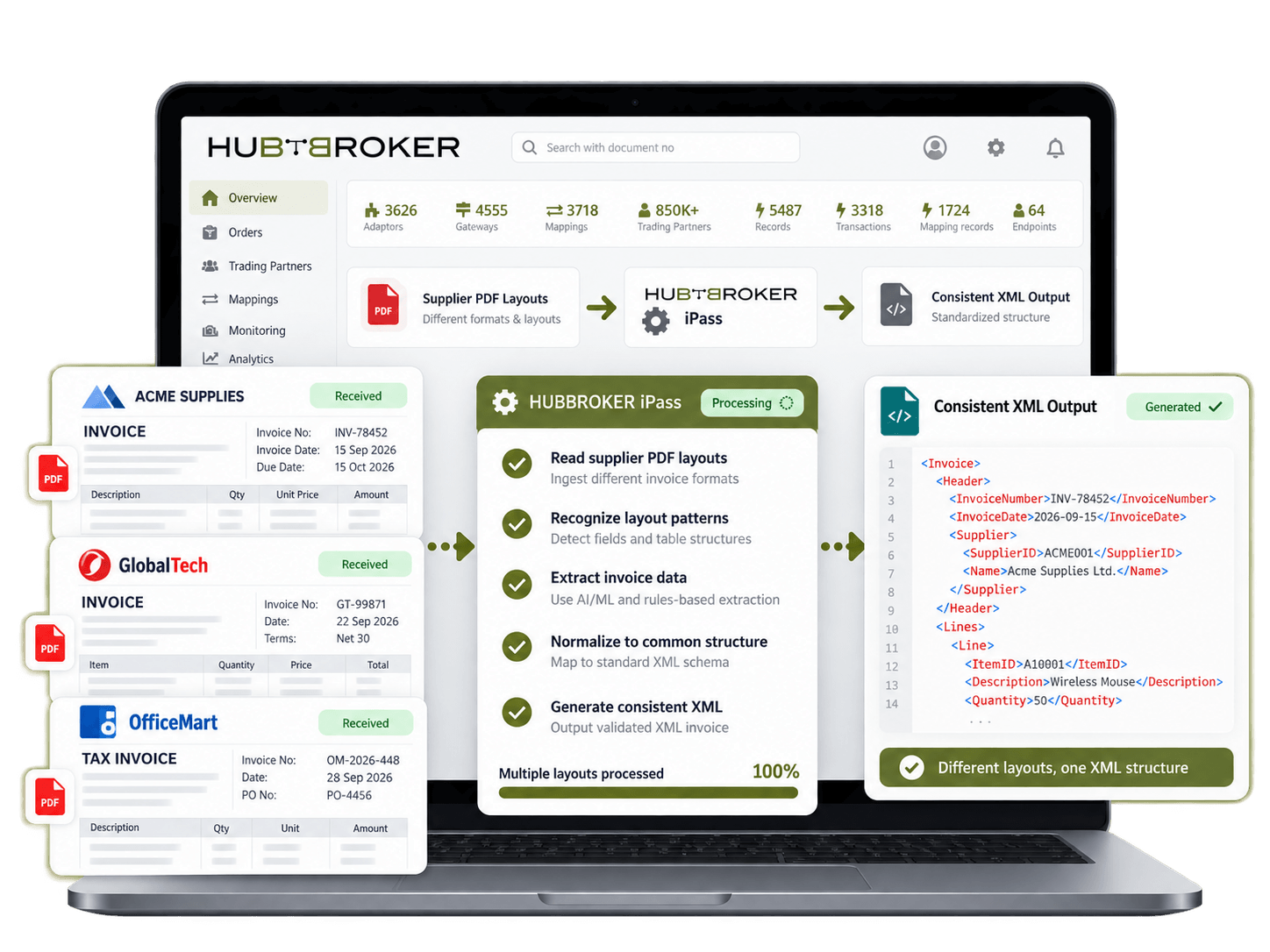
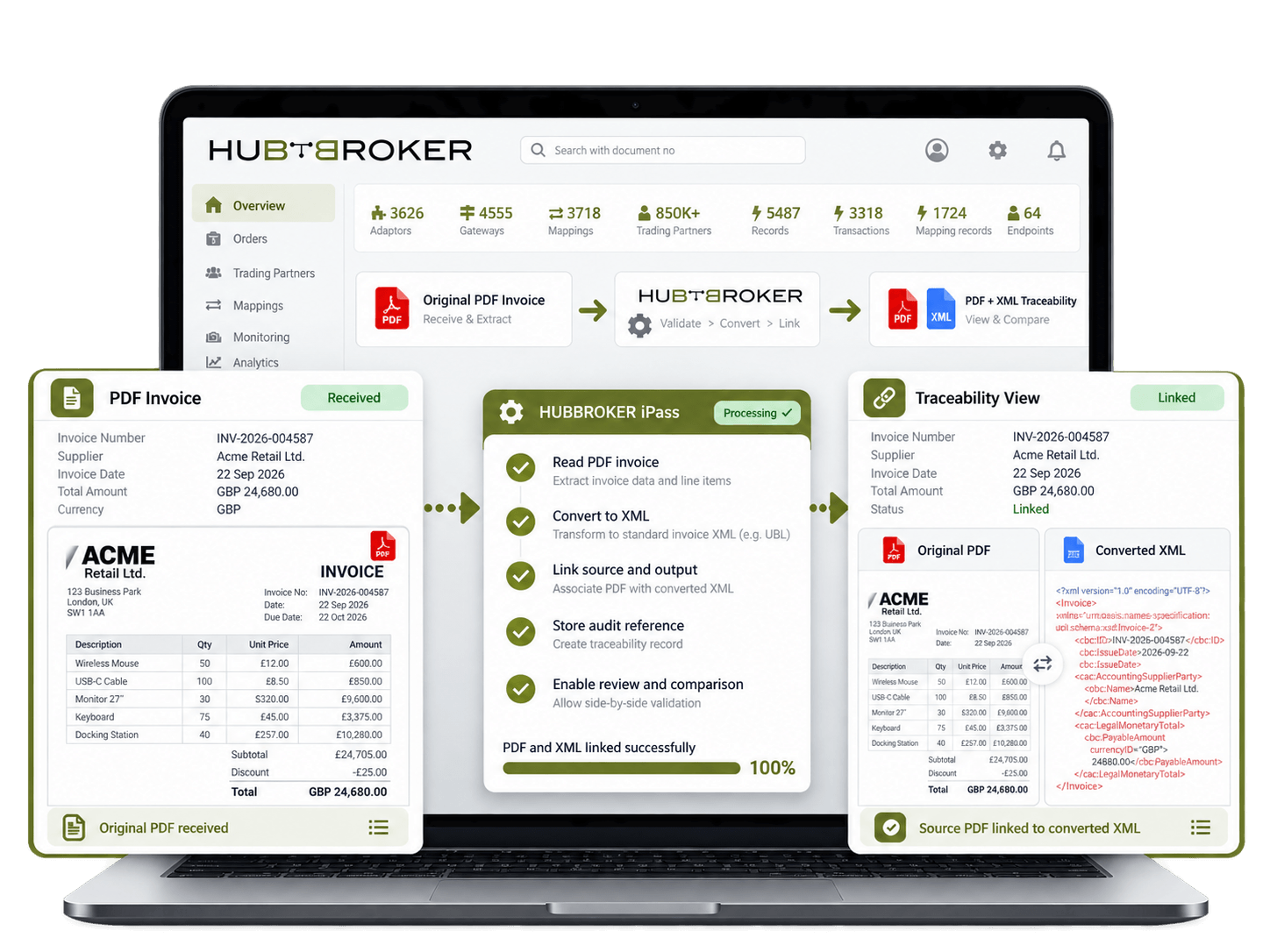
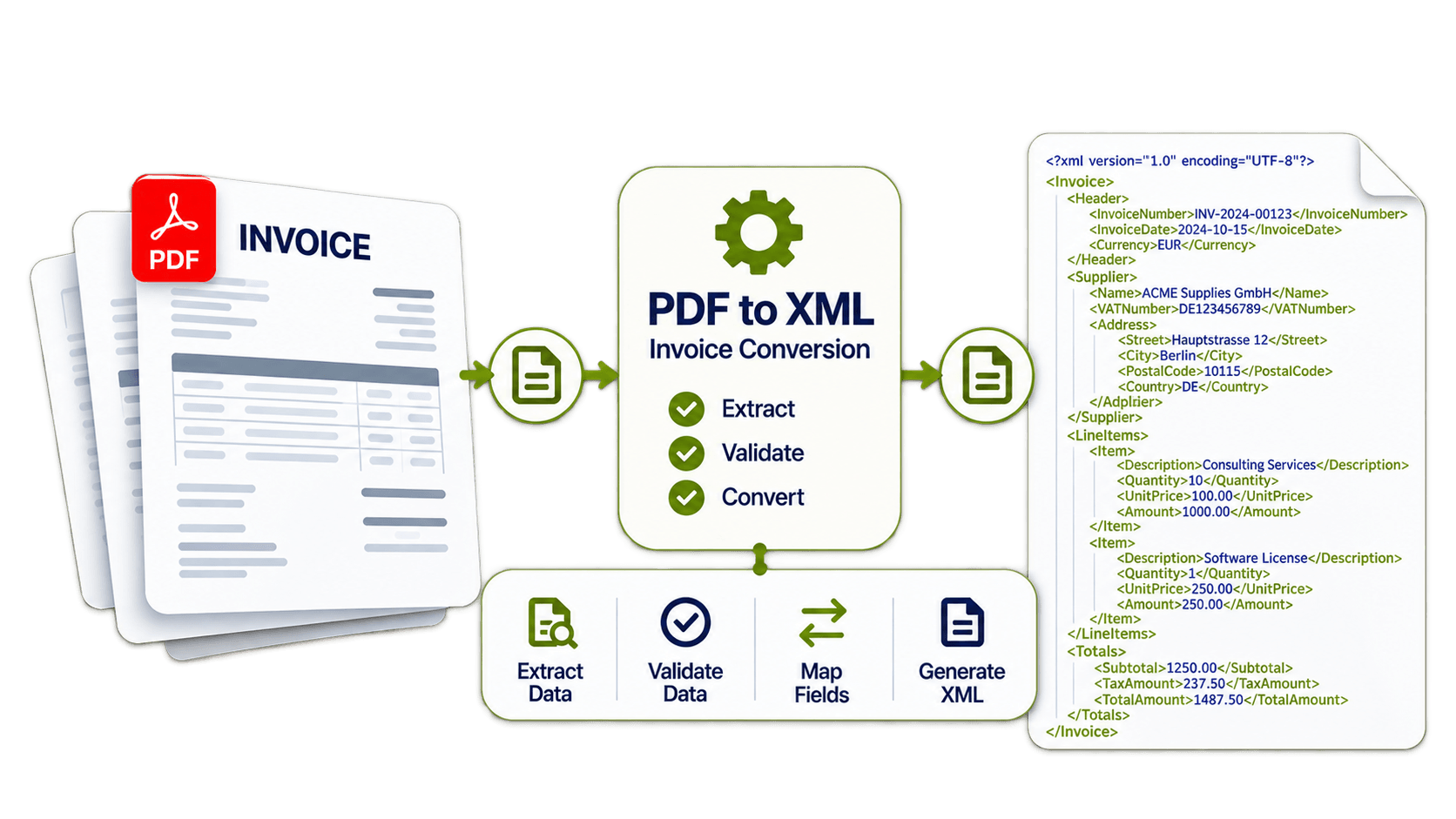
Extract supplier names, invoice numbers, dates, totals, tax values and line items from PDF invoices so finance teams do not need to type the same information into another system.
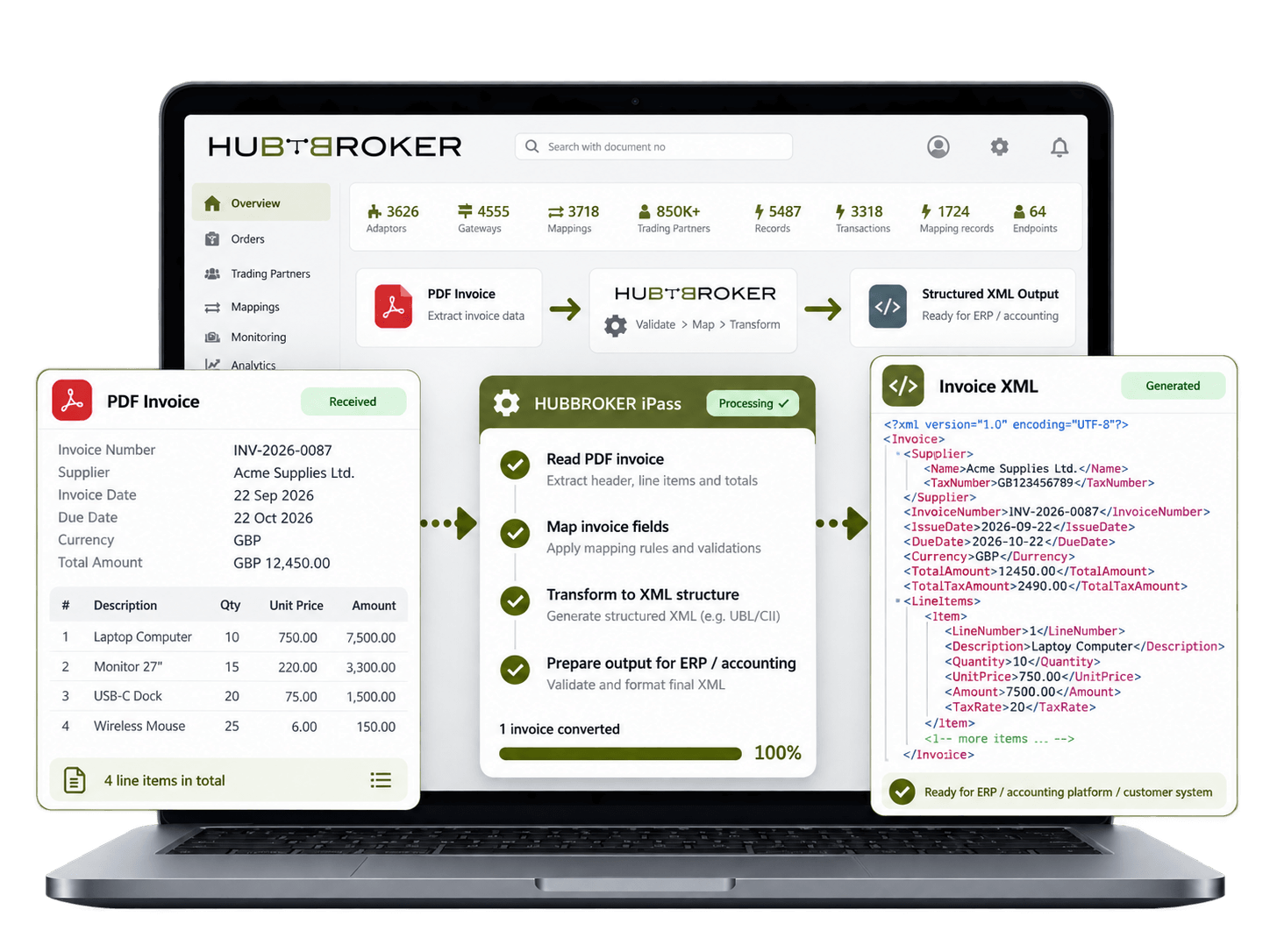
Convert invoice data into a structured XML format that your ERP, accounting platform or customer system can process directly instead of relying on a PDF that must be read manually.
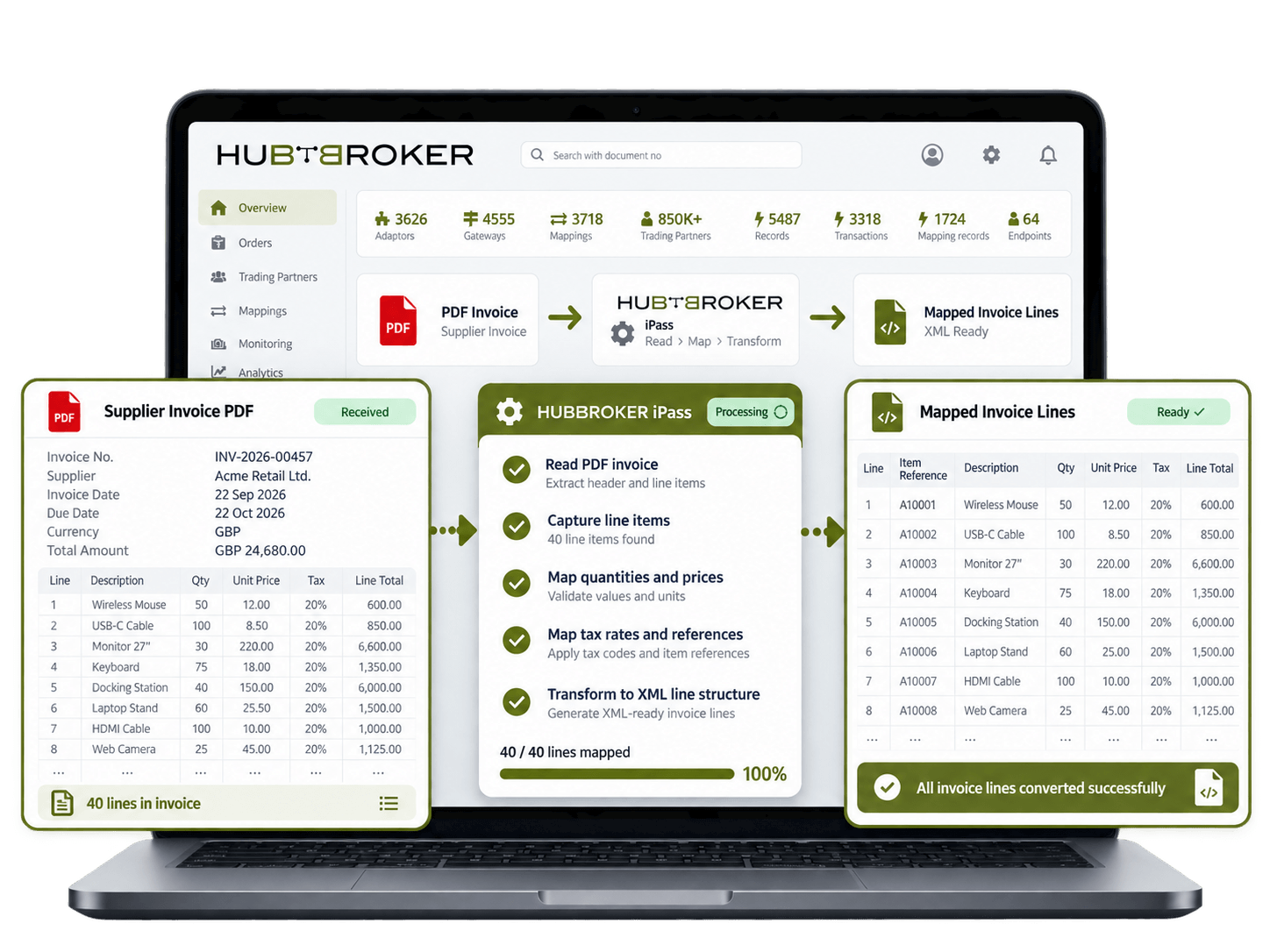
Capture individual product lines, quantities, prices, tax rates and references from the PDF. A 40-line supplier invoice can be converted without entering every row into the ERP.
Preserve purchase order numbers, customer references, VAT numbers and supplier IDs during conversion so the XML can be matched to the right company, order or accounting record.
Check required invoice fields and values before creating the final XML. A missing invoice number or incorrect total can be identified before the document reaches the receiving system.
Process invoices from suppliers that use different PDF layouts while producing one consistent XML structure for your system. This reduces the need to maintain separate manual processes.
Keep the converted XML linked with its original PDF so users can compare the source invoice with the structured data when reviewing discrepancies, approvals or customer questions.
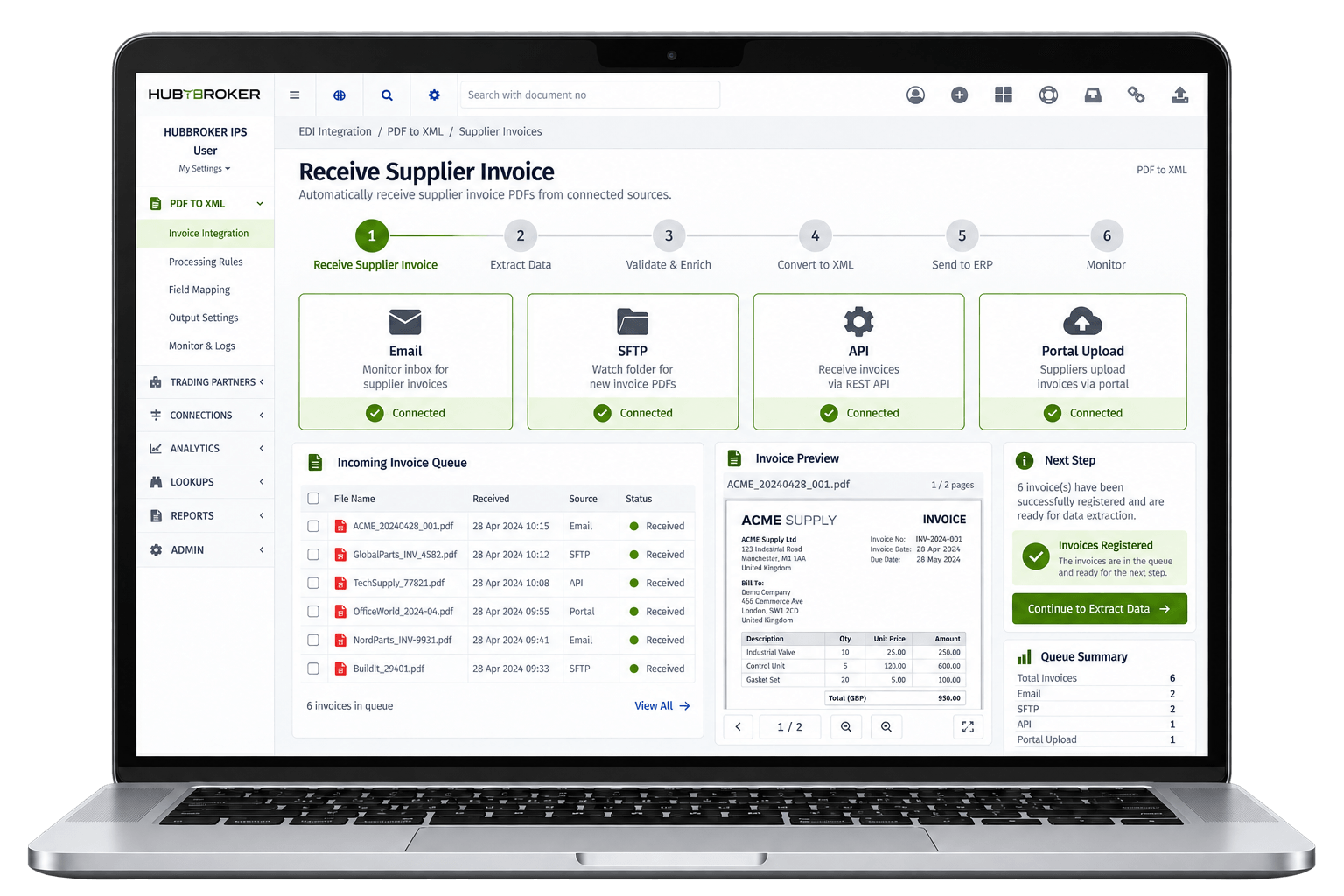
Supplier invoice PDFs can come automatically from email, SFTP, API, portal upload, or another connected source. Each incoming invoice is registered in the system and prepared for processing, so staff do not need to manually download or forward the document.
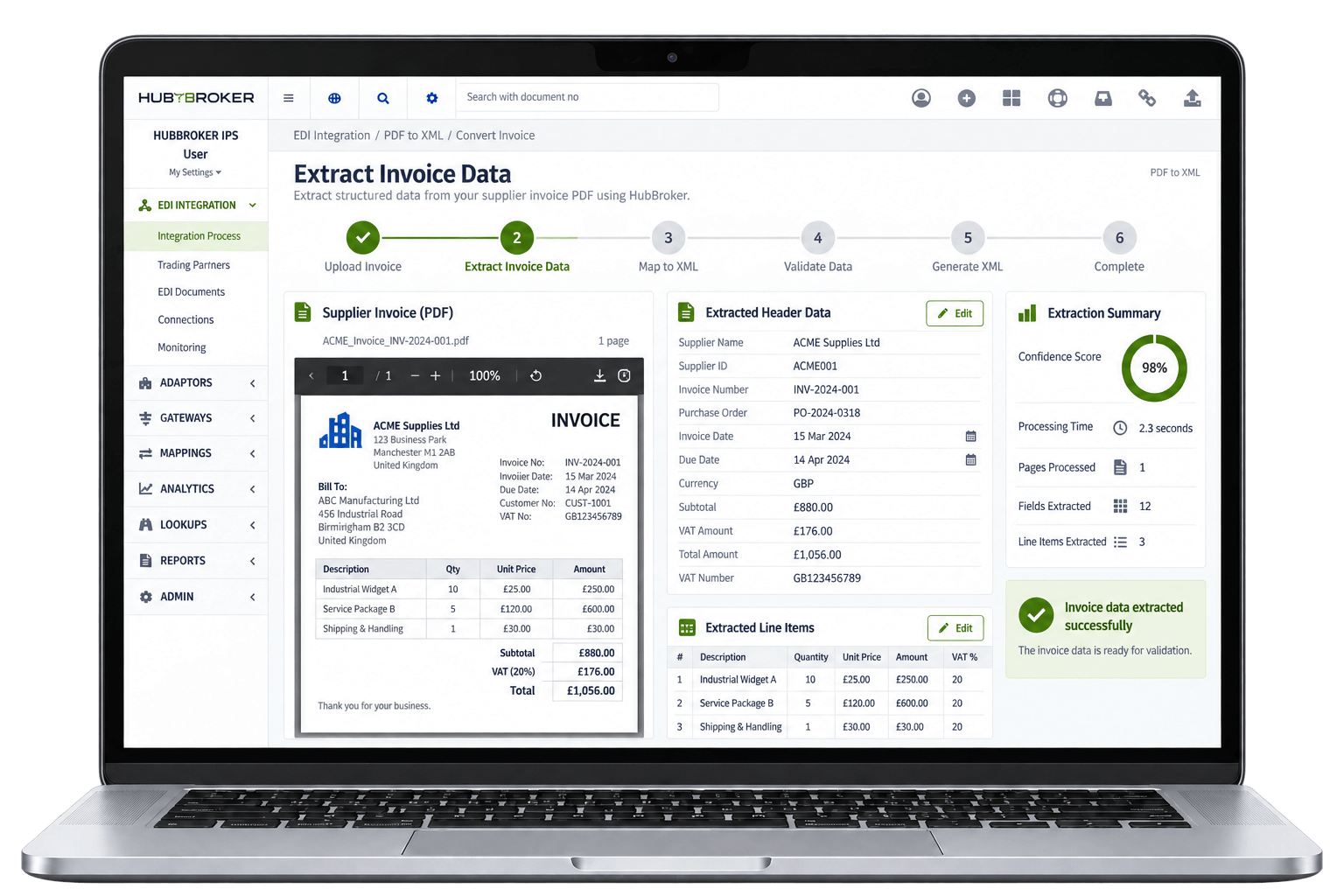
The system reads and captures important invoice details such as supplier name, invoice number, PO reference, dates, currency, VAT, totals, and line items. It identifies both the main invoice information and detailed product or service rows from the PDF.
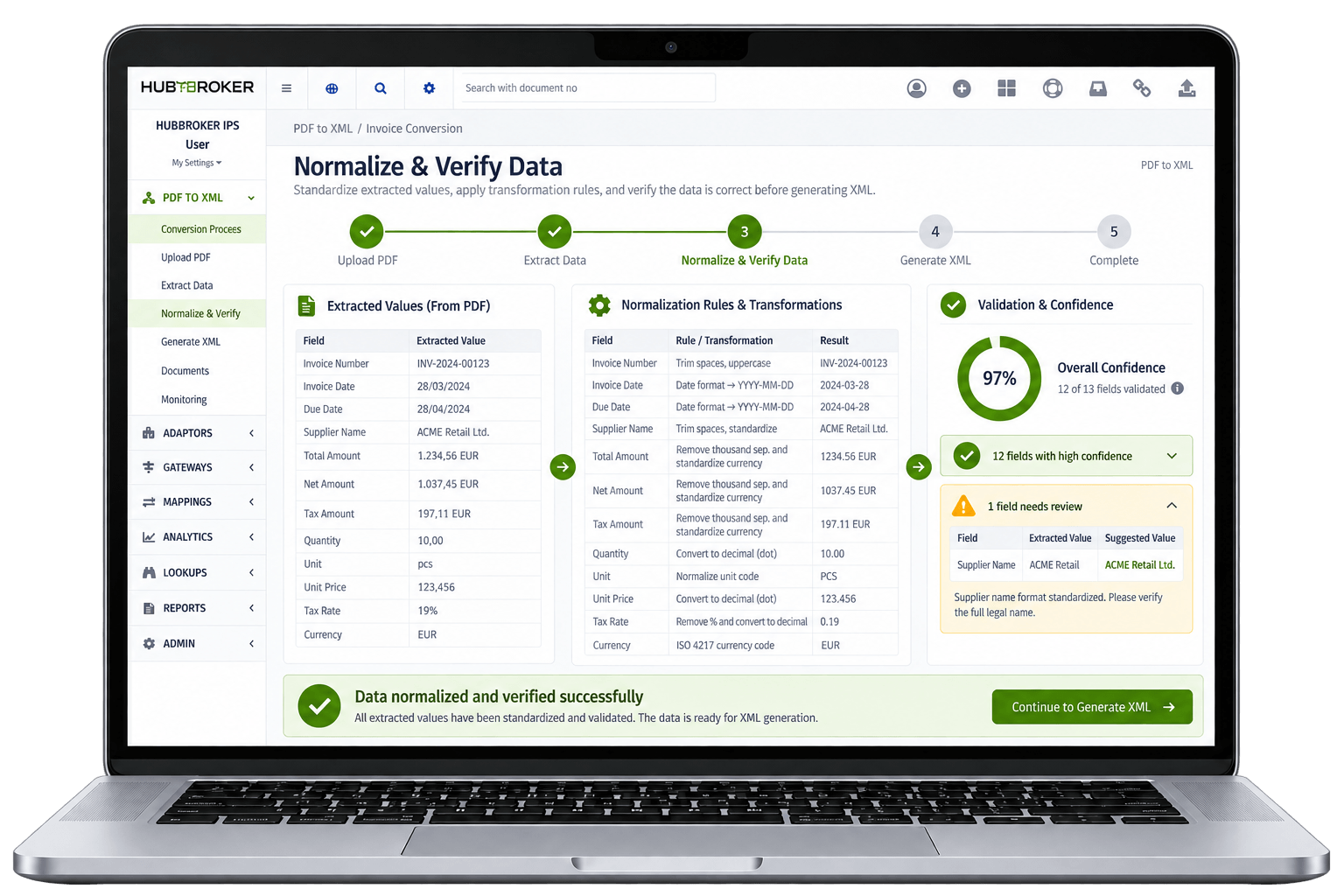
Extracted values such as dates, currencies, decimal formats, quantities, and units of measure are put into a consistent format. Confidence levels can help identify fields that are unclear or where extracted data may need some manual review. Only data that is verified and formatted correctly should move to next processing stage.
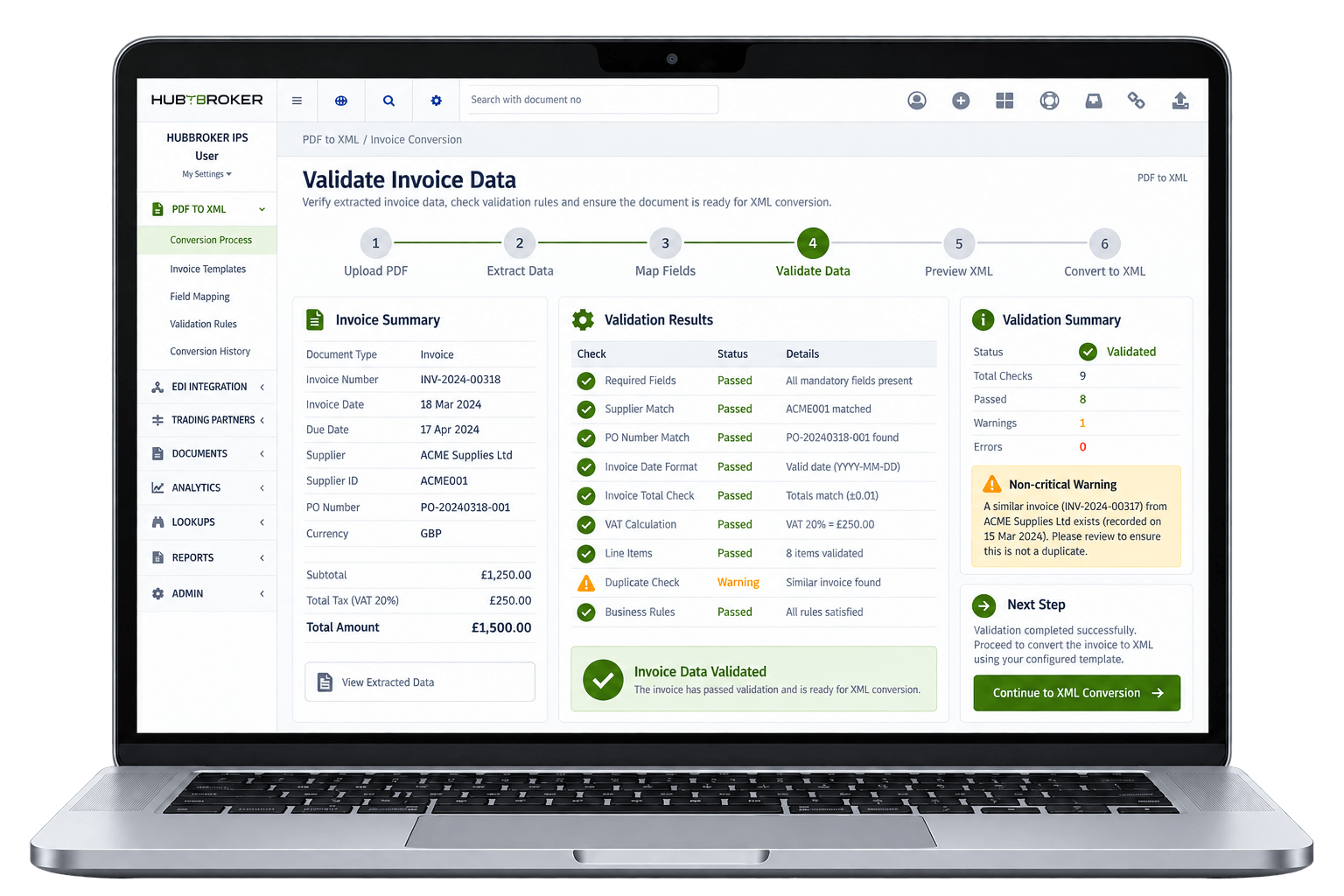
The invoice data is checked for required fields, supplier references, invoice totals, tax values, PO numbers, and other important information. Business rules can also identify duplicate invoices, missing fields, incorrect totals, or values that do not match the expected invoice data. Invoices with problems are flagged before wrong information reaches the ERP or accounting system.
Once invoice data is validated, it is mapped into the XML structure required by the receiving system or business network. The XML output can follow formats such as UBL, Peppol BIS, ERP-specific XML, or another XML format required by customer or system. Each invoice field and line item is placed into the correct XML element so the receiving system can understand and process the document.
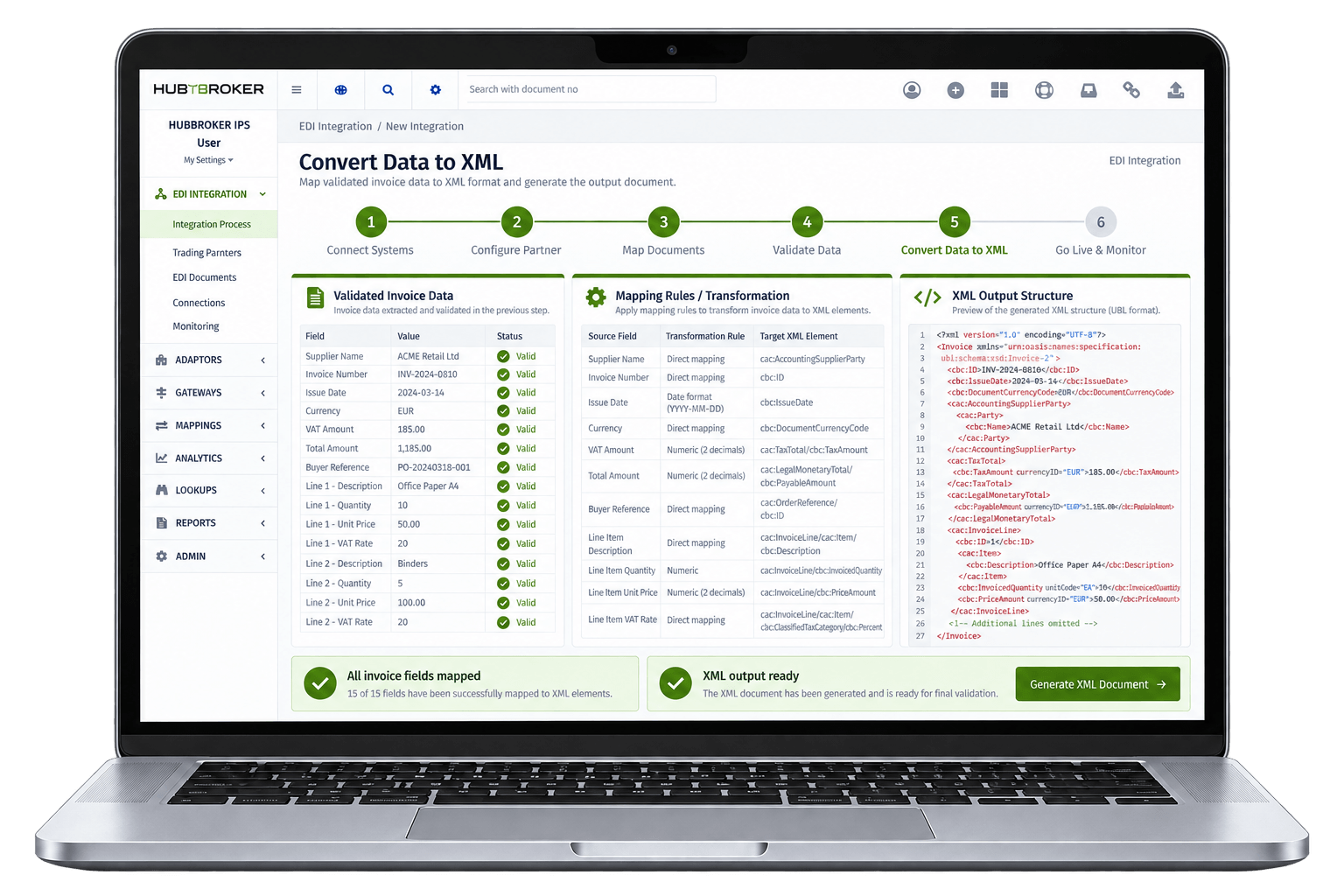
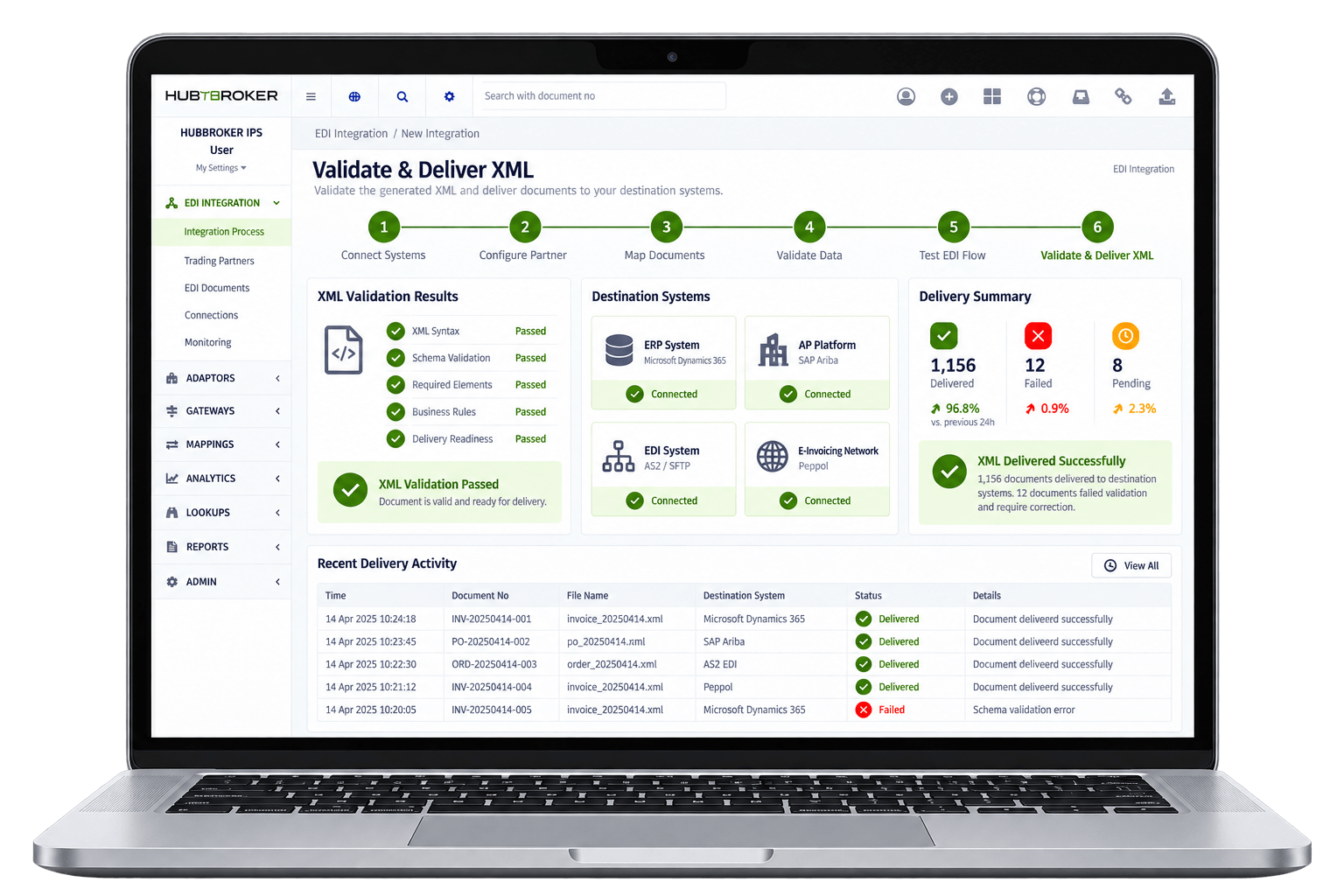
The generated XML is checked again for correct syntax, required elements, schema rules, and any business validation that needs to be followed. When validation is successful, the XML is automatically sent to the ERP, AP platform, EDI system, or e-invoicing network. If a document fails validation, it stays visible for correction instead of sending incorrect data to the final destination.








AP teams stop typing supplier invoice data from PDFs and scans, so their time goes into supplier issues, approvals, and exception handling rather than basic data entry tasks every day.
Invoices arriving through email, post, or portals are converted to XML and processed within minutes, so approval, payment, and supplier discount cycles all start sooner than they typically do.
AI extraction combined with rule-based validation reduces typing errors, missing fields, and mismatched VAT or PO data, so your ERP holds cleaner XML records and reporting stays reliable.
Every PDF is converted into XML formatted exactly the way your ERP or downstream system needs it, so finance teams skip the cleanup that usually follows manual or generic OCR processing.
Only invoices that genuinely need a human are surfaced to AP, with extracted XML and the original PDF presented together, so resolution is faster and easier for everyone in the workflow.
Each invoice keeps its original PDF, extracted XML, validation results, and posting history together, giving auditors and finance a clear, searchable trail across your AP process.













Our conversion handles the supplier formats, languages, layouts, and quirks that actually arrive in your AP inbox, rather than working only on neat sample invoices in a demo setup.
XML is built around real ERPs like Business Central, SAP B1, Visma e-conomic, and Uniconta, so AP teams keep their familiar tools and workflows while gaining structured invoice data.
PDF-to-XML combines AI extraction with your supplier, tax, and PO rules, so the system understands not just the layout of an invoice but how your business actually processes it daily.
Where suppliers are Peppol-capable, invoices flow as structured e-invoices through our certified Access Point, so PDF-to-XML works alongside genuine e-invoicing rather than replacing it.
Our teams in Denmark and India support tuning, exception review, and new supplier onboarding directly, so conversion accuracy improves as your supplier base and invoice volume change.
PDF-to-XML conversion sits alongside EDI, Peppol e-invoicing, ERP API integration, and IDP in the same HubBroker platform, so document automation grows with the business over time.

ERIKS is a globally recognized industrial service provider with over 80 years of experience in delivering technical products, engineering expertise, and tailored services.
Read More
Orkla House Care Europe, a division of Orkla ASA, is a leading manufacturer and distributor of high-quality painting tools for both professionals and DIY users. Operating across Sweden, Denmark, Norway, and the UK.
Read More
Ammega Group, through its Megadyne division, is a global leader in the manufacturing and distribution of power transmission belts and industrial conveyor solutions.
Read More
TDC Brands is a Danish telecommunications group, home to six brands: YouSee, TDC Erhverv, Telmore, Hiper, eesy and Relatel.
Read More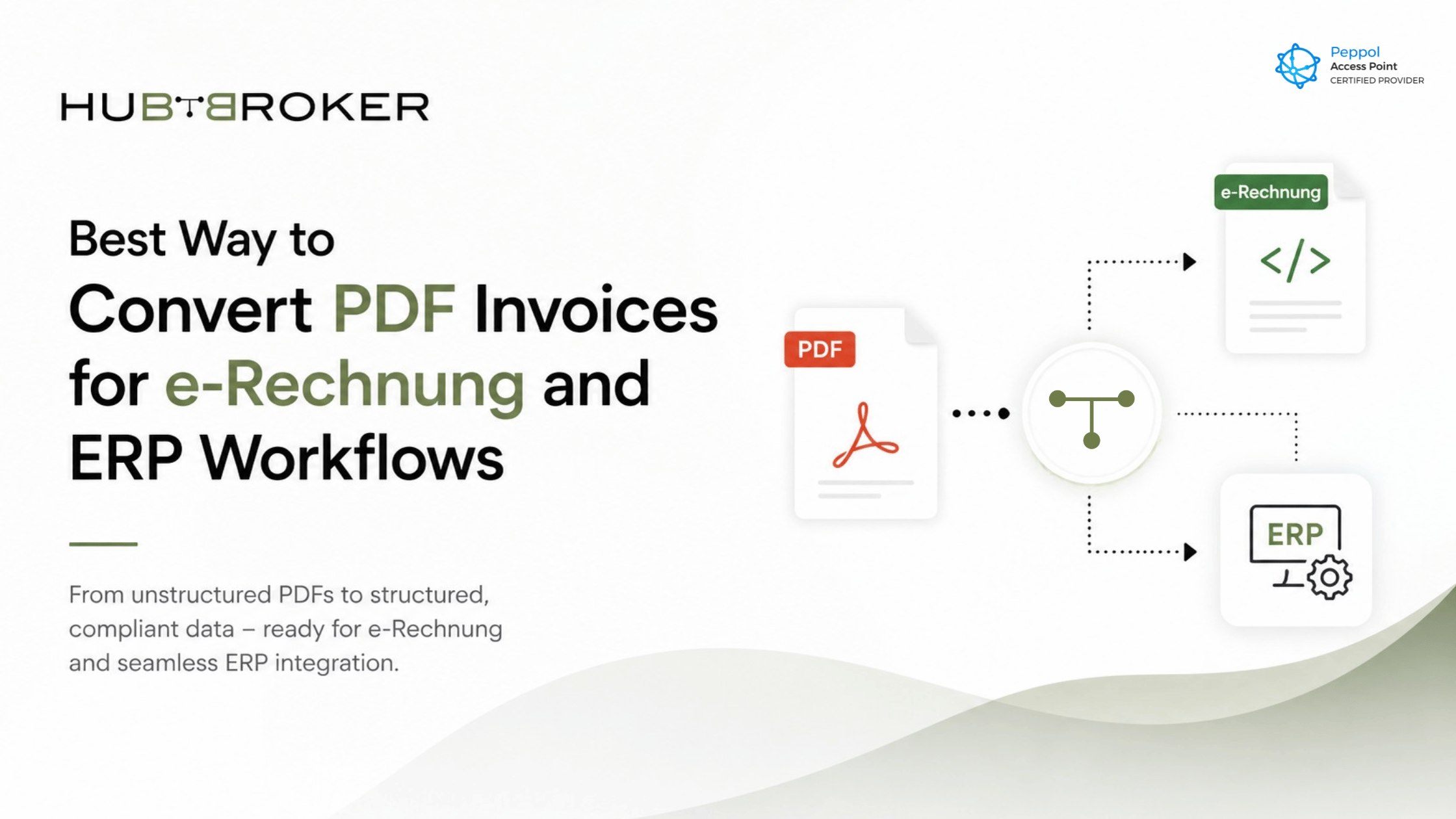
Learn the best way to convert PDF invoices into structured formats for e-Rechnung compliance and seamless ERP invoice workflows.
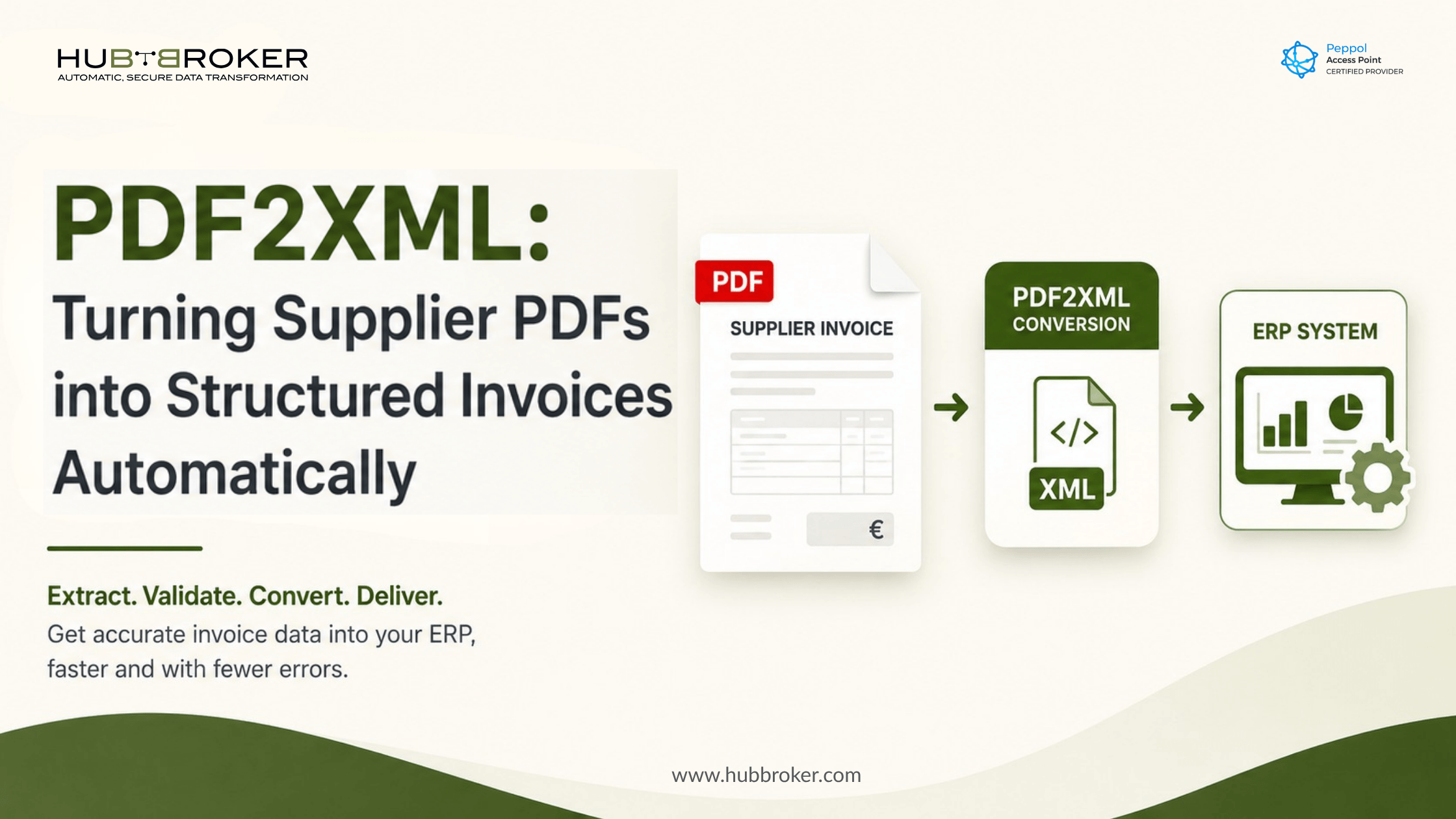
Automate PDF to XML invoice conversion and transfer validated supplier invoice data into your existing ERP, finance or approval system.
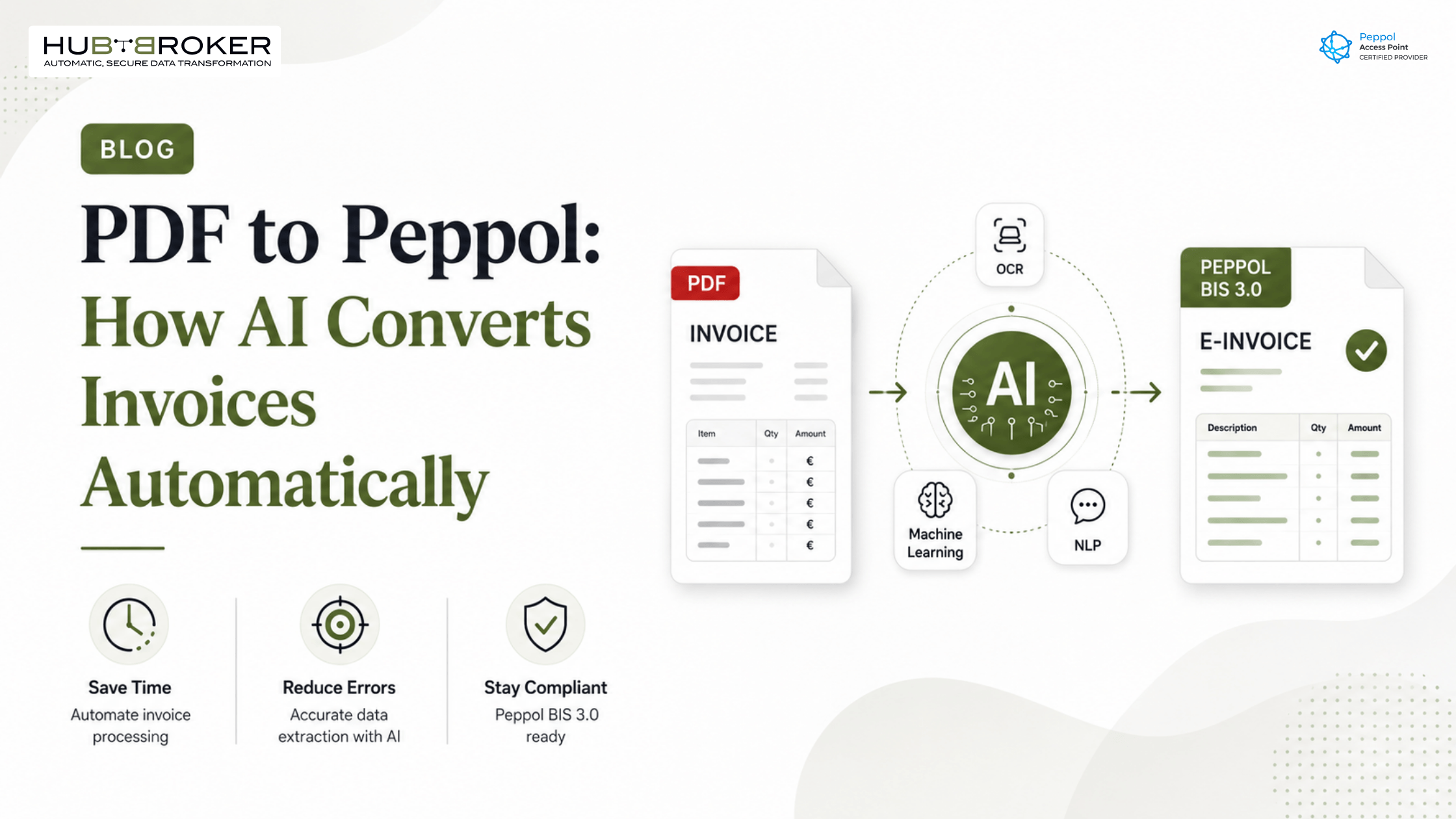
Still receiving supplier invoices as PDFs? Learn how AI converts PDFs to Peppol BIS 3.0 automatically without replacing your ERP. Stay compliant across Europe.
The way you convert a file to XML depends on your original file format. For common document types (like Excel, CSV, or Text), you can use built-in software tools or secure online converters to automatically structure your data into the standard XML format.
XML (Extensible Markup Language) is a flexible, text-based format used to store and transport data. Its primary advantages include platform independence, self-describing structure, and extensibility, making it ideal for robust data interchange across various systems and applications.
Technical challenges in XML to PDF conversion stem from several key factors: i) Formatting Preservation. ... ii) Layout Requirements. ... iii) Character Encoding. ... iv) Page Layout Settings. ... v) Custom Requirements. ... XSLT Transformation Method. ... Direct DOM Processing. ... Template-Based Manual Conversion.
HubBroker solutions support businesses across industries where reliable data exchange, automation, compliance, and partner connectivity are essential.
Support fast-moving order, invoice, inventory, and marketplace workflows with automated document and system integrations.
Help manufacturers connect suppliers, customers, ERP systems, and logistics partners for smoother production and supply chain operations.
Enable structured data exchange for shipping, delivery, tracking, invoicing, and partner communication across logistics networks.
Support secure and accurate document exchange where compliance, reliability, and process efficiency are critical.
Help financial businesses improve document processing, data accuracy, reporting flows, and secure business communication.
Automate order-to-cash and procure-to-pay workflows across customers, suppliers, warehouses, and ERP systems.
45B 1260 Bredgade , København K Capital Region, Denmark
D-1010, The First, B/H ITC Narmada, Ahmedabad, Gujarat, 380015, India