
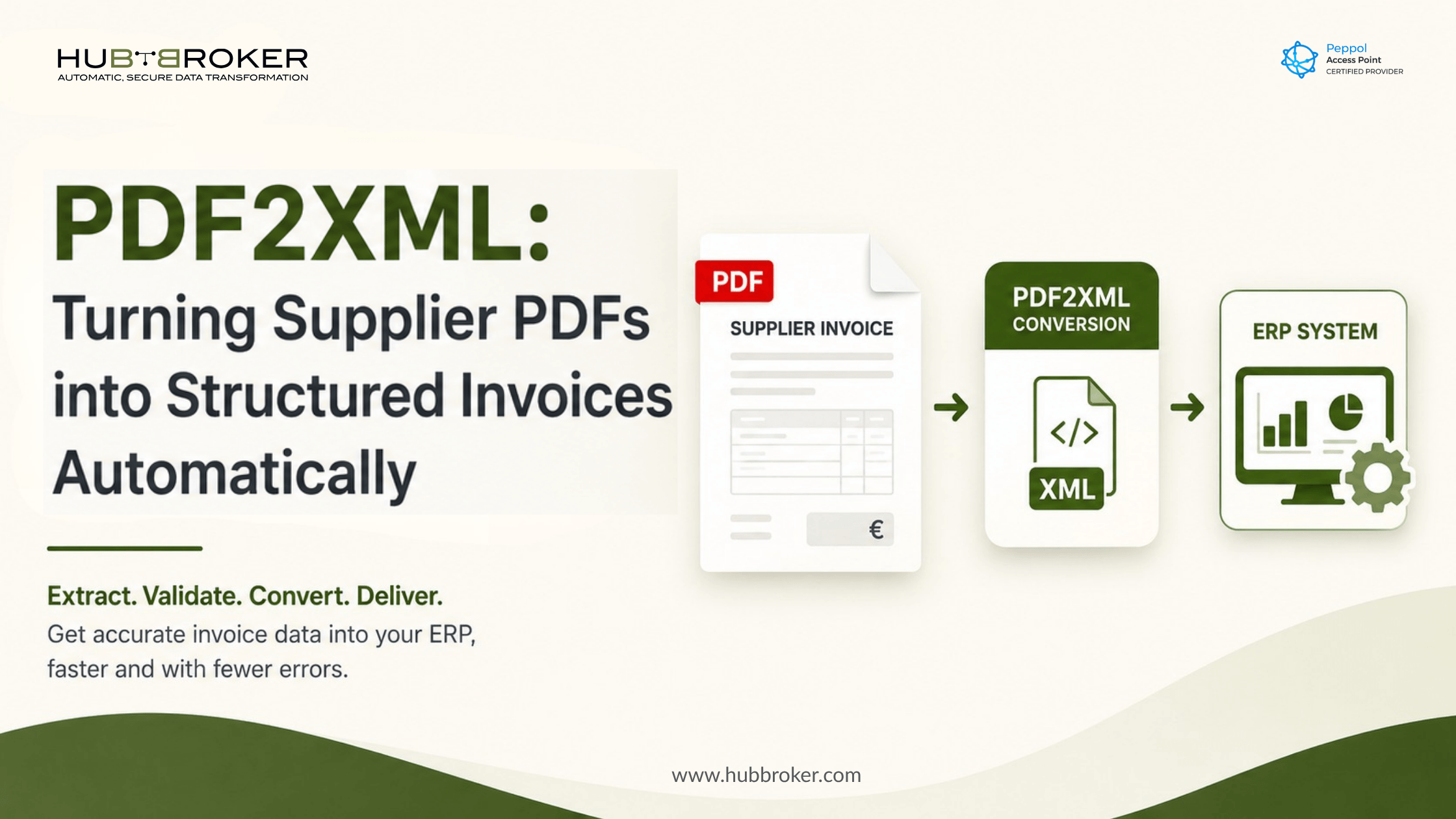
PDF to XML: Turning Supplier PDFs into Structured Invoices Automatically
Supplier invoices may be arriving on time, but that does not mean they are moving through accounts payable efficiently. PDFs received through email, supplier portals and shared folders often require finance teams to manually enter invoice numbers, VAT details, line items and purchase-order references.
PDF to XML invoice conversion changes that process by turning unstructured supplier PDFs into validated, structured data that can be transferred directly into an ERP, accounting platform or approval workflow.
Why Do Supplier PDF Invoices Create So Much Manual Work?
A PDF is designed to present information for a person to read. It does not automatically provide the structured fields that an ERP needs to validate, post and approve an invoice.
Supplier layouts also vary. One supplier may place the purchase-order number at the top of the document, while another includes it in a reference field or invoice line. Dates, currencies, VAT details and totals may also appear in different positions and formats.
As a result, accounts payable teams often need to:
Download invoices from email or supplier portals.
Identify the correct supplier and legal entity.
Copy header and line-level data into the ERP.
Check totals, VAT and purchase-order information.
Route invoices for matching and approval.
Contact suppliers when required information is missing.
Each manual step creates another opportunity for a typing error, duplicate entry or processing delay. An invoice with an incorrect purchase-order number or VAT amount may remain blocked until somebody identifies and corrects the problem.
How Does PDF to XML Invoice Conversion Work?
PDF to XML invoice conversion captures information from an invoice, validates it and creates a structured file that another business system can process automatically.
A typical workflow includes five stages:
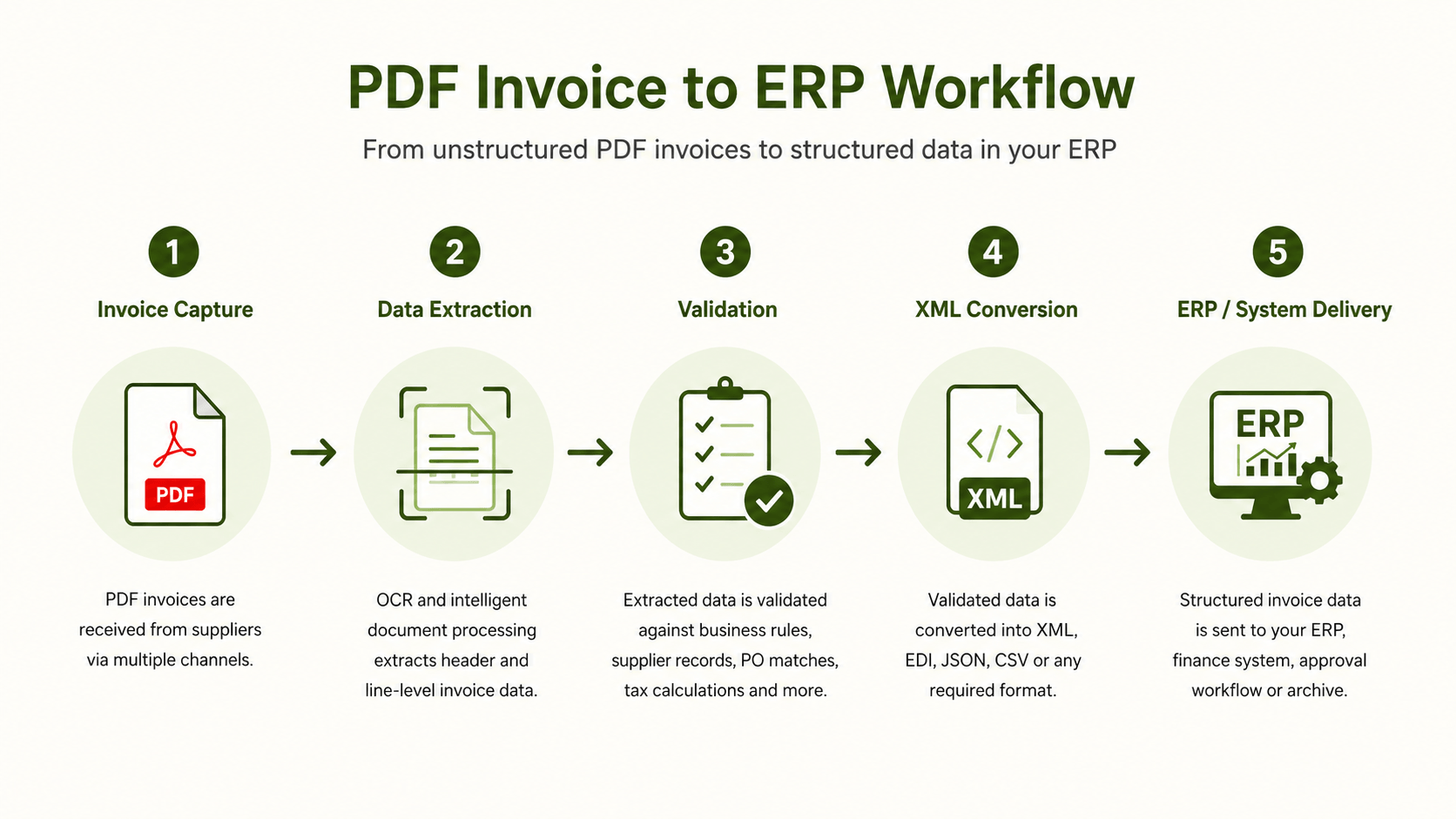
HubBroker’s PDF to XML invoice conversion solution supports scanned documents, system-generated PDFs and varying document layouts. It can extract invoice details such as invoice numbers, dates, line items, VAT and totals before transferring the information into connected business systems.
The original PDF can also remain available beside the extracted data, giving finance teams a readable source document when reviewing exceptions.
Which Invoice Fields Can Be Extracted and Validated Automatically?
A useful PDF automation process must capture more than the invoice number and total amount. For reliable ERP processing, it should also identify the information required for matching, tax treatment, approval and payment.
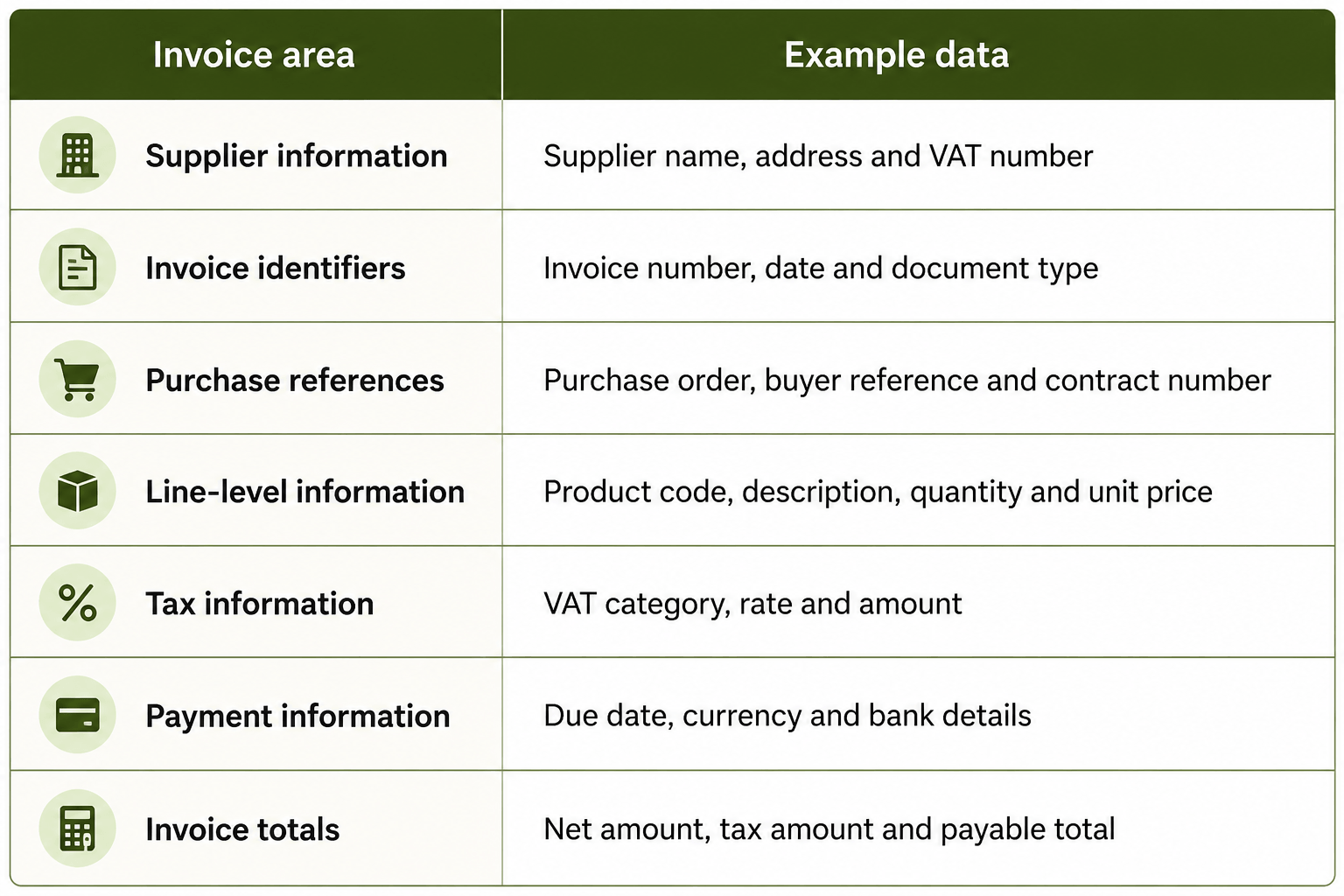
Extraction alone is not enough. A value can be successfully read from a PDF but remain incorrect from a business perspective.
Validation rules should therefore check for issues such as:
Missing mandatory fields.
Duplicate invoice numbers.
Incorrect VAT calculations.
Line totals that do not match the invoice total.
Unknown supplier records.
Missing or invalid purchase-order references.
Differences between invoice and purchase-order quantities.
HubBroker’s Intelligent Document Processing solution combines document capture with rule-based validation and exception handling. Invoices requiring attention can be routed to accounts payable staff with the original document and extracted information available for review.
When Is PDF Invoice Automation Better Than Asking Every Supplier for EDI?
Structured EDI or electronic invoices should generally be used when suppliers already have the capability to produce them. These formats allow invoice information to move between systems without first being extracted from a human-readable document.
However, not every supplier can provide XML, EDI or Peppol invoices. Smaller suppliers may continue sending PDFs because their accounting software cannot produce the required structured format.
PDF invoice automation provides a practical bridge for these suppliers. A business can receive structured invoices from EDI- or Peppol-enabled partners while converting PDFs from the rest of its supplier base.
This avoids forcing every supplier through the same onboarding process before accounts payable automation can begin. It also allows the company to expand structured invoice processing gradually rather than waiting for all suppliers to change their systems.
PDF conversion should not be treated as a permanent replacement for structured e-invoicing. It is one part of a mixed invoice strategy covering PDFs, EDI messages, Peppol invoices and other system-generated formats.
For a closer look at the extraction stage, read HubBroker’s guide to automated invoice data extraction.
What Does PDF Invoice Conversion Mean for Your ERP and Existing Systems?
Implementing supplier invoice automation does not require replacing the ERP, accounting platform or approval workflow that the business already uses.
HubBroker operates as the integration layer between incoming supplier documents and existing systems. It captures the invoice, applies validation rules, converts the information into the required structure and transfers it to the correct finance workflow.
The ERP continues to manage supplier records, purchase orders, posting, approval and payment. The difference is that cleaner, structured invoice data reaches the ERP without accounts payable teams manually entering every field.
This integration-layer approach can support wider document automation as requirements grow. The same environment can connect ERP data with EDI, APIs, Peppol e-invoicing and intelligent document processing rather than creating a separate process for each document source. HubBroker describes this combined approach through its ERP EDI integration services.
Businesses planning broader supplier or customer connectivity can also review the guide to EDI integration with ERP systems.
What Should You Check Before Choosing a PDF-to-XML Solution?
The solution should be tested against the invoices the business actually receives, including poor-quality scans, multi-page documents and suppliers with complex line-item structures.
Before selecting a platform, check whether it can:
Extract both header and line-level invoice data.
Handle scanned and digitally generated PDFs.
Validate tax, totals, supplier and purchase-order information.
Flag low-confidence fields for human review.
Detect duplicate invoices and calculation differences.
Support different supplier layouts.
Map information to the fields required by the ERP.
Retain the original PDF with the structured invoice record.
Provide clear processing statuses and error information.
Route exceptions without stopping every invoice in the workflow.
The objective is not to remove people from every invoice decision. It is to ensure that finance teams spend their time reviewing genuine exceptions instead of repeatedly entering information that software can capture and validate.
Book a short HubBroker demo to assess how your supplier PDFs can be converted, validated and transferred into your existing finance system.
