
How to Sync Amazon Orders With Your ERP Without Creating an Order-Entry Bottleneck
When Amazon order volume increases, manually entering every transaction into your ERP becomes an operational risk. Orders may reach the warehouse late, inventory figures can become unreliable, and employees spend more time correcting SKUs, quantities, addresses and tax details.
To sync Amazon orders with ERP automatically, you need an integration that retrieves Amazon order data, validates it and converts it into the structure required by your ERP.
How Do You Sync Amazon Orders With an ERP System?
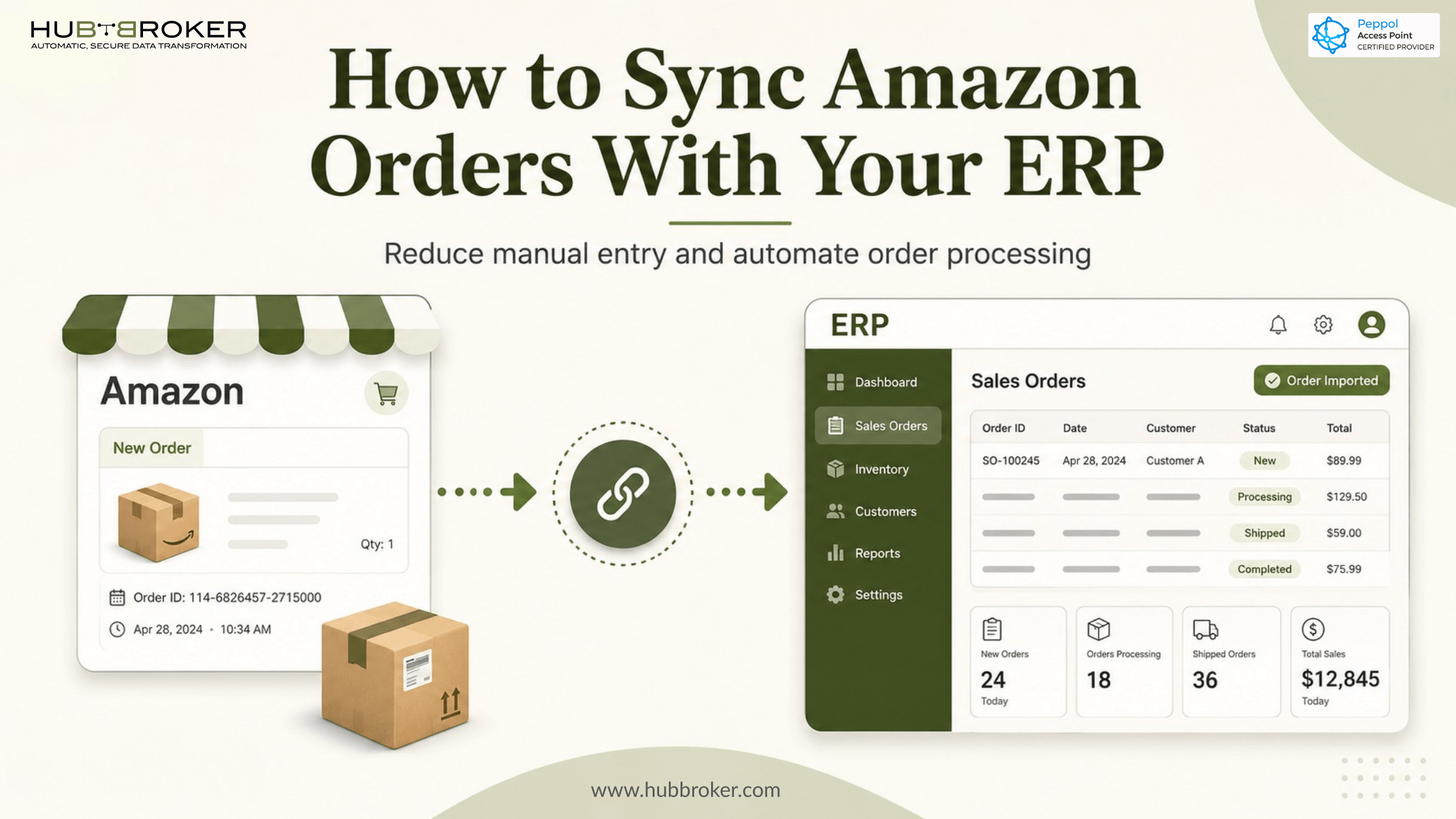
To sync Amazon orders with an ERP system, an integration retrieves new orders from Amazon and converts them into ERP sales orders.
A typical Amazon order automation process works like this:
A customer places an order through an Amazon marketplace.
The integration retrieves the available order information.
Amazon fields are mapped to the corresponding ERP fields.
Validation rules check the product, quantity, price, currency and other required data.
A sales order is created in the ERP.
The integration records whether the transaction succeeded or failed.
Relevant fulfilment or shipment updates can be returned to Amazon.
This removes the need for employees to open Amazon Seller Central, copy the order information and enter it again in the ERP.
However, transferring data is only one part of the process. The integration must also understand how your business represents products, customers, warehouses, taxes and shipping methods inside the ERP.
What Amazon Order Data Needs to Reach Your ERP?
The exact data depends on your Amazon account, marketplace, fulfilment model, permissions and ERP setup. Most ERP sales orders require some combination of the following information:
Amazon order ID
Marketplace or sales channel
Seller SKU
ERP item number
Ordered quantity
Unit price
Currency
Tax information
Discounts or promotional values
Shipping method
Delivery details, where available and permitted
Fulfilment type
Order status
Retrieving an Amazon order does not automatically mean the ERP can process it. An Amazon seller SKU may not match the product code used in the ERP, or an Amazon shipping method may not have an equivalent ERP delivery code.
The integration must translate these values before creating the sales order. For example, the Amazon SKU AMZ-BLUE-01 may need to be converted into the ERP item number100045, while a marketplace shipping service may need to be mapped to a specific carrier code.
Businesses that also operate a webshop should consider how Amazon and webshop customer records are handled together. Our guide to Amazon customer data sync with ERP explains how matching and validation can reduce duplicate customer records.
What Can Go Wrong During Amazon Order Automation?
Amazon ERP integration can fail when one system receives data that the other system does not recognise.
Common problems include:
An Amazon SKU does not exist in the ERP.
The order contains an unexpected currency.
A tax or discount value cannot be mapped.
The required warehouse code is missing.
Customer or delivery information is unavailable.
The same order is imported more than once.
A cancelled order remains active in the ERP.
A temporary connection error interrupts the transfer.
The order is retrieved successfully but fails during ERP creation.
These errors should not disappear inside an unattended integration. Failed transactions need to be logged with a clear reason so the responsible employee can correct the underlying issue.
Duplicate prevention is equally important. When a temporary error occurs, an integration may need to retrieve or process the order again. It should check the Amazon order ID before creating another ERP sales order.
Controlled retries, transaction monitoring and validation rules make the difference between simple data transfer and reliable order automation.
Should You Build a Custom Amazon Connection or Use an Integration Platform?
A custom Amazon connection may suit a company with an experienced internal integration team and highly specific requirements. However, the development work extends beyond making an API request.
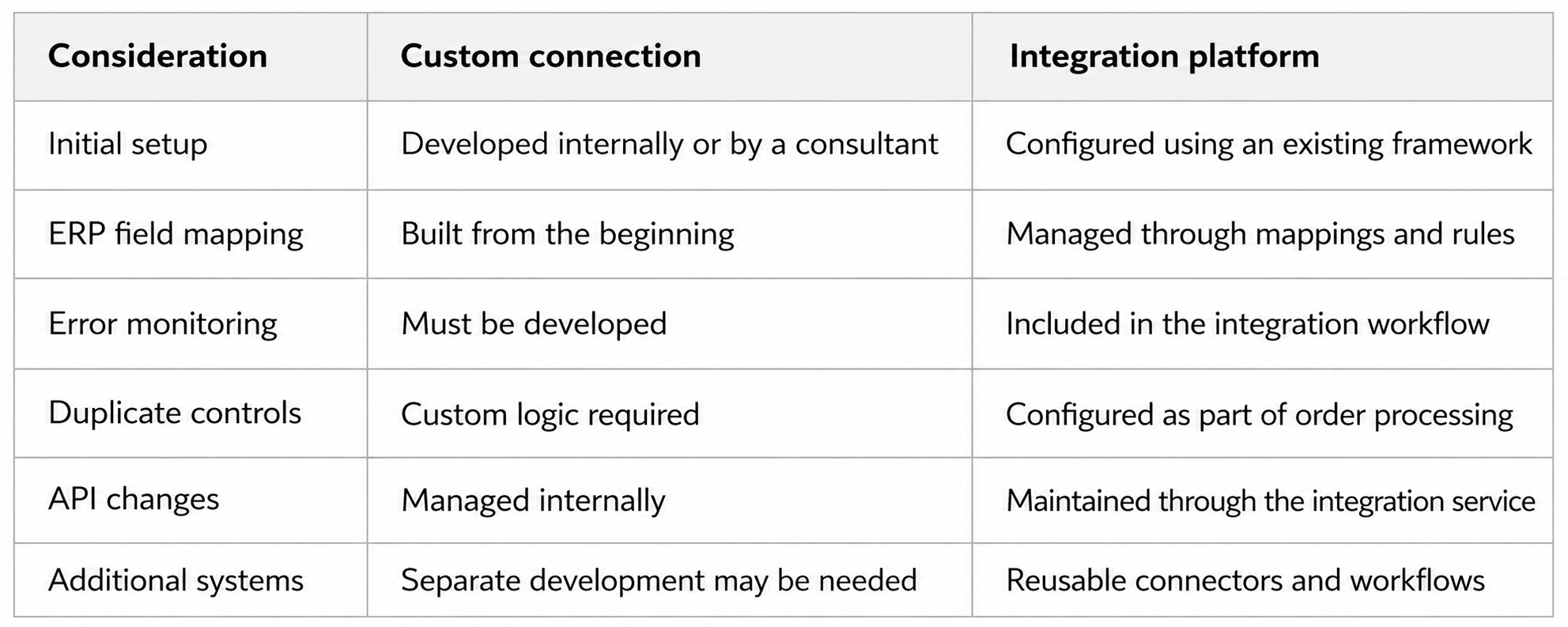
A custom project gives your team direct control, but it also creates an ongoing maintenance responsibility. Authentication, monitoring, retries, ERP mapping and changes to Amazon requirements must all be managed.
An integration platform is generally more practical when you need to connect several Amazon marketplaces, seller accounts, warehouses or business systems. HubBroker’s Amazon EDI integration connects Amazon order flows with ERP and other operational systems through one integration layer.
What Does Amazon ERP Integration Mean for Your Existing Systems?
Amazon ERP integration should extend the systems you already use rather than require a new ERP or a separate order-management process.
Amazon remains the marketplace where the customer places the order. Your ERP remains the system where sales orders, inventory, fulfilment and financial data are managed. HubBroker operates between them as the integration layer.
The integration can:
Retrieve available Amazon order data.
Convert Amazon data into the ERP’s required structure.
Match seller SKUs with ERP product numbers.
Apply marketplace, currency, tax and warehouse rules.
Create ERP sales orders automatically.
Prevent duplicate order creation.
Record successful and failed transactions.
Route exceptions to the appropriate team.
This approach avoids a rip-and-replace project. Your finance, warehouse and operations teams continue working in the ERP they already know.
HubBroker’s ERP API integration solution can connect cloud or on-premise ERP systems with marketplaces, e-commerce platforms and other business applications.
What Should You Check Before Automating Amazon Orders?
Before implementing an Amazon ERP integration, define what the integration must do in each system.
Start with these questions:
Which Amazon marketplaces and seller accounts are included?
Do you use Fulfilment by Amazon, merchant fulfilment or both?
Which ERP sales-order type should be created?
How will Amazon SKUs be matched with ERP products?
Which warehouse should receive each marketplace order?
How should currencies, taxes and discounts be handled?
How should Amazon customers be represented in the ERP?
What should happen when required information is missing?
How will cancelled or changed orders be processed?
How frequently should new orders be retrieved?
Which shipment or fulfilment updates must be returned?
Who is responsible for reviewing failed orders?
These decisions should be made before development or configuration begins. Otherwise, the integration may move data correctly while creating orders that do not match your internal processes.
Reduce Manual Amazon Order Entry
A reliable Amazon ERP integration does more than download orders. It maps product and customer data, validates each transaction, prevents duplicates and gives your team visibility when something fails.
Book a HubBroker demo to review how Amazon order data can be mapped into your current ERP and which validation rules your process requires.
