
Dynamics 365 Finance and Operations Web Services Singapore for System Integration
For companies using Microsoft Dynamics 365 Finance & Operations, keeping all business data inside the ERP is usually not enough. Orders may come from ecommerce platforms, shipment details may come from logistics providers, while invoice and purchase information can come from suppliers or customers. Dynamics 365 finance and operations web services give Singapore businesses a practical way to exchange this data between D365 F&O and other systems.
Instead of staff copying information from one application to another, integration can move the required data automatically and keep different business processes connected.
What Are Dynamics 365 Finance and Operations Web Services?
Dynamics 365 Finance & Operations provides several service and integration options that external applications can use to communicate with the ERP. One common option is OData, which provides REST-based access to public data entities. Depending on the entity and permissions configured in Dynamics 365 F&O, it can support create, read, update and delete operations.
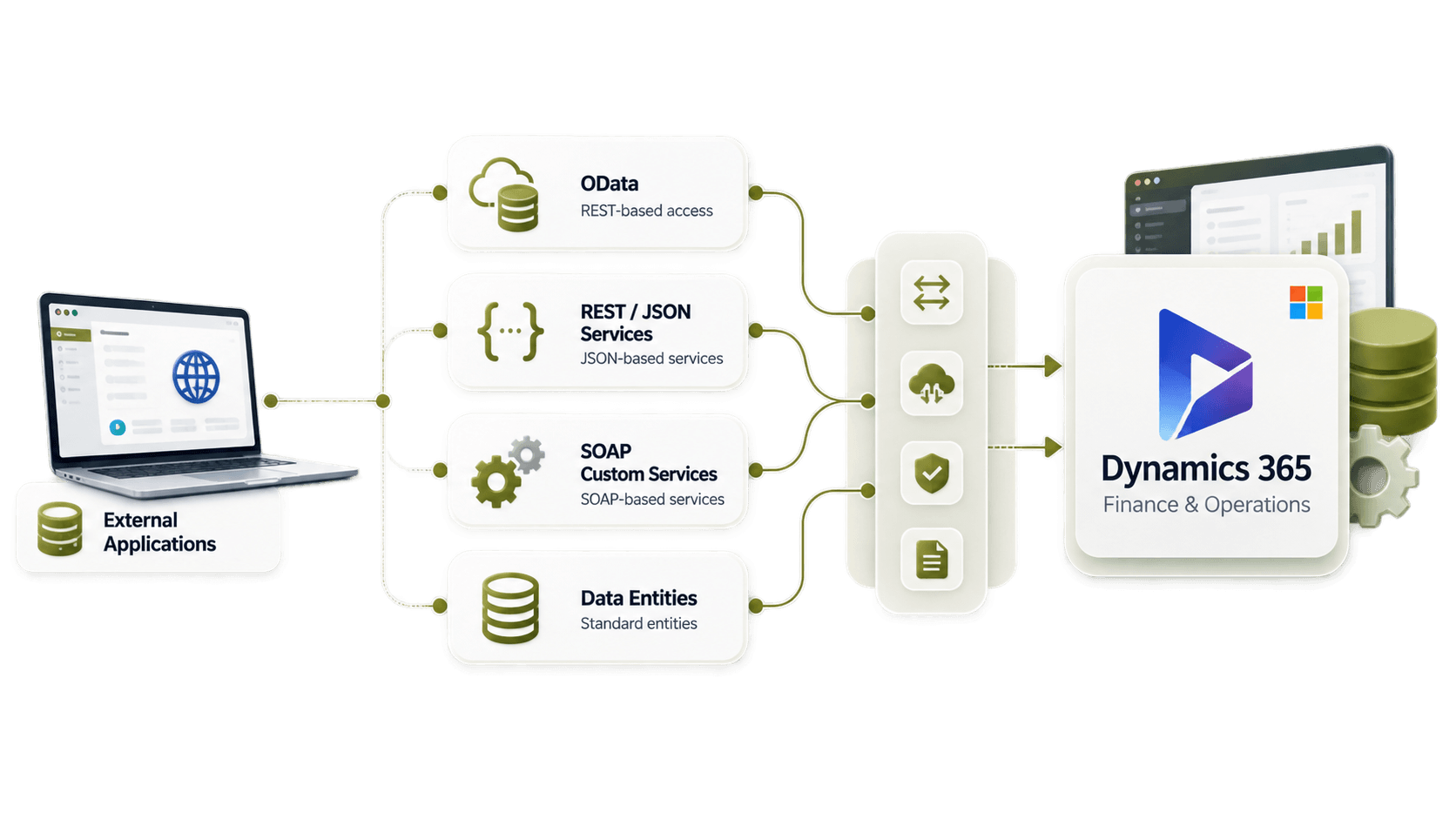
Microsoft also supports JSON-based and SOAP-based custom services. These can be useful when integration needs custom business operations that standard data entities may not cover. The best method depends on what data needs to move, how often it needs to move and what the connected application can support. Not every integration needs to use same method.
Why Singapore Businesses Use Dynamics 365 Finance and Operations Web Services
A Singapore company may use D365 F&O as the main system for finance and operations, while several other platforms are working around it. These can include:
Ecommerce and marketplace platforms
Warehouse and logistics systems
Supplier and customer portals
EDI networks
CRM applications
Procurement systems
Third-party finance applications
Regional or international business systems
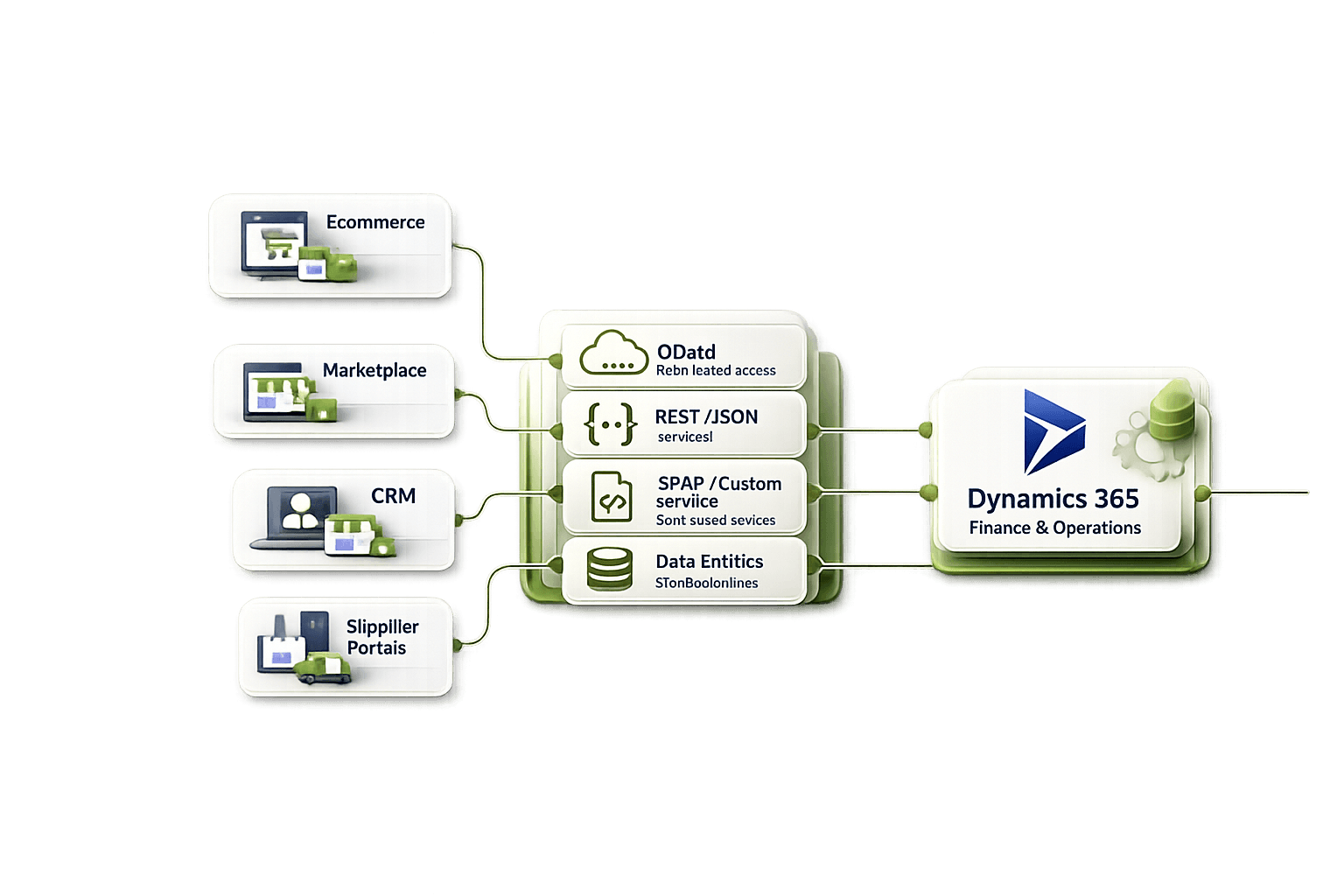
Using dynamics 365 finance and operations web services allows these applications to exchange business information without asking employees to enter the same data again. For example, an order created in an ecommerce platform can be transferred into D365 F&O automatically. Inventory, fulfilment or order status information can then be sent back to ecommerce system.
This reduces repeated manual work. It also makes it easier for teams to work with more consistent information across different applications.
What Business Data Can Be Integrated?
D365 Finance and Operations integration can support many everyday business transactions. The exact data that can be exchanged depends on available data entities, configured services and how the company's business processes are set up. Common integration requirements include:
➡ Sales orders
➡ Purchase orders
➡ Customer and supplier information
➡ Products and item data
➡ Inventory information
➡ Invoices
➡ Shipment details
➡ Order and fulfilment status
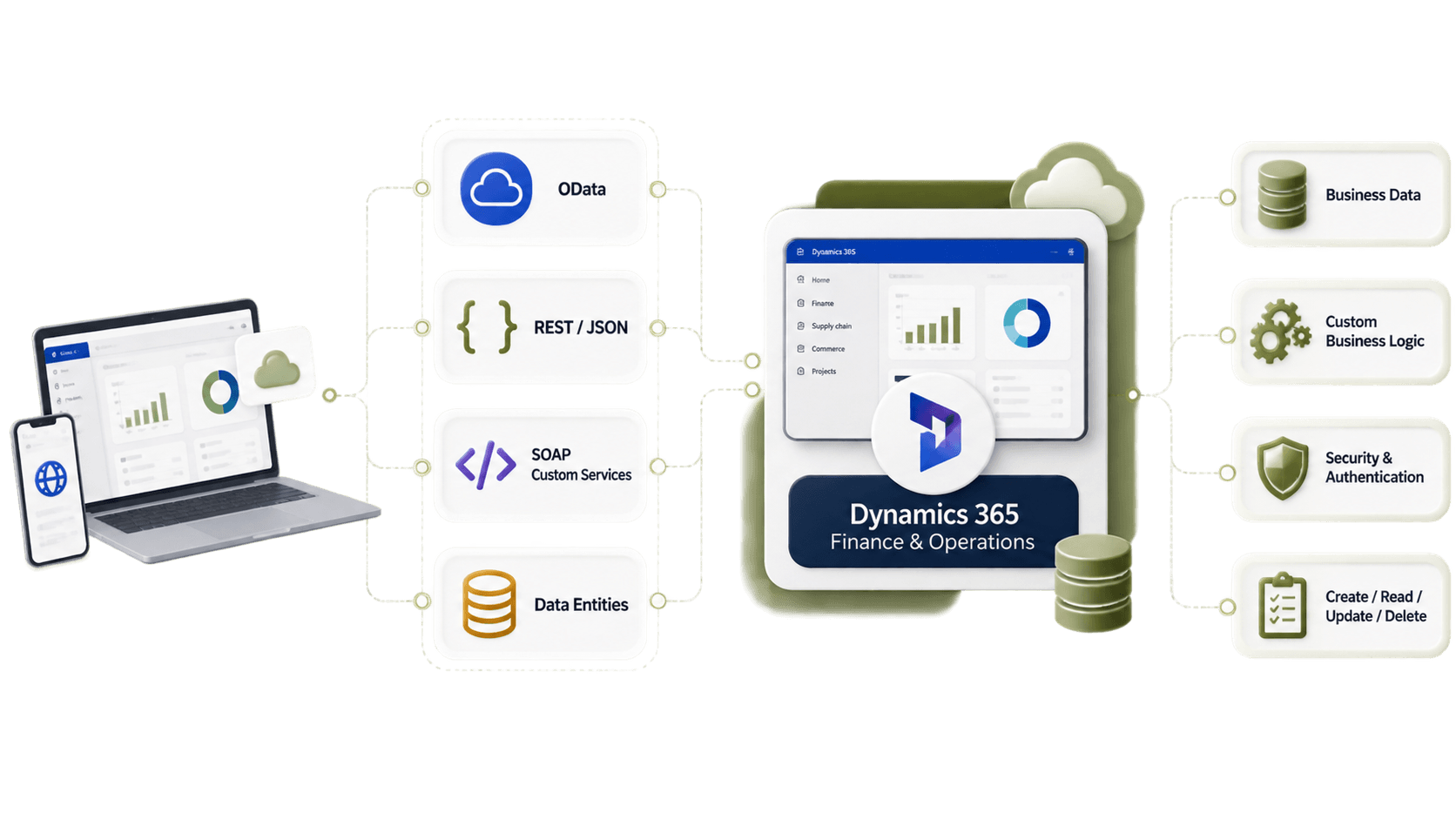
Microsoft's integration architecture supports synchronous and asynchronous integration patterns. OData is commonly used for synchronous integration with data entities. Other integration methods may be more suitable when a company needs larger data exchanges, scheduled processing or different business operations. Because of this, companies should select integration method based on actual process. Using one API approach for every type of transaction may not always be the best option.
Manual Data Transfer vs Automated System Integration
Without integration, employees may need to download files, work with spreadsheets or manually copy information between different systems. This can work when transaction volume is small. But once more customers, suppliers, warehouses or applications are added, manual work becomes harder to control. Automated integration allows systems to exchange information based on defined workflows.
A typical setup could look like:
External System → HubBroker Integration Layer → Dynamics 365 Finance & Operations
For information moving in the other direction:
Dynamics 365 Finance & Operations → HubBroker → External System
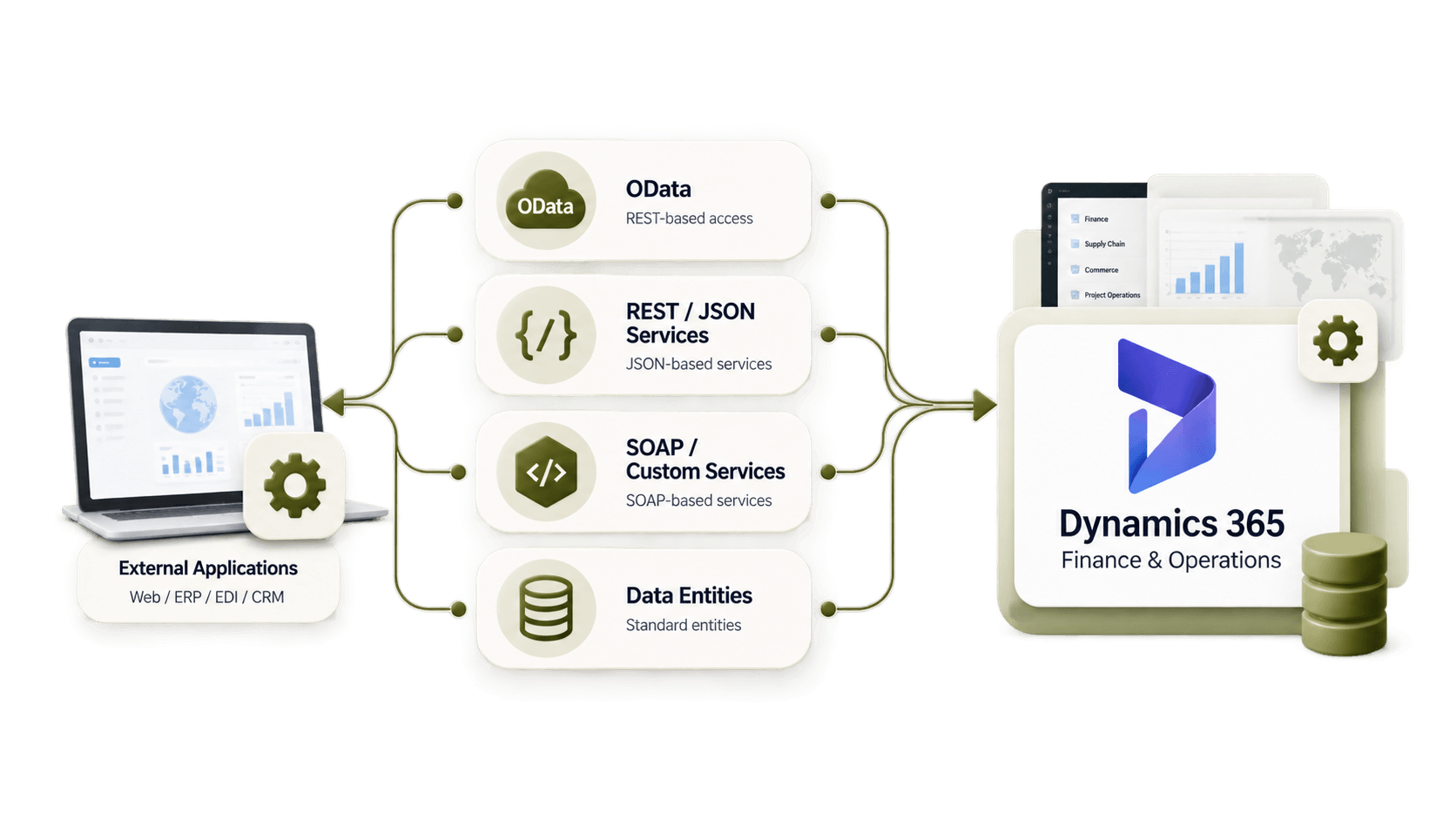
The integration layer can receive information, change the data structure, validate required fields and send it to the correct destination. For example, one application may send JSON, another may use XML or EDI, while D365 F&O expects the information in another supported format. The integration layer handles these differences so each system does not need a separate manual process.
What Should You Check Before Starting D365 F&O Integration?
Before selecting an integration provider, businesses should first understand where their data comes from, where it needs to go and how quickly each transaction needs to be processed.
Important questions include:
✔ Which application should be system of record?
✔ Which transactions require real-time exchange?
✔ Which data can run as scheduled integration?
✔ How should incorrect or incomplete transactions be handled?
✔ Does the setup need to support EDI and API connections together?
✔ Can more applications be added later?
✔ How will failed transactions be monitored and reprocessed?
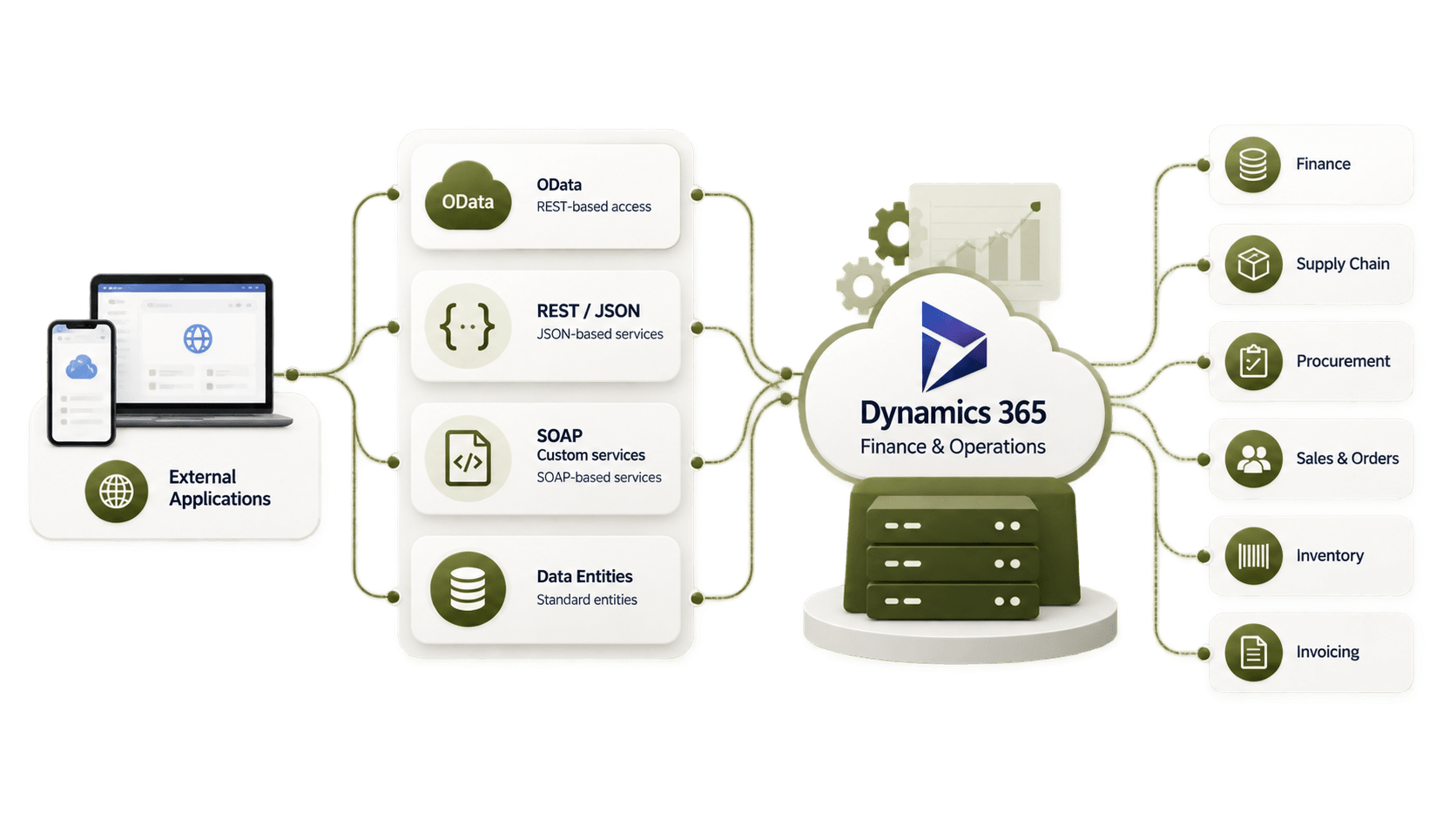
Security also needs proper planning. Microsoft documents OAuth 2.0 authentication for OData, JSON custom services and REST metadata services. This includes service-to-service authentication options for system integrations. Authentication, permissions and access should therefore be considered early rather than added after integration has already been built.
Using HubBroker for Dynamics 365 F&O System Integration
HubBroker can work as an integration layer between Dynamics 365 Finance & Operations and external business applications. Instead of creating separate point-to-point connections for every platform, an integration layer can manage mapping, transformation, validation, routing, monitoring and error handling between the connected systems. This can be useful for Singapore businesses that work with local and international customers, suppliers, logistics companies or ecommerce platforms. It also makes future connections easier to manage in many cases. If a new application needs to be connected, it can be added through the integration layer rather than redesigning every existing connection.
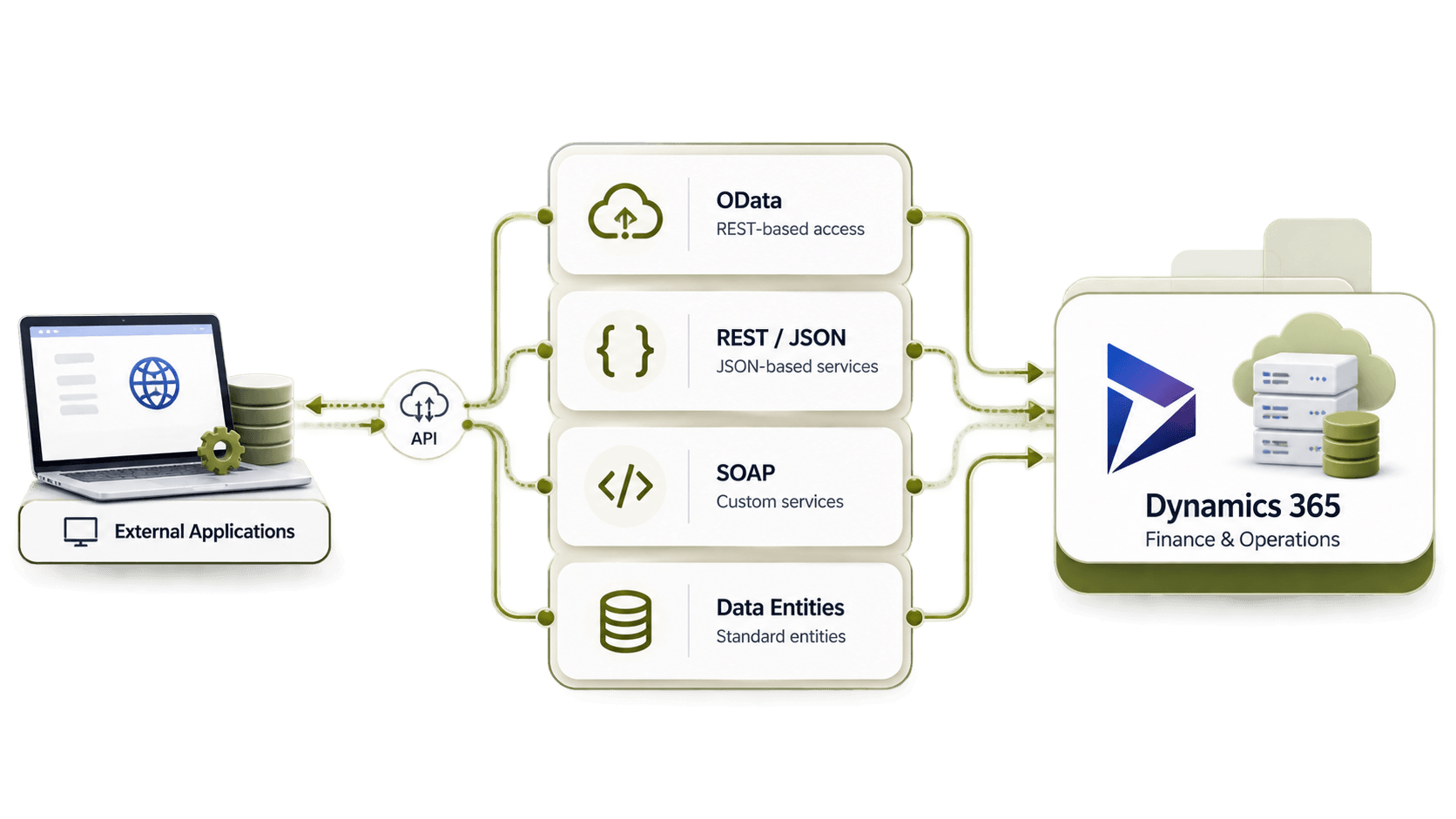
If you are planning Dynamics 365 finance and operations web services integration in Singapore?
HubBroker can review your current D365 F&O processes and external system requirements to help identify an integration approach that fits the way your business actually works.
