
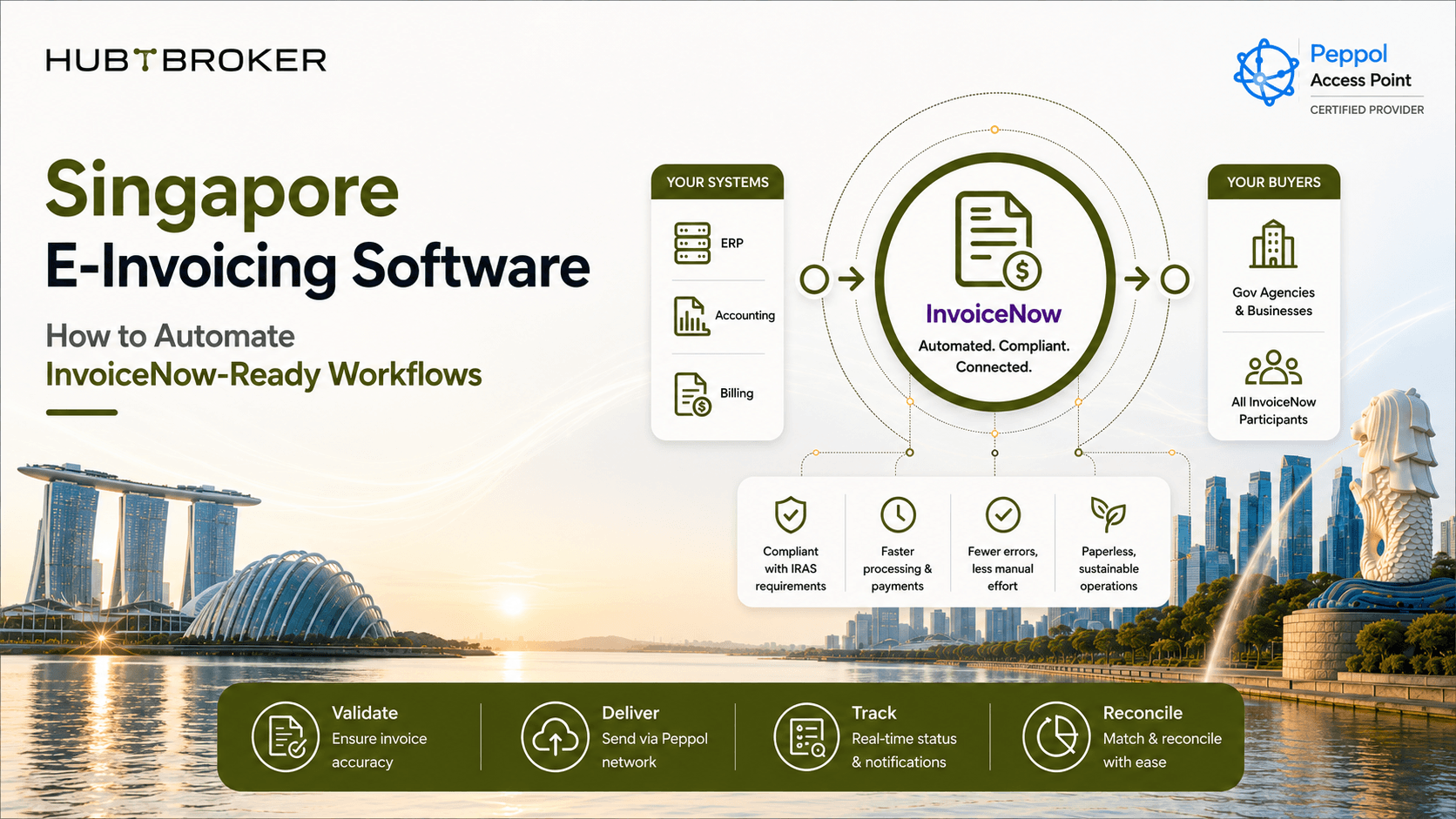
Singapore E-Invoicing Software How to Automate InvoiceNow-Ready Workflows
A finance team may already create invoices inside ERP or accounting software. But that does not always mean those invoices are ready for InvoiceNow. The missing part is often around data checking, mapping, conversion, sending and status updates. For businesses looking at Singapore e-invoicing software, the main question is not only “can this software send invoice?” The better question is "whether it can manage the full flow between your finance system, InvoiceNow and customer".
InvoiceNow is Singapore’s national e-invoicing network based on Peppol. Singapore is also bringing in the GST InvoiceNow Requirement in different phases, where GST-registered businesses need to send invoice data to IRAS through InvoiceNow-Ready Solutions when their phase starts.
What Should Singapore E-Invoicing Software Actually Do?
Good e-invoicing software should take invoice data from the system Finance already use and handle what happen before and after sending. A normal workflow can include:
✔ Get invoice data from ERP or accounting system
✔ Check required information
✔ Map invoice fields
✔ Convert data into required structure
✔ Find the right customer or recipient
✔ Send invoice through InvoiceNow / Peppol
✔ Get status or response back
✔ Show failed or rejected transactions
✔ Keep monitoring and audit history
The important thing is that automation should not stop after invoice is sent. Finance team also need to know if invoice was received, failed or rejected.
What Does an InvoiceNow-Ready Workflow Look Like?
A simple flow can look like this:
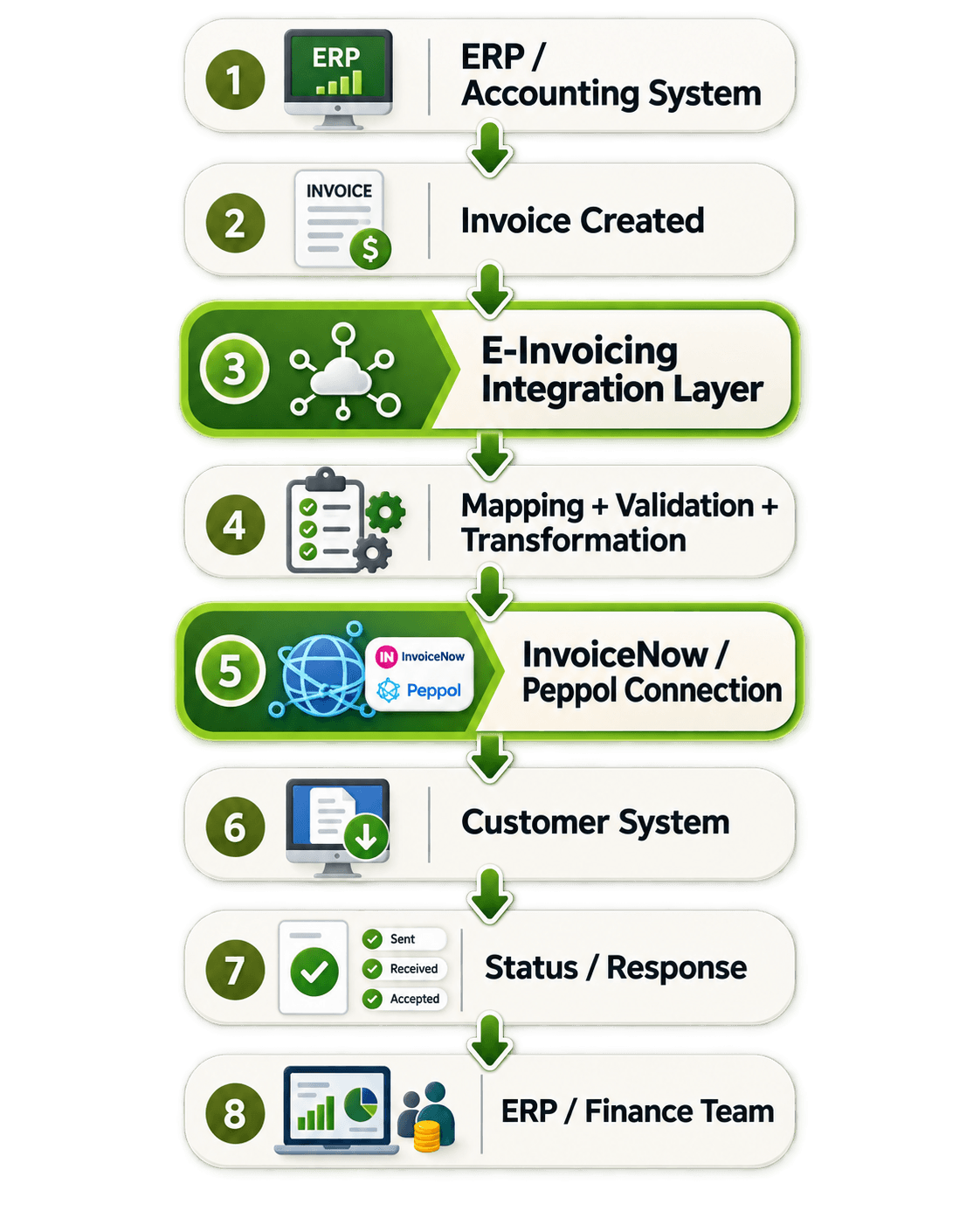
The integration layer works between ERP and InvoiceNow.
It can:
Check invoice data
Convert format
Route invoice
Handle response
Show errors
Update status
This is useful because Finance team do not need to manually check what happen after each invoice is sent.
Where Does Automation Remove Manual Finance Work?
Workflow Stage | Manual Work | Automated Work | Main Risk | What to Check |
|---|---|---|---|---|
Preparation | Export/check invoice | Get data from ERP | Missing fields | ERP connection |
Validation | Manual checking | Apply validation rules | Rejection | Validation support |
Conversion | Manual format work | Convert structured data | Wrong format | Format support |
Sending | Portal/upload | Send automatically | Delay | Network connection |
Status | Check manually | Return status to ERP | Poor visibility | Monitoring |
Failure | Manual checking | Error and retry flow | Processing delay | Error handling |
The main value is not only replacing PDF. The real value comes when less manual work is needed between invoice creation, sending, response and correction.
What Happens When an Invoice Fails?
Good InvoiceNow software should not just send invoice and hope everything is fine. An invoice may fail because:
➡ Required information is missing
➡ Customer details are wrong
➡ Mapping gives wrong value
➡ Invoice format is not accepted
➡ Customer cannot receive it
➡ Network is temporarily down
➡ System connection fails
There are usually two common types of problems.
1} Business or data error:
The invoice data itself is wrong. For example, wrong customer number, missing tax information or incorrect field. Someone need to fix the data before sending again.
2} Technical error:
The invoice data may be correct, but system or network connection failed. In this case, automatic retry may be possible.
Finance team need a simple message telling what needs to be corrected. IT team need enough technical details to know where the flow stopped.
Should InvoiceNow Integration Sit Inside ERP or in an Integration Layer?
For a very simple setup, ERP-specific connection may be enough. For example, if one accounting system sends invoices and there are not many other integrations, a direct connection can work. But an integration layer or iPaaS becomes more useful when business has:
More than one ERP
Different accounting systems
API integrations
EDI connections
Customer-specific document flows
Peppol requirements in other countries
More e-invoicing markets
In this case, keeping all logic inside ERP can become difficult. An integration layer gives one common place to manage mapping, routing, validation and errors.
What Should You Compare When Choosing Singapore E-Invoicing Software?
Before choosing a provider, Finance and IT should check if the solution can:
Connect with your ERP or accounting system without too much manual export.
Support InvoiceNow and Peppol flow for Singapore.
Map existing invoice data into the required format.
Check data before sending so errors can be found early.
Return invoice status back into the original workflow.
Handle failures and retries properly.
Show sent, received, rejected and failed documents in one place.
Support future systems or countries if your business grows.
IRAS uses the term InvoiceNow-Ready Solutions for solutions used under the GST requirement. Invoice data sent to IRAS goes through IMDA-accredited Access Point Providers. So businesses should check both software capability and how the required InvoiceNow connection is handled.
How Can HubBroker Support InvoiceNow-Ready Workflows?
HubBroker can work as the integration and automation layer between your existing ERP or accounting system and e-invoicing process.
A simple setup can look like this:
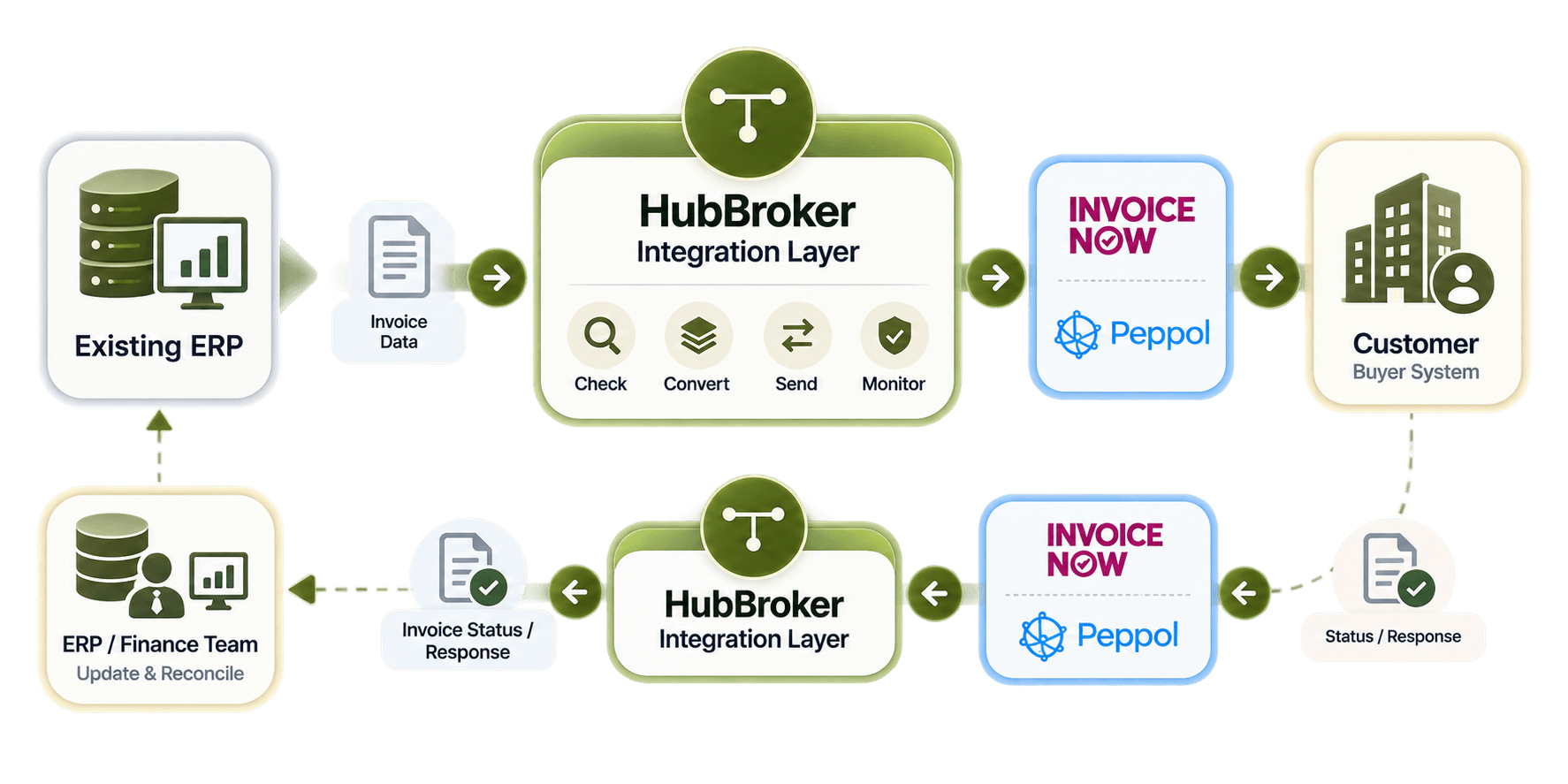
HubBroker can help with:
✔ ERP connection
✔ Invoice data mapping
✔ Format conversion
✔ Validation
✔ Routing
✔ API integration
✔ EDI
✔ Error handling
✔ Monitoring
✔ Status updates
This means e-invoicing does not need to work as a separate process outside your finance system. Finance team can keep working in their normal ERP or accounting software, while the integration handles technical invoice flow in between.
Looking for Singapore e-invoicing software or preparing for InvoiceNow?
HubBroker can help connect your ERP or accounting system with a more automated flow for mapping, checking, sending and tracking electronic invoices.
