
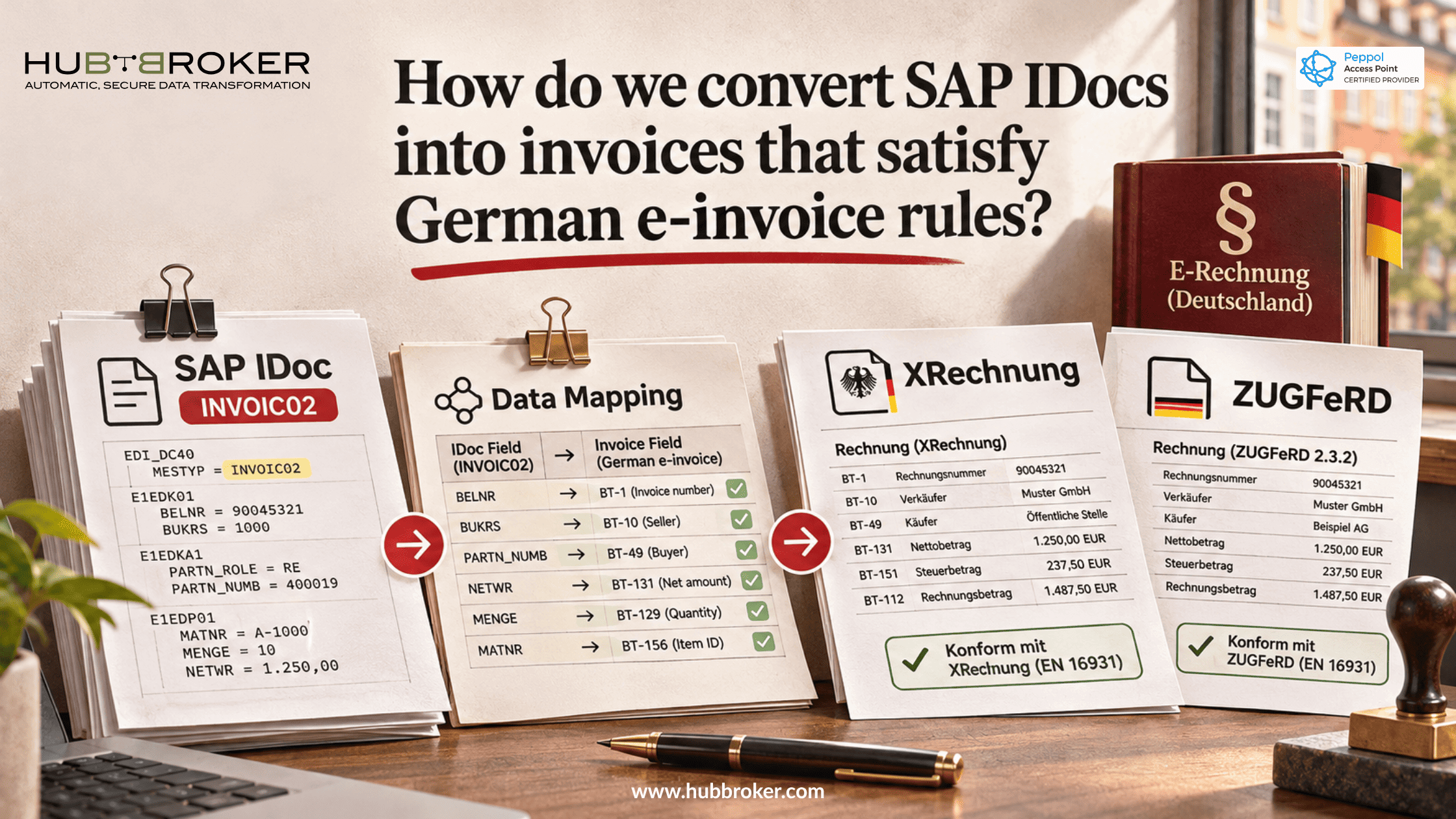
How do we convert SAP IDocs into invoices that satisfy German e-invoice rules?
An invoice can look correct in SAP yet still be rejected by a German customer. Often the problem is the format. It's the document that leaves the ERP.
Finance teams asking “How do we convert SAP IDocs into invoices” need to preserve the original billing information while changing how it's presented. German e-invoicing rules make that work more than a technical file conversion. The customer needs structured data it can process.
Why a standard SAP IDoc is not automatically a compliant e-invoice
SAP uses IDocs to move business data between systems. An INVOIC02 invoice message can hold customer details, invoice lines, prices, tax information and payment terms. Those details are organized into SAP segments, not into the structure required by a German electronic invoice.
For domestic business transactions in Germany, a qualifying e-invoice generally needs structured data meeting EN 16931 or another legally permitted, interoperable format. Sending an IDoc by email doesn't make it compliant. Neither does exporting a normal PDF or changing the filename. Since January 2025, German businesses have been required to be able to receive qualifying e-invoices. Transitional rules generally permit other invoice types through 2026, with some extensions in 2027. Issuing deadlines depend on the supplier and transaction. Check the applicable rule rather than assuming one deadline.
XRechnung or ZUGFeRD: what should the SAP output become?
XRechnung follows Germany's specification based on EN 16931. It is structured XML, commonly using UBL or CII syntax. It's particularly relevant for invoices to public authorities, where the buyer may also require a Leitweg-ID and a particular submission channel.
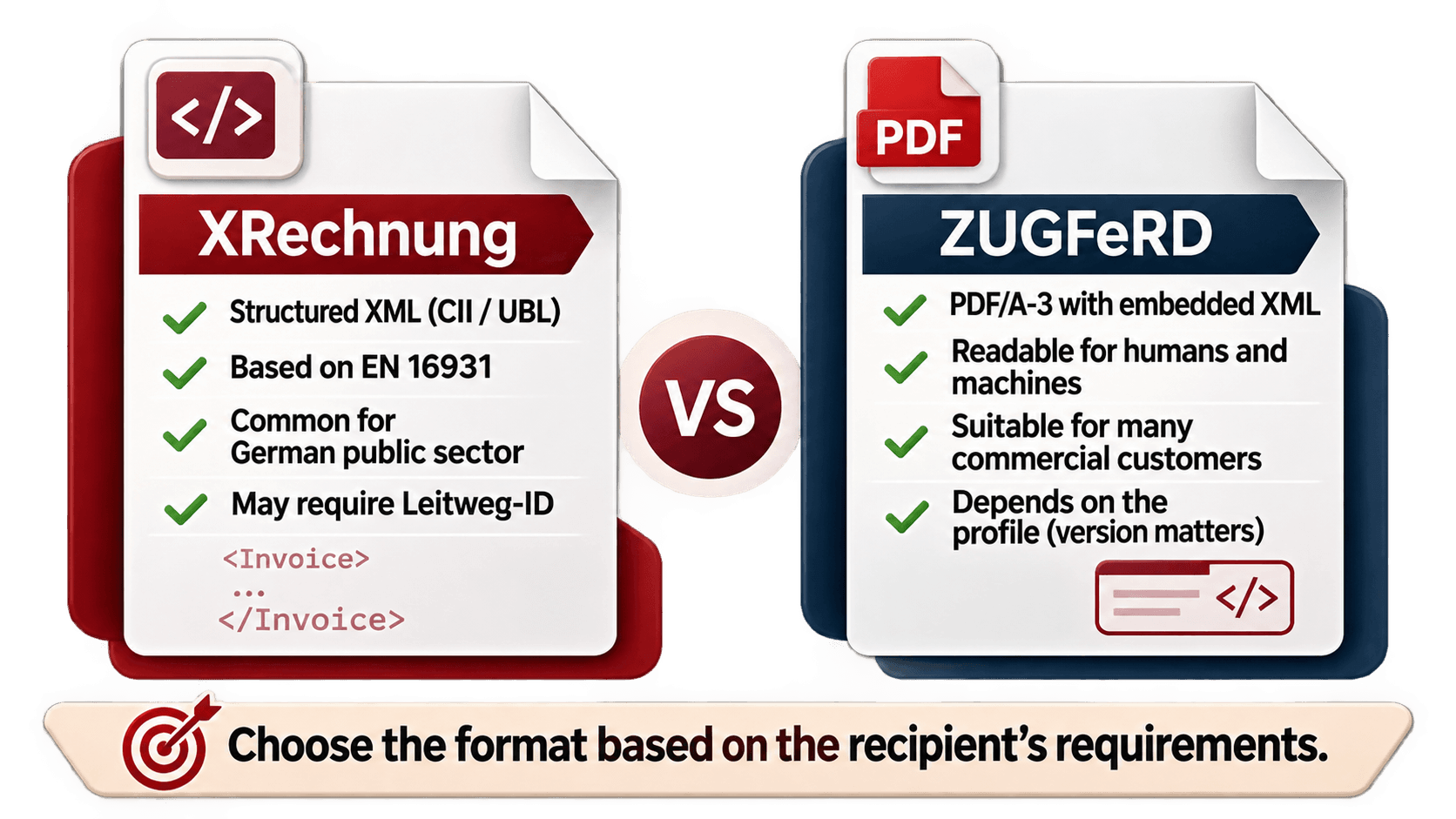
ZUGFeRD combines a readable PDF/A-3 file with embedded structured XML. That can be useful when a commercial customer wants an invoice people can read and software can process. However, not every ZUGFeRD profile qualifies under the relevant e-invoicing requirements. Version and profile selection matter. Ask what the recipient accepts before choosing either output. You also need to know where to send it. Correct invoice content and successful delivery are related, but they're not the same check.
Where SAP invoice data commonly gets lost during conversion
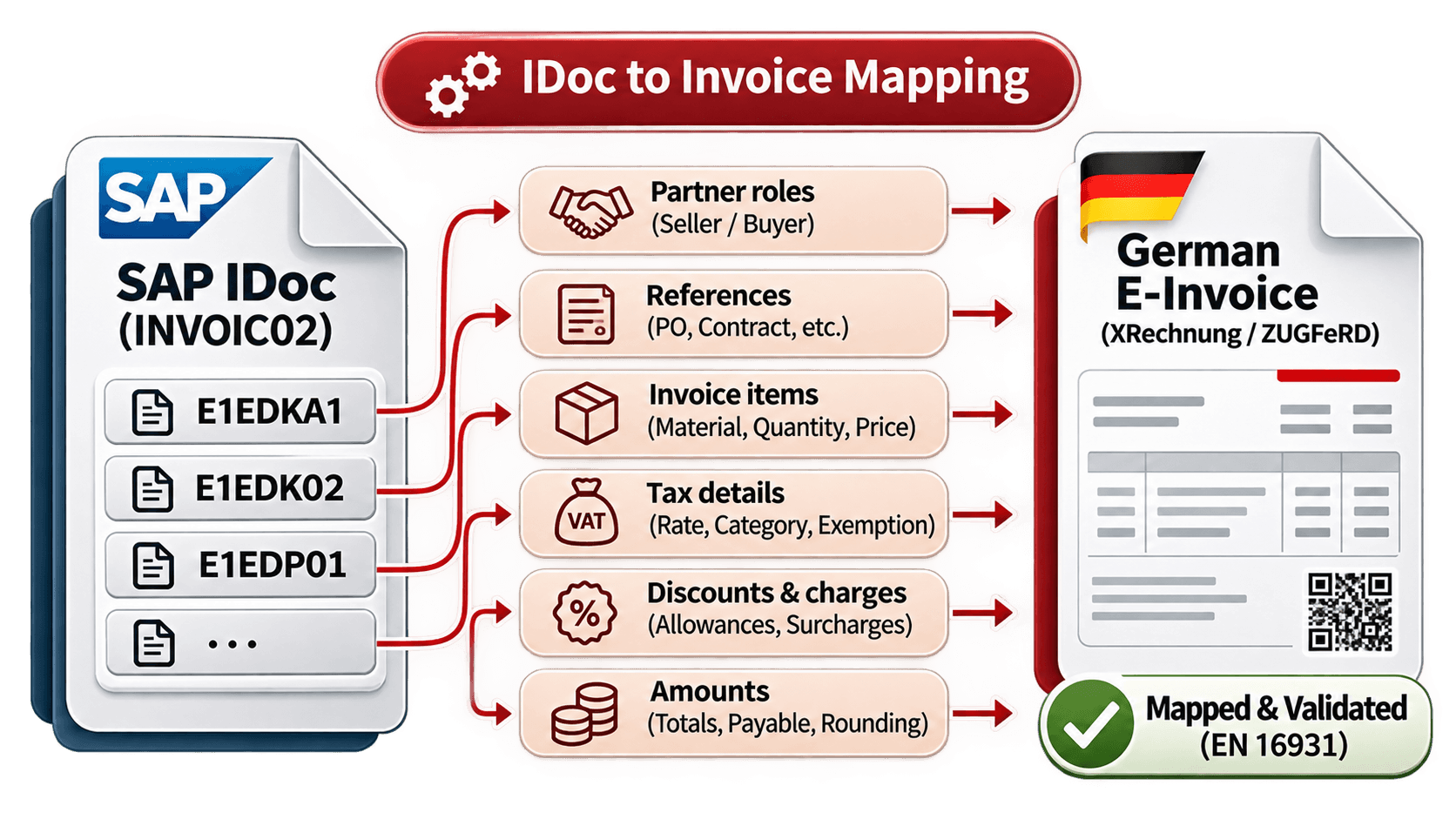
An IDoc-to-invoice mapping needs to understand what SAP fields mean. Segment qualifiers, local configuration and customer-specific extensions can change how a value should be interpreted. For instance, E1EDKA1 covers partner roles, E1EDK02 carries qualified references, and E1EDP01 represents invoice items. Moving values without their context can put the right information in the wrong place.
SAP data or check | Possible conversion problem | What to verify |
|---|---|---|
E1EDKA1 | Wrong partner role | Seller and buyer mapping |
E1EDK02 | Misplaced reference | Reference qualifier |
E1EDP01 | Incorrect invoice line | Quantity and line values |
Tax category | Missing tax treatment | Exemption or reverse charge |
VAT rate | Rate lacks context | Category and explanation |
Discounts | Totals differ | Allowances and calculations |
Payment amount | Final balance mismatches | Rounding and payable total |
VAT needs special care. A percentage alone may not describe an exemption, reverse charge or cross-border sale. The target invoice can require a tax category and explanation that aren't available as a single source field. Totals need attention too. Line values, discounts, tax summaries and the final amount payable must reconcile under the target format's rules. Producing XML successfully doesn't prove that the business rules pass.
How to turn SAP INVOIC02 into a validated German invoice
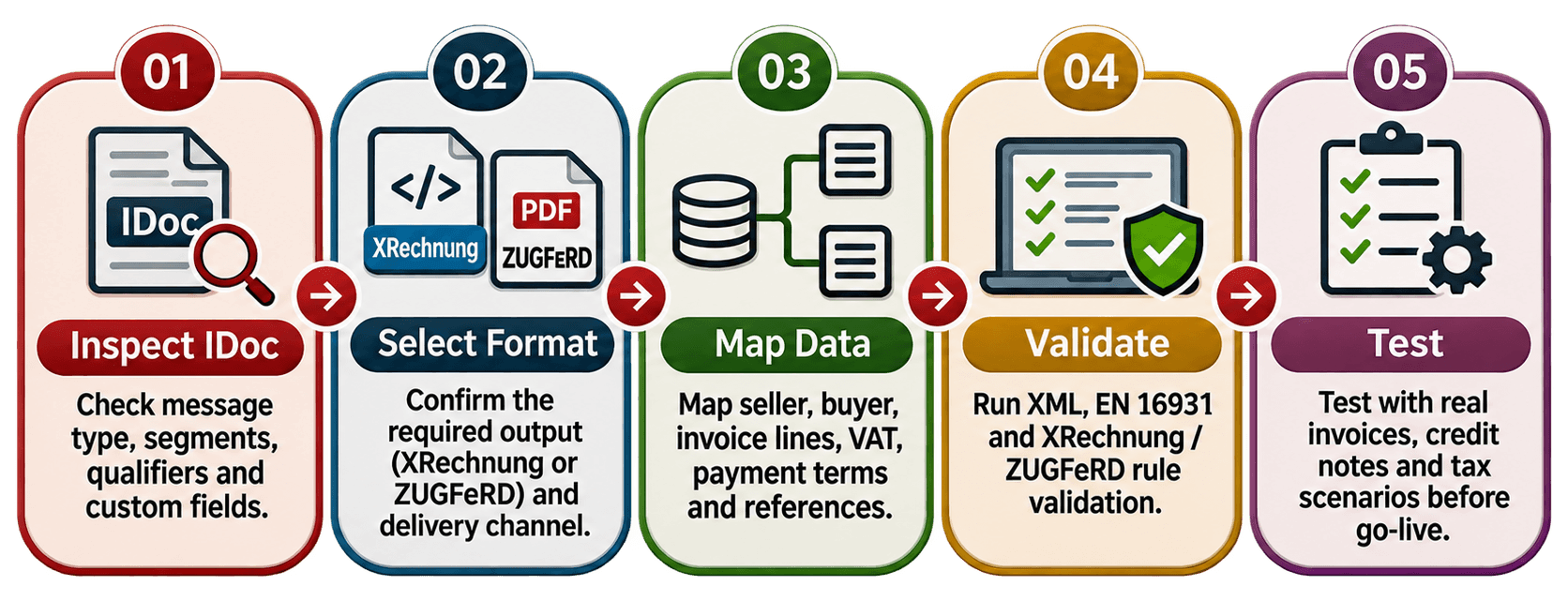
Inspect the IDoc. Check the message type, segments, qualifiers and custom fields. Find the actual sources of dates, party details, taxes and references.
Confirm the required output. Ask whether the recipient accepts XRechnung, an eligible ZUGFeRD profile or another permitted structured format. Record the delivery channel separately.
Map the business meaning. Include seller and buyer identifiers, invoice lines, quantities, VAT categories, payment terms and required references. Flag missing information instead of filling gaps with guesses.
Validate before sending. Check the XML schema and applicable EN 16931, XRechnung or profile rules. Investigate missing fields, calculation differences and invalid structure.
Test real exceptions. Use representative invoices, credit notes and unusual tax cases. Record technical rejections and business responses so the team can trace problems back to SAP data.
HubBroker bridges SAP IDoc data and German e-invoice requirements
HubBroker can help connect SAP-related billing flows with document mapping, structured format conversion, validation and electronic document exchange. Instead of asking finance staff to rebuild invoices, an integration can use available IDoc values and flag information that needs correction at its source.
Different German customers may require different formats and submission routes. HubBroker's trading-partner integration capabilities can help manage those differences, but SAP connectivity, supported formats and delivery methods need confirmation during scoping. No converter can make incomplete source data compliant by itself. Treat the SAP IDoc as the starting point, not the final invoice. Confirm the recipient's requirements, map the data carefully and validate before dispatch.
HubBroker can help assess the integration work for your SAP environment and German customers.
