
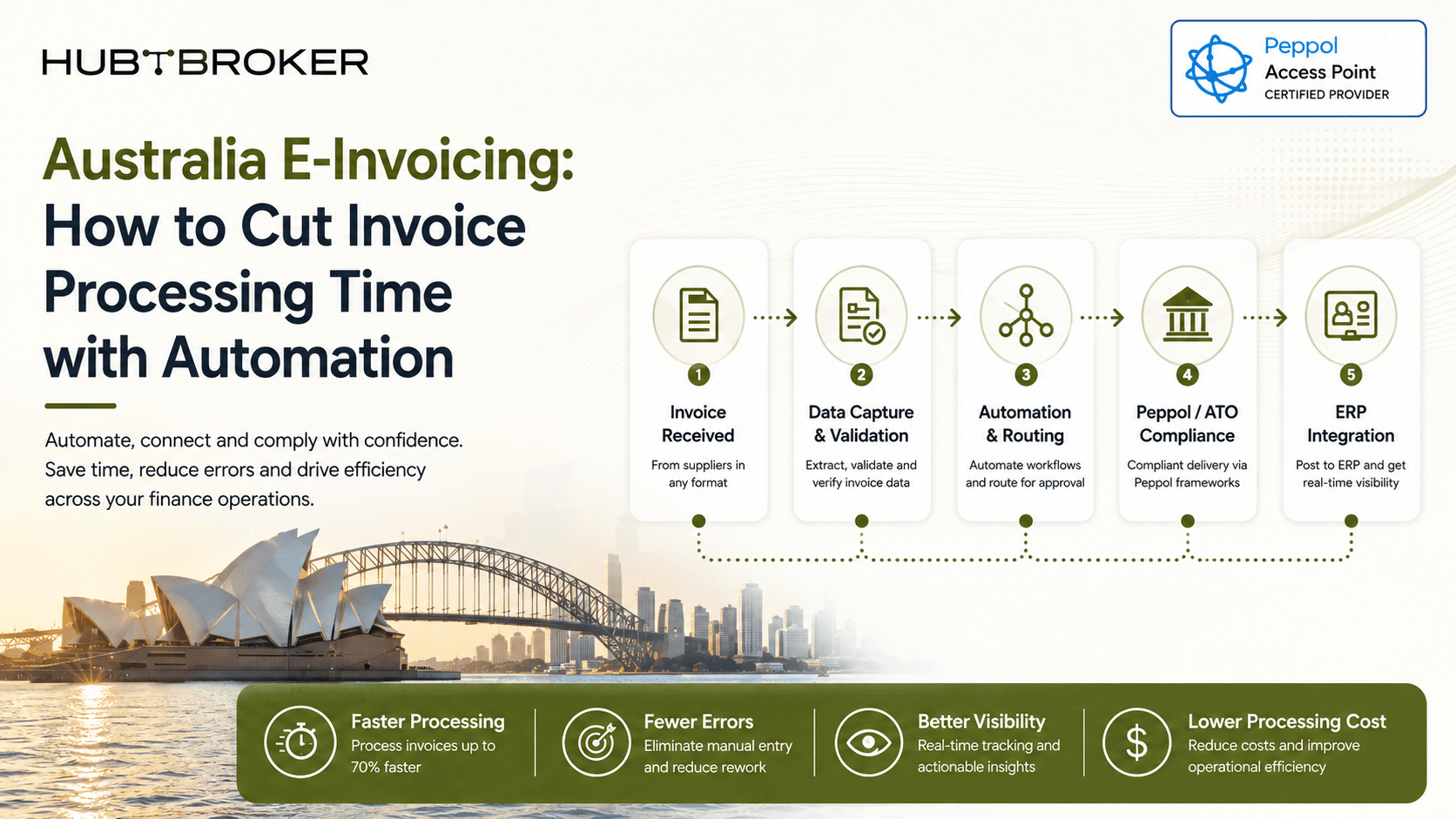
Australia E-Invoicing: How to Cut Invoice Processing Time with Automation
An invoice may arrive in few seconds but still take much longer before it is ready inside ERP. Accounts Payable may still open an email, read a PDF, enter fields, match the supplier, check a PO, fix errors and request approval. Australia e-invoicing removes many of these manual steps by exchanging structured invoice data directly between business software through Peppol.
Where Does Invoice Processing Time Actually Go?
Sending the invoice is rarely the main problem. Most of the time is used between receiving the invoice and posting it, especially when people need to read invoice details, enter them again, compare them with internal records and solve exceptions. A PDF can arrive digitally but still create manual work if the buyer system cannot read its fields as structured data. This is important when checking automation. Businesses should measure the work removed after invoice receipt, not only how fast the invoice reaches the inbox.
Invoice Stage | Traditional Input | Manual Task | Automation Opportunity | System Involved | Main Delay / Risk | E-Invoicing Outcome |
|---|---|---|---|---|---|---|
Receipt | PDF/email | Open/download | Structured receipt | AP/ERP | Inbox handling | System-to-system arrival |
Data capture | Enter fields | Automatic field capture | ERP/AP | Entry errors | No PDF typing | |
Supplier validation | Entered data | Match supplier | Rule-based validation | ERP/master data | Mismatch | Earlier error detection |
PO matching | Invoice + PO | Compare records | Automated matching | ERP/procurement | Review queue | Faster matching where rules allow |
Exception | Incorrect/missing data | Investigate | Route by exception | AP workflow | Delay | Controlled resolution |
Posting | Approved invoice | Enter/post | ERP workflow | ERP | Processing queue | Faster processing |
What Changes When the Invoice Arrives as Structured Data?
An eInvoice is not simply a PDF sent through another channel. In Australia, Peppol supports standard invoice data exchanged between supplier and buyer software. Fields like supplier details, invoice number, dates, references, tax information, line items, totals and payment details can be read by systems without someone checking the document first. That does not mean every invoice will be posted automatically. The result still depends on data quality, ERP mapping, supplier setup, business rules and exception handling. A good integration should validate what it can, move normal matches automatically and show failures clearly enough for AP team to act quickly.
 For outgoing invoices, the same idea works in reverse. The time saving comes from removing repeated manual checking between systems, not only changing the delivery method.
Which Steps Should You Automate First?
High-value automation: invoice data capture, required-field checking, supplier matching, PO/reference matching and routing.
Conditional automation: approval, coding, tax handling and exception resolution, where rules are clear enough.
Keep human review where needed: unusual invoices, missing master data, price differences, possible duplicates and policy exceptions.
The goal is not to remove people completely. It is to move normal invoices automatically and let AP team focus on transactions that really need judgement.
How Should Finance Teams Measure the Improvement?
Set a starting point before implementation, then track average processing time, manual touches per invoice, invoices needing manual data entry, first-pass match rate, exception rate, exception-resolution time, duplicate rate and straight-through processing where needed. These internal numbers are more useful than general market averages because they show exactly where your own process has changed.
What Should Australian Businesses Look for in an E-Invoicing Solution?
Focus on features connected with processing efficiency: ERP integration, proper Peppol connectivity, validation, mapping, workflow automation, status handling in both directions, exception management and monitoring. Australia uses Peppol for eInvoicing, and the ATO acts as the Australian Peppol Authority. Peppol eInvoicing is not currently mandatory for all Australian businesses, so software selection should be based on your process and trading-partner needs instead of assuming there is one nationwide B2B mandate.
When Is an Integration Layer More Useful Than a Standalone Portal?
A portal can work for smaller or more manual processes. An integration layer becomes more useful when organisations need high-volume ERP-to-ERP processing, multiple business systems, Peppol with EDI/API channels, automated validation, returned statuses, multi-country e-invoicing or central monitoring.
A practical setup is:
 HubBroker can support the integration, mapping, transformation, validation, routing and workflow layer that connects invoice exchange with finance systems, where most of the processing-time saving actually happens.
Want to reduce manual work between invoice receipt and ERP posting?
Talk to HubBroker about your Australia e-invoicing workflow and where structured invoicing and ERP automation can remove unnecessary processing steps.
