
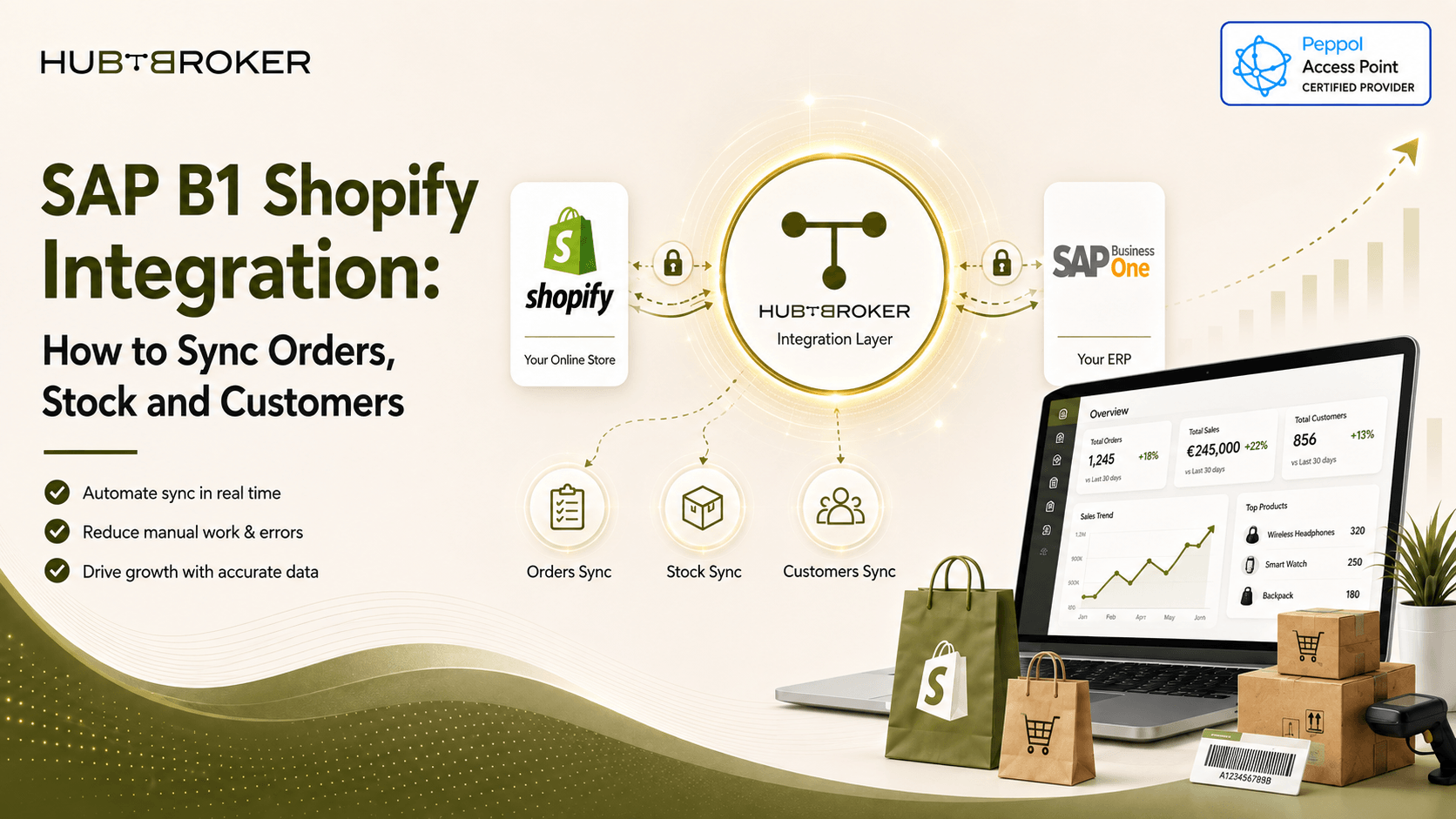
SAP B1 Shopify Integration: How to Sync Orders, Stock and Customers
When Shopify is running your online store and SAP Business One is managing inventory, customers, finance and fulfilment, disconnected systems can create a lot of repeated work. Teams may need to enter the same order twice, stock information can get delayed and customer records may not match properly.
A good SAP B1 Shopify integration connects both systems through an integration layer, so selected data can move automatically based on your business rules.
Key Takeaways
Shopify orders can move into SAP Business One automatically.
SAP B1 stock changes can update Shopify inventory.
Customer records need clear matching rules.
Fulfilment, tracking, cancellations and returns may also need syncing.
Sync speed should depend on order volume, API limits and how urgent the data is.
What Is SAP B1 Shopify Integration?
SAP Business One Shopify integration means connecting Shopify with SAP B1 so business data can move between both systems automatically. Shopify provides APIs for orders, inventory and fulfilment data. SAP Business One also provides Service Layer APIs which can be used to work with business objects.
A simple setup can look like this:
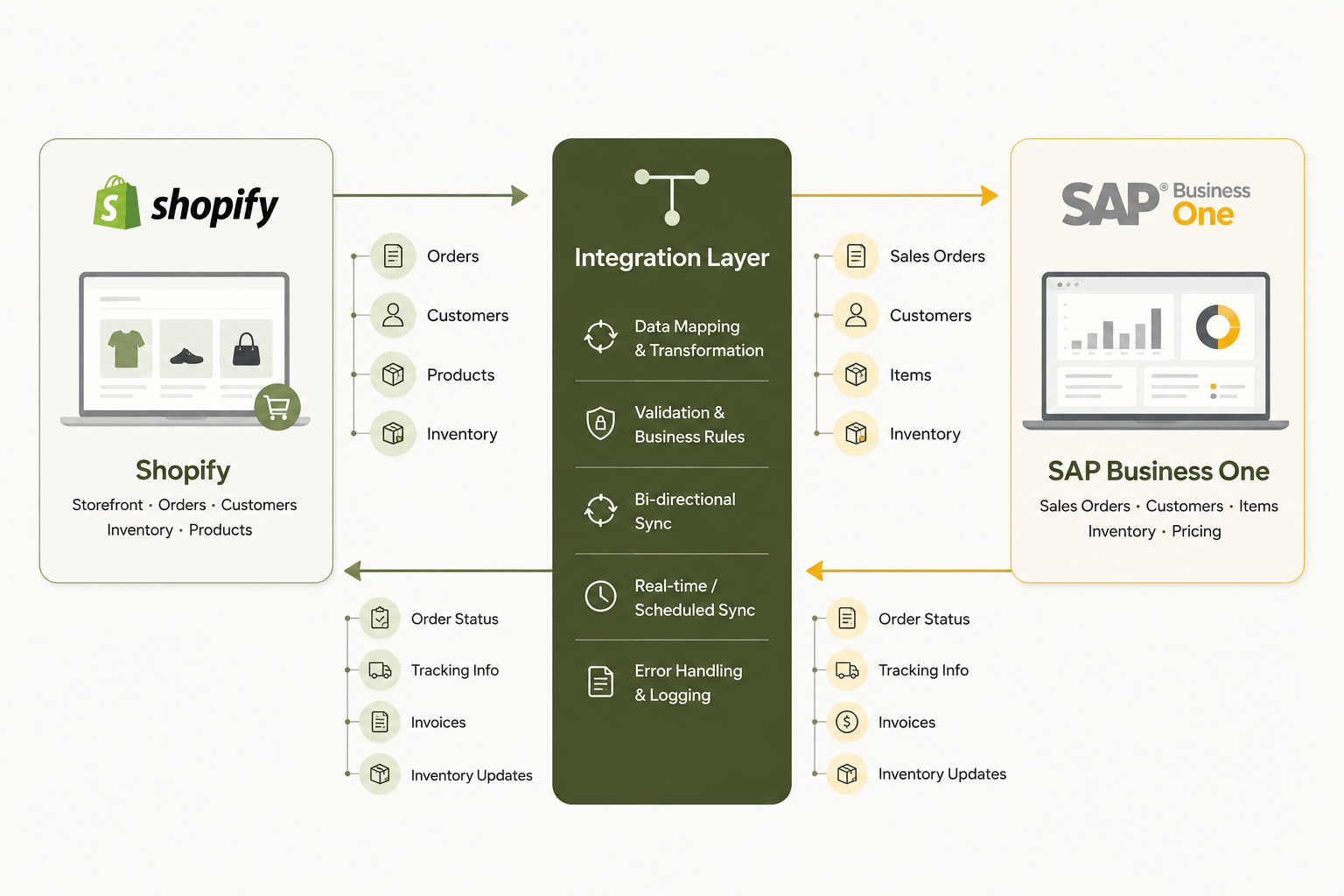
The integration layer handles things like:
Data mapping
Validation
Format conversion
Error handling
Monitoring
Retry process
This helps reduce manual work between ecommerce and ERP systems.
What Data Can Shopify and SAP Business One Sync?
The exact data depends on how your business is working.
Common Shopify to SAP B1 data can include:
Sales orders
Customer information
Order lines
Taxes
Discounts
Cancellations
Common SAP B1 to Shopify data can include:
Inventory
Fulfilment status
Tracking information
Product updates
Selected price changes
Returns, refunds, invoices and warehouse information can also be included depending on the setup. Not every business need every data flow, so it is better to only sync what is actually useful.
How Does the Shopify to SAP B1 Order Flow Work?
A normal order flow can look like this:
 The integration first collects the order from Shopify.
Then it can:
Check the customer
Match the SKU
Map tax values
Check currency
Validate required fields
Create the sales order in SAP Business One
After fulfilment, shipment and tracking information can move back to Shopify. If something fails, the transaction should be logged properly and retried without creating duplicate orders. This part is important because simply retrying the same transaction without duplicate control can create more problem inside ERP.
How Does Inventory Synchronization Prevent Overselling?
Inventory sync helps keep Shopify stock closer to what is available inside SAP Business One. When stock changes because of orders, goods receipt, warehouse movement or adjustment, the integration can send the latest quantity back to Shopify.
For example:
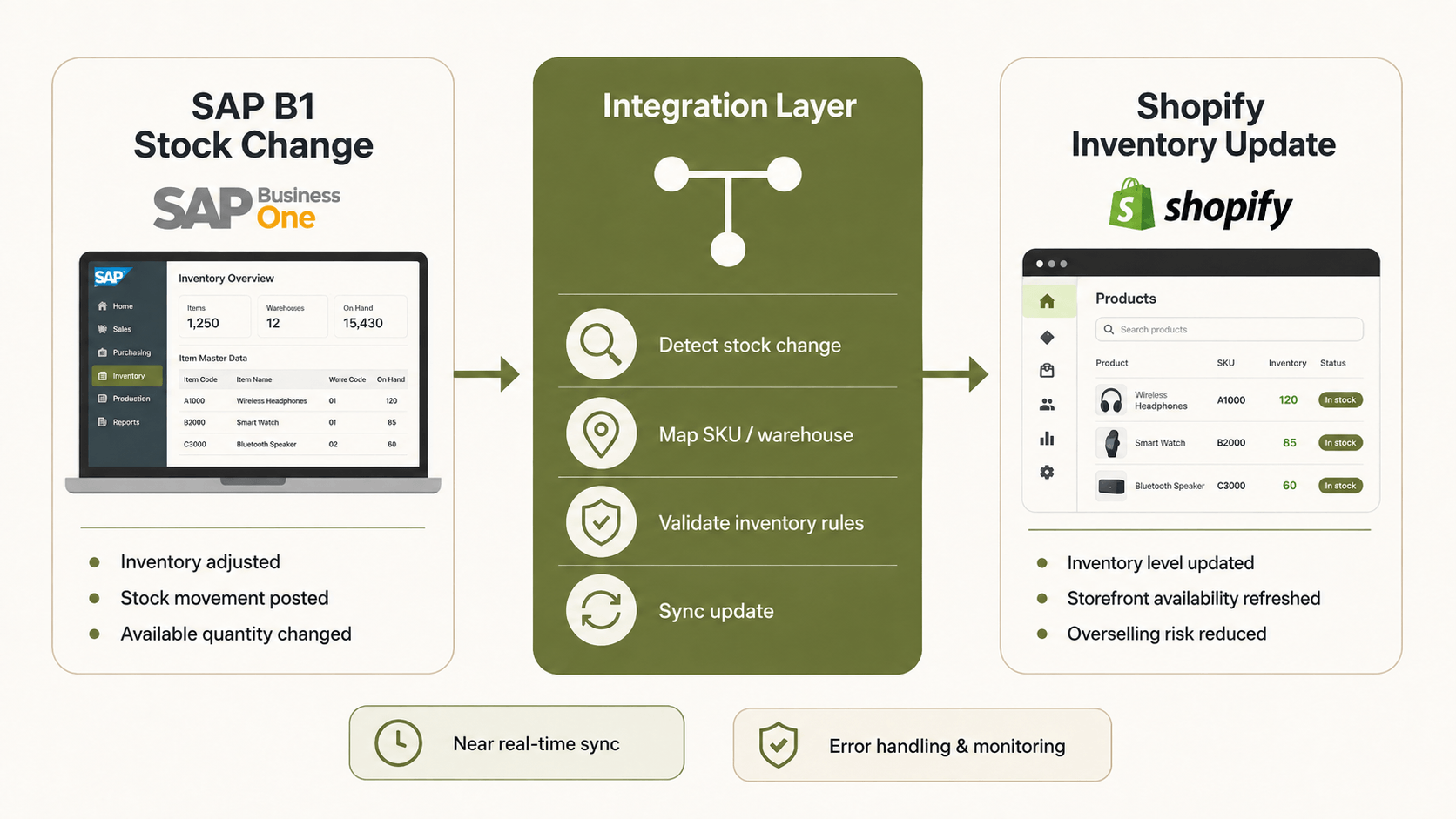
This does not mean overselling can never happen. There can still be timing gaps, API delays or wrong warehouse mapping. But a good integration can reduce the risk of selling products based on old stock information. SKU mapping and warehouse rules need to be correct for this to work properly.
What Does the Data Say About Ecommerce Integration and Automation?
High order volumes and returns can make manual processes difficult very quickly.
Metric / Study | Numerical Finding | Business Area | Why It Matters |
|---|---|---|---|
Shopify BFCM sales | $14.6B; $5.1M/min peak | Orders | Shows how fast ecommerce transaction volume can increase |
GraphQL query limit | 1,000 points max/query | API Capacity | Integration need to manage API usage carefully |
Retail return rate | 16.9% of annual sales | Returns | Returns are a real part of ecommerce operations |
Delivery preference | 81% | Fulfilment | Correct fulfilment data can affect customer experience |
Sources: Shopify 2025, Shopify Developer API 2026, NRF & Happy Returns 2024, DHL 2025.
These numbers will not apply exactly same to every Shopify store. But they show why integrations need proper retry handling, data freshness and enough capacity during high-volume periods.
Real-Time vs Scheduled Sync: Which Should You Use?
Not every data type need real-time synchronization.
Near-real-time sync can be useful for:
New orders
Important inventory updates
Fulfilment status
Tracking information
Scheduled sync can work better for:
Large product updates
Price updates
Reports
Non-urgent data
The right setup depends on your order volume, API limits and business needs. Trying to make everything real time can sometimes create extra API load without giving much business value.
What Challenges Should Businesses Plan For?
A Shopify and SAP B1 integration can look simple at first, but there are many small details that need to work correctly. Common challenges include:
SKU mismatches
Duplicate customers
Duplicate orders
Multi-warehouse inventory
VAT and tax mapping
Currency differences
API failures
Returns and refunds
Retry handling
Missing data
Wrong data ownership
One common issue is not deciding which system owns the master data. For example, if customer information is updated in both Shopify and SAP B1, the integration need to know which value should be treated as correct. The same applies for stock, products and prices.
What Should You Look for in a SAP B1 Shopify Integration Solution?
A good solution should fit your actual ecommerce process. Check for:
✅ Shopify API connectivity
✅ SAP Business One compatibility
✅ Two-way data sync
✅ Order synchronization
✅ Inventory updates
✅ Customer sync
✅ Flexible mapping
✅ Error logging
✅ Retry handling
✅ Monitoring
✅ Duplicate prevention
✅ Multi-warehouse support
✅ Scalability
Also ask some simple questions before starting:
➡ Which system owns customer data?
➡ Which system owns inventory?
➡ How are duplicate orders stopped?
➡ What happens when API calls fail?
➡ Which data really need real-time sync?
➡ Who checks failed transactions?
These small decisions can make the integration much easier to manage later.
How Can HubBroker Connect Shopify With SAP Business One?
HubBroker provides SAP Business One Integration, Shopify Integration, iPaaS and API integration capabilities. The main goal is simple: reduce repeated manual entry and create a more controlled data flow between Shopify and SAP Business One.
HubBroker can help with:
✔ Shopify order integration
✔ SAP B1 sales order creation
✔ Inventory synchronization
✔ Customer data mapping
✔ Fulfilment updates
✔ Tracking information
✔ Error handling
✔ Scheduled and near-real-time sync
This can help ecommerce and finance teams work with more consistent data instead of checking Shopify and SAP separately all day.
Using Shopify with SAP Business One?
Talk to HubBroker about your order, stock, customer and fulfilment flow and build an integration setup that fits how your business actually works.
