
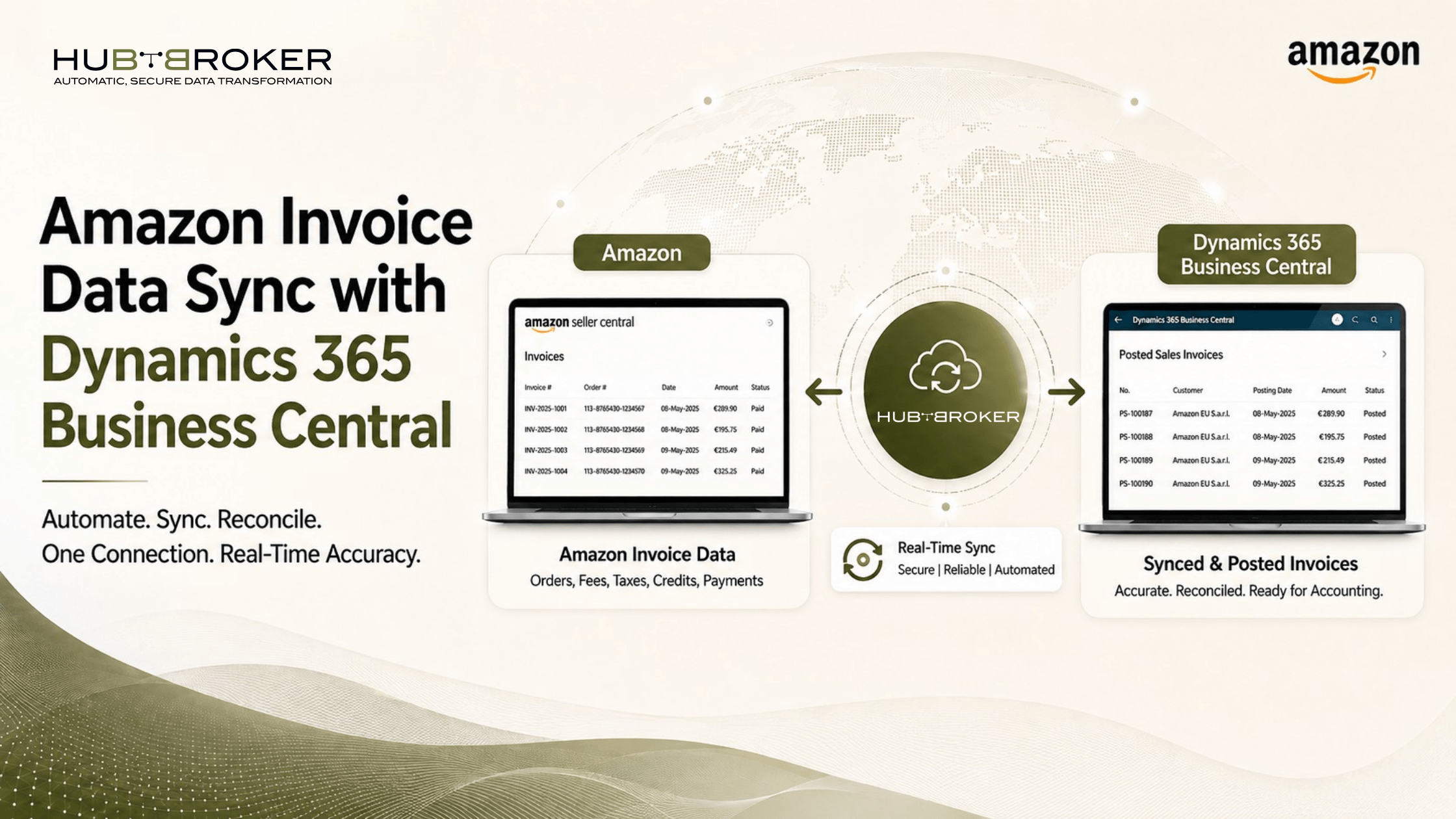
Amazon Invoice Data Sync with Dynamics 365 Business Central
If your team is still downloading Amazon invoice data manually and entering it again into Microsoft Dynamics 365 Business Central, a lot of time is going into work that can be automated. As Amazon order volume grows, invoice handling, VAT checks, reconciliation and matching orders with invoices can become difficult. This is where Amazon invoice data sync Business Central becomes useful.
A proper integration can move Amazon invoice and transaction data into Business Central automatically, helping finance teams reduce manual work, avoid errors and get better visibility.
How to Sync Amazon Invoice Data with Dynamics 365 Business Central?
The normal process starts by collecting invoice or transaction data from Amazon, mapping it with the correct Business Central fields, checking the data and then creating the required records inside the ERP.
A simple flow looks like this: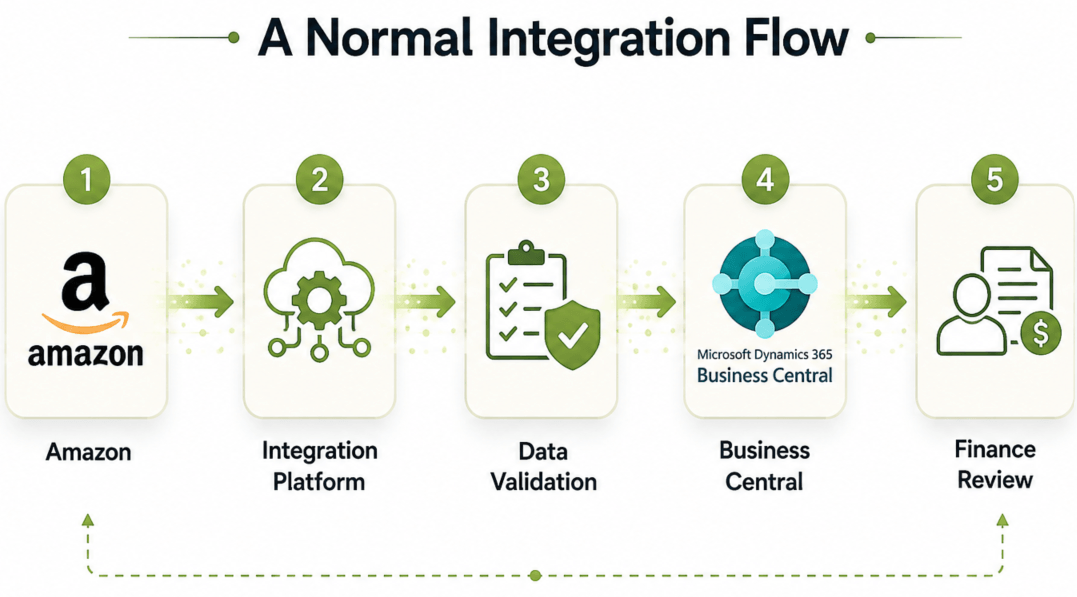
The sync can include invoice numbers, invoice dates, Amazon order references, VAT details, currencies, line items, totals, shipping charges and settlement information. Once the integration is properly configured, the process becomes much easier to manage and there is less manual work for finance team.
Can Amazon Seller Central Invoice Data Be Imported into Business Central Automatically?
Yes, Amazon Seller Central invoice data can be imported into Business Central automatically. However, the exact method depends on your Amazon account and the type of invoice or transaction data available. For Amazon Seller Central, businesses often use Amazon reports and supported invoice-related data sources. Amazon Business also provides tools and APIs which can support invoice and transaction handling. For European businesses, this becomes more important because finance teams normally need more than basic order data.
They also need invoice, VAT and transaction details that can be matched correctly inside Business Central.
What Amazon Invoice Data Should Be Synced to Business Central?
A good integration should move more than only the invoice total. It should include enough information for accounting, reconciliation and finance reporting.
Typical data can include:
✔ Amazon order ID
✔ Invoice number
✔ Invoice date
✔ Supplier or customer details
✔ SKU or item reference
✔ Quantity and unit price
✔ VAT amount and tax details
✔ Currency and total amount
✔ Shipping charges
✔ Credit or refund references
✔ Settlement or payment references
Having this information inside Business Central helps finance teams avoid switching between Amazon reports, spreadsheets and ERP screens for the same transaction.
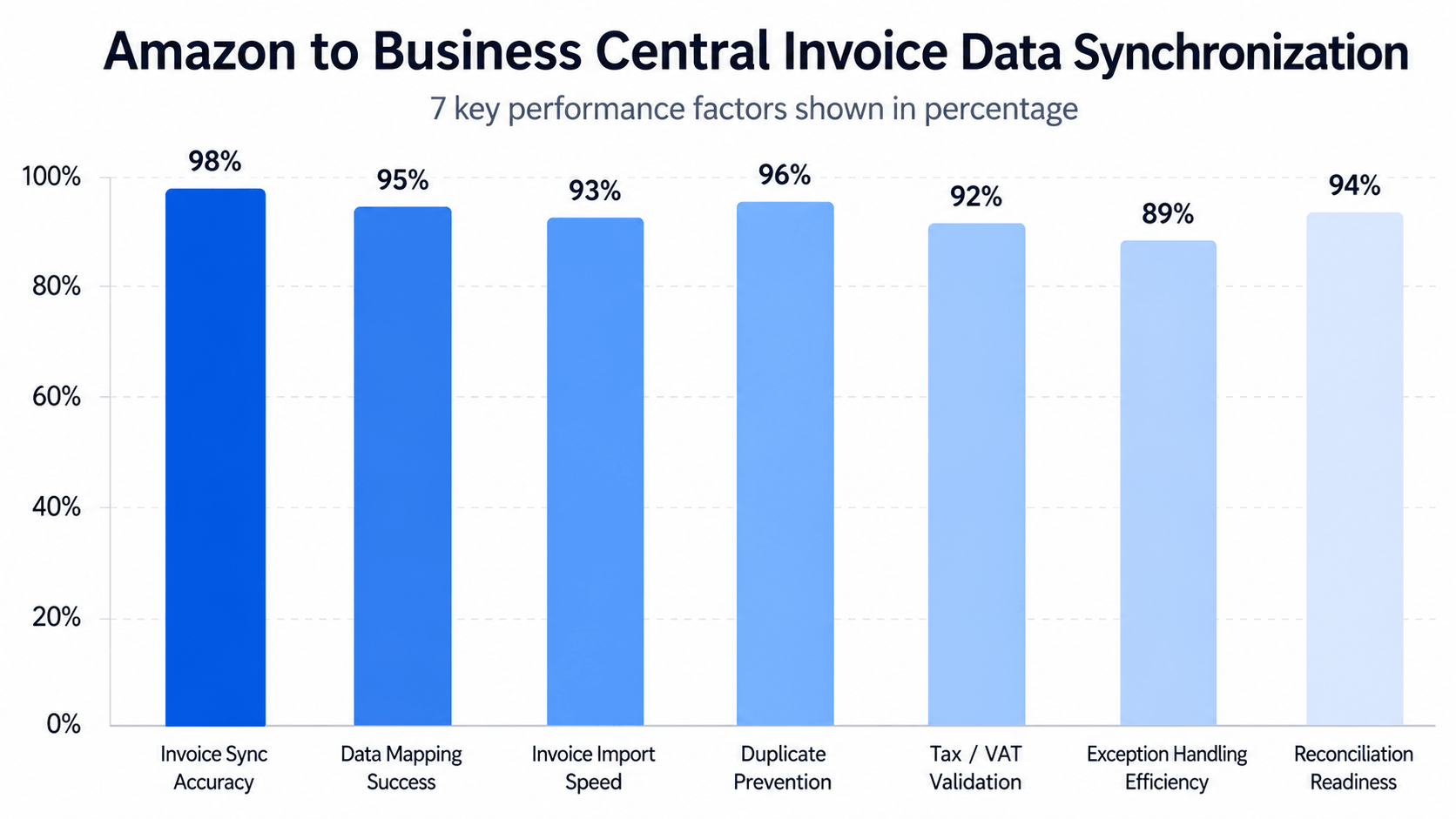
Why Does Amazon Invoice Automation Matter for European Businesses?
European businesses can deal with multiple Amazon marketplaces, different VAT rules, currencies and increasing invoice volumes. Managing all of this manually can create more errors and make reconciliation slower.
An automated Amazon invoice data sync Business Central setup can help with:
➡ Faster invoice processing
➡ Better VAT data visibility
➡ Less manual data entry
➡ Easier order and invoice matching
➡ Better reconciliation
➡ More consistent finance data
➡ Fewer duplicate or missing records
➡ Better reporting inside Business Central
This becomes especially useful during month-end closing, when finance teams need accurate data quickly and do not want to depend on multiple spreadsheets.
Why Hire HubBroker for Amazon Invoice Data Sync with Business Central?
Connecting Amazon with Business Central may look simple in the beginning, but the process can become complicated when invoice data, VAT fields, order references and ERP posting rules all need to work together. Even one wrong mapping can create regular issues for the finance team.
HubBroker helps businesses connect Amazon invoice and transaction data with Microsoft Dynamics 365 Business Central in a more automated and manageable way.
Service Area | How HubBroker Helps |
|---|---|
Amazon Connectivity | Connect Amazon invoice and transaction data with Business Central |
Invoice Data Sync | Move invoice-related data automatically into the ERP |
Order and Invoice Matching | Connect invoices with the correct Amazon orders |
VAT and Tax Mapping | Map VAT and tax-related values correctly |
Line-Level Data Handling | Transfer SKU, quantity, item and amount details |
Settlement Data Sync | Bring useful settlement and transaction references into the ERP |
Error Handling | Identify missing, duplicate or failed records |
Automation and Scheduling | Run regular data sync and reduce manual finance work |
With HubBroker, your business do not need to manage Amazon and Business Central as two disconnected systems. The integration can help create a more connected invoice process, cleaner finance data and less repeated work for your team as Amazon sales grow.
