
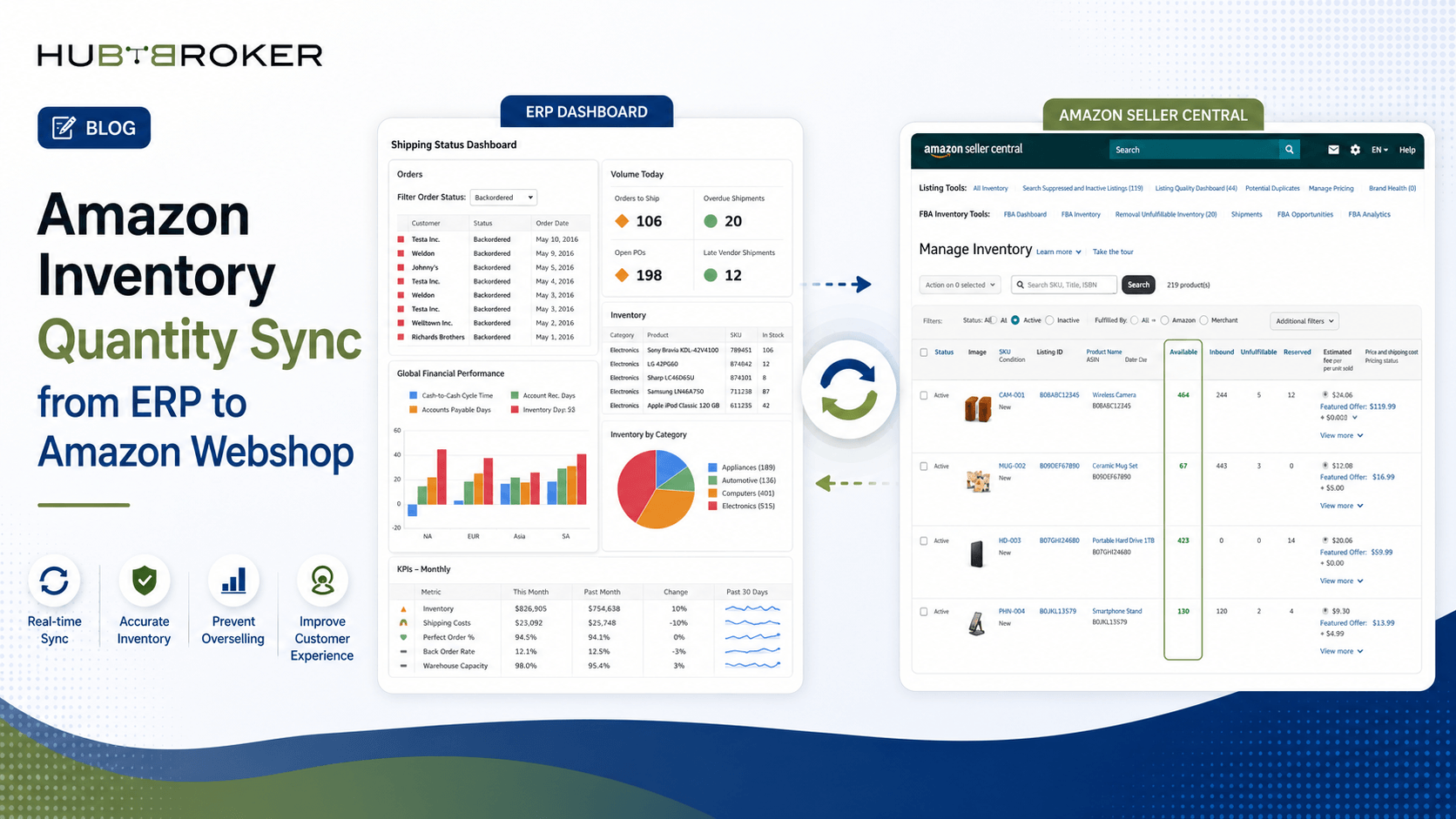
Amazon Inventory Quantity Sync from ERP to Amazon Webshop
Selling products on Amazon becomes difficult when the stock quantity displayed on the marketplace does not match the inventory available in your ERP system. Customers may order products that are already out of stock, while available products may incorrectly appear unavailable.
An Amazon inventory quantity sync ERP integration connects your ERP inventory with your Amazon webshop. It automatically transfers updated stock quantities to Amazon, helping your business maintain accurate availability across warehouses, sales channels, and Amazon marketplaces.
Amazon Inventory Quantity Sync ERP for Accurate Stock Levels
Your ERP system normally contains the most reliable inventory information. It records purchases, sales orders, warehouse transfers, returns, reservations, and stock adjustments.
Without integration, employees may need to update Amazon inventory manually. This process becomes unreliable when a business manages hundreds or thousands of products.
An automated inventory sync retrieves the available quantity from the ERP and sends it to Amazon. Updates can run at scheduled intervals or whenever an inventory-related event occurs.
For example, when an ERP sales order reserves five units of a product, the available quantity sent to Amazon can automatically decrease by five.
Real-Time Amazon Stock Updates from ERP Systems
Real-time or near-real-time stock updates reduce the delay between an inventory change in the ERP and the quantity displayed on Amazon.
The integration may monitor inventory events such as:
New sales orders
Order cancellations
Goods received from suppliers
Customer returns
Warehouse transfers
Damaged stock adjustments
Reserved inventory changes
Instead of transferring the total physical inventory, the integration can calculate the quantity that is actually available for sale.
A typical calculation may be:
Available quantity = Physical stock − Reserved stock − Safety stock
If the ERP contains 100 units, 20 units are reserved, and the company maintains a safety stock of 10 units, Amazon receives an available quantity of 70 units.
This calculation helps prevent overselling during periods of high order volume.
Manual Inventory Updates vs Automated Amazon ERP Sync
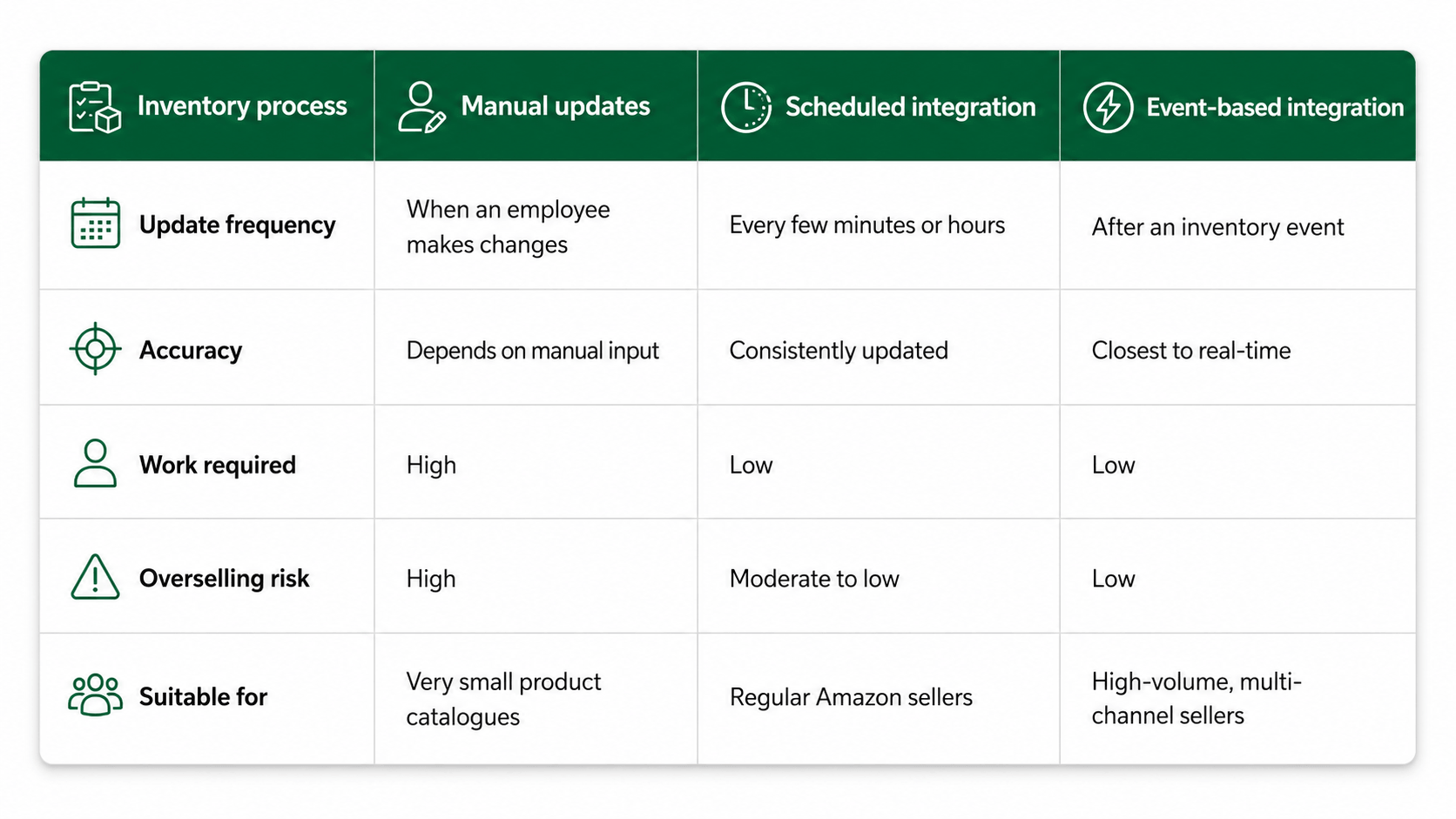
Scheduled integration is often suitable for businesses that do not require immediate inventory changes. For example, Amazon quantities may be updated every 15 or 30 minutes.
Event-based integration is more appropriate when inventory changes frequently or the same products are sold through Amazon, a company webshop, retail locations, and other marketplaces.
Amazon SKU Mapping Between ERP and Marketplace Listings
A successful inventory integration depends on accurate product identification. The ERP product number must be connected to the correct Amazon seller SKU.
The ERP item number and Amazon SKU may be identical, but this is not always the case. Some companies use different codes for product variations, bundles, packaging units, or marketplace-specific listings.
A mapping table can connect:
ERP item numbers
Amazon seller SKUs
Amazon marketplace IDs
Warehouse locations
Units of measurement
Product variation identifiers
For example, the ERP may store one carton as a single inventory unit, while Amazon sells the individual items contained inside the carton. The integration must apply the correct unit conversion before updating the Amazon quantity.
Incorrect SKU mapping can update the wrong listing. Therefore, mapping validation should be completed before inventory automation is activated.
How Inventory Quantity Moves from ERP to Amazon
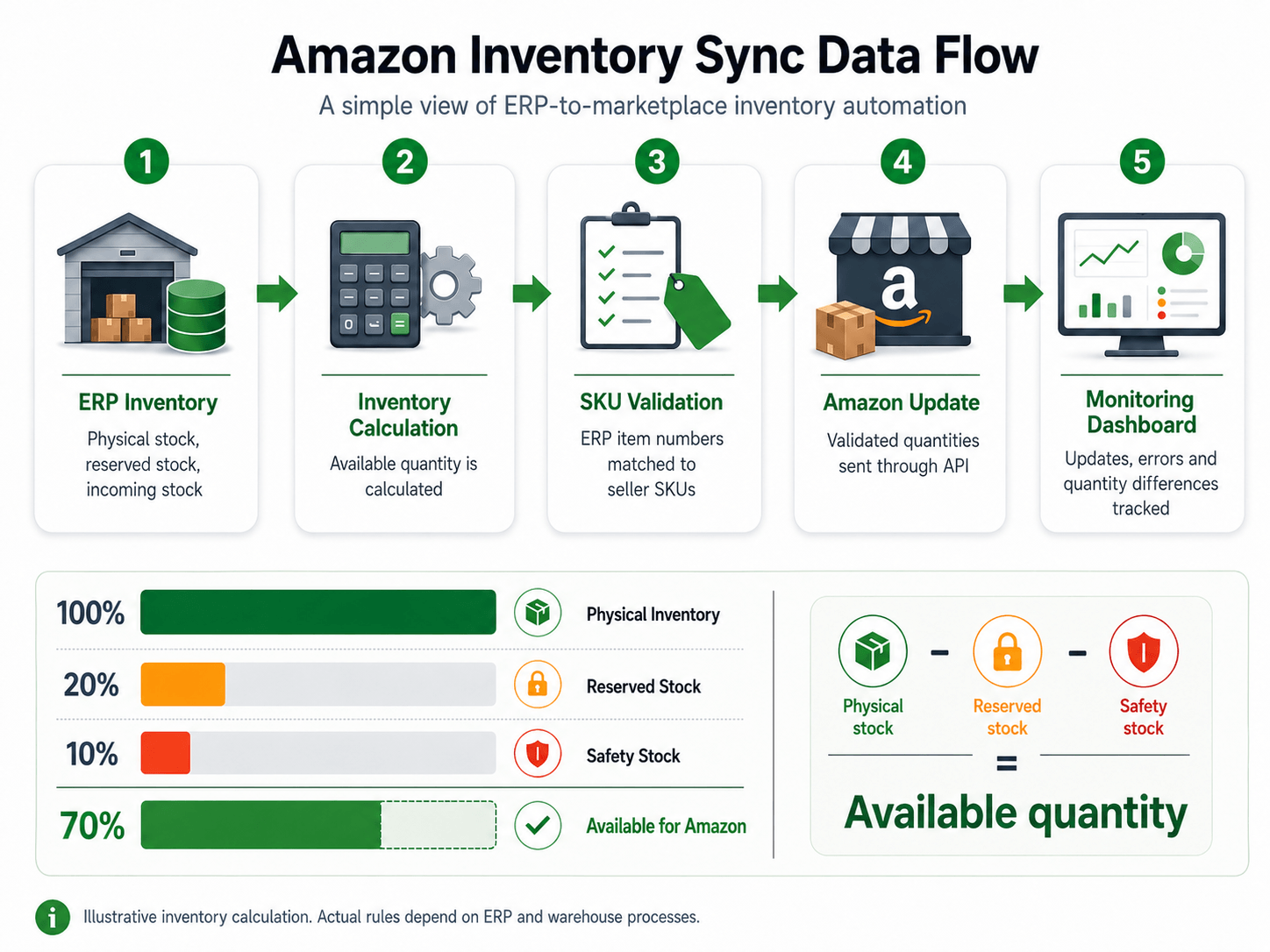
Multi-Warehouse Inventory Sync for Amazon Sellers
Businesses may store inventory in several warehouses. The Amazon quantity may need to include inventory from one warehouse, selected warehouses, or every active location.
The integration can apply rules such as:
Send inventory only from the primary fulfilment warehouse
Combine quantities from selected warehouses
Exclude damaged or quarantine locations
Reserve stock for wholesale or retail orders
Set different safety stock levels by marketplace
Stop sending quantities when an item is discontinued
These rules are particularly important when a company sells through multiple European Amazon marketplaces. The same stock may support orders from Germany, France, Denmark, Sweden, and other countries.
Without a central availability calculation, several marketplaces may display the same units as available. This increases the risk that the total number of customer orders exceeds the actual inventory.
Amazon Inventory Sync Error Monitoring and Validation
Inventory integration should not only send data. It should also verify whether Amazon accepted each update.
Common errors include missing seller SKUs, inactive listings, invalid marketplace identifiers, authentication failures, incorrect quantity formats, and API rate limitations.
A monitoring dashboard should provide:
 Automated alerts can notify the responsible employee when an update repeatedly fails. This prevents unnoticed errors from affecting Amazon orders for several hours or days.
Connect Your ERP Inventory with Amazon
An automated Amazon inventory quantity sync ERP solution gives Amazon customers more reliable stock information while reducing manual work for your internal team.
HubBroker can connect Amazon with ERP and warehouse systems through a managed integration flow. The solution can support SKU mapping, quantity calculations, scheduled or event-based updates, error validation, and integration monitoring.
By using the ERP as the central inventory source, your business can manage Amazon availability more accurately and scale marketplace sales without depending on repeated manual stock updates.
Connect your ERP with Amazon and automate inventory quantity updates across your marketplace operations.
