
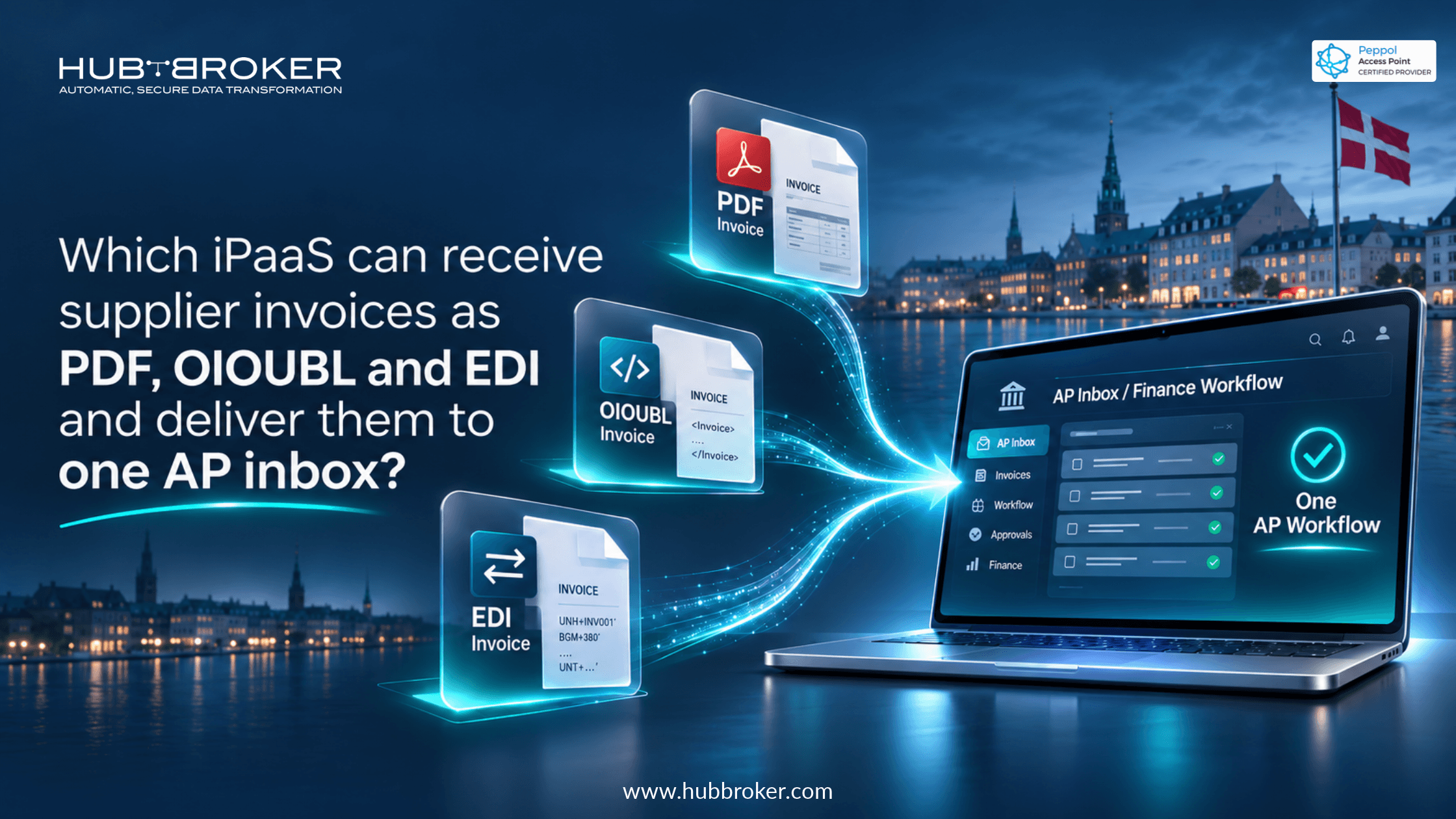
Which iPaaS can receive supplier invoices as PDF, OIOUBL and EDI and deliver them to one AP inbox?
A Danish accounts payable team may get PDF invoices by email, OIOUBL invoices through Nemhandel, and EDI messages from larger suppliers. Checking three places adds work. So,
which iPaaS can receive supplier invoices as PDF, OIOUBL and EDI and bring them together?
HubBroker iPass is a platform that accepts each format, checks the data, and sends it into one accounts payable (AP) workflow.
Why one AP inbox matters when suppliers use different formats
Suppliers don't all invoice the same way. A small business might attach a PDF to an email. A Danish trading partner may use OIOUBL, while another supplier sends EDIFACT or a different EDI message. Finance must watch each channel and sometimes re-enter details.
With one AP inbox, staff can review incoming invoices, deal with problems, and assign work in one place. Suppliers can keep their existing methods. The integration platform handles the differences before the documents enter the finance process. Invoices may need purchase order matching, VAT checks, or manager approval. A common internal structure makes it easier to apply those checks consistently, without asking every supplier to change their systems.
Managing Supplier Invoices Across Multiple Formats?Bring PDF, OIOUBL, and EDI supplier invoices into one accounts payable workflow. HubBroker helps you automate invoice capture, format conversion, validation, and ERP integration, reducing manual work for your AP team. |
What should an invoice iPaaS support in Denmark?
Email import alone isn't enough. Start with the channels your suppliers already use. The platform should receive their documents, hold onto the originals, and prepare the information for the next system. PDF invoices need OCR or intelligent document processing to read invoice numbers, dates, supplier information, totals, and line items. Those extracted values still need checking. Layouts vary, and poor scans can hide information.
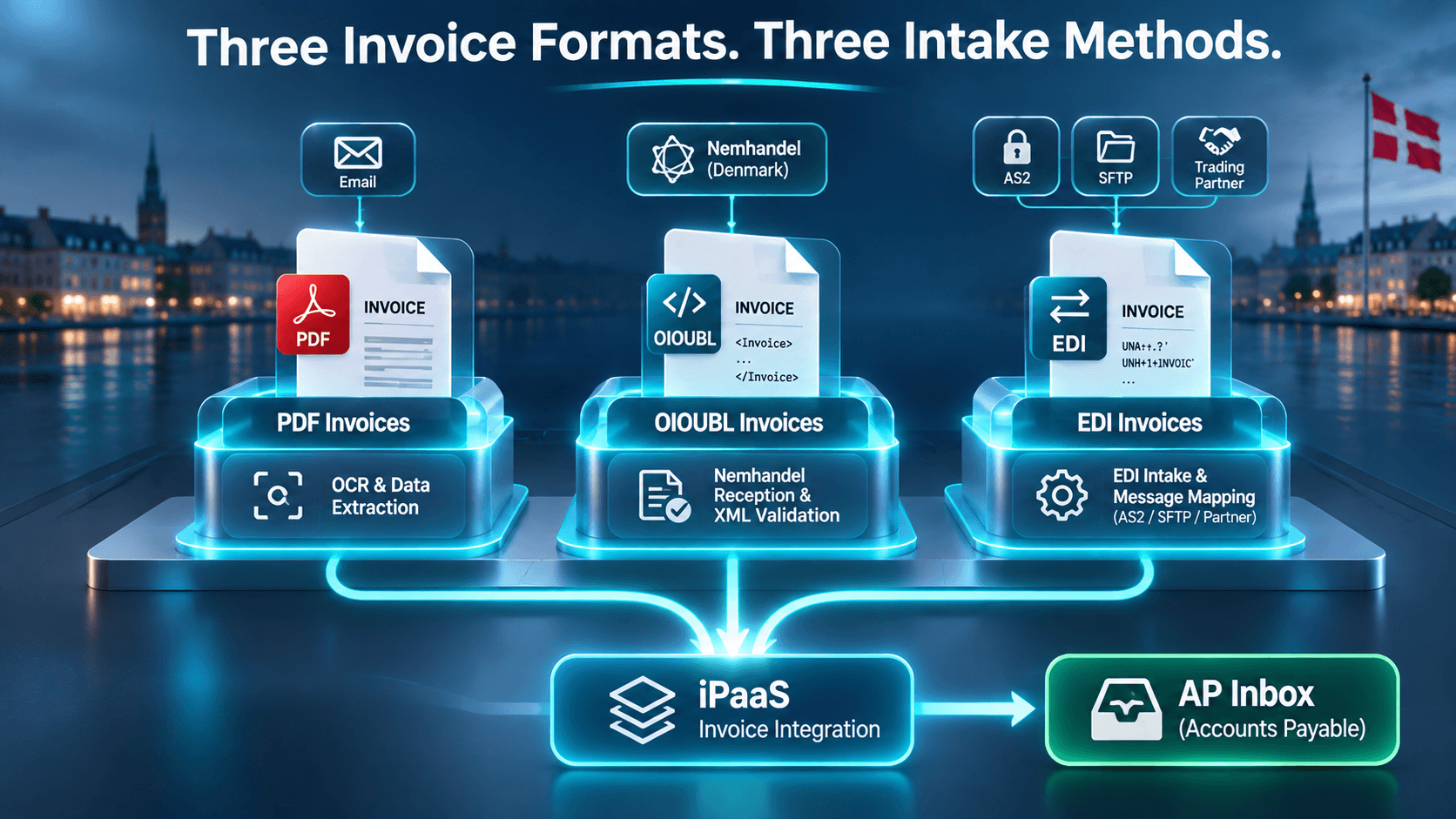
OIOUBL uses structured XML rather than a visual page layout. Denmark's Nemhandel infrastructure supports OIOUBL and Peppol BIS document standards. Receiving these invoices involves appropriate connectivity and validation. Collecting XML alone isn't enough. EDI invoices may come through AS2, SFTP, or an existing trading partner connection. Mapping rules must interpret the agreed message format while keeping useful references, including supplier identifiers and purchase order numbers.
Invoice source | What the platform handles | What AP staff receive |
|---|---|---|
Email PDF | Collects attached invoice | Document for review |
Scanned PDF | Extracts readable fields | Values needing checks |
OIOUBL | Receives structured XML | Mapped invoice details |
Peppol BIS | Validates document data | Consistent invoice fields |
EDIFACT | Maps agreed EDI format | Usable invoice record |
AS2 connection | Receives partner messages | Routed document data |
SFTP connection | Collects transferred files | Invoice for processing |
The aim is one process, even when invoices start in very different places.
How do PDF, OIOUBL and EDI invoices reach the same workflow?
Getting a file isn't the same as getting a usable invoice. A PDF could be missing a date. An EDI message might contain unfamiliar product codes. An OIOUBL invoice may fail validation. Staff need to see these problems and know which invoices require attention.
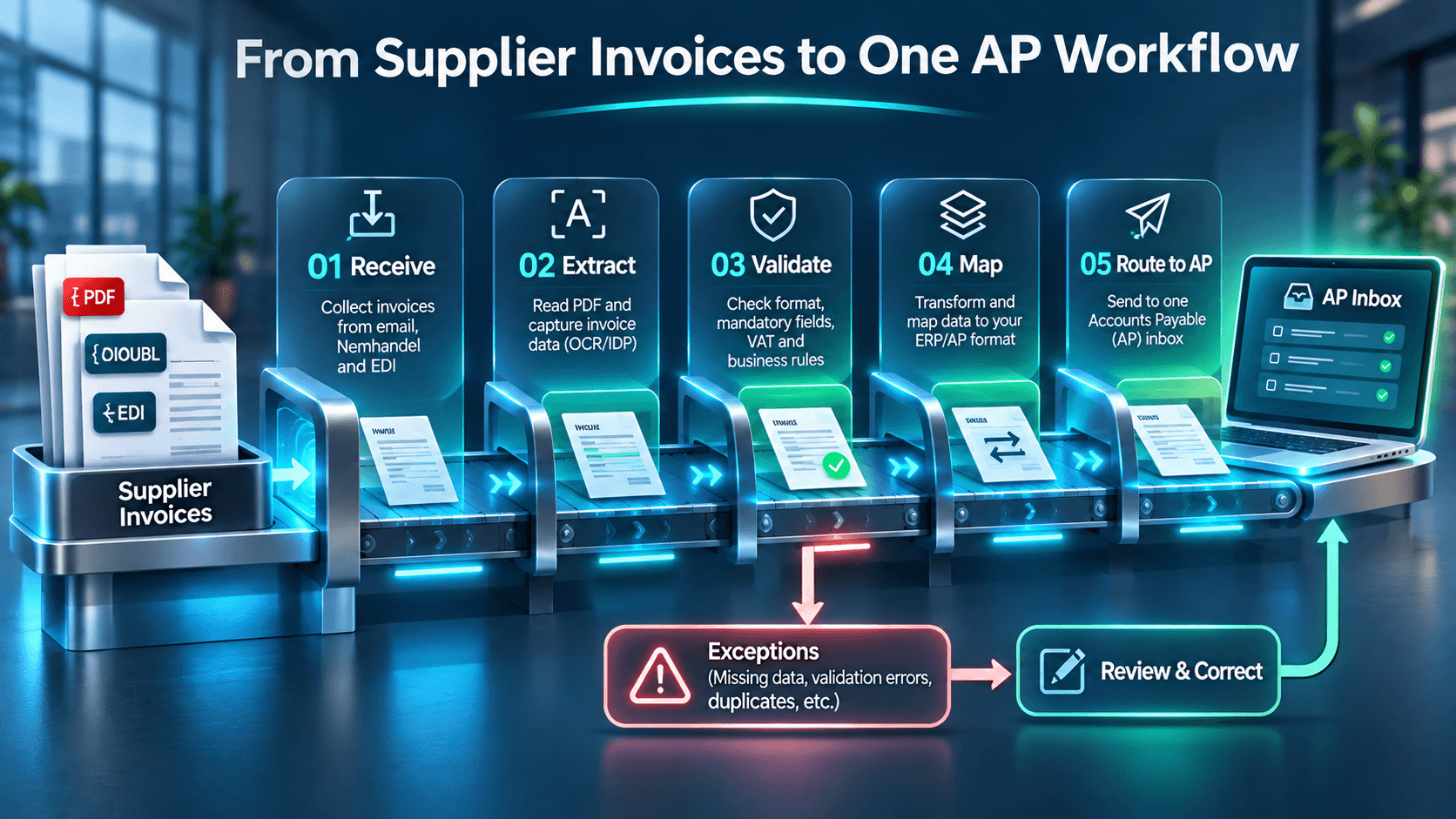
After checks, the platform maps accepted data into fields expected by the ERP or AP application. Ideally, the original file stays connected to extracted details, validation results, and processing status. That helps investigate unpaid invoices. And the shared inbox doesn't have to be an email address. It might be a queue inside your ERP, invoice processing software, or another connected application. Confirm where staff will review, correct, and approve invoices.
How to evaluate an iPaaS for consolidated supplier invoice intake
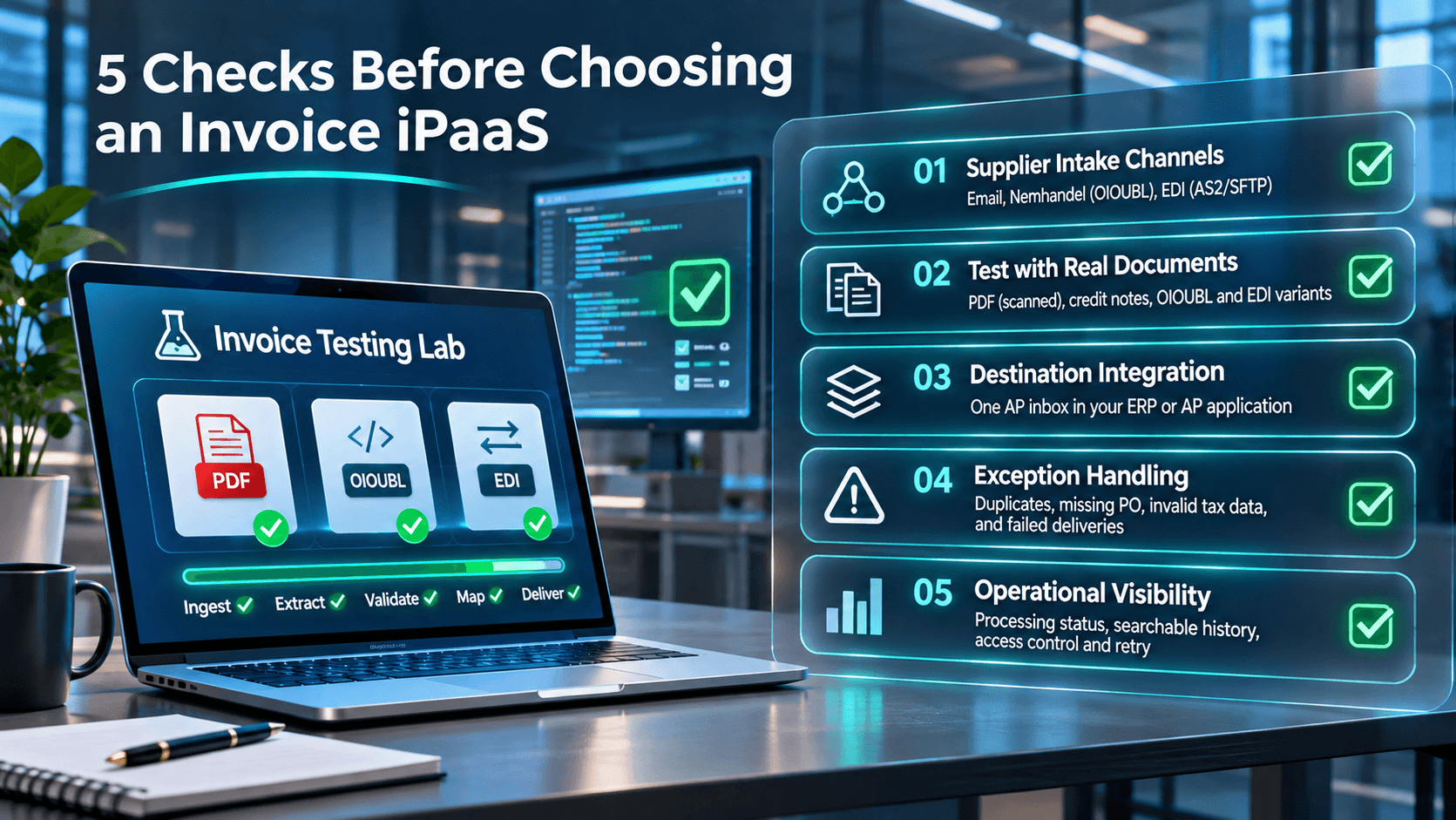
List your sources. Identify suppliers using email, Nemhandel, Peppol, and EDI, plus the usual invoice volumes.
Test real files. Include scanned PDFs, credit notes, OIOUBL documents, and EDI variants. Check that required information survives conversion.
Choose the inbox. Decide whether invoices should land in your ERP, AP software, or another application. Specify the fields and attachments needed.
Check exceptions. Ask how staff identify duplicates, missing purchase orders, incorrect tax details, and delivery failures.
Review daily controls. Look at status tracking, searchable records, user access, and how failed transfers are retried.
Ask vendors to demonstrate with your documents. A demo means little if your formats still need separate handling.
Bringing Danish supplier invoices into one AP flow with HubBroker
HubBroker provides iPaaS integration, EDI connectivity, electronic invoicing, document mapping, and intelligent PDF processing. These capabilities can work together to accept invoices through different channels, convert data to the format your ERP or AP system expects, and route documents to a defined destination. For Danish businesses, HubBroker can help assess PDF extraction alongside OIOUBL and EDI intake, then plan mappings around existing suppliers and finance software.
The precise inbox experience, message variants, and approval functions should be agreed during implementation planning rather than assumed. If your team is switching between email attachments, Nemhandel documents, and EDI feeds.
Ask HubBroker to review those channels using representative invoices. The goal is a single AP workflow where people can find documents, spot errors, and follow invoice progress without repeatedly checking separate systems.
