
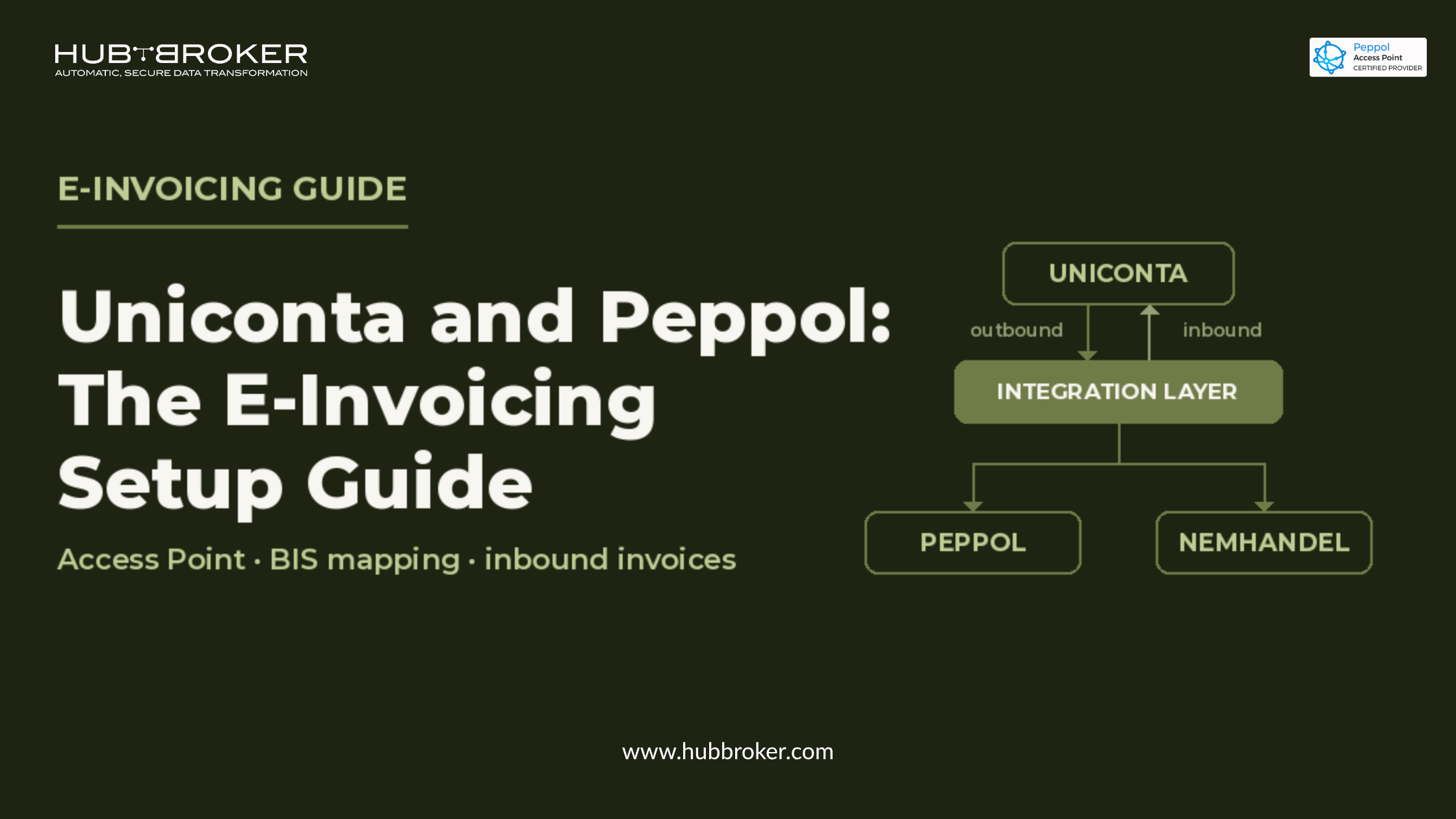
Uniconta and Peppol: The E-Invoicing Setup Guide
Your invoicing works fine. Bookings go out of Uniconta, customers pay, the month closes. Then a Belgian buyer writes and says they can only accept invoices over Peppol and suddenly "fine" isn't enough.
This guide walks through what a Uniconta Peppol integration actually involves: what Peppol is in finance terms, where Uniconta stops, what the setup looks like step by step, and what tends to go wrong.
Why Peppol suddenly matters if you invoice from Uniconta
For most Danish Uniconta users, e-invoicing has meant NemHandel and OIOUBL. That covers the public sector at home and it has worked for years.
What it doesn't cover is the buyer in Brussels, Paris or Berlin who needs a structured invoice on the Peppol network, in their country's profile, with fields your Danish setup never had to fill in. When that invoice bounces, it isn't a format problem on their side. It's an unpaid invoice on yours.
The pressure is coming from two directions at once: public buyers who already require Peppol, and private buyers in countries rolling out B2B e-invoicing obligations. Both arrive as a customer request, not a government letter.
What Peppol actually is (in plain finance terms)
Peppol isn't software you install. It's a network with agreed rules about who can join, how documents are addressed, and what they must contain.
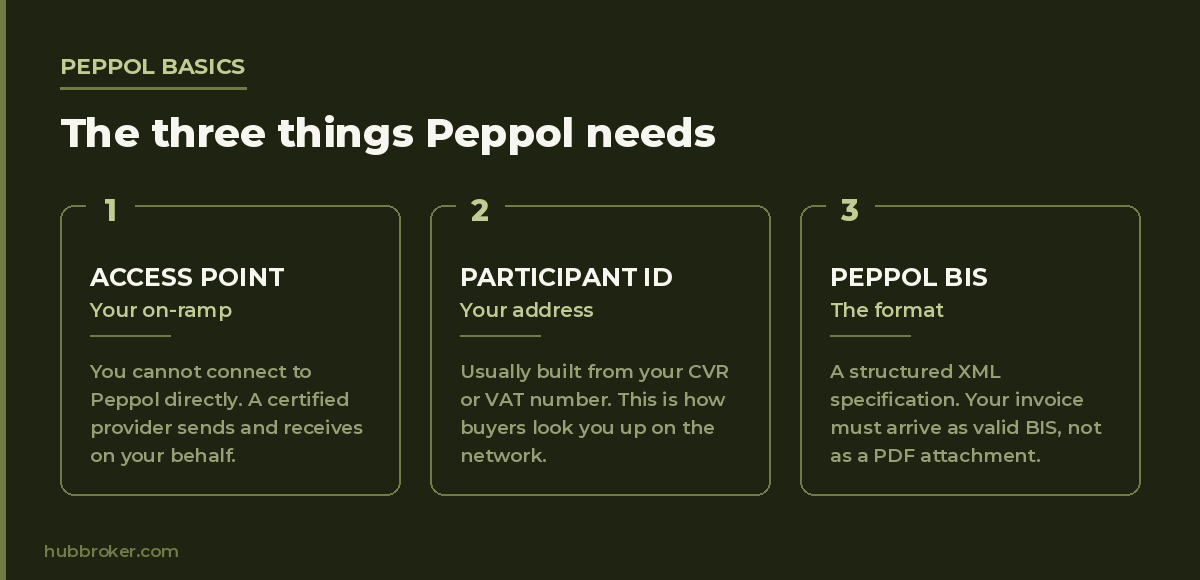
Access Point, participant ID, and document format
Three things make it work:
Access Point - your on-ramp to the network. You can't connect directly; you go through a certified provider that sends and receives on your behalf.
Participant identifier - your address on the network, usually built from your CVR or VAT number. Buyers look you up by it.
Document format - Peppol BIS, a structured XML specification. Your invoice has to arrive as valid BIS, not as a PDF attachment.
How Peppol differs from NemHandel and OIOUBL
NemHandel is Danish infrastructure with a Danish format. Peppol is cross-border infrastructure with a shared European format and country-specific variations on top.
They coexist. Most Danish businesses need both for a while: NemHandel for domestic public buyers, Peppol for everyone abroad. That's a routing decision, not an either/or migration.
What Uniconta does and doesn't cover out of the box
Uniconta produces the invoice. It holds the customer record, the lines, the VAT treatment, the payment terms. That part is solid.
Where the gap sits
The gap is everything after the booking: converting to valid Peppol BIS, resolving the buyer's participant ID, transmitting over a certified Access Point, catching validation errors, and getting inbound documents back into Uniconta in a usable shape.
Uniconta is an accounting system. It isn't an Access Point, and it doesn't hold the country-by-country validation rules that decide whether your invoice is accepted.

Why a Uniconta Peppol integration is a layer, not a replacement
You don't replace Uniconta to send Peppol invoices. You put a connected layer between Uniconta and the network one that reads posted invoices, transforms them, sends them, and reports back.
Your team keeps working in Uniconta. HubBroker's Uniconta EDI and e-invoicing integration is built on exactly that principle.
The Uniconta Peppol integration setup, step by step
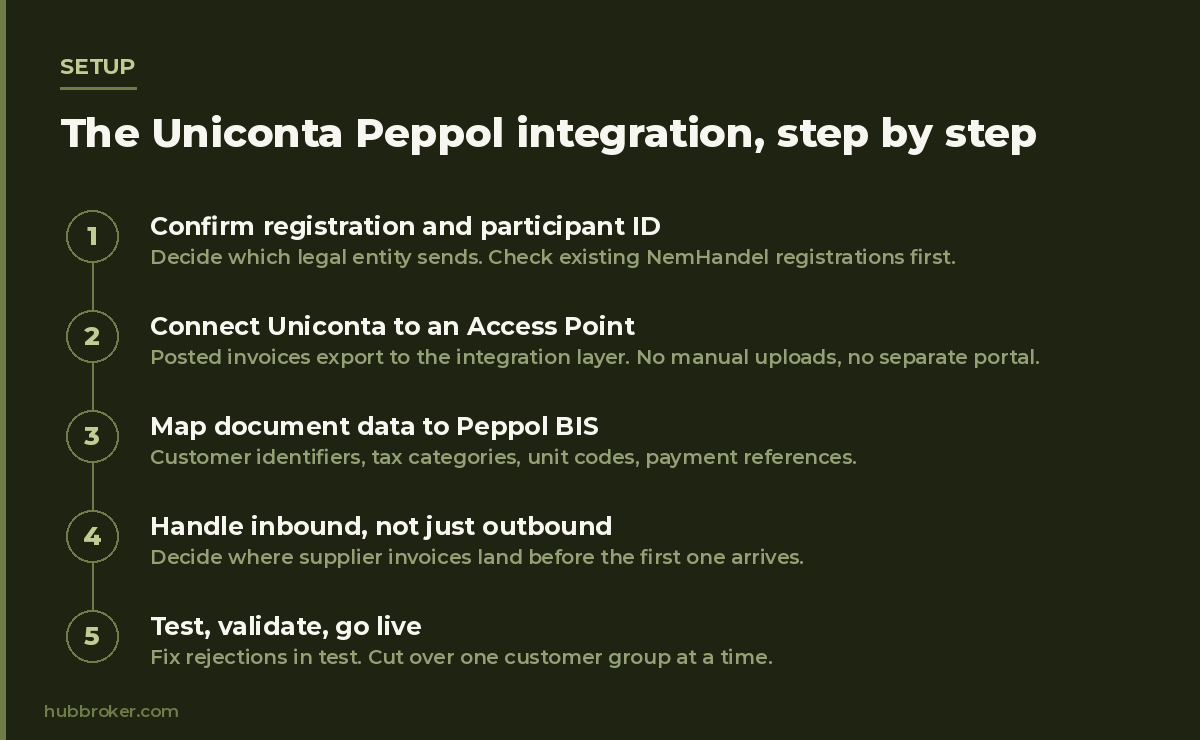
Step 1 - Confirm your registration and participant identifier
Decide which legal entity is sending, and register its participant ID with your Access Point provider. If you already receive NemHandel documents, check what's registered where before adding anything new duplicate registrations cause routing failures that are painful to diagnose later.
Step 2 - Connect Uniconta to an Access Point
Uniconta exports posted invoices to the integration layer, which sits behind a certified Peppol Access Point. No manual uploads, no separate portal for finance to log into.
Step 3 - Map your document data to Peppol BIS fields
This is where the real work happens. Uniconta fields are mapped to BIS elements: customer identifiers, tax categories, unit codes, payment references. Mandatory BIS fields with no Uniconta equivalent get sourced or defaulted deliberately, not guessed.
Step 4 - Handle inbound invoices, not just outbound
Peppol is two-way. If you're registered to receive, supplier invoices will arrive whether you're ready or not. Decide early where they land straight into Uniconta, into an approval flow, or into document processing for coding before the first one shows up unannounced.
Step 5 - Test, validate, go live
Run test documents through BIS validators and, where possible, with real buyers. Fix rejections in test rather than in production, then cut over one customer group at a time.
The five things that break in real Uniconta Peppol projects
Master data gaps. Missing or wrong VAT numbers on customer records. Nothing routes without them.
Missing buyer references. Many buyers reject invoices with no order number or contract reference a field your team may never have filled in.
VAT edge cases. Reverse charge, exemptions and zero-rated lines need the correct tax category codes, not just the right amount.
Credit notes. Often forgotten in scope, then discovered in month one when a customer needs one.
Response handling. Peppol can return acceptance and rejection messages. If nobody reads them, invoices fail silently.
Cross-border: when domestic Peppol isn't enough
Peppol gives you the pipe. Individual countries add their own requirements on top extra mandatory fields, national validation rules, in some cases a domestic platform that must be involved in the exchange.
If you invoice into France, Belgium, Germany, Poland or Italy, treat each as its own checklist item rather than assuming Peppol coverage is coverage. Obligations and dates differ by country and change; confirm current requirements per market before you commit to a rollout plan.
FAQ
Does Uniconta support Peppol natively? Uniconta creates the invoice; sending it over Peppol requires an Access Point connection through an integration layer. Check your current setup and add-ons before assuming either way.
What does a Uniconta Peppol integration cost? It depends on document types, number of countries and whether you need inbound as well as outbound. Ask for a scoped quote rather than a list price.
How long does setup take? Straightforward outbound-only setups move quickly. Multi-country scope, inbound processing and messy master data are what extend timelines.
Can we keep using NemHandel? Yes. Most Danish businesses run both, with routing rules deciding which network each customer goes over.
Can we receive invoices as well as send them? Yes, if your setup includes inbound. Worth deciding at the start rather than bolting on later.
What if a customer's participant ID isn't on the network? They aren't reachable over Peppol yet. You'll need another channel for them — one reason a single integration layer covering Peppol, EDI and e-mail beats a Peppol-only tool.
Not sure where your Uniconta setup stands?
If a customer has already asked for Peppol invoices, or you're heading into a market where it's expected, the useful first step is a short review: what Uniconta produces today, which fields are missing, and what a realistic rollout looks like.
Talk to our team we'll go through your Uniconta setup and tell you what's actually neededs.
