
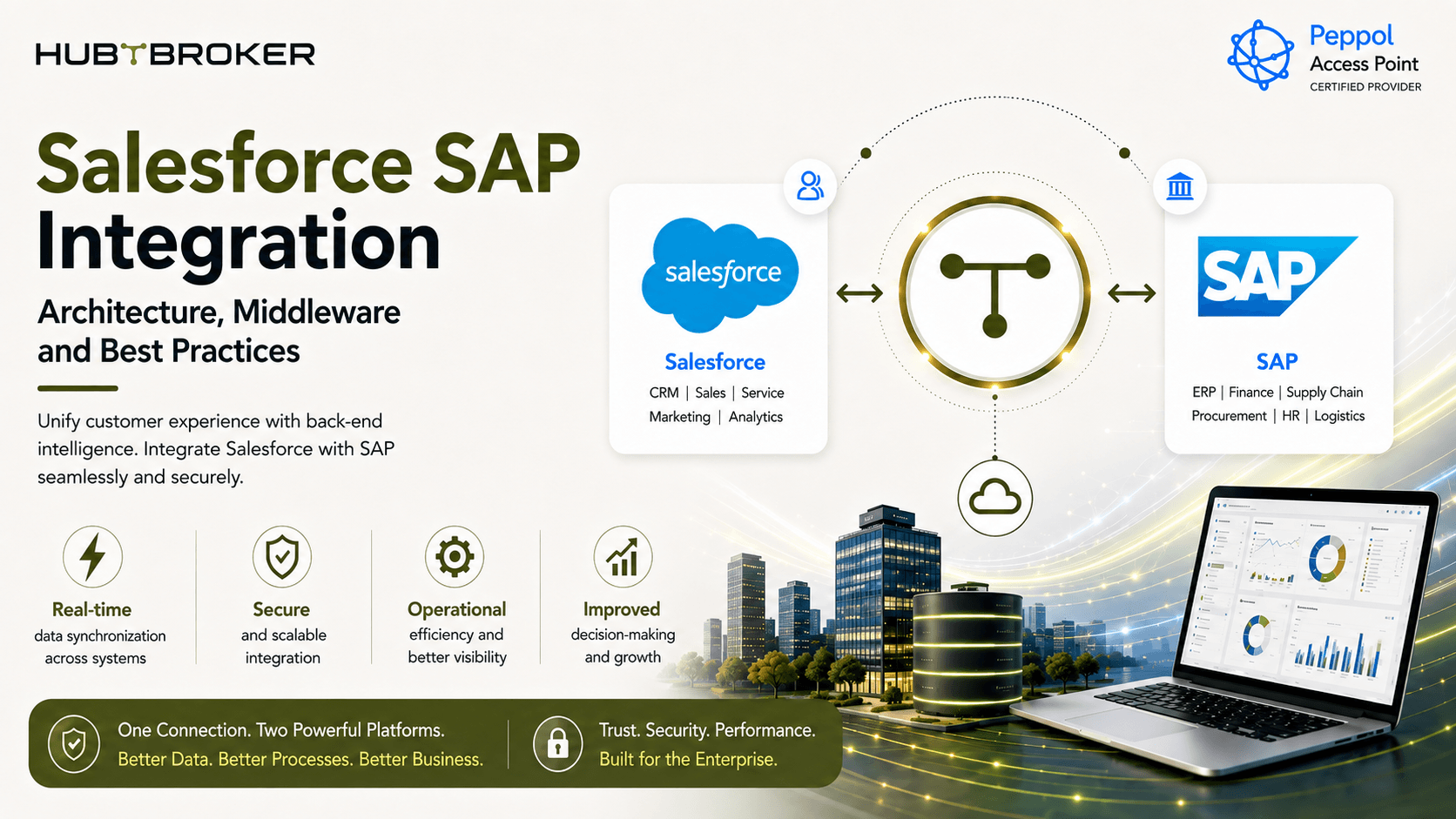
Salesforce SAP Integration: Architecture, Middleware and Best Practices
When Salesforce is managing sales activity and customer details, while SAP is managing products, prices, orders, stock and finance, both systems need to share the right data. The main issue is not only how to connect both systems. The bigger question is which system should own each data and how that information should move between them. A good Salesforce SAP integration should start with clear architecture. If everything is connected directly without proper planning, the setup can become difficult to manage later.
Start With the Architecture: What Should Salesforce and SAP Each Own?
The first thing to decide is which system will be the main source for each type of data. If both Salesforce and SAP can change same information, conflicts can happen very easily.
A simple ownership example can look like this:
Business Object | Likely Main System | Data Direction | Common Trigger | Integration Role | Common Problem |
|---|---|---|---|---|---|
Customer / Account | Depends on setup | Salesforce ↔ SAP | Create / update | Match and check data | Duplicate customer |
Opportunity / Quote | Salesforce | Salesforce → SAP | Approval / conversion | Map sales data | Missing SAP fields |
Product / Material | SAP | SAP → Salesforce | Product change | Convert product data | Wrong mapping |
Pricing | Often SAP | SAP → Salesforce | Request / schedule | Apply rules | Old price |
Sales Order | SAP | Salesforce → SAP | Order submission | Check and create order | Duplicate order |
Inventory | SAP | SAP → Salesforce | Stock update | Share stock value | Old stock data |
This is only an example. The correct setup depends on the company, SAP system, Salesforce setup, legal entities and actual business process.
What Does a Salesforce SAP Integration Architecture Look Like?
A common flow can look like this:
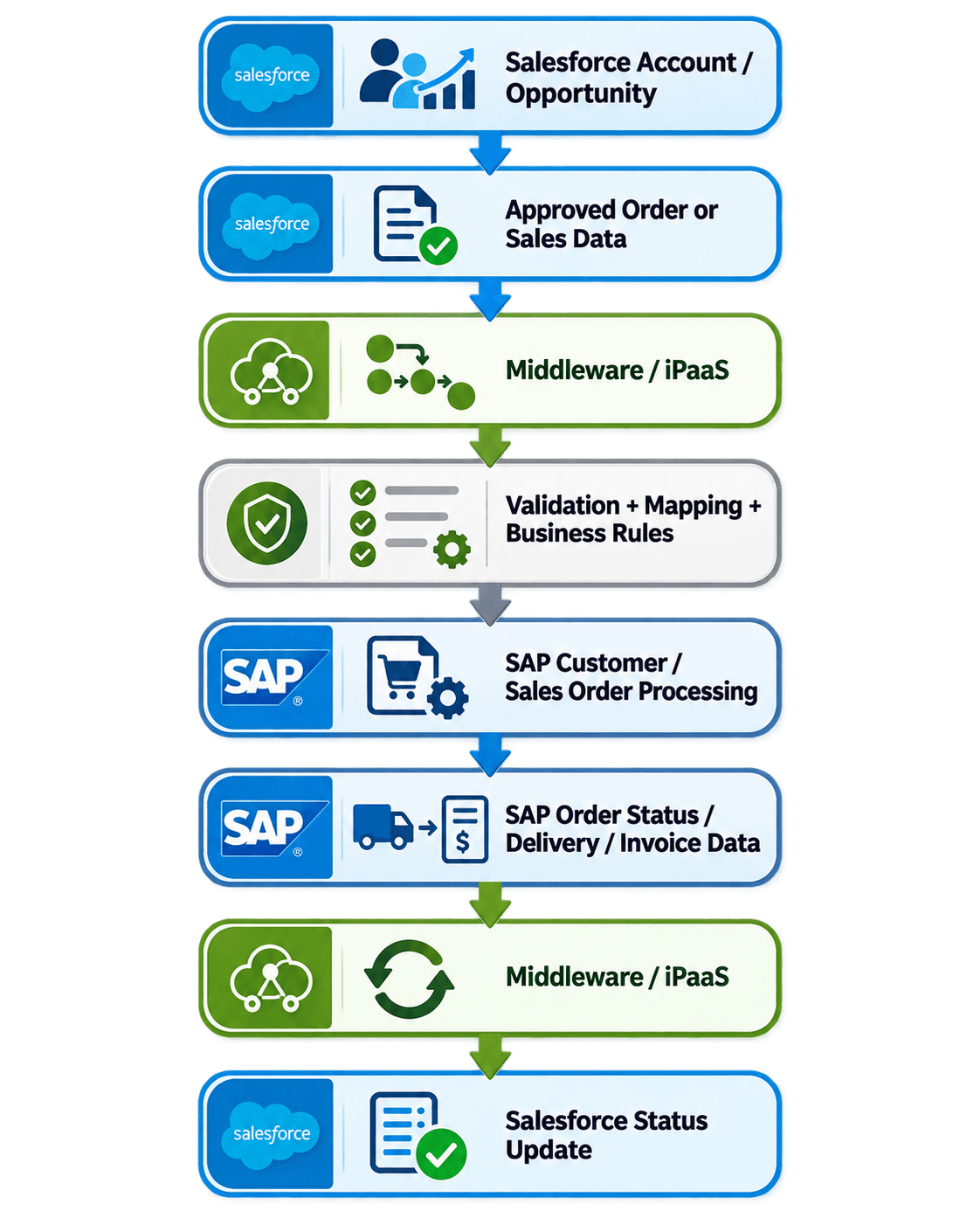
The middleware does more than only pass API messages. It can help with:
Checking required data
Mapping fields
Changing data structure
Applying business rules
Sending data to right system
Retry handling
Error logging
Monitoring
Status updates
A simple architecture can also be shown like this:
 The integration layer works in the middle and keeps most technical logic in one place.
Point-to-Point or Middleware: Which Architecture Is Better?
Direct Salesforce-to-SAP integration can work if the requirement is small. For example, if only one or two objects need to move and the business rules are simple, direct integration may be enough. But problem starts when more flows are added. You may later need:
Customers
Orders
Products
Pricing
Inventory
Invoices
Delivery status
More applications
Then business logic can become spread across Salesforce, SAP and different custom APIs.
A Salesforce SAP middleware or iPaaS setup is more useful when business need:
Two-way data sync
Complex mappings
Many systems
Central monitoring
Reusable workflows
Better error handling
Middleware is not needed in every project. But when integration becomes bigger, it usually makes things more easier to manage.
Where Do Salesforce SAP Integrations Usually Become Difficult?
Most problems are not because API connection is impossible. They happen because business data does not always match. For example, a Salesforce Account may not map directly to one SAP customer record. The same problem can happen with:
Product codes
Prices
Customer numbers
Tax details
Sales organisations
Legal entities
Currency
Order types
Another issue is master-data ownership. If customer name is changed in Salesforce and also changed in SAP, which system should win?
This need to be decided before integration is built. Retries can also create problem. For example, SAP may create the sales order, but the response may fail because of timeout. If integration sends same request again without checking, duplicate order can be created.
Best Practices for a Production Salesforce SAP Integration
1. Decide the Main System for Each Data
Decide which system owns:
Customer
Product
Price
Order
Stock
Finance data
This helps avoid data conflict later.
2. Keep Both Systems Less Dependent on Each Other
Try not to put too much Salesforce-specific logic inside SAP or too much SAP-specific logic inside Salesforce. Keep common mapping and routing logic in the integration layer where possible. This makes future changes more simple.
3. Stop Duplicate Transactions
The integration should know when the same transaction has already been processed. This is especially important for orders. If a retry happens, same order should not get created two times.
4. Separate Business Errors and Technical Errors
Not every error is same. For example:
Wrong customer mapping = business data issue
API timeout = technical issue
Missing product = business setup issue
Connection failure = technical issue
These errors should not always use same retry process.
5. Make Errors Easy to See
The team should be able to see:
What failed
Where it failed
Why it failed
Whether it was retried
Whether someone need to fix it manually
If failed transactions are hidden inside technical logs, Finance or Sales team may not know why an order is delayed.
What Changes for European Salesforce and SAP Environments?
European companies can have more complexity because they may operate in several countries. Different business units may use:
Different currencies
Different VAT rules
Different SAP company codes
Different customer structures
Different legal entities
Different regional systems
This means one global Salesforce-to-SAP flow may not fit every market. The integration should also consider what customer data is really needed and how personal information is handled between systems. For example, one country may need a different tax field or customer identifier than another country. These differences should be planned in mapping rules from beginning.
When Does an Integration Platform Make Sense?
An integration platform becomes more useful when Salesforce and SAP are only part of a bigger setup. The business may also need to connect:
Ecommerce platforms
EDI networks
Logistics systems
APIs
E-invoicing platforms
Trading partners
Other ERP systems
Other CRM systems
Without a common integration layer, every new system may need another direct connection. After some time, this can become difficult to maintain.
A reusable integration layer can help with:
API connections
Data mapping
Transformation
Routing
Workflow automation
EDI
Monitoring
Error handling
This gives IT team one common place to manage data flow instead of checking many separate integrations.
How Can HubBroker Help With Salesforce SAP Integration?
HubBroker can support enterprise integration through ERP integration, API integration, data mapping, workflow automation, EDI and application connectivity. The main goal is to keep Salesforce and SAP connected without putting too much integration logic inside either system. HubBroker can help with:
Salesforce to SAP customer flow
Opportunity and order integration
Product data sync
Pricing updates
Inventory updates
Order status
Delivery information
Data mapping
Error handling
Monitoring
Other connected business systems
This can help Sales, Finance and IT teams work with more consistent information and reduce manual work between CRM and ERP.
Planning a Salesforce SAP integration?
HubBroker can help check your Salesforce, SAP and other system flows and build a more manageable integration setup around your business process.
