
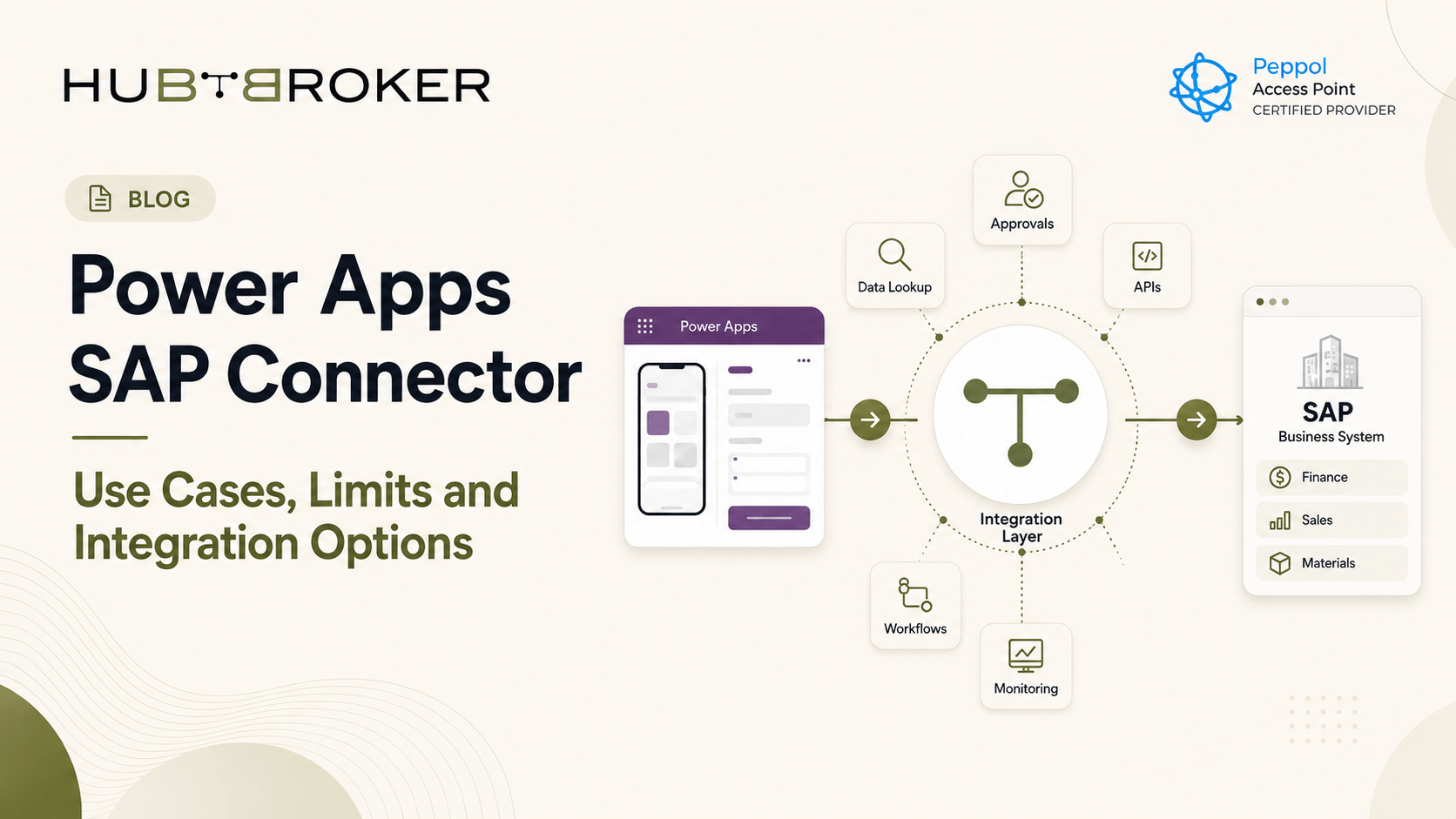
Power Apps SAP Connector: Use Cases, Limits and Integration Options
Building a simple mobile or web app on top of SAP can be much faster than creating another custom SAP application. This is where the Power Apps SAP connector can be useful. Microsoft Power Platform can connect apps and workflows with SAP ECC and SAP S/4HANA. Teams can read data, trigger SAP functions and build simpler processes around existing SAP systems. But direct connection is not always the best setup, especially when workflows become bigger or more systems are involved.
What Is the Power Apps SAP Connector?
Microsoft's SAP ERP connector is a Premium connector available for Power Apps and Power Automate. It can call SAP RFC and BAPI functions through an on-premises data gateway. Microsoft supports SAP ECC and SAP S/4HANA with this approach.
A common setup is:
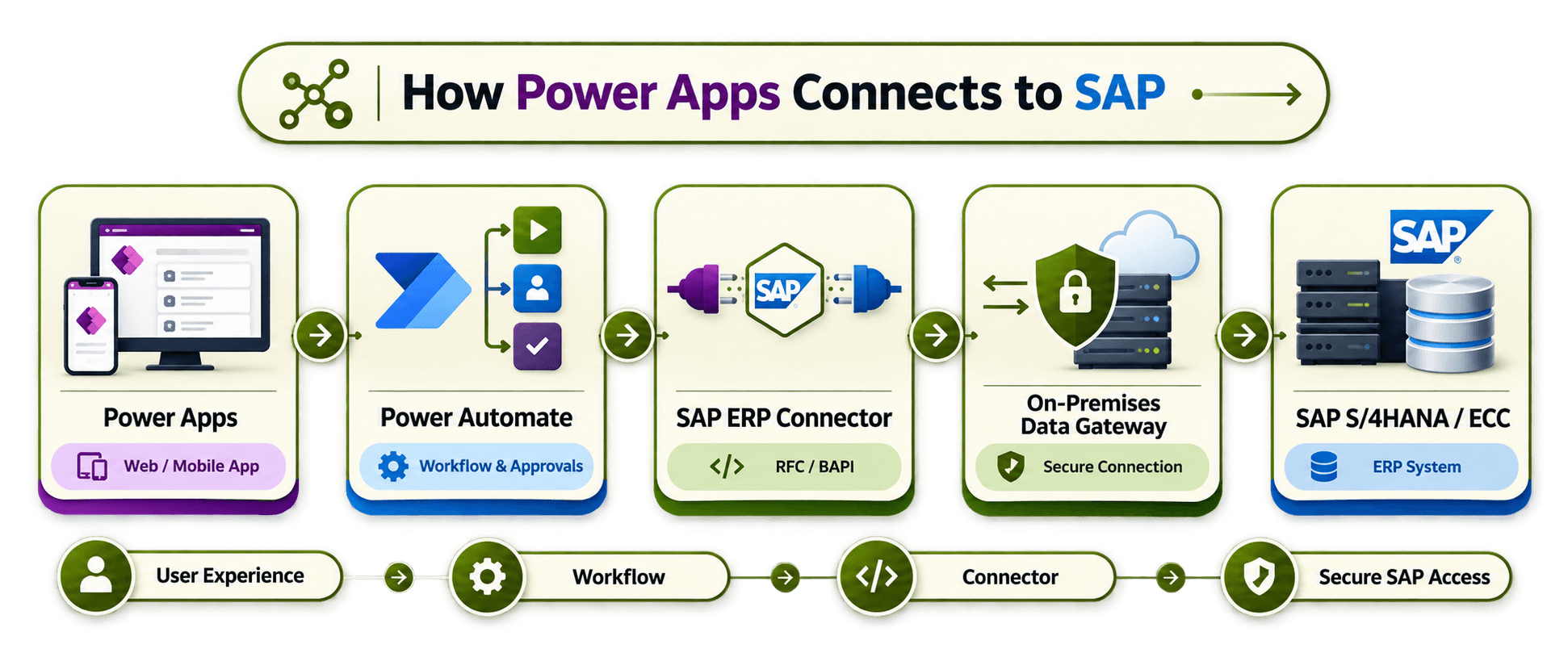
The gateway connects with SAP using the SAP .NET Connector, while SAP's own authorization rules still control what each user can do.
Where Does Power Apps SAP Integration Work Well?
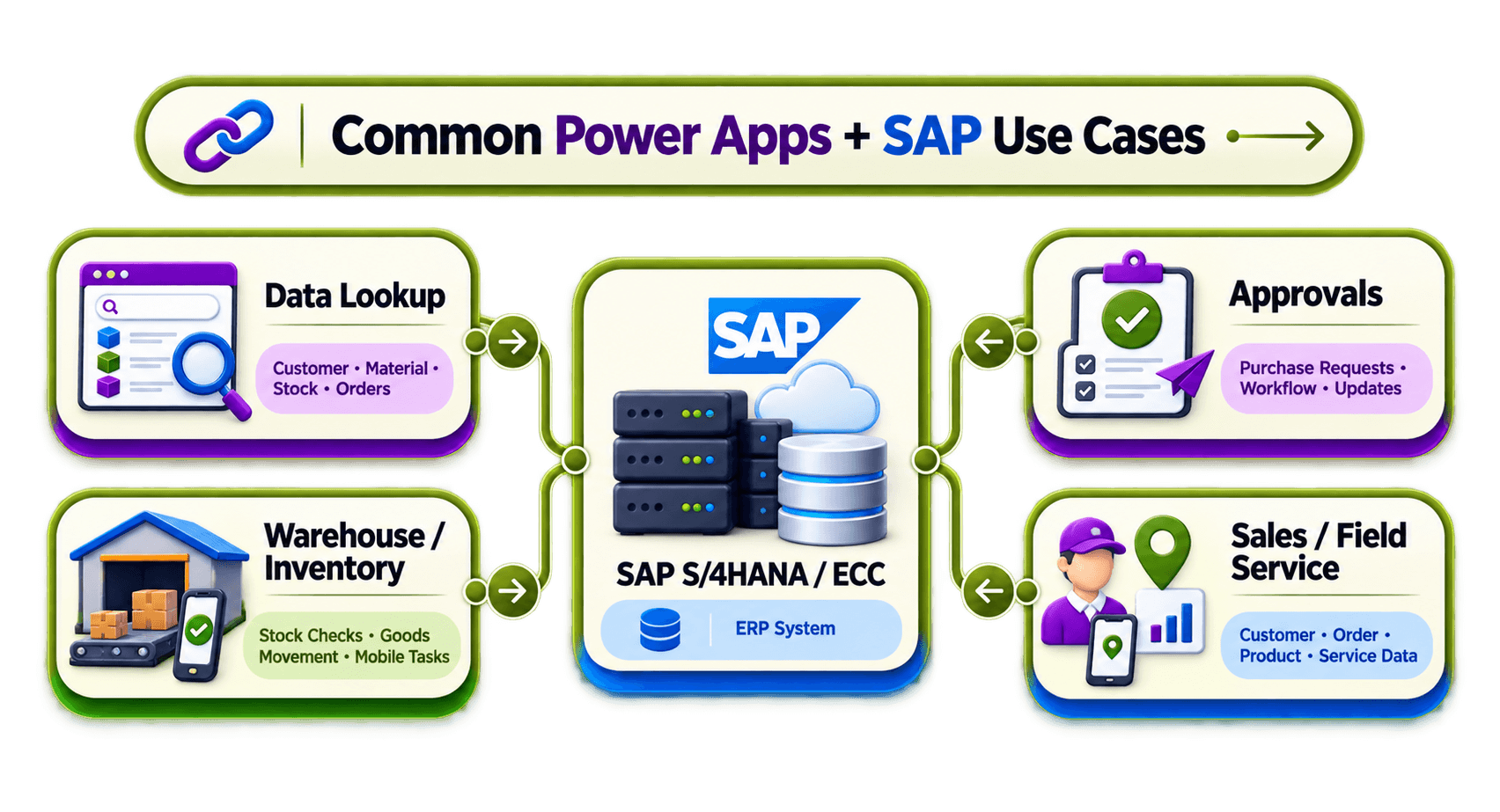
The best use cases are usually when employees need a simple interface for a specific SAP process.
SAP Data Lookup Apps
A Power App can show selected SAP information such as:
Customer or supplier details
Material information
Stock availability
Purchase-order data
Sales-order status
Instead of going through many SAP screens, users can get a simple app made around one task.
➡ Approval and Purchasing Workflows
Power Apps and Power Automate can work together for purchase requests, approvals and SAP updates.
➡ Power App → Approval Workflow → SAP
This can be useful when users only need to take part in one SAP process and do not need to work directly inside SAP GUI.
➡ Warehouse and Field Apps
Mobile Power Apps can also support warehouse, maintenance, field-service or sales teams who need some SAP information while working away from desktop.
What Are the Limits of the Power Apps SAP Connector?
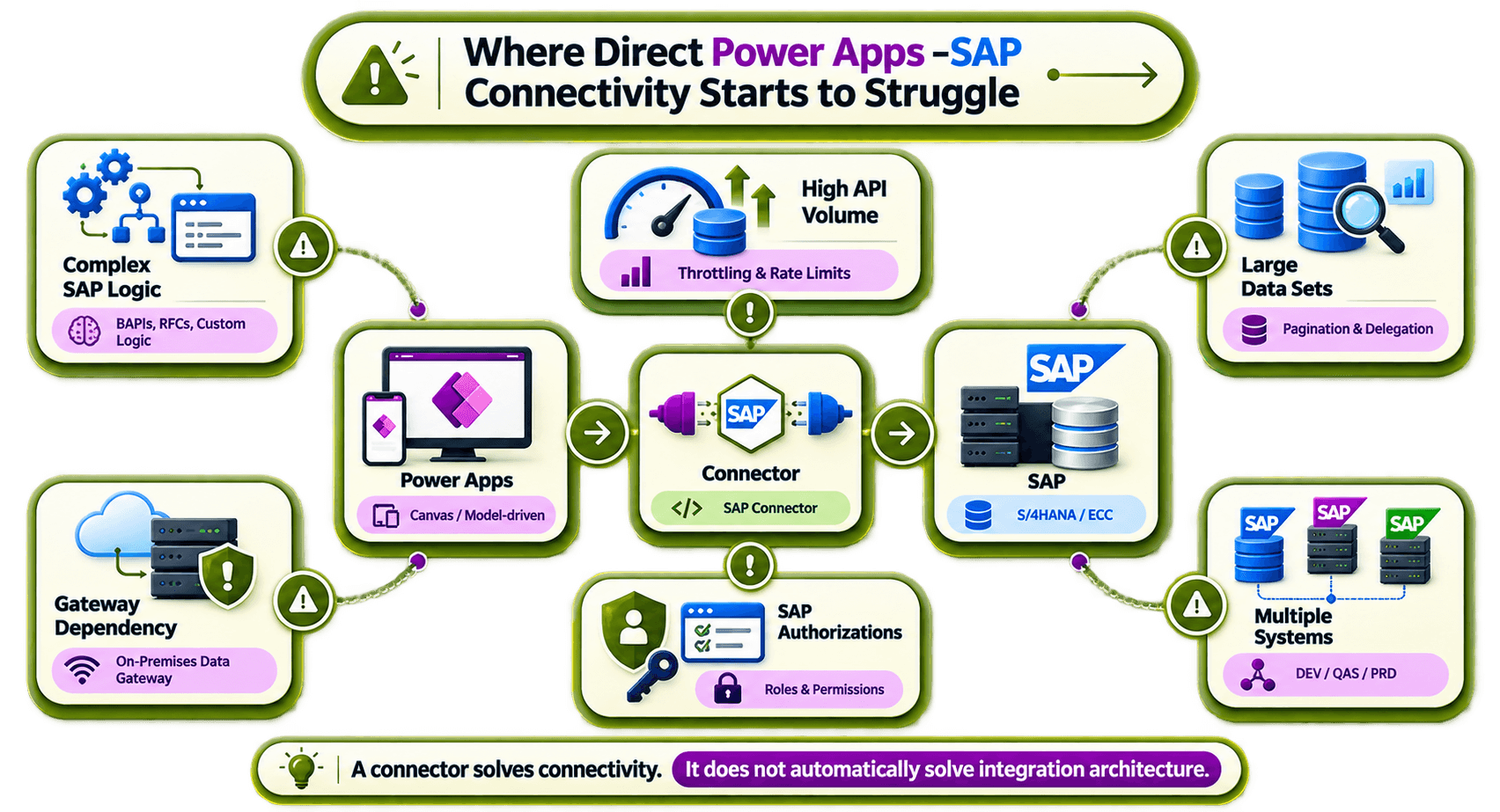
The connector can do a lot, but the full architecture still need to be planned properly.
1] Complex SAP Business Logic
A simple RFC or BAPI call is not same as a process with many SAP transactions, validations, retries and dependent systems. If too much logic is put directly inside the app, the solution can become harder to maintain later.
2] Gateway and SAP Dependencies
RFC/BAPI connection needs an on-premises data gateway and SAP .NET Connector components. SAP users also need the right RFC, BAPI or other function-module permissions.
3] Connection and Platform Limits
Microsoft currently documents a connector throttling limit of 2,500 API calls per connection every 60 seconds, and dynamic schemas support up to 1,024 properties. Connections are also not shareable, so users of a shared Power App may need their own SAP connection. These limits do not mean the connector is not useful. But they should be checked when building apps with high activity or large amount of data.
What Are the Main Power Apps SAP Integration Options?
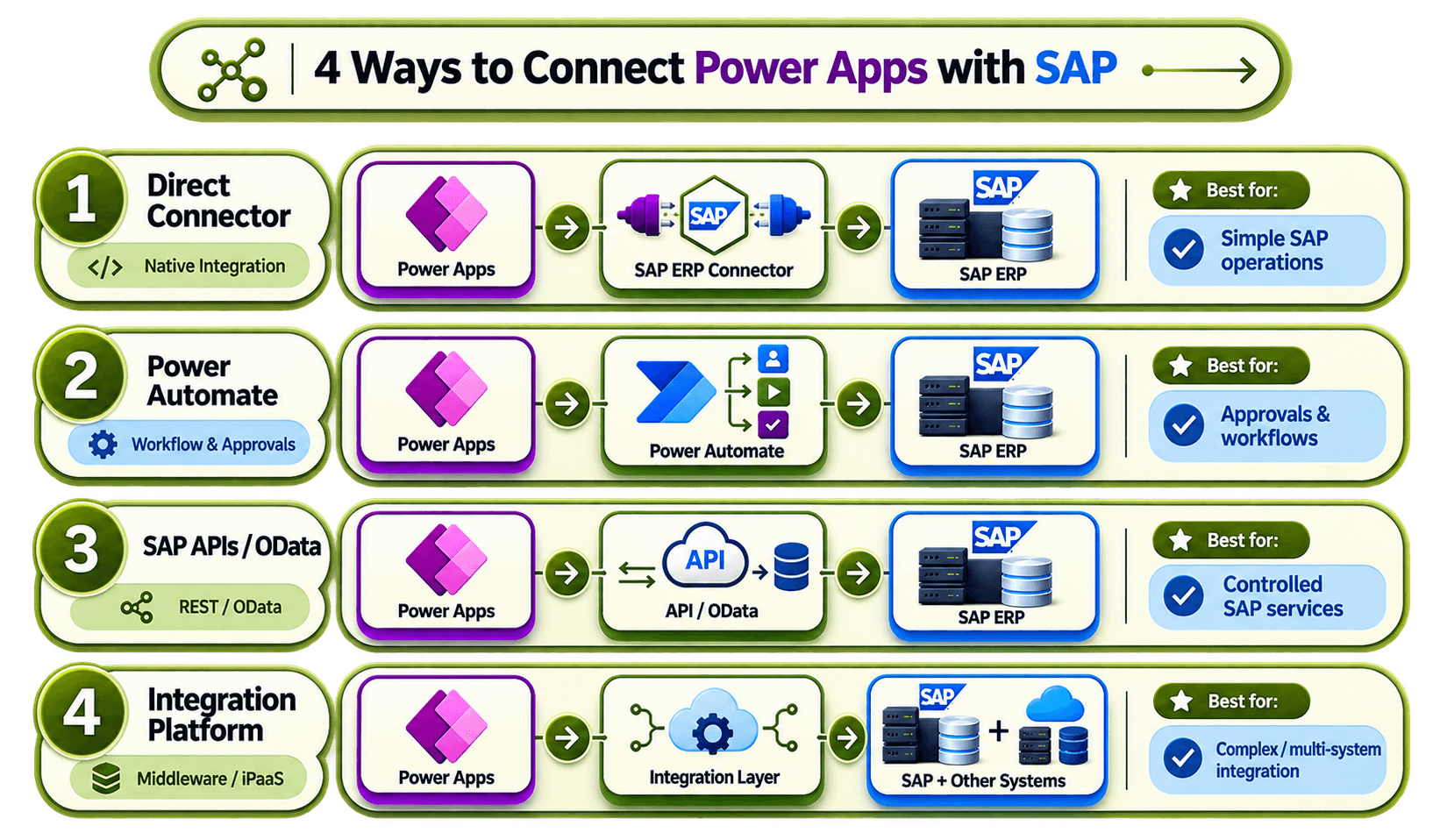
There are few different ways to connect Power Apps with SAP. Microsoft also supports SAP OData connection, including create, read, update and delete operations when the required SAP OData services are available.
When Should You Add an Integration Layer?
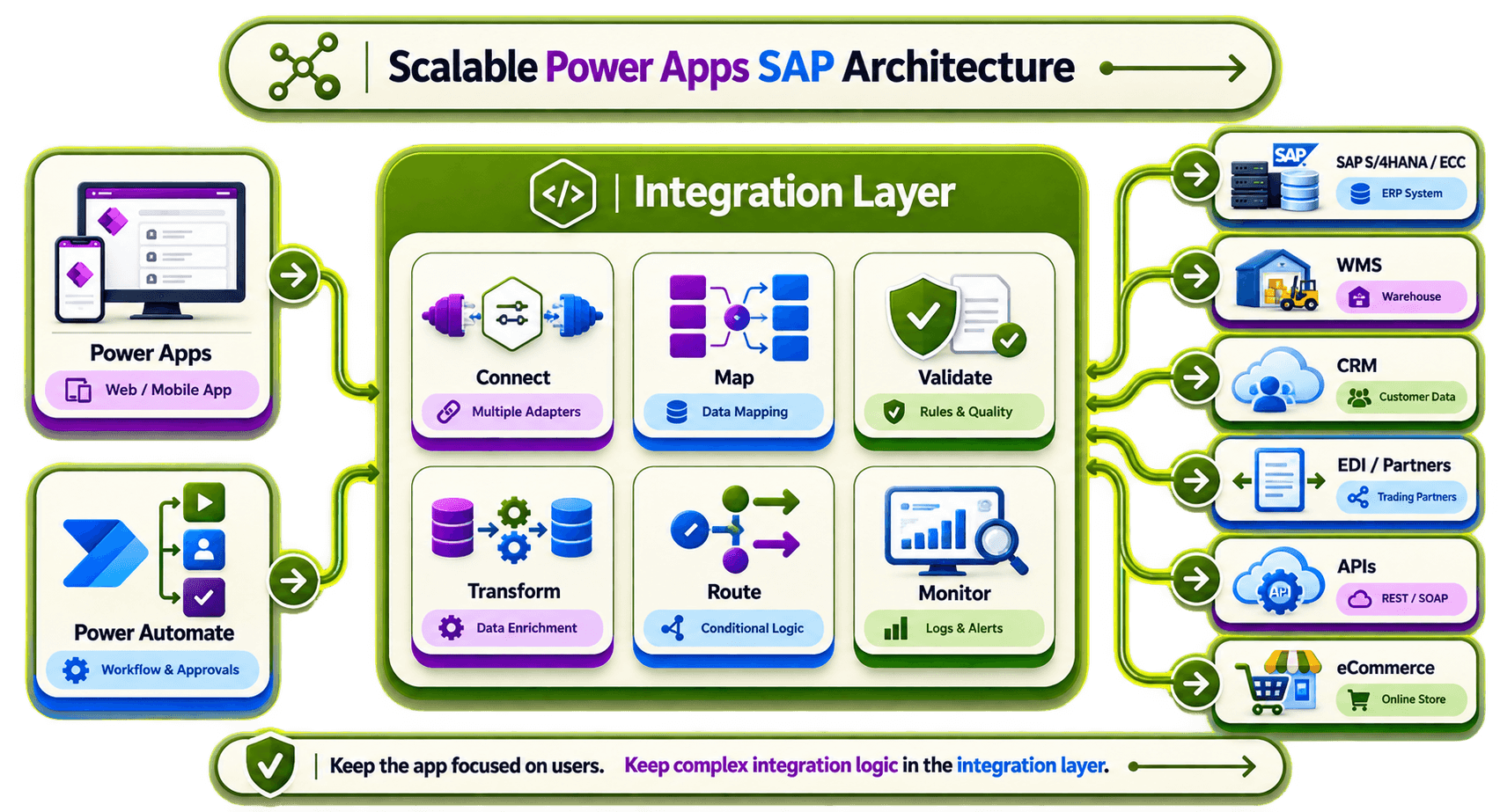
A direct Power Apps SAP connector setup can work well when one app is doing only a small number of SAP operations. An integration platform becomes more useful when the setup starts looking like this:
Power Apps → Integration Layer → SAP + WMS + CRM + EDI + APIs
The middle layer can handle:
Mapping → Validation → Transformation → Routing → Monitoring
This keeps Power Apps focused on the user side instead of making the app handle all the system integration logic.
How to Choose the Right Architecture
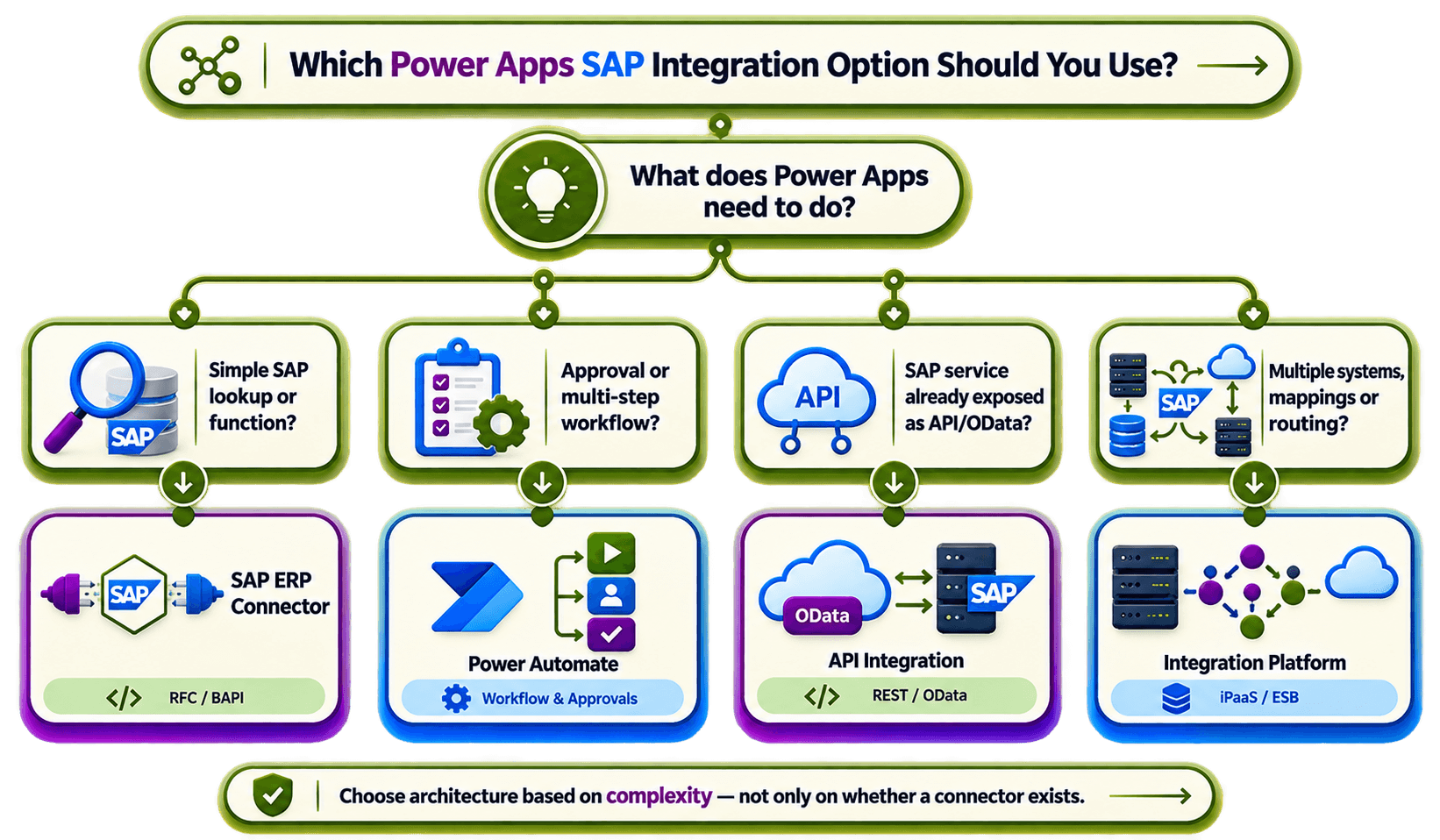
Use the simplest setup that can support the business process properly.
Simple SAP lookup or function: SAP ERP connector
Approval or workflow: Power Apps + Power Automate
SAP service already available through API/OData: API-based integration
Multiple systems, transformations or complex routing: Integration platform
It is also good to involve SAP Basis and security teams early. SAP permissions, gateway setup, authentication and licensing can affect the architecture just as much as the Power App itself.
How HubBroker Can Support Power Apps and SAP Integration
When Power Apps need to exchange data with SAP and other business systems, HubBroker can work as the integration layer between the app and those systems. HubBroker's iPaaS documentation describes capabilities such as validation, format transformation, enrichment, routing, transaction monitoring and troubleshooting across connected systems and trading partners.
A typical setup can be:
Power Apps → HubBroker Integration Layer → SAP / APIs / EDI / Other Business Systems
This can help keep SAP connection reusable when more apps and workflows are added later.
FAQ About the Power Apps SAP Connector
1] Can Power Apps connect directly to SAP?
Yes. Microsoft's SAP ERP connector is available for Power Apps, although many setups use Power Automate between Power Apps and SAP.
2] Does it work with SAP S/4HANA?
Yes. Microsoft documents support for SAP ECC and SAP S/4HANA.
3] Can Power Apps read and write SAP data?
Yes, if the SAP interface being used supports that operation and the SAP user has the required permission.
4] Do I always need middleware?
No. For a small number of simple SAP interactions, the standard connector can be enough.
5] When does middleware make sense?
Middleware becomes more useful when one Power App need to work with several systems, formats, partners or more complex workflows.
Connect Power Apps to SAP Without Creating Another Integration Bottleneck
The best Power Apps SAP setup is not always the one with the fewest parts. It is the one where each system has a clear job. Use Power Apps for the user experience, SAP for main business processing, and an integration layer when mapping, routing and multi-system workflows become more complex.
If your Power Apps project needs to connect SAP with APIs, EDI, warehouses or other business applications,
HubBroker can help design the integration flow and automate the data exchange behind the app.
