
How to Choose EInvoicing Software in France for B2B Compliance
A supplier sends an invoice to your company, but the accounts team cannot load it into the accounting system. The PDF looks normal, yet French e-invoicing rules require more than an email attachment for covered transactions. Choosing France einvoicing software means looking at what your team actually needs to do each day. Some businesses mainly need to receive invoices. Others must issue them, report certain sales, or connect the whole process to an ERP. Checking these needs first can prevent an expensive software mistake.
What Must French B2B Invoicing Software Handle in 2026?
Since 1 September 2026, businesses covered by the French VAT reform must be able to receive electronic invoices through an approved platform. Large companies and intermediate-sized enterprises must also issue electronic invoices for covered transactions. Small and medium-sized businesses, including microenterprises, begin mandatory issuing on 1 September 2027.
The dates make a difference when buying software. A small company may need to fix how supplier invoices arrive now, even though its outgoing process has more time to change. A group with several French entities might face different duties across those companies. Check company size, VAT activities, customers, and transaction types before deciding what is essential. Remember that e-invoicing and e-reporting are not the same task. Certain sales require transaction or payment reporting rather than the standard domestic B2B invoice route. Your software should deal with the duties that actually apply.
Approved Platform or Compatible Software: Which Do You Need?
France uses platforms approved by the tax administration, called plateformes agréées. They manage regulated invoice exchange and send required information. Your existing accounting software or ERP may still create invoices and handle daily work, provided it connects to an approved platform for the required functions.
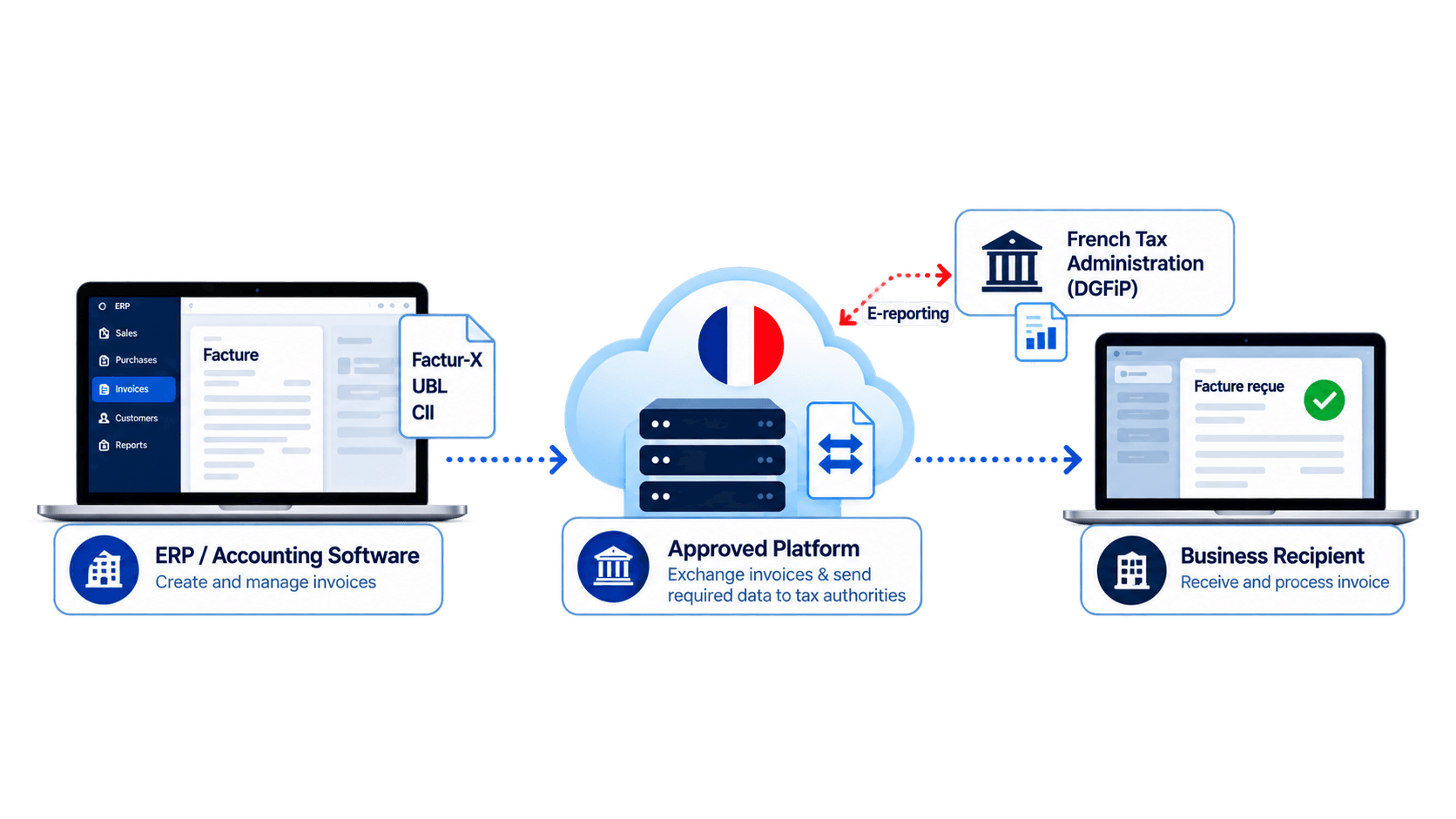
So replacing your ERP is not necessarily the answer. Ask which approved platform your software connects to, who maintains that link, and what happens when an invoice cannot pass through it. These details matter more than a general claim that the product is ready for France. Businesses with consumer or international sales should also ask about applicable electronic transaction and payment reporting. An accountant can help identify which information needs reporting and when. Otherwise, staff might still be preparing separate files by hand. Before signing, check the French tax administration's official list and confirm the platform's registration status. Software described as compatible is not automatically an approved platform itself.
How to Select France E-Invoicing Software in Seven Steps
Use real invoices from your business when speaking with providers. Include finance, IT, and purchasing staff so different problems are noticed.
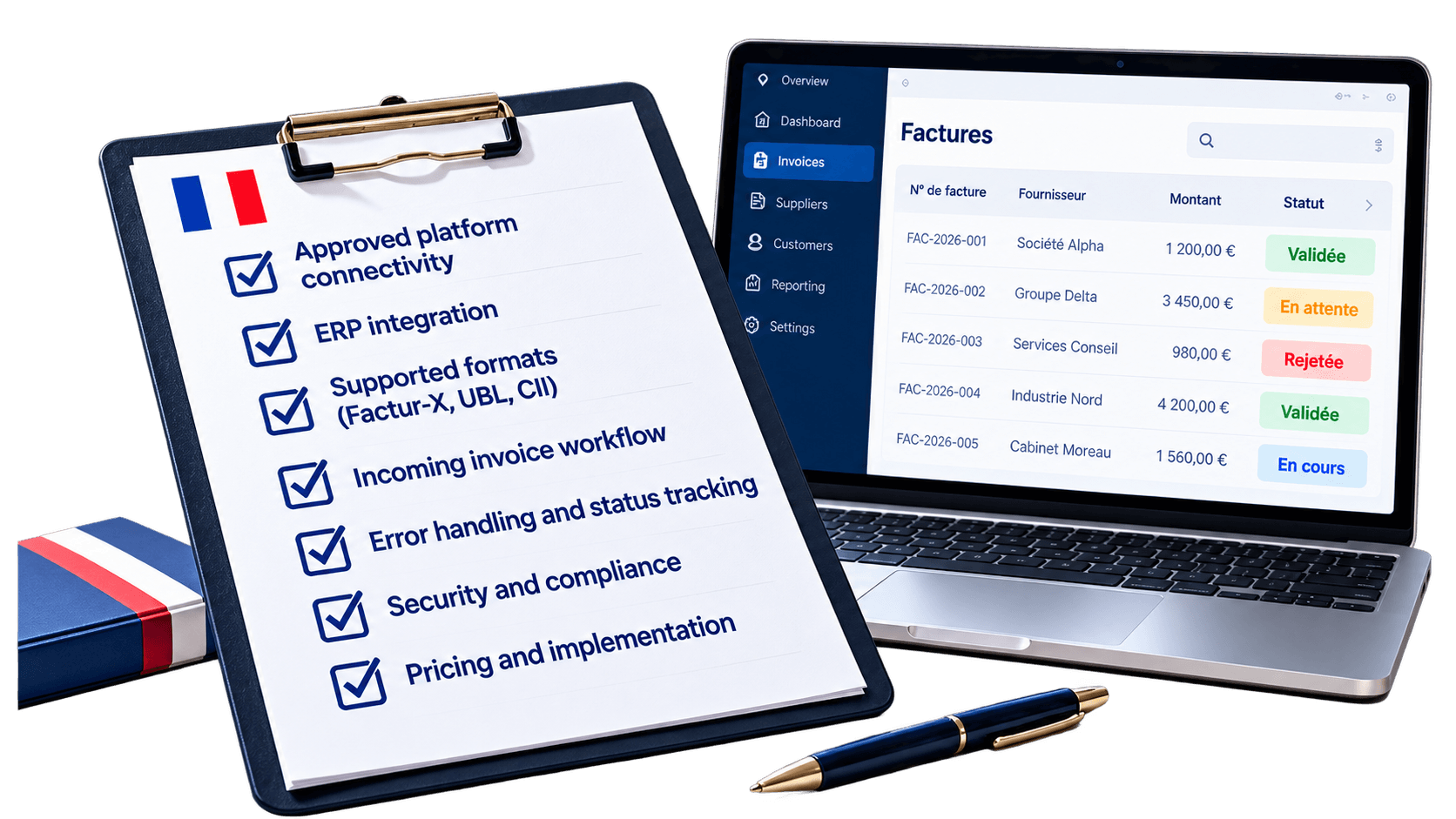
Step 1: Define your duties. List French entities, VAT activities, invoice volumes, and the dates for receiving and issuing.
Step 2: Verify the platform. Identify the approved platform and check its official registration status.
Step 3: Check ERP connections. Follow customer details, tax amounts, and invoice totals as they move between systems.
Step 4: Test invoice formats. Ask about Factur-X, UBL, CII, and formats used by your customers or suppliers.
Step 5: Try incoming invoices. See how accounts payable receives, approves, matches, and finds supplier documents.
Step 6: Create errors. Test missing identifiers, rejected files, corrected invoices, and returned status messages.
Step 7: Compare total costs. Include setup, document volumes, support, maintenance, security, and later updates.
Which Features Make Invoice Processing Easier?
A system can meet technical rules while still being awkward for employees. A demonstration should show how someone corrects a problem, not only how quickly a normal invoice moves.
Feature | Why it helps | Ask the provider |
|---|---|---|
Format support | Handles different documents | Which formats work? |
ERP connection | Reduces repeated typing | Does data sync automatically? |
Invoice status | Makes follow-up clearer | Can we see failures? |
Data checks | Catches missing details | Which fields are checked? |
Access controls | Protects invoice records | Who can change data? |
Reporting support | Covers relevant reporting | Which cases are included? |
Customer support | Helps resolve problems | Who handles urgent errors? |
Ask the provider to trace one invoice from creation to its final status. Then repeat with a rejected document. Watch whether your finance team can understand the response and fix the issue without chasing several support teams.
What Should You Confirm Before Signing a Contract?
Get written answers about platform responsibilities, supported transactions, storage, service availability, and cancellation terms. Can you export your invoice records if you change providers? Ask to test that with a sample file. Also find out who pays when French technical requirements change.
Companies running several ERP systems should review their connections before rollout. HubBroker's integration and document mapping services can help examine invoice data, existing workflows, and links to electronic document services. Confirm the specific French approved-platform connection and supported functions during technical discussions. Choose software that fits the way your team works, not just a convincing sales presentation.
