
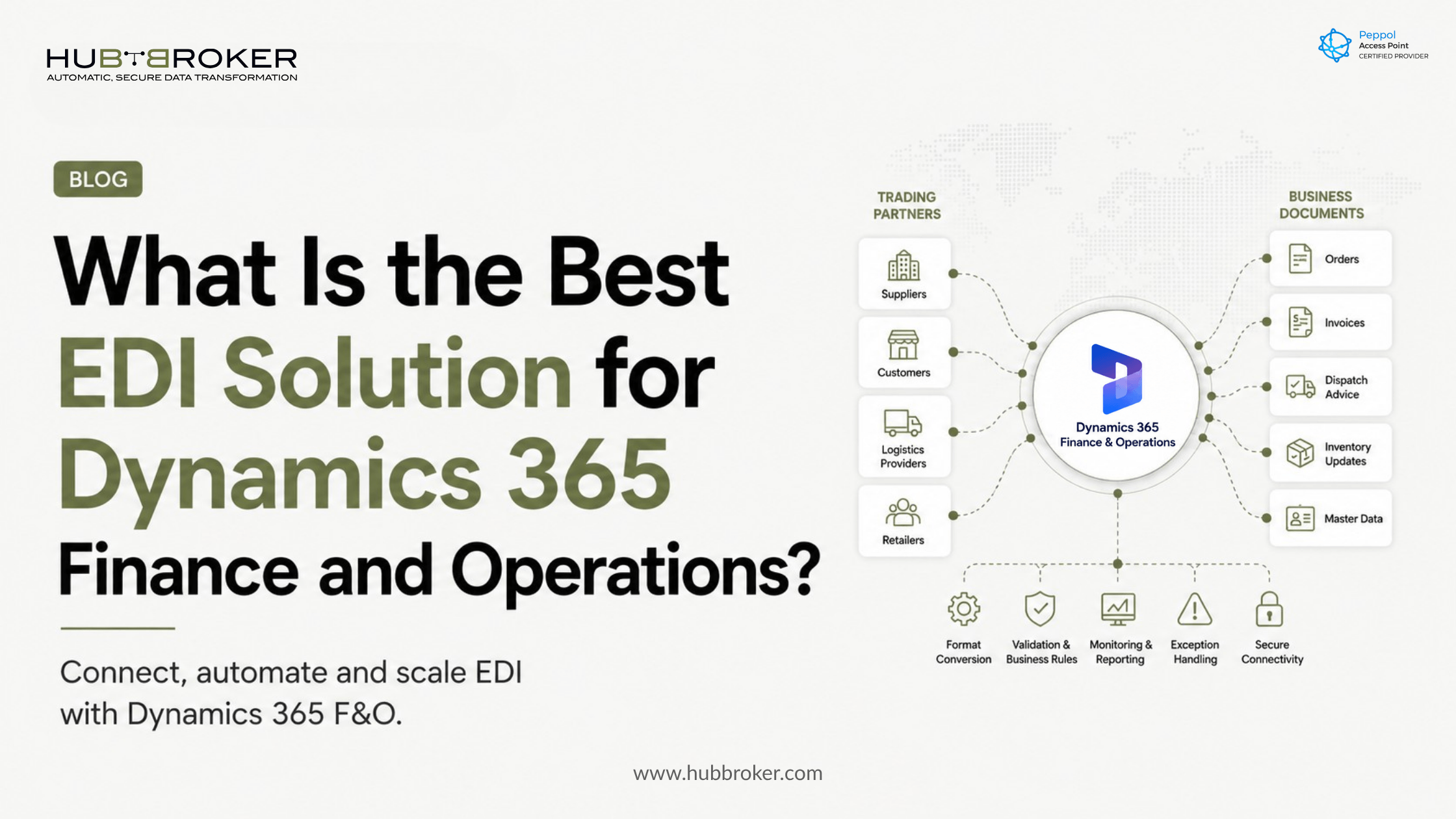
What is the best edi solution for dynamics 365 finance and operations
Customer orders are arriving through supplier portals, email attachments, spreadsheets and partner-specific EDI connections. Your finance and operations teams must correct or re-enter that information before Dynamics 365 can process it.
When asking what is the best EDI solution for Dynamics 365 Finance and Operations, focus on more than basic connectivity. The right solution must keep orders, invoices, dispatch information and inventory updates moving when partners use different formats and business rules.
What Is the Best EDI Solution for Dynamics 365 Finance and Operations?
The best EDI solution is an integration layer that connects Dynamics 365 Finance and Supply Chain Management with customers, suppliers, retailers and logistics providers without creating a separate custom connection for every partner.
A suitable Microsoft D365 F&O EDI integration should support the document flows your business actually uses. These may include:
Purchase orders
Sales orders
Order confirmations
Invoices and credit notes
Dispatch advice and delivery documents
Inventory and product updates
Customer, supplier and item master data
The integration layer must translate external formats into the structures expected by Dynamics 365. It should also convert outbound ERP data into EDIFACT, X12, XML, JSON or the partner-specific format requested by the recipient.
The provider should be evaluated on mapping, validation, monitoring, partner onboarding and ongoing support—not only on whether it can transfer a file.
Why Is a Basic Dynamics 365 Connector Often Not Enough?
Dynamics 365 manages financial, purchasing, sales, manufacturing and supply-chain processes. It does not remove the differences between every customer’s or supplier’s EDI requirements.
One retailer may request an EDIFACT order through AS2, while another sends an XML file over SFTP. Each partner can also use different identifiers, field requirements, code lists and validation rules.
A basic point-to-point connector may solve the first connection. However, maintaining separate logic for every new partner can create an expanding collection of mappings, scripts and support dependencies.
An ERP EDI integration platform provides a controlled layer between Dynamics 365 and the external partner network. The ERP can remain focused on internal business processing while the integration platform handles communication methods, format conversion and partner-specific requirements.
Microsoft also provides electronic invoicing capabilities that exchange financial data and processing results with Dynamics 365 Finance and Supply Chain Management. However, the appropriate architecture depends on the document types, countries, channels and trading-partner requirements involved.
Which Capabilities Should You Compare?
Do not choose a provider based only on a connector being listed as available. Ask how the complete transaction will be controlled from receipt to final ERP processing.
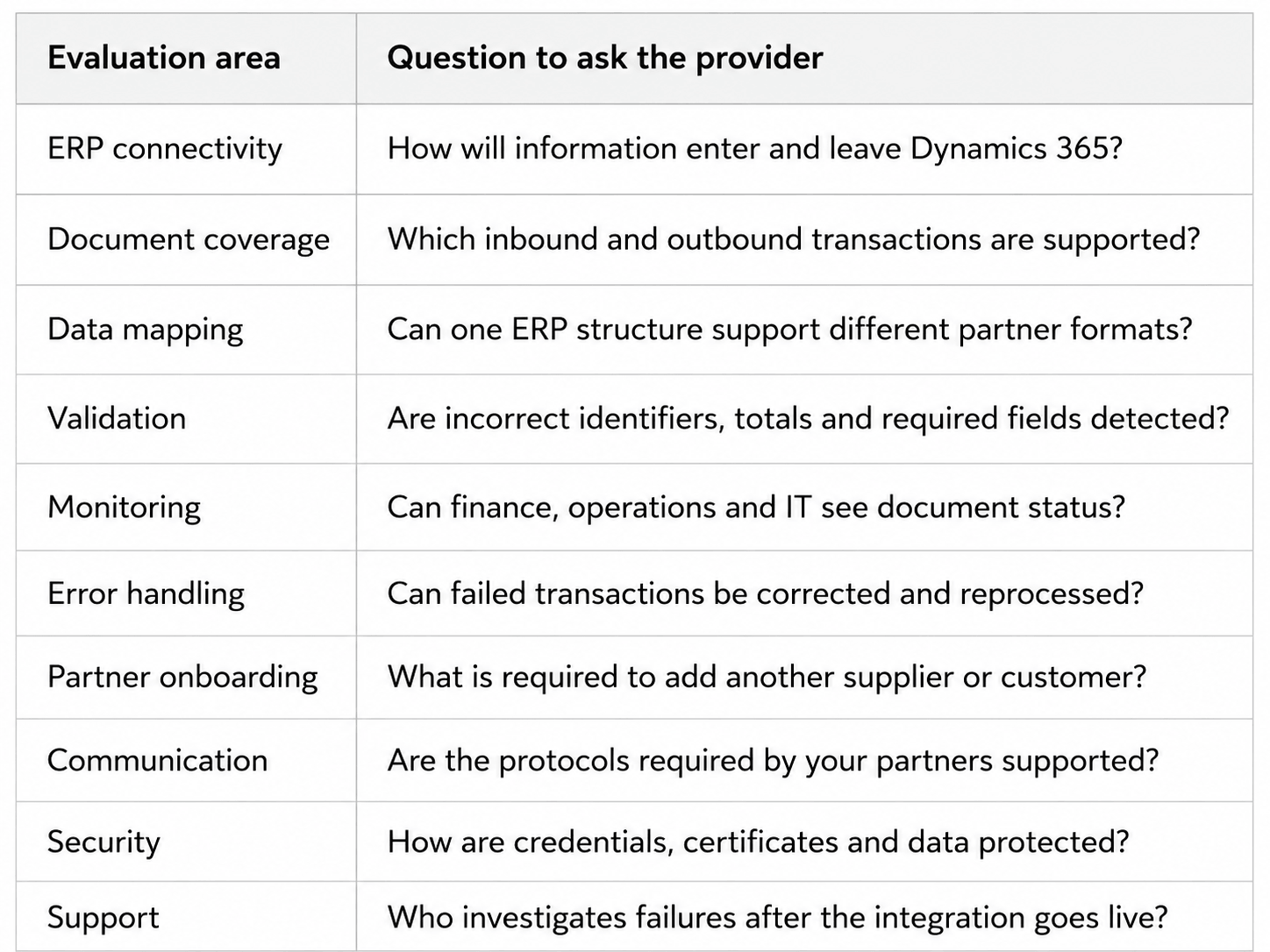
Ask the provider to demonstrate an unsuccessful transaction as well as a successful one. You need to understand what happens when an item number is unknown, an address is incomplete, a unit code is invalid or an invoice total does not match.
What Does This Mean for Your ERP and Existing Systems?
A Dynamics 365 F&O EDI project should not require replacing your ERP, warehouse system, customer portal or existing business applications.
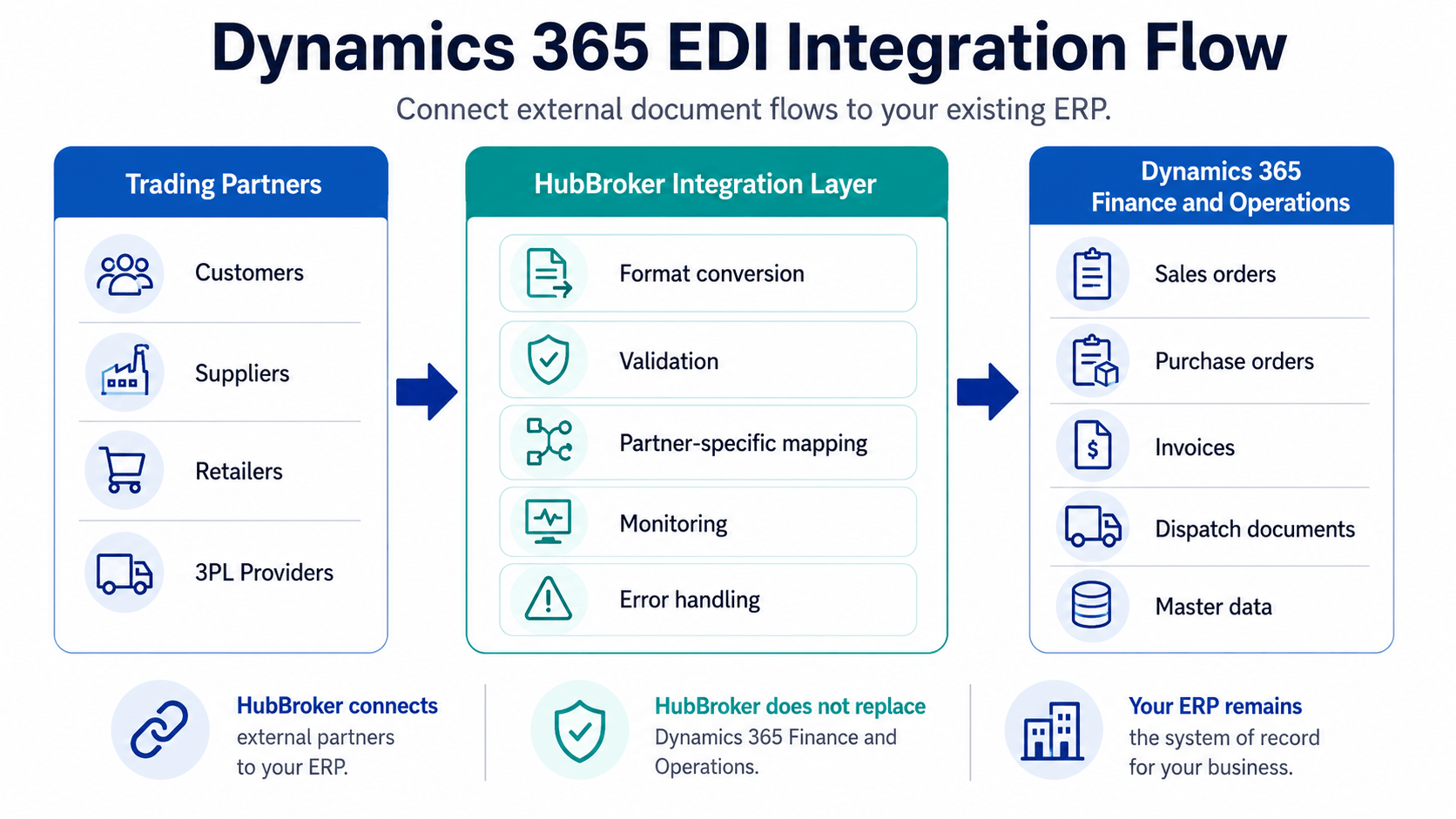
HubBroker works as an integration layer around the systems you already run. A typical document flow can operate as follows:
A customer or supplier sends a business document.
HubBroker receives it through the required channel.
The data is translated into the format expected by Dynamics 365.
Structural and business-rule validations are applied.
The approved information is delivered to the relevant ERP process.
Responses from Dynamics 365 are converted and returned to the partner.
Failed transactions are recorded for investigation and reprocessing.
This approach keeps Dynamics 365 as the central business system while allowing external partners to continue using their own formats and communication methods.
The same integration layer can also support related ERP API integration, Peppol, e-invoicing, PDF-to-XML and intelligent document processing workflows. This can reduce the need to maintain separate tools for structured and unstructured document exchange. HubBroker presents EDI, API, Peppol and IDP connectivity as capabilities within its integration platform.
How Should You Test an EDI Solution Before Committing?
Begin with a focused proof of concept rather than trying to connect every partner and document at once.
Select one trading partner and one important inbound or outbound flow. For example, test an incoming purchase order and the corresponding outbound order confirmation.
Use representative Dynamics 365 records, including real field structures, item identifiers, customer references and units of measure. The test should include both valid and deliberately incorrect documents.
Confirm:
Whether the document is processed without manual re-entry
How validation errors are reported
Which team receives the notification
Whether the document can be corrected and resubmitted
How the processing status is returned to Dynamics 365
Whether logs provide enough information for investigation
How much configuration is required for a second partner
A successful format conversion is only one part of the test. The provider must also demonstrate how the integration behaves when real operational data is incomplete or incorrect.
When Is HubBroker a Suitable D365 F&O EDI Option?
HubBroker may be suitable when your business needs to connect Dynamics 365 with multiple customers, suppliers, retailers, 3PL providers or other external systems.
Its D365 F&O integration page describes an implementation process covering requirement review, ERP setup, mapping, partner configuration, data transformation, testing, deployment and ongoing monitoring. It also identifies sales orders, purchase orders, invoices, dispatch documents and master data among the supported integration areas.
The final fit depends on:
Your Dynamics 365 configuration
Required document types
Trading-partner formats
Communication protocols
Transaction volumes
Validation requirements
Internal support responsibilities
Country-specific e-invoicing obligations
For more background, read Microsoft Dynamics 365 EDI: Stop Manual Order and Invoice Work and How EDI Integration Helps ERP Systems Work Faster, Cleaner, and Smarter.
Choose Based on the Complete Document Flow
The best EDI solution is not necessarily the connector with the longest feature list. It is the solution that can reliably manage your actual Dynamics 365 transactions, trading-partner differences and exception scenarios without forcing teams to rebuild documents manually.
Map one real Dynamics 365 document flow with HubBroker to evaluate how partner data, validation failures and ERP updates would be handled before selecting your EDI approach.
