
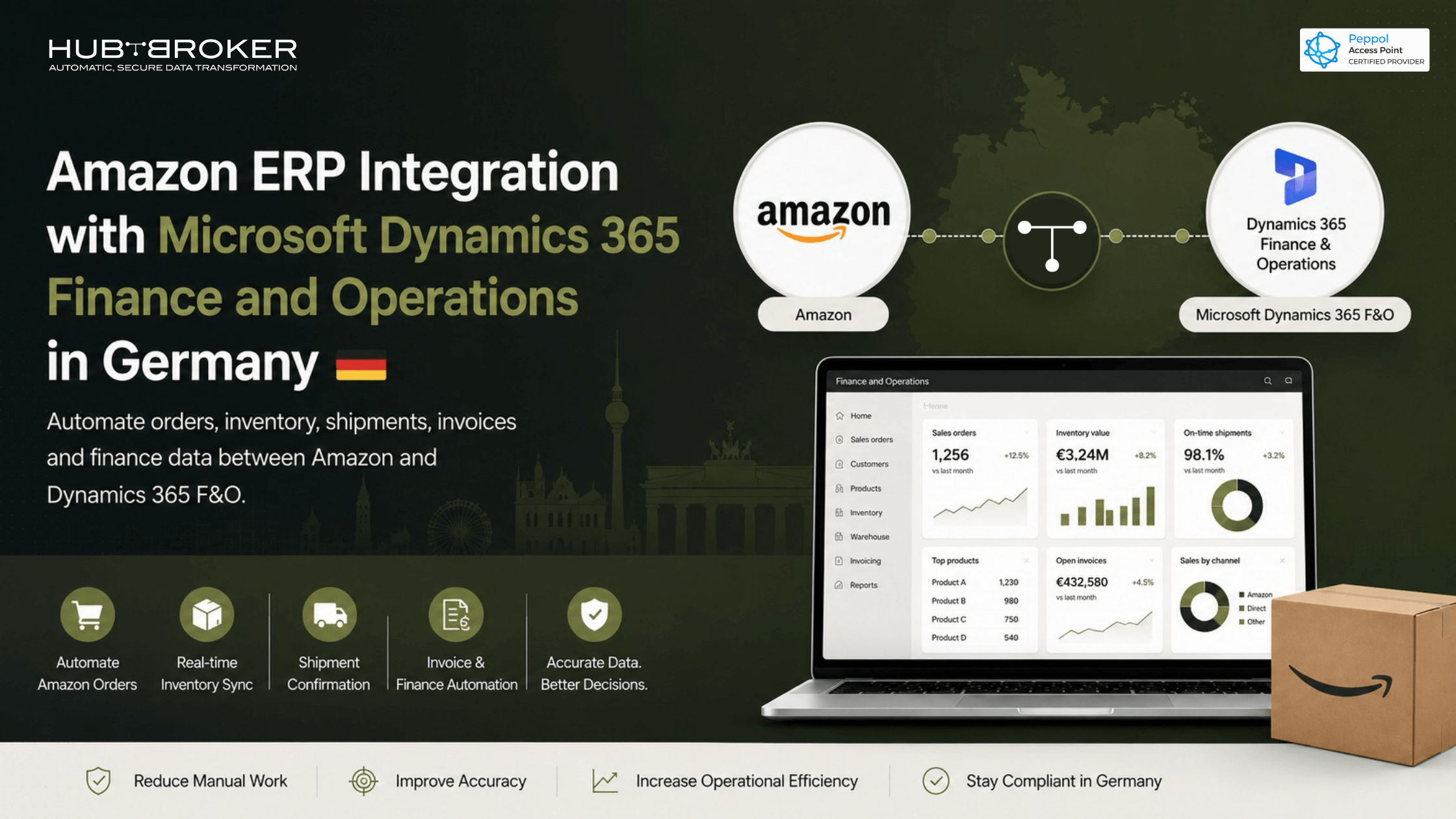
Amazon ERP Integration with Microsoft Dynamics 365 Finance and Operations in Germany
Selling on Amazon Germany can move fast. But if your back office is still manual, your ERP can quickly become the slowest part of the business.
Orders come in through Amazon Seller Central. Stock sits in Microsoft Dynamics 365 Finance and Operations. Shipment updates need to go back to Amazon. Finance teams need clean invoice, VAT, and settlement data. When these steps depend on downloads, copy-paste work, and spreadsheets, errors become common.
That is why Amazon ERP integration in Germany matters. It connects Amazon with Dynamics 365 F&O so orders, inventory, shipments, invoices, and finance data move automatically.
Why German Amazon Sellers Need ERP Integration
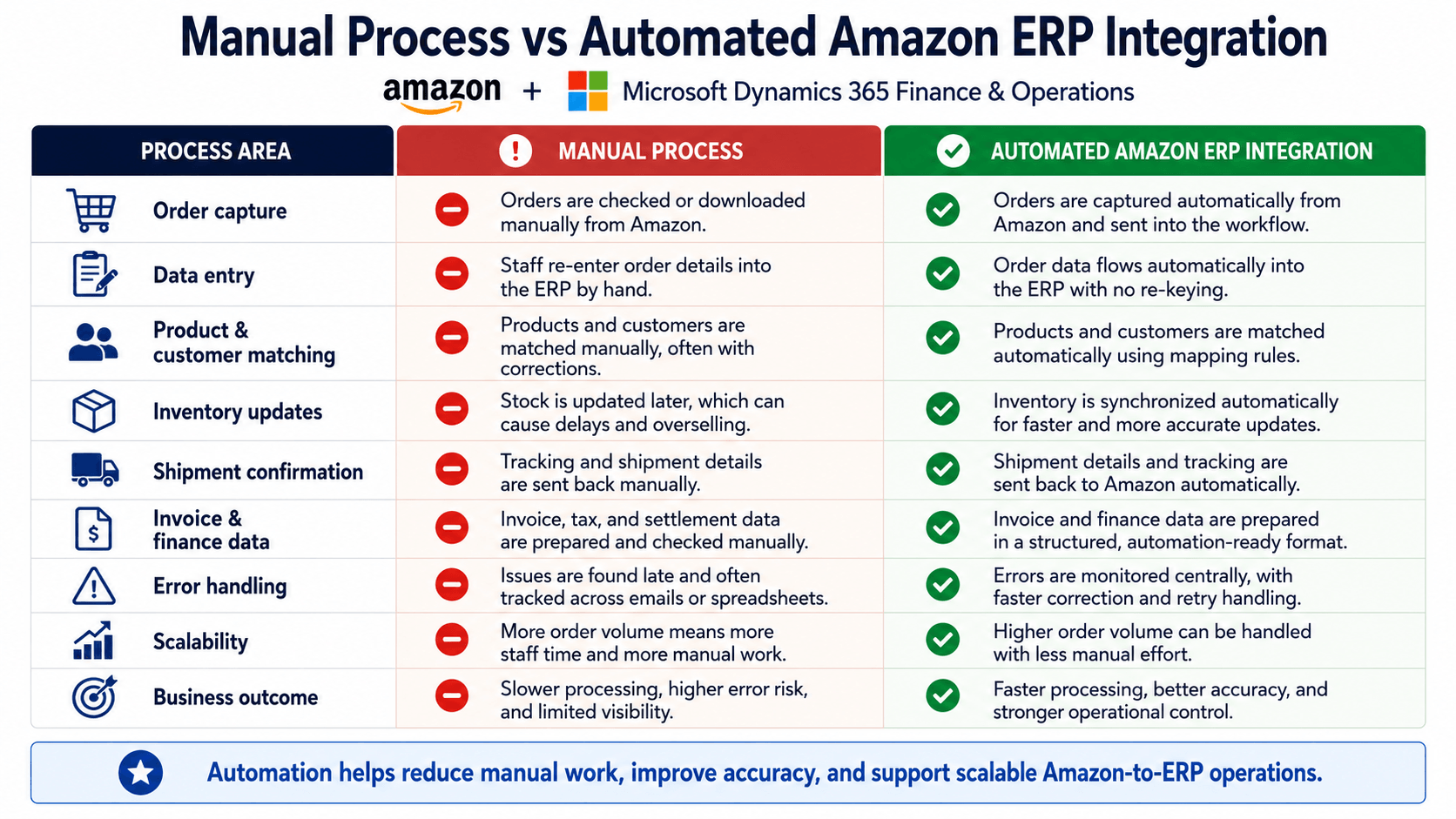
Amazon helps sellers grow, but more orders also mean more back-office pressure. A small team may handle a few orders manually. When order volume increases, manual work becomes slow and risky.
Common issues include:
Manual order entry from Amazon Seller Central
Stock mismatches between Amazon and Dynamics 365 F&O
Delayed shipment confirmations
Overselling because inventory is not updated on time
Manual invoice and settlement checks
No clear view of failed transactions
For German businesses, invoice readiness is also important. From 1 January 2025, Germany’s B2B e-invoicing rules changed. A simple PDF is no longer treated as a structured e-invoice. Businesses need invoice data that can support electronic processing, including XRechnung and ZUGFeRD.
What Amazon to Dynamics 365 F&O Integration Does
Amazon ERP integration moves marketplace data into Microsoft Dynamics 365 Finance and Operations without manual typing.
A simple flow can look like this:
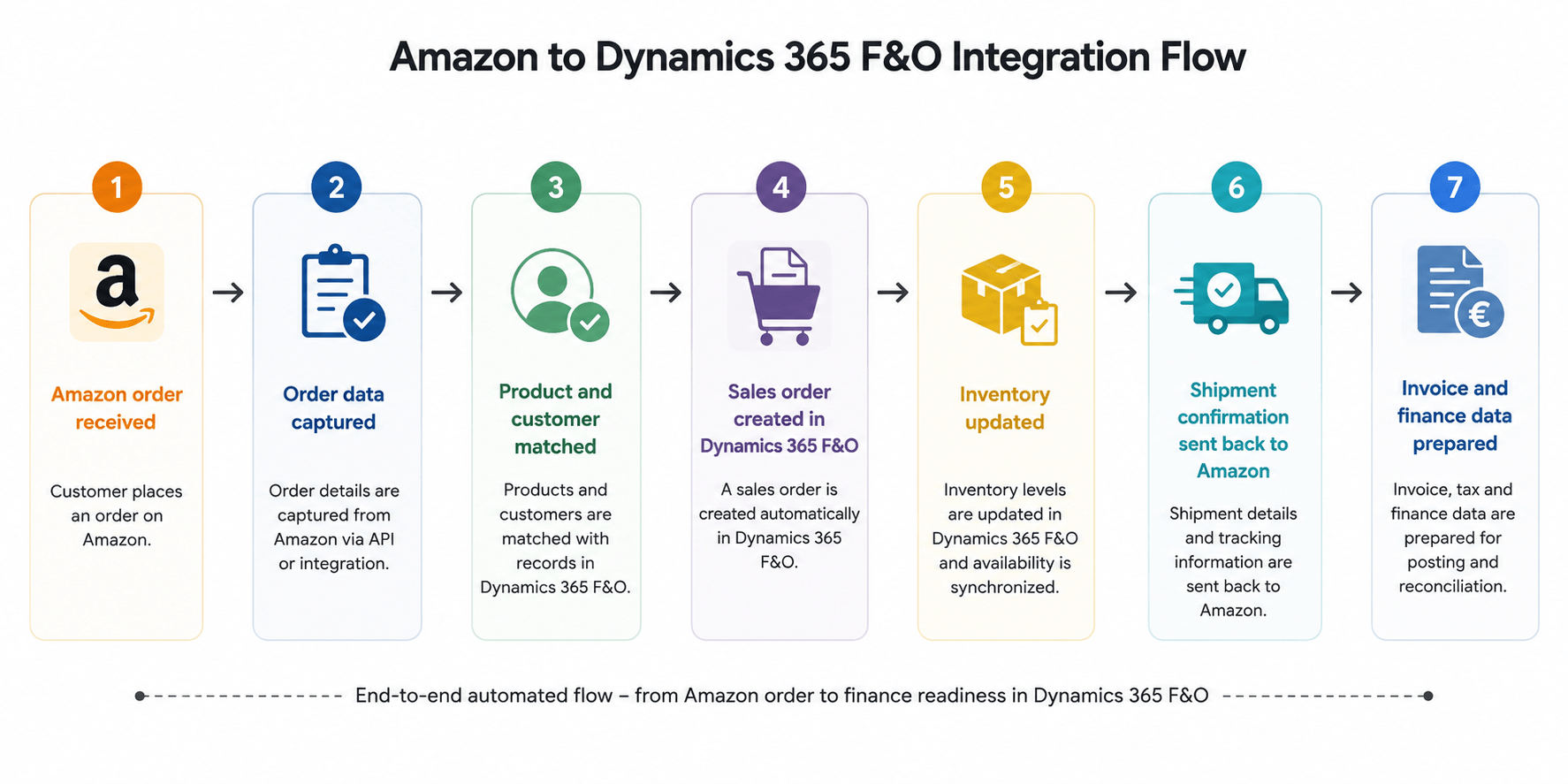
This helps your team save time, reduce errors, and keep Amazon and the ERP aligned. For businesses handling multiple systems, an iPaaS platform can make this connection easier to manage.
Key Data That Should Be Automated
A useful Amazon Dynamics 365 F&O integration should support the full order-to-finance process.
Order Data
Amazon order ID, order date, SKU, quantity, price, tax value, delivery details, and order status should move into Dynamics 365 F&O automatically.
Product and Customer Mapping
Amazon SKUs should match the correct product records in Dynamics 365 F&O. Customer and delivery details should also be mapped correctly based on Amazon data.
Inventory and Shipment Updates
Inventory sync helps prevent overselling. When stock changes in Dynamics 365 F&O, Amazon should receive updated availability. After fulfilment, shipment status, tracking number, and carrier details can be sent back to Amazon.
Invoice and Finance Data
Finance teams need clean data for invoices, VAT, Amazon fees, settlements, and reconciliation. Integration helps prepare this data in a structured way. This also supports wider e-invoicing automation needs for growing businesses.
Germany-Specific Considerations
German Amazon sellers may deal with B2C orders, B2B customers, VAT details, credit notes, marketplace fees, and settlement reports. If this information is handled manually, finance teams spend too much time checking and correcting data.
Amazon ERP integration helps create a cleaner base for invoice automation, VAT handling, and financial reporting. If your business also works with structured invoice exchange, Peppol Access Point services can support compliant document routing and electronic invoice exchange.
What a Good Integration Should Include
A strong Amazon Dynamics 365 F&O integration should include:
Automated Amazon order import
SKU, product, and customer mapping
Inventory synchronization
Sales order creation in Dynamics 365 F&O
Shipment confirmation back to Amazon
Invoice and VAT data preparation
Finance and settlement data support
Error dashboard and transaction history
Retry and correction workflow
Support for API, XML, EDI, and ERP processes
For businesses working with suppliers, partners, and different document formats, EDI integration can also help automate structured business data exchange.
How HubBroker Helps
HubBroker helps connect marketplace, ERP, EDI, XML, API, and e-invoicing workflows into one automated process.
For Amazon sellers using Microsoft Dynamics 365 Finance and Operations in Germany, HubBroker can help with Amazon order automation, inventory and shipment data flow, invoice and finance workflow automation, structured data handling, monitoring, and error handling.
If your team is preparing for structured invoice workflows, this can connect with e-invoicing automation, Peppol, EDI, and ERP integration from one platform.
FAQ
Can Amazon be integrated with Microsoft Dynamics 365 Finance and Operations?
Yes. Amazon can be connected with Dynamics 365 F&O to automate orders, inventory, shipments, invoices, and finance data.
What data can be automated?
Amazon orders, SKUs, quantities, delivery information, stock levels, shipment status, invoice data, tax data, and settlement information.
Ready to Connect Amazon with Dynamics 365 F&O?
Manual Amazon order handling may look manageable today, but it can slow growth tomorrow.
If your German Amazon business uses Microsoft Dynamics 365 Finance and Operations, now is the right time to connect your marketplace, ERP, inventory, shipment, and invoice workflows.
Contact HubBroker to discuss your Amazon ERP integration project.
