
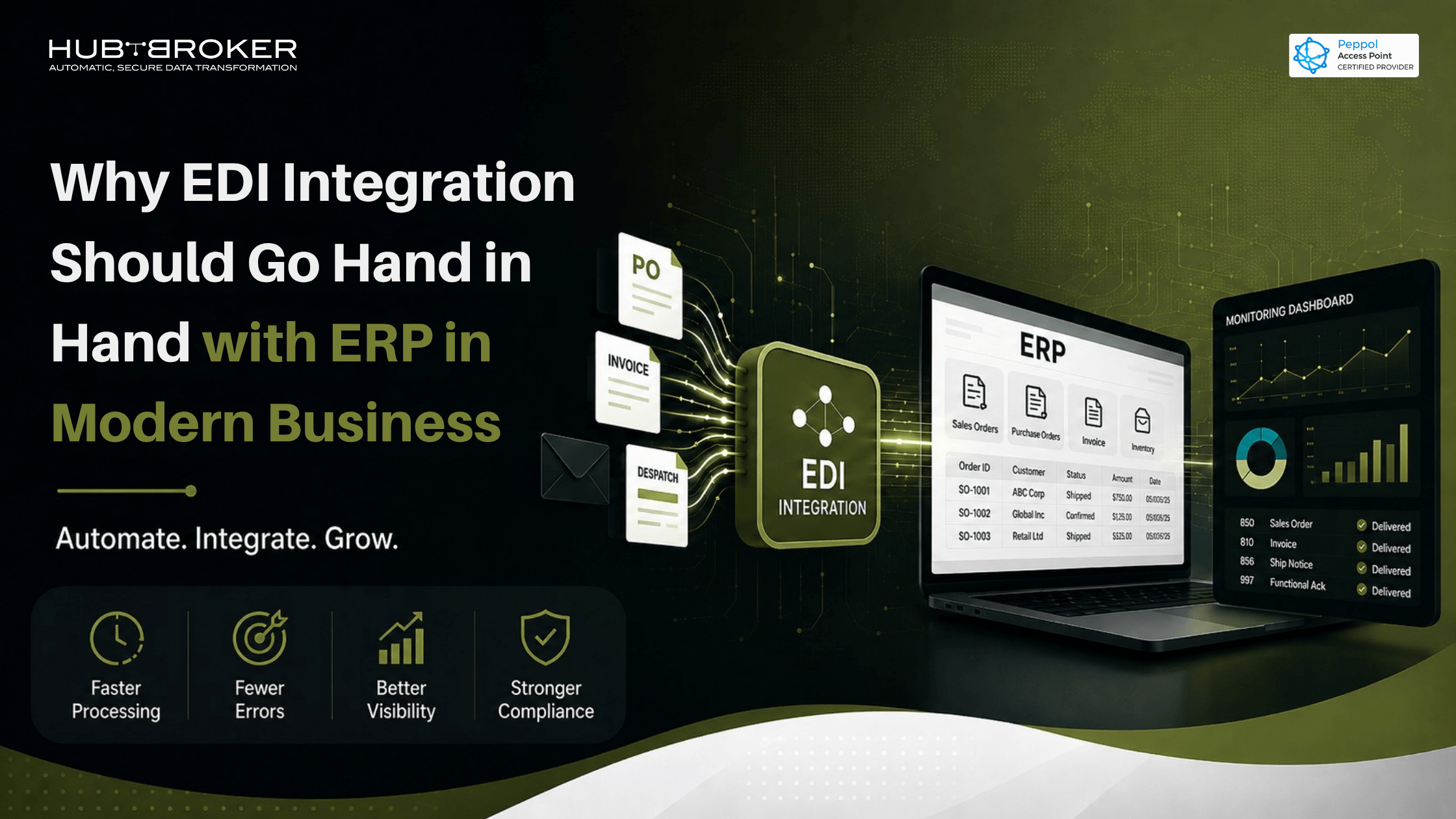
Why EDI Integration Should Go Hand in Hand with ERP in Modern Business
Your ERP may be powerful, but it cannot fix a broken document flow by itself.
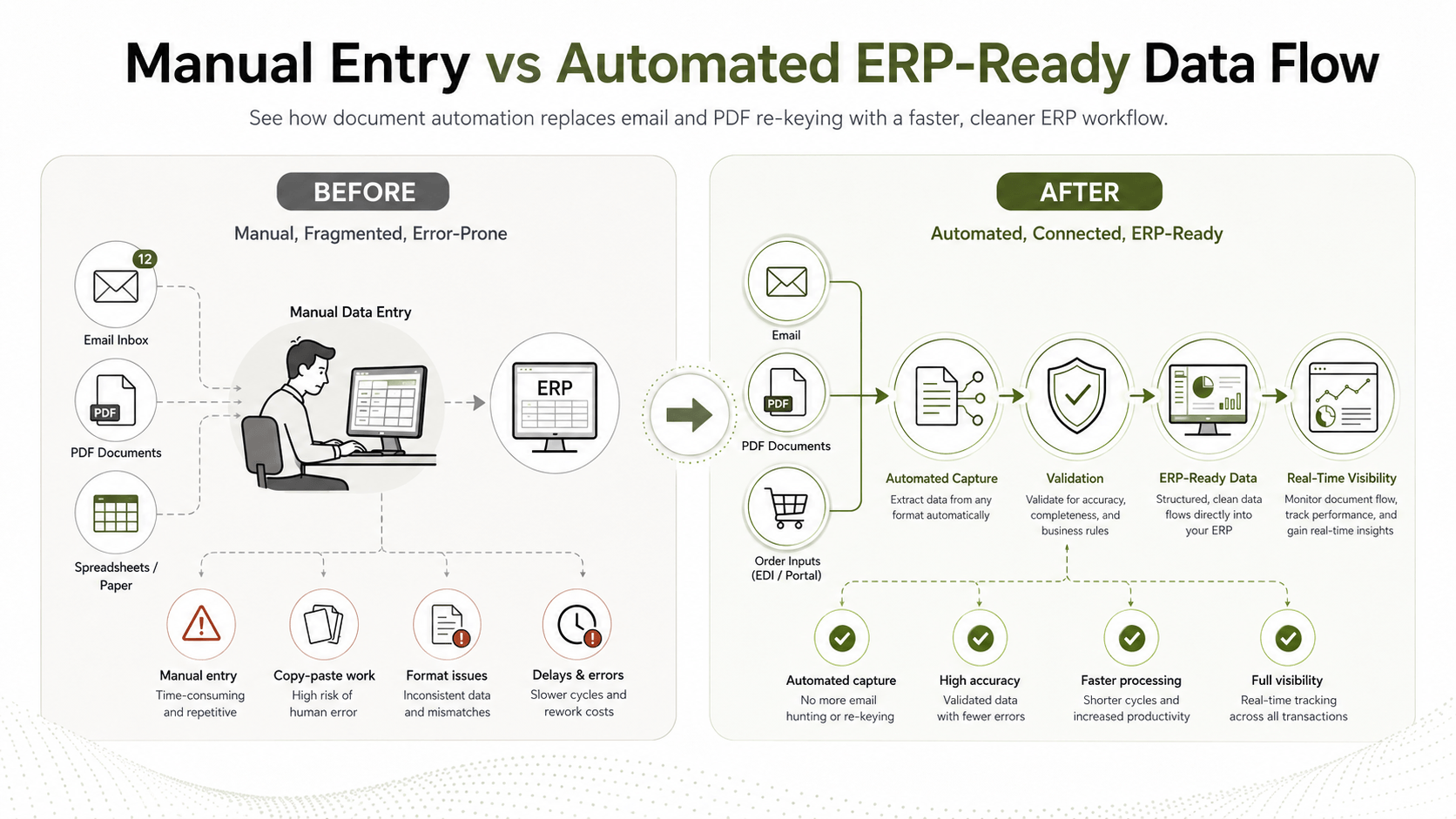
Many businesses invest in ERP systems to manage finance, orders, inventory, purchasing, and operations. But behind the scenes, teams still copy data from emails, PDFs, spreadsheets, supplier portals, and customer documents into the ERP manually.
That is where the problem starts.
An ERP helps you manage your business. EDI integration with ERP helps business data move in and out of that system automatically, accurately, and in the right format.
For modern companies working with suppliers, customers, retailers, logistics partners, marketplaces, and finance teams, ERP and EDI should not be treated as separate projects. They work best together.
What Is EDI Integration with ERP?
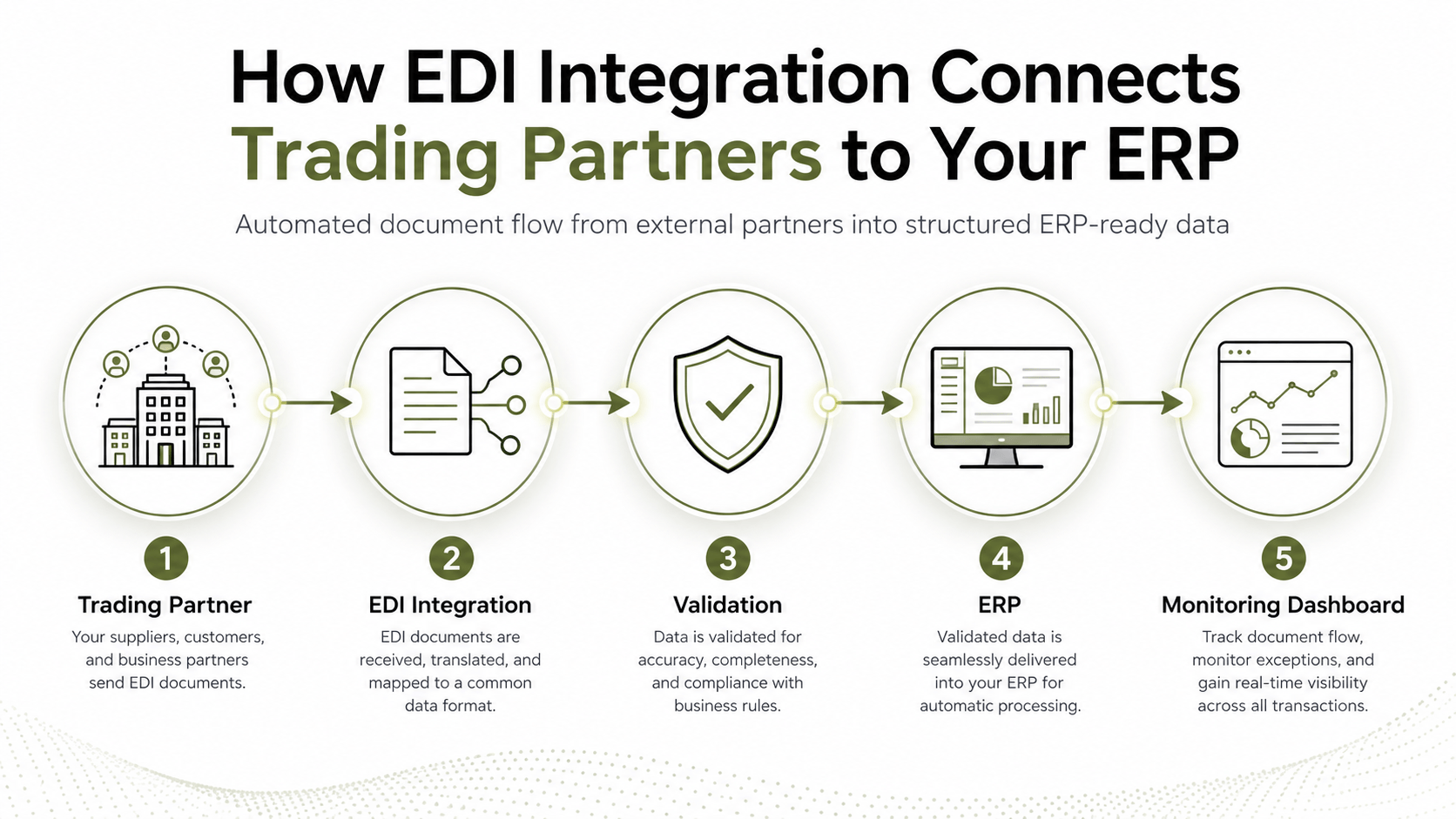
EDI integration with ERP connects your business documents directly with your ERP system.
Instead of receiving an order by email, downloading a PDF invoice, or manually entering shipping details into your system, EDI allows structured document data to flow automatically between your company and your trading partners.
This can include:
Purchase orders
Sales orders
Invoices
Order confirmations
Delivery notes
Advance shipping notices
Inventory updates
Payment-related documents
In simple words, EDI acts as the bridge between external business partners and your internal ERP system.
Your ERP becomes the place where clean, validated, ready-to-use data arrives instead of being manually typed in by your team.
Why ERP Alone Is Not Enough
ERP systems are built to manage internal business processes. They are excellent for finance, inventory, sales, purchasing, reporting, and operations.
But most business data does not start inside the ERP.
It comes from outside:
A customer sends an order.
A supplier sends an invoice.
A logistics partner sends delivery updates.
A marketplace sends order and inventory data.
A retailer asks for documents in a specific format.
The challenge is that every partner may use a different format, system, or process.
Without EDI automation, teams often become the “manual bridge” between partners and the ERP. They check emails, download documents, copy data, fix errors, and update the ERP by hand.
This creates delays, mistakes, and extra workload.
ERP gives your business structure. EDI gives your ERP the right data flow.
The Business Problems EDI Solves Inside ERP Workflows
1. Manual Data Entry
Manual entry is one of the biggest hidden costs in ERP workflows.
When finance or operations teams copy order and invoice data from emails, PDFs, portals, or spreadsheets, errors are almost guaranteed. A wrong item number, missing VAT detail, incorrect quantity, or delayed invoice entry can create bigger problems later.
EDI automation reduces this manual work by moving structured data directly into the ERP.
2. Different Partner Formats
One customer may send orders in XML. Another may use EDIFACT. A supplier may send PDF invoices. A marketplace may use API-based data.
Your ERP should not have to deal with every format directly.
EDI integration converts and standardises different document formats before they reach your ERP. This helps your team work with cleaner and more consistent data.
3. Slow Order and Invoice Processing
When documents depend on manual checking, business slows down.
Orders take longer to confirm. Invoices take longer to process. Delivery updates may arrive late. Finance teams spend time chasing missing information.
With ERP EDI integration, document flow becomes faster and more predictable. Orders, invoices, and shipping documents can be received, validated, and processed with less delay.
4. Poor Visibility
A common issue in manual document handling is not knowing where something failed.
Was the order received? Did the invoice reach the customer? Was the document rejected because of a missing field? Is the supplier waiting for a response?
A good EDI integration setup gives better monitoring and document tracking. This helps teams find and fix issues faster.
5. Compliance Pressure
E-invoicing and structured document requirements are becoming more important across many countries and industries.
Businesses need proper validation, audit trails, and structured formats. EDI and Peppol-ready integration can help companies prepare for these requirements without rebuilding their ERP process from scratch.
Share Your ERP Integration Requirement
How EDI Integration Makes Your ERP More Valuable
An ERP is only as useful as the quality of data flowing through it.
When EDI is connected properly, the ERP becomes more than a record-keeping system. It becomes a faster and more reliable business control centre.
Key benefits include:
Faster order processing
Fewer invoice errors
Less manual data entry
Cleaner ERP data
Better supplier and customer communication
Easier trading partner onboarding
Improved document visibility
Stronger audit and compliance support
More time for finance and operations teams to focus on value-added work
The real benefit is not only automation. It is control.
Your team can spend less time fixing document problems and more time managing the business.
Where EDI and ERP Integration Creates the Most Impact
Retail and eCommerce
Retailers, marketplaces, and eCommerce businesses handle high document volumes. Orders, invoices, inventory updates, and shipment details need to move quickly. EDI helps keep these flows connected to the ERP.
Manufacturing
Manufacturers depend on accurate supplier communication, production planning, purchase orders, dispatch notes, and invoice handling. EDI reduces delays between suppliers, warehouses, and ERP systems.
Wholesale and Distribution
Wholesale businesses often work with many customers and suppliers. EDI helps automate order-to-cash and procure-to-pay workflows across multiple trading partners.
Logistics and Transport
Shipping notices, delivery updates, tracking information, and transport invoices need to be accurate and timely. EDI integration helps logistics data reach the ERP faster.
Finance Teams
Finance teams benefit from cleaner invoice data, fewer disputes, better validation, and improved audit readiness.
What to Look for in an EDI ERP Integration Partner
Not every integration setup is the same.
When choosing an EDI partner, look for a provider that can support both your business process and your ERP environment.
A strong partner should offer:
ERP integration experience
Support for EDI, XML, UBL, API, PDF, and Peppol formats
Trading partner onboarding support
Document validation before ERP entry
Error handling and monitoring dashboard
E-invoicing and compliance knowledge
Scalable setup for multiple countries and partners
Support after go-live
The goal is not just to “connect systems”. The goal is to create a stable document flow your business can trust.
How HubBroker Helps Connect EDI with ERP
HubBroker helps businesses connect EDI, e-invoicing, Peppol, XML, PDF conversion, APIs, and ERP systems through one integration approach.
Whether your company uses Microsoft Dynamics 365, Business Central, SAP Business One, e-conomic, Uniconta, Shopify, BigCommerce, or another business system, HubBroker can help automate document exchange between your ERP and trading partners.
HubBroker supports businesses with:
EDI integration
ERP integration
Peppol connectivity
E-invoicing automation
PDF to XML EDI conversion
Trading partner setup
Document validation
Monitoring and error handling
This helps your team reduce manual work, improve data accuracy, and build a more reliable document flow across customers, suppliers, and systems.
FAQ
What is EDI integration with ERP?
EDI integration with ERP connects business documents from customers, suppliers, and partners directly into your ERP system in a structured format.
Why do businesses need EDI if they already have ERP?
ERP manages internal business processes. EDI automates external document exchange with trading partners, so the ERP receives cleaner and faster data.
Which documents can be automated with EDI ERP integration?
Common documents include orders, invoices, order confirmations, delivery notes, shipping notices, inventory updates, and payment-related documents.
Does EDI integration reduce manual data entry?
Yes. EDI reduces the need to copy data from emails, PDFs, portals, and spreadsheets into the ERP manually.
Can EDI integration support e-invoicing and Peppol?
Yes. With the right integration partner, EDI can support structured e-invoicing, Peppol, validation, and country-specific document requirements.
Ready to Connect EDI with Your ERP?
Modern businesses do not need more manual work around their ERP. They need cleaner, faster, and more reliable document flow.
EDI integration helps your ERP receive the right data from the right partners in the right format.
If your team is still handling orders, invoices, or supplier documents manually, now is the right time to review your process.
Contact HubBroker today to discuss your ERP and EDI integration requirements.
