
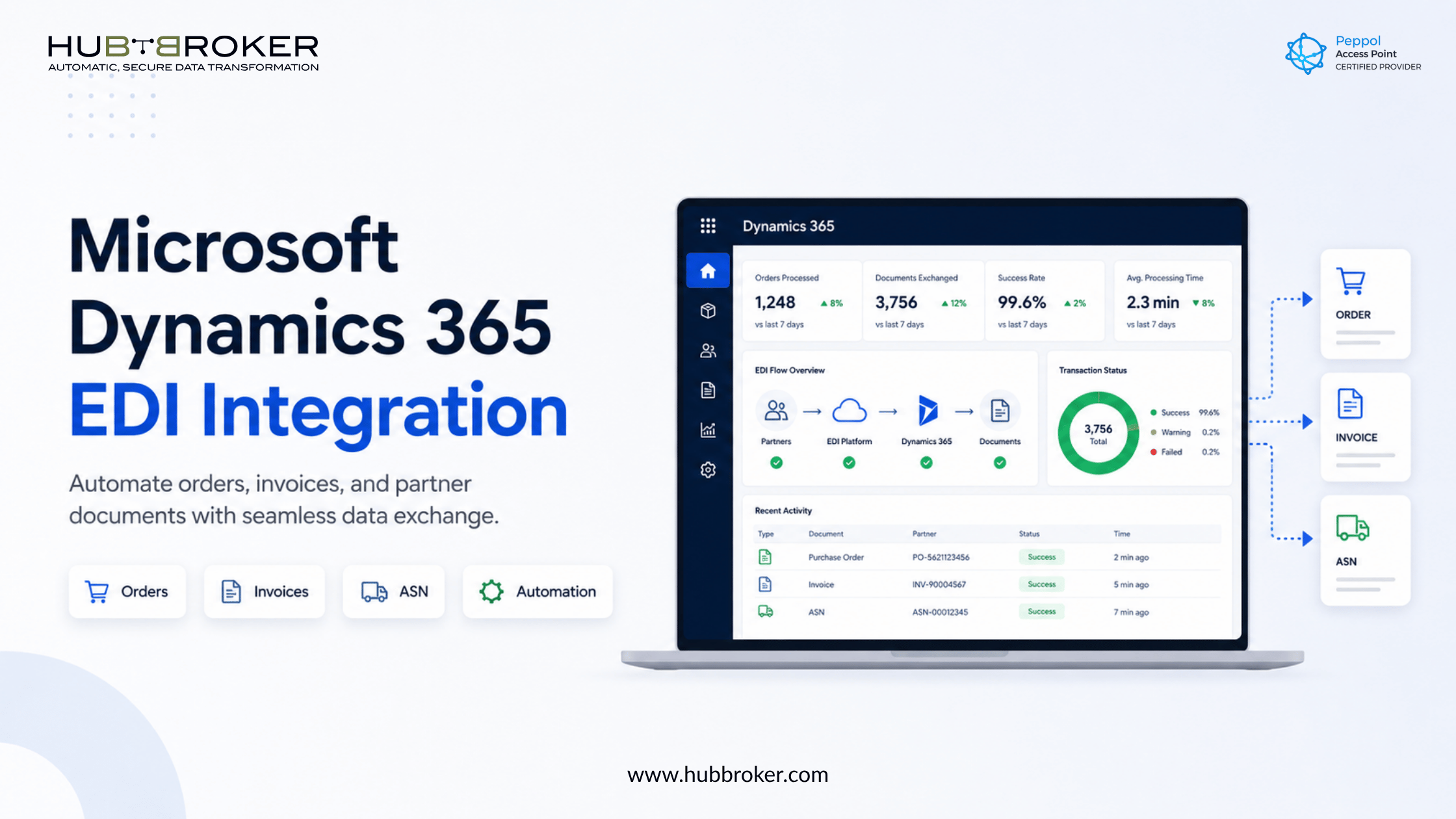
Microsoft Dynamics 365 EDI: Stop Manual Order and Invoice Work
Your Microsoft Dynamics 365 system may already manage finance, orders, inventory, purchasing, and operations. But if your team still copies purchase orders from emails, downloads invoices from portals, or manually uploads shipping documents, your ERP is not the problem.
The real problem is the gap between Dynamics 365 and your trading partners.
That is where Microsoft Dynamics 365 EDI integration helps. It connects Dynamics 365 with customers, suppliers, retailers, logistics providers, and other partners so business documents can move automatically without repeated manual entry.
For CFOs, IT managers, and finance directors, this is not just a technical upgrade. It is a practical way to reduce errors, speed up processing, improve visibility, and make B2B document exchange easier to manage.
What Is Microsoft Dynamics 365 EDI Integration?
Microsoft Dynamics 365 EDI integration allows your ERP to exchange structured business documents with external partners.
Instead of handling documents through emails, PDFs, spreadsheets, or partner portals, EDI lets systems send and receive data in a standard digital format.
Common EDI documents include:
Purchase orders
Order confirmations
Sales invoices
Supplier invoices
Credit notes
Delivery notes
Advanced shipping notices
Inventory updates
In simple terms, EDI helps your business systems “talk” directly to your partners’ systems.
Why Dynamics 365 Users Still Face Document Challenges
Microsoft Dynamics 365 is a strong ERP platform, but many businesses still manage external documents outside the system.
A customer may send orders through one portal. A supplier may send invoices by email. A logistics partner may require shipping updates in a specific EDI format. A large retailer may expect strict document rules before accepting invoices or confirmations.
This creates common problems:
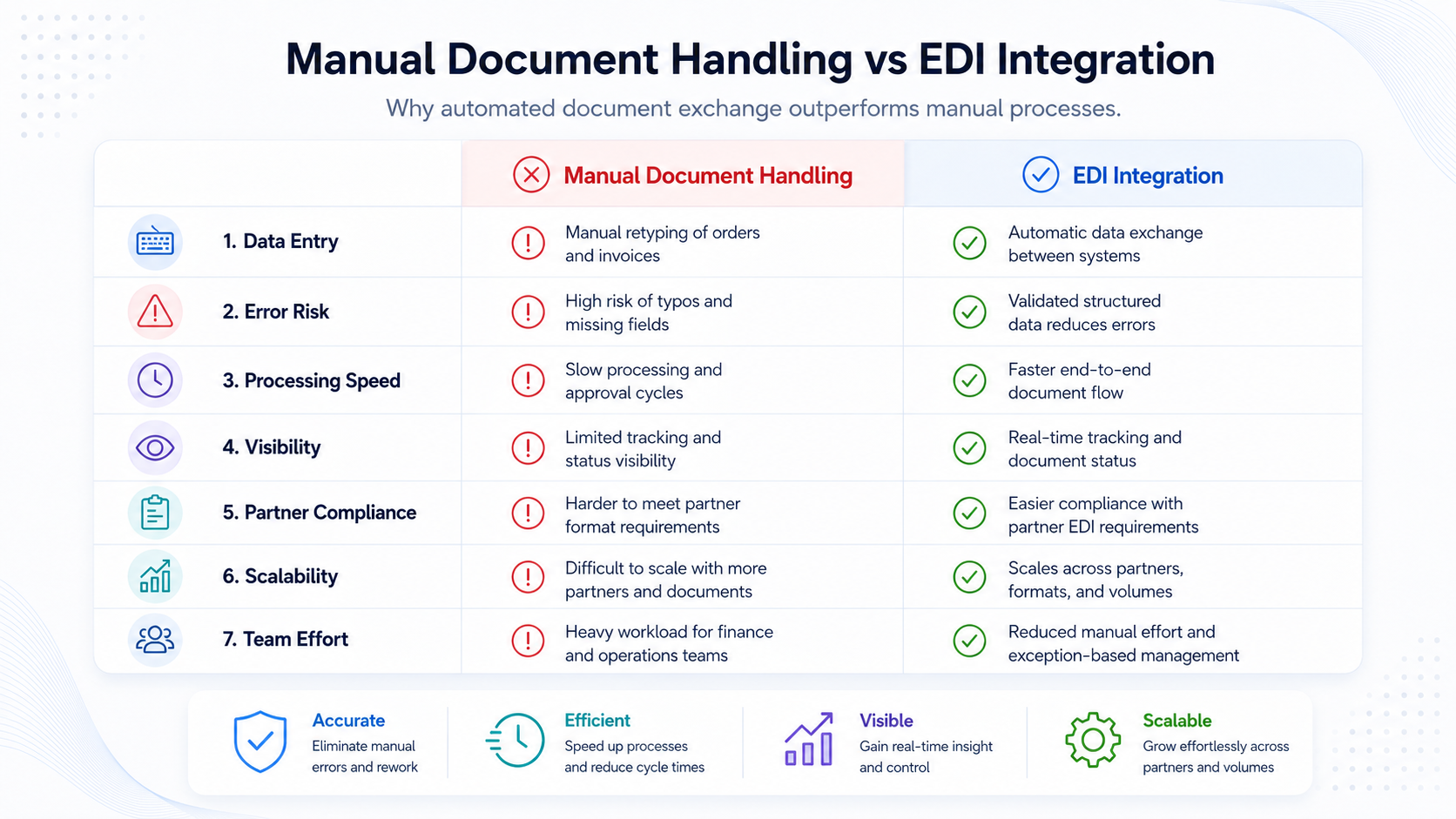
The issue is not Dynamics 365 itself. The issue is that many document flows never reach Dynamics 365 in a clean, structured, and automated way.
Key Benefits of Microsoft Dynamics 365 EDI Integration
Less Manual Data Entry
EDI integration reduces the need to copy data from emails, portals, PDFs, or spreadsheets into Dynamics 365. Teams can spend less time entering data and more time reviewing exceptions, supporting customers, and improving operations.
Fewer Order and Invoice Errors
Every manual step increases the risk of mistakes. A wrong product code, missing quantity, duplicate invoice, or incorrect customer reference can delay the entire process.
EDI reduces these risks by moving structured data between systems and applying validation before documents reach Dynamics 365.
Faster Order Processing
When orders arrive automatically, your business can respond faster. Sales orders can be created sooner. Confirmations can go back to customers quicker. Shipping updates and invoices can be processed without waiting for someone to download and re-enter the data.
Better Trading Partner Compliance
Many retailers, manufacturers, distributors, and logistics companies expect suppliers to support EDI. They may require specific formats, acknowledgement messages, invoice rules, or delivery documents.
An EDI integration platform helps manage these requirements without forcing your internal team to build every connection from scratch.
Better Visibility for Finance and IT
When documents move manually, it is difficult to know what failed, where a file is stuck, or who needs to act.
With an EDI platform connected to Dynamics 365, teams can monitor document status, track acknowledgements, identify errors, and resolve issues faster.
Simplify Microsoft Dynamics 365 EDI Integration
Automate document exchange between Dynamics 365 and your trading partners with HubBroker’s reliable EDI, ERP integration, and workflow automation solutions.
Contact Us to Know More
How EDI Works With Microsoft Dynamics 365
A typical Dynamics 365 EDI flow looks like this:
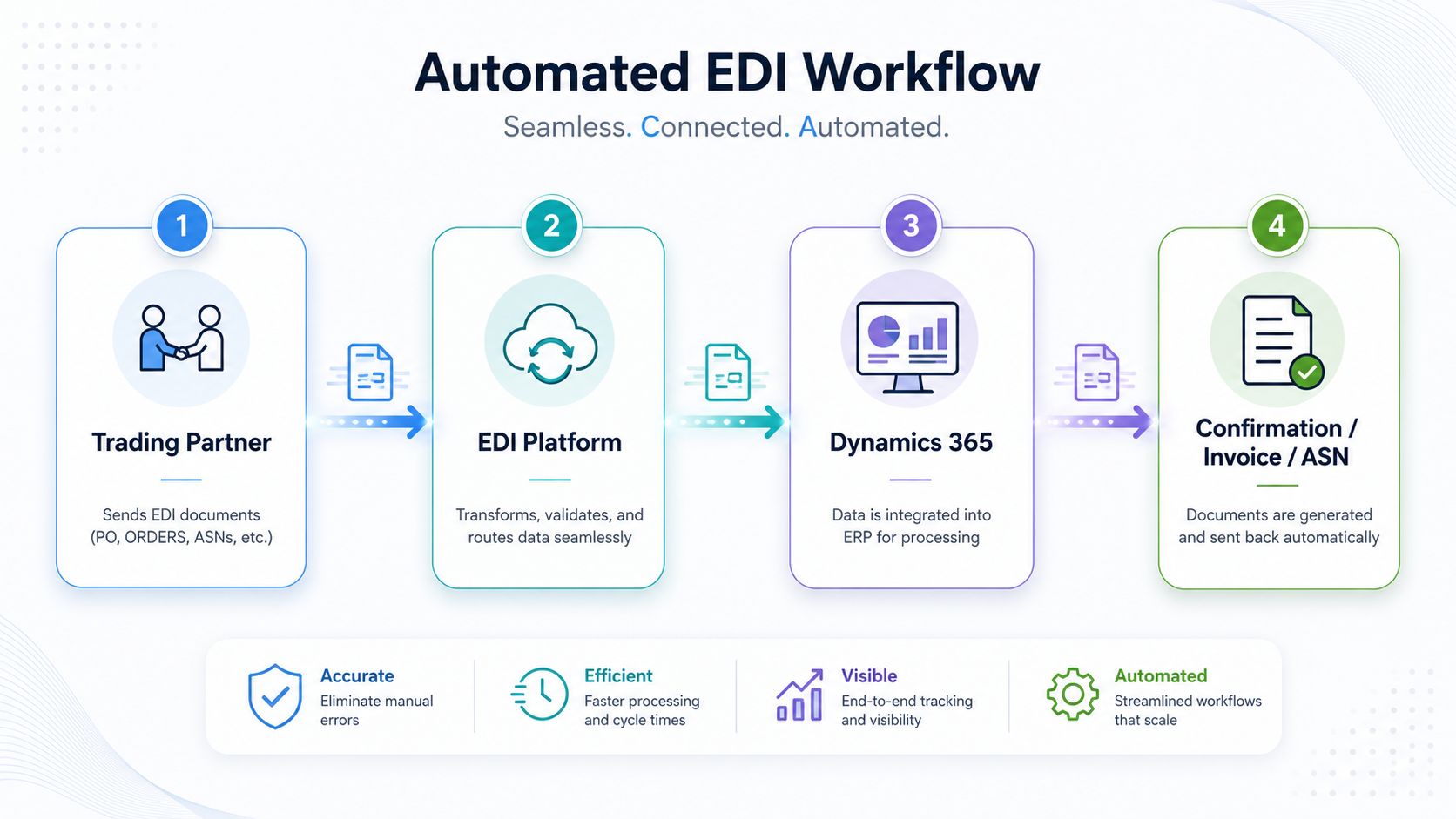
Here is what happens:
A trading partner sends an EDI document, such as a purchase order.
The EDI platform receives and validates the document.
The data is translated into the format required by Dynamics 365.
Dynamics 365 creates or updates the correct record.
A confirmation, invoice, shipping notice, or status update can be sent back automatically.
This removes the repeated manual steps between partner systems and your ERP.
Which Dynamics 365 Systems Can Use EDI?
EDI can support different Microsoft Dynamics 365 environments, including:
Dynamics 365 Business Central
Dynamics 365 Finance
Dynamics 365 Supply Chain Management
Microsoft Dynamics NAV or AX during migration planning
The right setup depends on your ERP version, document types, trading partner requirements, and internal approval process.
For example, a Business Central user may need EDI for customer orders and supplier invoices. A larger enterprise using Dynamics 365 Finance and Supply Chain Management may need more complex flows across warehouses, legal entities, suppliers, and logistics partners.
Common EDI Use Cases for Dynamics 365
Businesses commonly use EDI with Microsoft Dynamics 365 for:
Retail order automation
Receive purchase orders and send confirmations, dispatch advice, and invoices.Supplier invoice automation
Import supplier invoices into Dynamics 365 for faster validation and approval.Manufacturing supply chain automation
Exchange purchase orders, delivery notes, shipping documents, and inventory updates.Logistics document exchange
Share shipment updates, transport instructions, and delivery confirmations.E-invoicing and compliance workflows
Support structured invoice exchange where customers, governments, or networks require it.
What to Check Before Starting a Dynamics 365 EDI Project
Before starting your Microsoft Dynamics 365 EDI integration, ask:
Which Dynamics 365 system are we using?
Which partners require EDI?
What document types must be exchanged?
Which formats are required?
Should documents be reviewed before posting?
Do we also need Peppol, PDF2XML, or IDP?
Who will monitor failed documents?
This checklist helps avoid unclear scope, delayed projects, and unnecessary custom development.
How HubBroker Helps
HubBroker helps businesses connect Microsoft Dynamics 365 with trading partners through EDI, ERP integration, document automation, and structured data exchange.
Whether you need to automate orders, invoices, supplier documents, shipping updates, or partner-specific EDI flows, HubBroker can help design the right setup around your business process.
HubBroker also supports related automation needs such as PDF2XML, Intelligent Document Processing, Peppol, and e-invoicing workflows.
FAQ
Does Microsoft Dynamics 365 support EDI?
Microsoft Dynamics 365 can support electronic document workflows, but most businesses use an EDI integration layer to connect partners, translate formats, validate data, and automate document exchange.
Can EDI connect with Dynamics 365 Business Central?
Yes. EDI can connect with Dynamics 365 Business Central to automate orders, invoices, delivery documents, inventory updates, and supplier or customer document flows.
Is EDI only for large companies?
No. Smaller suppliers also use EDI when their customers, retailers, distributors, or logistics partners require structured digital document exchange.
Ready to Automate Dynamics 365 Document Exchange?
Manual order and invoice handling slows down finance, operations, and IT teams.
With Microsoft Dynamics 365 EDI integration, your business can reduce manual work, improve accuracy, and keep trading partner documents moving smoothly.
HubBroker helps businesses simplify EDI, ERP integration, invoice automation, and B2B document exchange.
