
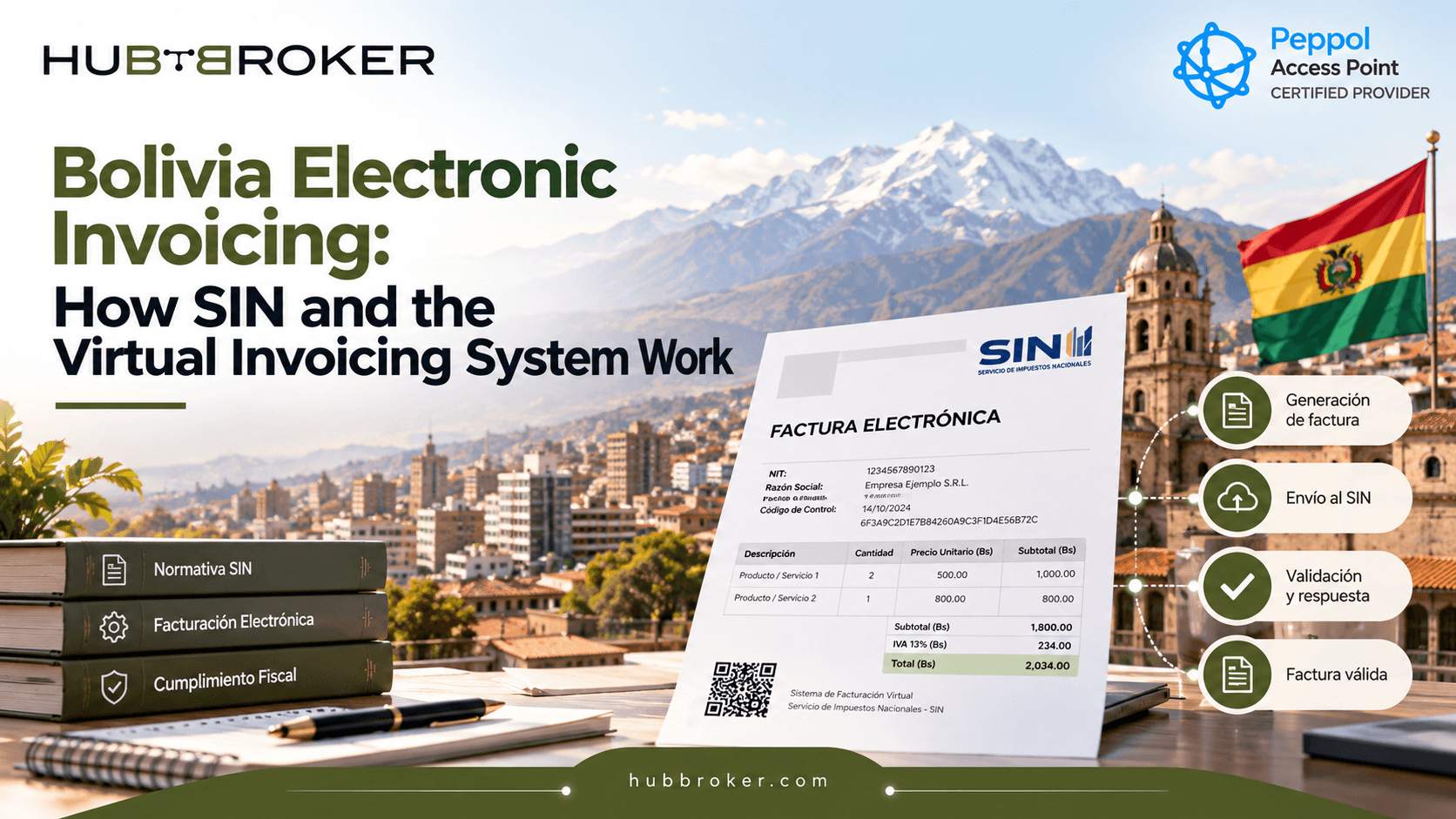
Bolivia Electronic Invoicing How SIN and the Virtual Invoicing System Work
Electronic invoicing in Bolivia is not simply about changing a paper invoice into a PDF. Businesses need to create fiscal data according to Servicio de Impuestos Nacionales (SIN) rules, use the correct online invoicing method, and make sure documents are registered and validated properly.
Because of this, Bolivia electronic invoicing affects ERP data, tax settings, system connections and error handling. This guide explains how SIN, SIAT, XML invoices, validation and ERP integration work together in actual business process.
How Does Electronic Invoicing Work in Bolivia?
SIN manages Bolivia’s electronic invoicing framework. Current technical documentation describes three main online invoicing methods: Facturación Electrónica en Línea, Facturación Computarizada en Línea, and Portal Web en Línea.
The term “virtual invoicing system” is still commonly searched, but current implementations should follow the terminology used by SIN and SIAT. An electronic invoice is a digital fiscal document created through an authorized invoicing system and registered and validated in SIN databases.Electronic and computerized online invoicing use structured XML, although signing requirements can be different depending on the invoicing method.
For ERP teams, this means the main focus should be getting correct business and tax data into the required fiscal process.
Invoicing Area | What Happens | Business Impact |
|---|---|---|
ERP data | Invoice details are created | Master data must be correct |
XML generation | Data is structured for SIN | Mapping must match requirements |
Validation | SIN checks submitted data | Errors can stop processing |
Connectivity | Web services exchange data | Integration needs monitoring |
Status | Results return from SIN | Finance needs clear tracking |
What Is SIN and How Does SIAT Work?
SIN is Bolivia’s national tax authority. SIAT is the tax administration’s integrated platform used for tax-related services, including invoicing processes and authorization of invoicing systems. For online system-based invoicing, businesses may need an authorized Sistema Informático de Facturación together with the credentials and technical codes required for their assigned invoicing method. Before invoices can be issued, SIN documentation describes several technical items that need to be obtained or maintained.
These can include an access token, CUIS (Código Único de Inicio de Sistemas), CUFD (Código Único de Facturación Diario), and synchronized catalogues. The CUFD is used as part of daily fiscal-document issuance, while catalogue synchronization helps keep required reference information updated. If these technical values are missing or expired, invoice processing may fail even when the invoice data itself looks correct.
Which Bolivia Electronic Invoicing Method Does a Business Need?
The correct invoicing method depends on how the taxpayer has been assigned and how the business operates. Facturación Electrónica en Línea supports digitally signed XML invoices sent to SIN through an authorized invoicing system. Facturación Computarizada en Línea also sends XML through an authorized system, but it follows its own technical signing and validation process.
Portal Web en Línea works through the tax authority’s web environment and can also be used for certain contingency situations when allowed. The correct option can depend on taxpayer classification, transaction volume, operational needs and technical setup. On 1 October 2026, SIN confirmed digital invoicing requirements for the Ninth through Twelfth taxpayer groups and affected micro and small businesses under the applicable resolution. Companies should check their own SIN classification instead of assuming that another business uses same invoicing method.
How Does an Electronic Invoice Move From an ERP to SIN?
A practical automated process can look like:
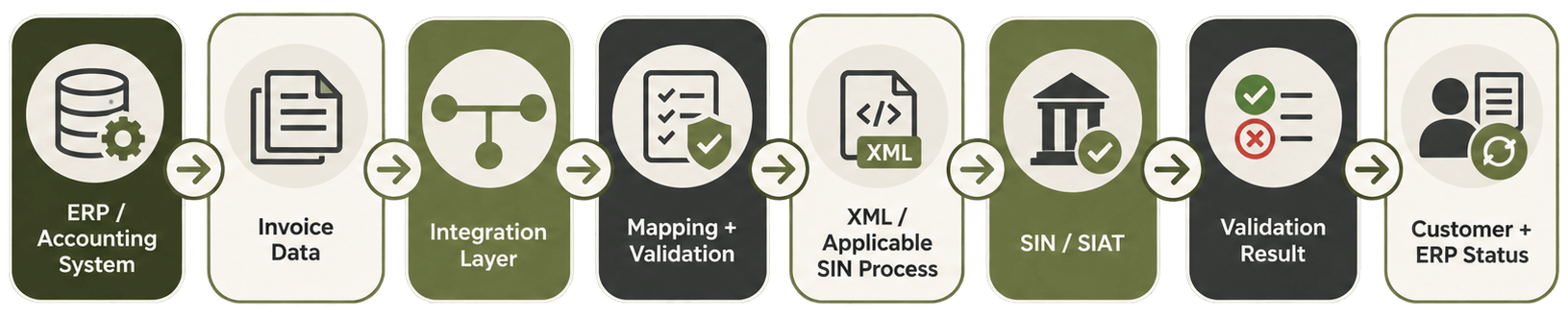
For example, a Bolivian distributor may create invoices in SAP, Microsoft Dynamics, Business Central or another ERP. The integration can take the invoice data, map customer and tax fields, create the required structure, send it through the correct SIN process and capture the response. The final status can then return to Finance or ERP for monitoring. This removes repeated manual entry and also makes failed invoices easier to find and correct.
What Happens When a Bolivia Electronic Invoice Is Rejected?
Invoice failures should first be separated into business/data errors and technical/connectivity errors. Business errors may include incorrect fiscal data, missing mandatory fields, invalid taxpayer or product information, malformed XML or inconsistent identifiers. These normally need correction before the invoice can be processed successfully. Technical problems are different. A temporary network or service failure may require controlled retry or the correct SIN contingency process.
SIN also supports individual online issuance, contingency packages and mass package processing. A good integration should keep invoices that have no final response, check their SIN status once connectivity returns, avoid duplicate submissions and keep a clear audit history for Finance and IT. Without this control, retrying the same invoice manually can create more confusion.
What Should Businesses Look for in Bolivia E-Invoicing Software?
The system should connect existing ERP data with the required Bolivia invoicing process without creating another manual billing workflow. Useful capabilities include ERP and API connectivity, tax-data mapping, XML transformation, validation before submission, status synchronization, error handling, contingency support, monitoring and audit logs. It is also important to check how failed transactions are handled.
Finance teams should be able to understand whether invoice failed because of incorrect business data, XML validation, connectivity or another technical reason. International companies should also consider whether the same integration approach can support multiple countries instead of building separate isolated connections for every market.
How Can HubBroker Support Bolivia Electronic Invoicing?
HubBroker can work as an integration layer between ERP or accounting systems and the required e-invoicing process:
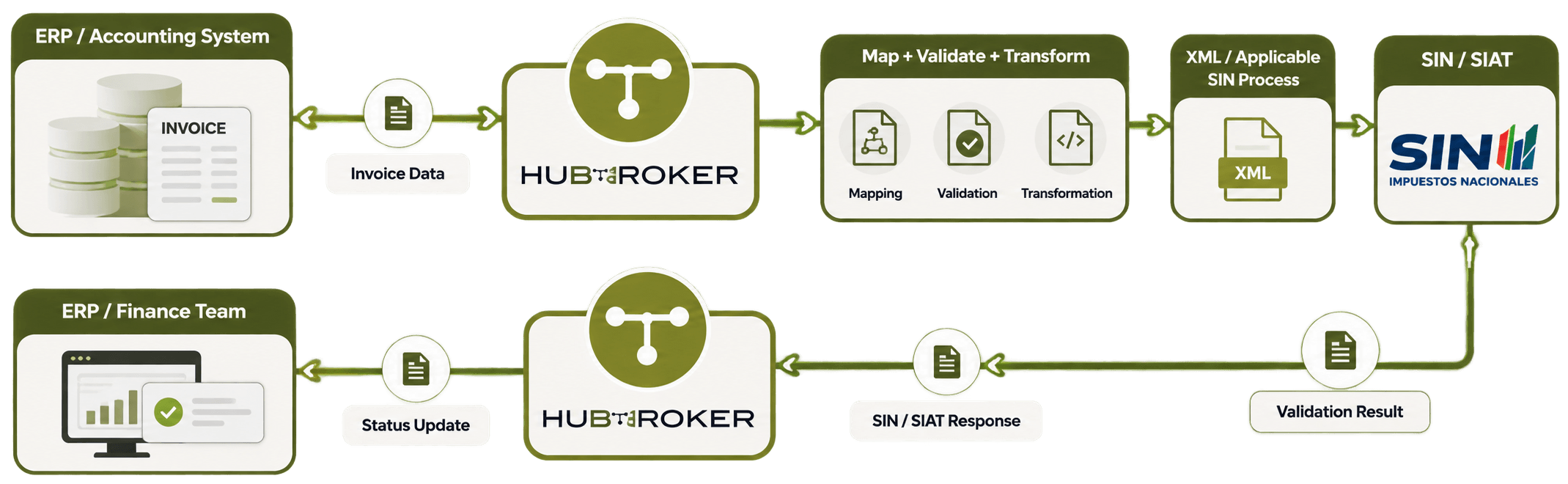
HubBroker can support invoice-data mapping, transformation, validation, integration workflows, error handling and monitoring while the ERP remains the main business system. If your company needs to connect ERP with Bolivia electronic invoicing requirements, HubBroker can help structure invoice data, automate transformation and validation, and provide better visibility into invoice processing.
Talk to our integration team about your Bolivia setup, current ERP and existing invoicing process.
