
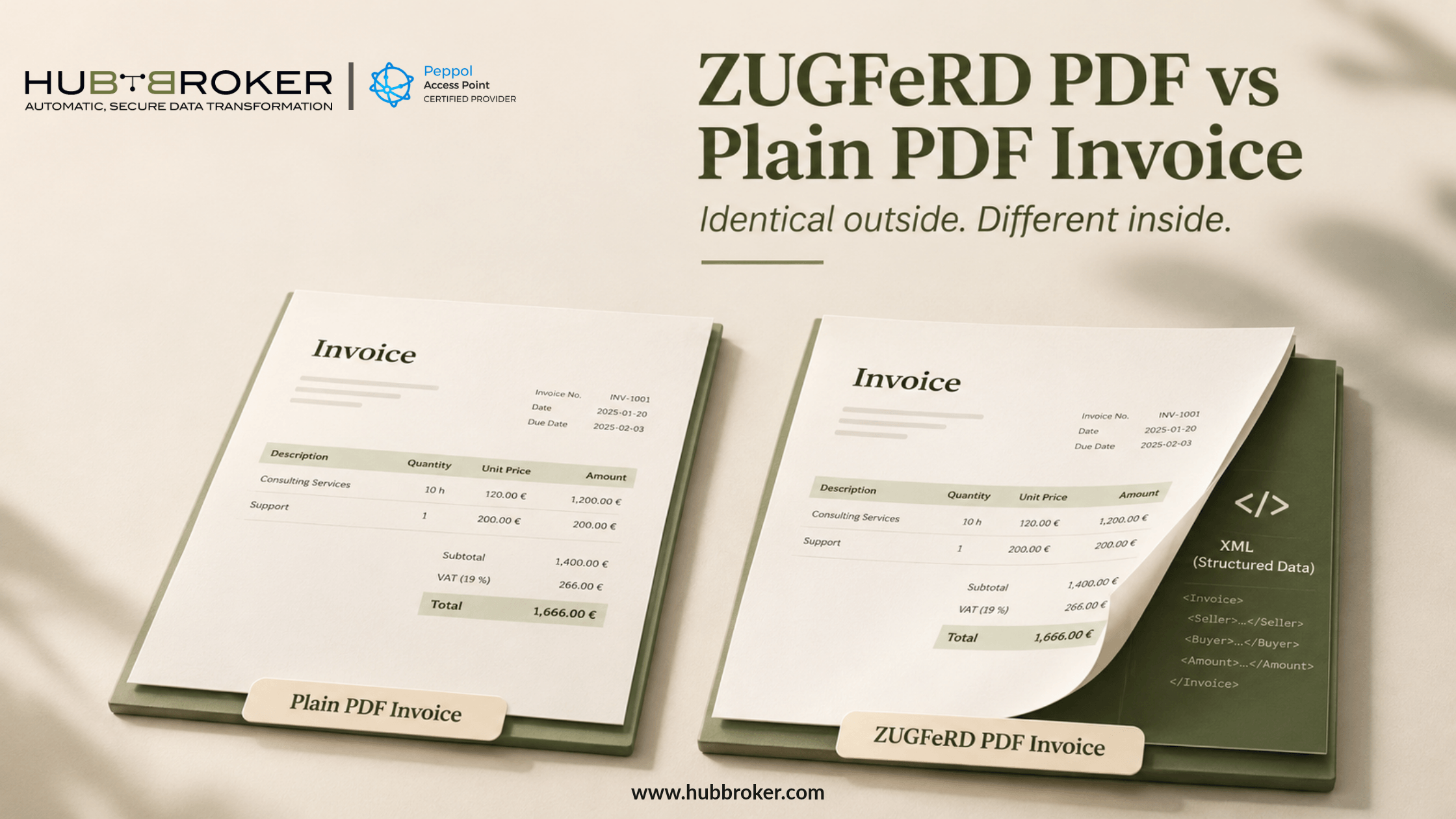
What is the difference between a ZUGFeRD PDF and a plain PDF invoice?
Two invoices can look identical, yet accounting software may process them differently.
What is the difference between a ZUGFeRD PDF and a plain PDF invoice?
A plain PDF shows invoice information to a person. ZUGFeRD adds structured data that compatible software can understand.
In Germany, the distinction affects processing and compliance.
Why a ZUGFeRD invoice is more than a readable PDF
A normal PDF can clearly show the supplier, invoice date, items purchased, VAT and total due. Its appearance alone doesn't identify fields for accounting software. ZUGFeRD uses a PDF/A-3 document with two parts: the invoice people see and an embedded XML file. The XML labels the invoice information in a defined structure.
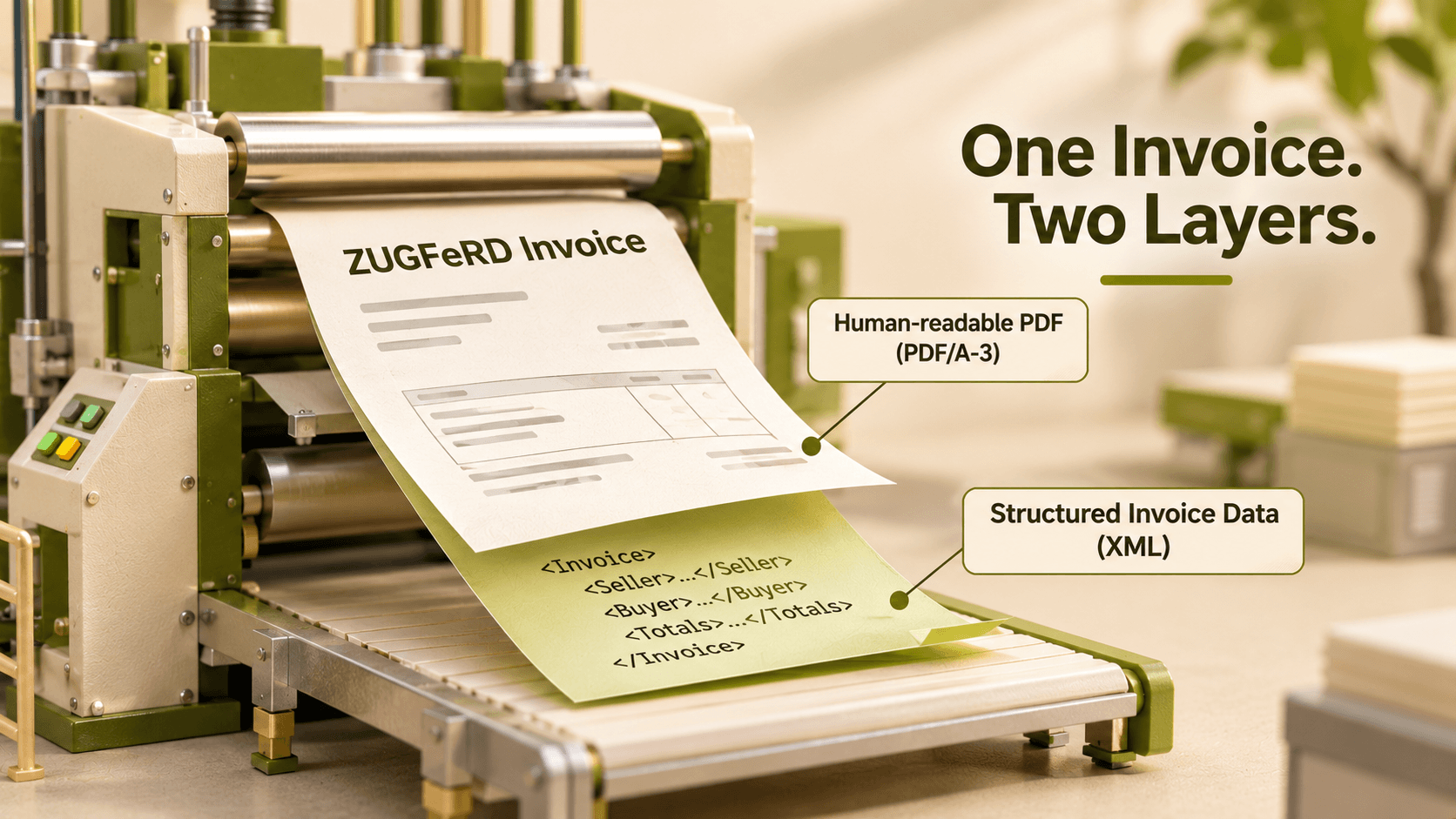
Compatible systems can therefore use those values without trying to read the page like a person would. With a plain PDF, staff may need to enter details themselves or use text extraction or OCR. Extracted values still need checking. This is especially relevant when invoice references, tax amounts or supplier details have to reach the correct fields before an employee can approve payment.
Need to Convert PDF Invoices into ZUGFeRD?Turn ordinary PDF invoices into structured ZUGFeRD e-invoices that meet German requirements. HubBroker helps you automate conversion, validation, and delivery without changing your existing ERP. |
Plain PDF versus ZUGFeRD: the practical differences
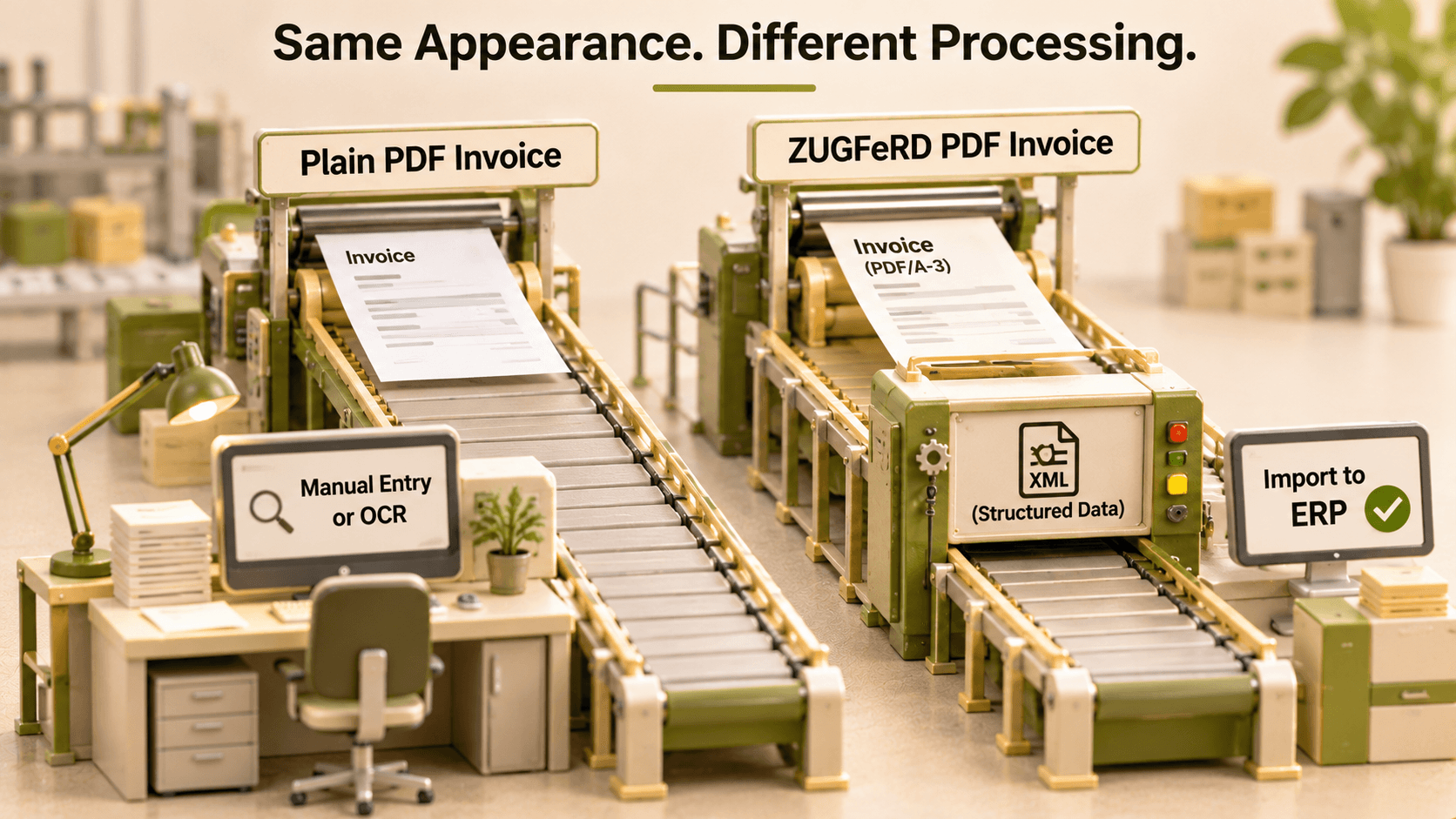
The difference appears after the invoice arrives.
Feature | Plain PDF invoice | ZUGFeRD PDF invoice |
|---|---|---|
Readable by people | Yes | Yes |
Embedded invoice XML | Usually absent | Included |
Software import | Needs extraction or manual work | Possible with compatible systems |
Invoice fields | No built-in common structure | Defined by its profile |
German E-Rechnung status | Does not qualify | Depends on the profile |
Visible appearance | Standard invoice layout | Standard invoice layout |
Data validation | Visual or custom checks | XML and business-rule checks |
Suppose an accounts payable team receives invoices from twenty suppliers. Each supplier puts totals and tax details somewhere different. If the files are plain PDFs, someone or something must find those fields. With valid ZUGFeRD data, compatible software can take the structured values directly. That can reduce routine entry, although an incorrect invoice is still incorrect even when its XML is technically readable.
Does every ZUGFeRD PDF satisfy German e-invoicing rules?
No. A ZUGFeRD label alone isn't enough. The invoice needs a suitable profile and must meet the applicable technical and tax requirements. Germany accepts structured invoices that comply with EN 16931, including qualifying ZUGFeRD profiles. MINIMUM and BASIC-WL do not qualify through the general EN 16931 route.
Since January 2025, German businesses have generally needed the ability to receive structured e-invoices for domestic B2B transactions. Transitional rules still affect when suppliers must issue them. The issuing requirements expand in 2027 and 2028, depending on the supplier's circumstances.
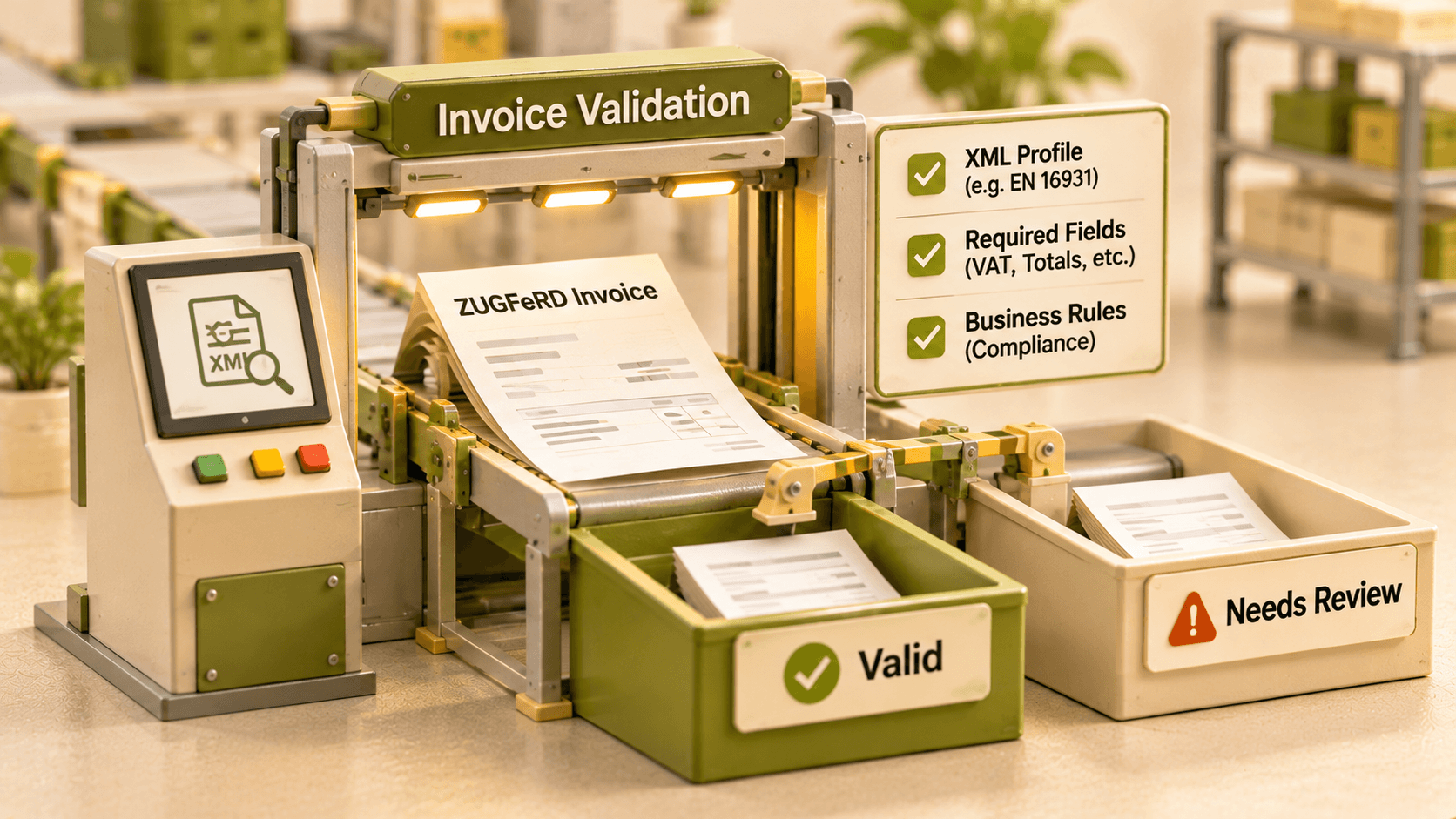
Sending a familiar PDF by email doesn't make it a German E-Rechnung. Neither renaming the document nor saving it as PDF/A creates the required XML. The structured data must be present and valid. The two parts of a ZUGFeRD invoice must also agree. Where the visible PDF and structured XML differ, the XML is decisive for German e-invoicing purposes. Checking only the amount displayed on screen could therefore miss an important error.
How to check whether a PDF invoice is genuinely ZUGFeRD
Check the contents, not the design.
➡ Look for embedded XML. Use a PDF reader that shows file attachments. A separate PDF attachment is not the same as invoice data embedded inside the PDF/A-3 file.
➡ Check the version and profile. Read the XML details or use a suitable invoice validator. Confirm that the profile fits the transaction and applicable requirements.
➡ Validate the invoice information. Check required fields, VAT, totals and business rules. An invoice can look correct while its XML fails validation.
➡ Test an import. Send a sample through your ERP or accounting system. Compare the imported fields with the actual invoice and check how errors are reported.
If a supplier sends both ordinary PDFs and ZUGFeRD files, make sure the receiving process can tell them apart. A readable invoice isn't necessarily ready for automatic processing.
How HubBroker supports ZUGFeRD invoice processing in Germany
HubBroker helps businesses move invoice information from incoming documents into the systems where it is needed. Its document processing, format conversion, validation and ERP integration capabilities can support ZUGFeRD, plain PDF and other electronic invoice workflows.
For mixed incoming files, HubBroker can help build a process that uses structured XML when it is available and document extraction when it isn't. Mapping and validation help prepare the data for the destination ERP, reducing the need to enter the same details again.
The right setup depends on supplier formats, invoice volumes and what the existing ERP already handles. HubBroker can review those details before recommending an approach. A ZUGFeRD file may look ordinary, but the embedded XML changes how it can be checked and processed.
Verify the data rather than relying on appearance. If invoice handling still takes too much manual work, Discuss the actual workflow with HubBroker.
