
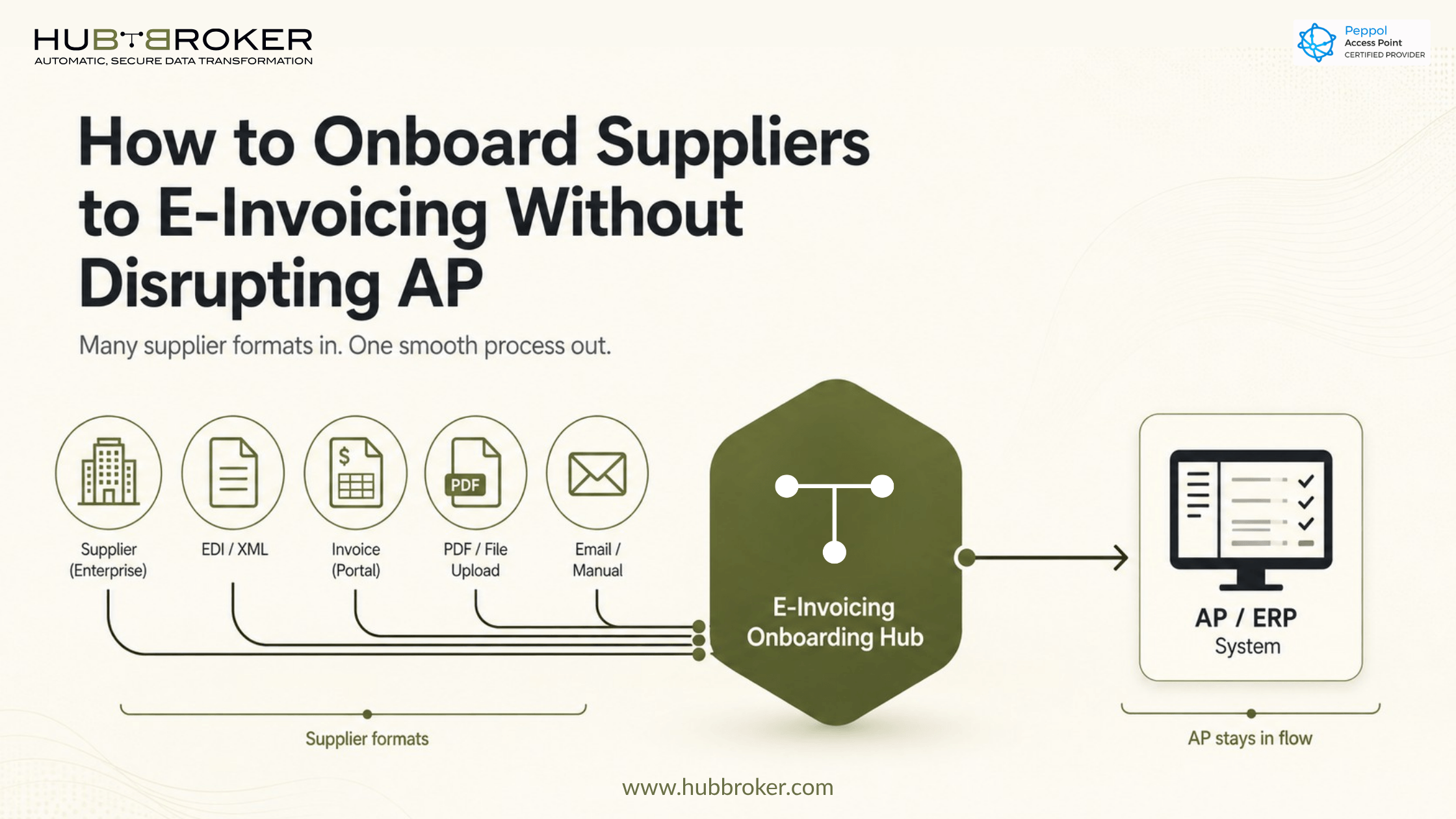
How to Onboard Suppliers to E-Invoicing Without Disrupting AP
Supplier e-invoicing transitions stall for a predictable reason: the technology is ready before the people and processes are. Procurement selects a platform, IT completes the integration, and then AP discovers that most suppliers are still emailing PDFs and the exception queue is growing.
The disruption is not inevitable. It is usually the result of treating e-invoicing supplier onboarding as a configuration task rather than a change management program. This guide covers what to do differently.
Why E-Invoicing Supplier Onboarding Is Worth Getting Right
E-invoicing replaces paper and PDF invoice submission with structured electronic data that flows directly into your ERP or AP system. Invoice data arrives pre-validated and routes automatically to the appropriate approval workflow reducing manual entry, cutting processing time, and lowering error rates.
The efficiency gains are real, but they depend on supplier coverage. A platform with 40% supplier adoption still leaves your AP team managing two invoice streams. Getting onboarding right is what turns a technology investment into an operational improvement.
Compliance is also a factor. Regulatory e-invoicing requirements are expanding across Europe, Latin America, and parts of Asia. For organizations trading across borders, readiness may already be a condition of doing business in certain markets.
A Practical Framework for Supplier Onboarding
Step 1: Segment your supplier base first
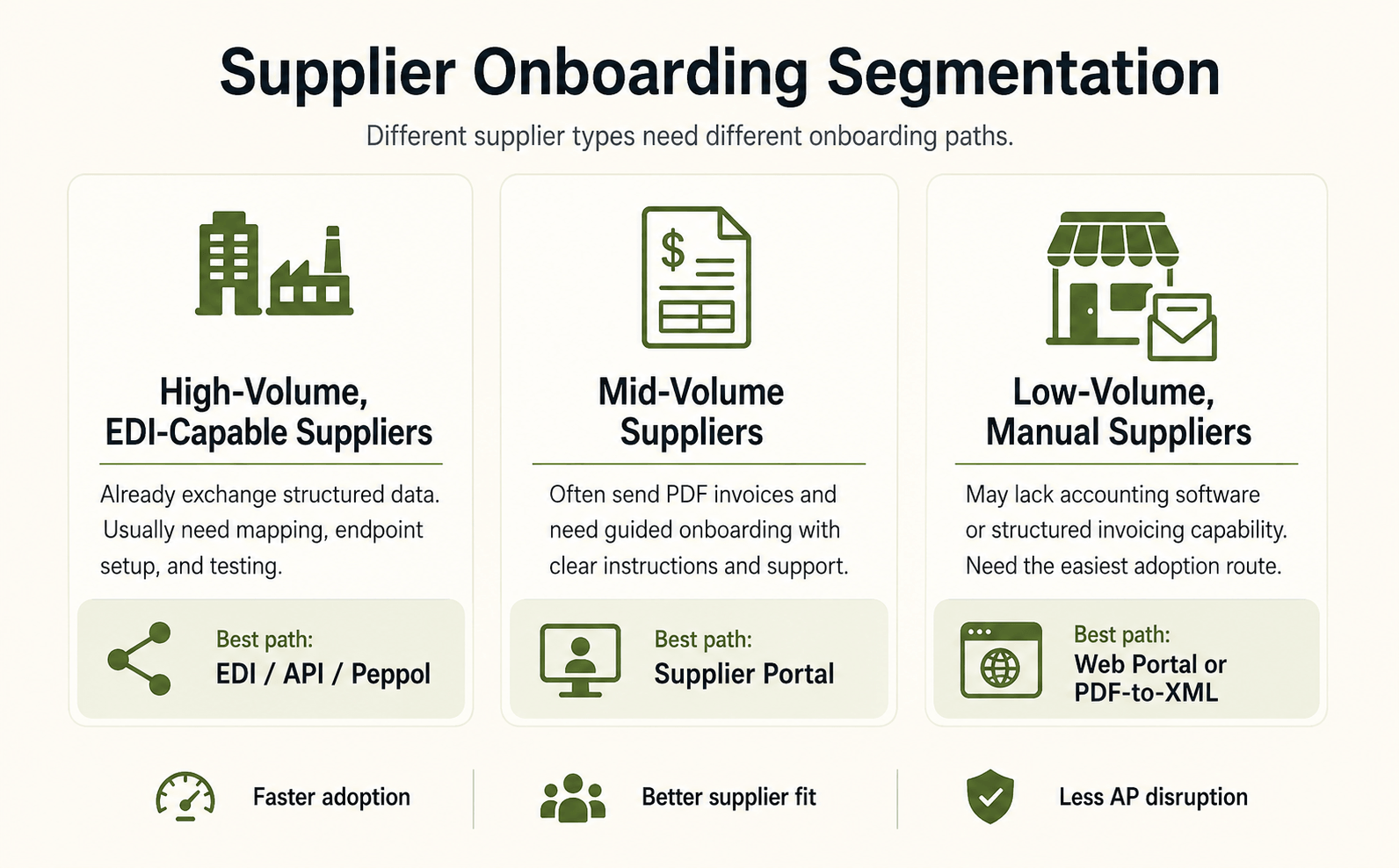
Not every supplier needs the same onboarding path. Trying to move everyone at once overloads your support capacity and produces inconsistent results. Divide suppliers into three groups before you communicate anything:
High-volume, EDI-capable suppliers - already exchange structured data and may need only a format mapping or endpoint update.
Mid-volume suppliers - typically send PDFs and will need portal access and guided onboarding.
Low-volume, manual suppliers - may lack accounting software entirely. A web portal or PDF-to-XML conversion service is usually the most realistic path.
Start with EDI-capable suppliers. Early completions validate your configuration and give your AP team time to build familiarity before volume scales.
Step 2: Communicate clearly and set firm deadlines
Suppliers need simple, specific information: what is changing, when it takes effect, what they need to do, and who to contact. Your communication plan should include:
An announcement that explains the program, timeline, and rationale
A supplier-specific onboarding guide covering registration, format requirements, and submission steps
A dedicated support contact available during the onboarding period
Reminder communications two to three weeks before each phase deadline
Decide early whether participation is mandatory or optional. Voluntary programs tend to produce lower adoption and leave your AP team managing a permanent dual-track process. A clear mandate with adequate notice and support typically produces better outcomes.
Step 3: Match technical support to supplier capability
A supplier using SAP has different needs than one using QuickBooks or no accounting software at all. Sending the same documentation to both groups wastes support capacity and frustrates suppliers.
For EDI-capable suppliers, onboarding usually involves confirming message types, agreeing on a connection method (AS2, SFTP, or API), and completing a test exchange.
For suppliers without EDI capability, a web portal is the most practical path. Some platforms also support PDF-to-XML conversion, which lets suppliers continue submitting in their current format while the platform handles the conversion reducing the change burden substantially.
Step 4: Phase the rollout with defined go-live dates
A phased rollout limits your exposure to configuration errors and support spikes:
Phase 1 (Weeks 1–4): Pilot with five to ten high-volume suppliers. Validate format mapping, routing, and exception handling.
Phase 2 (Weeks 5–10): Expand to mid-volume suppliers. Refine your documentation based on real supplier questions.
Phase 3 (Weeks 11–20): Onboard remaining suppliers. Track who has not yet completed registration so AP knows which invoice streams are still arriving through legacy channels.
Set a specific cutoff date for each phase when informal PDF submissions will no longer be accepted and hold to it.
Step 5: Document exception handling before go-live
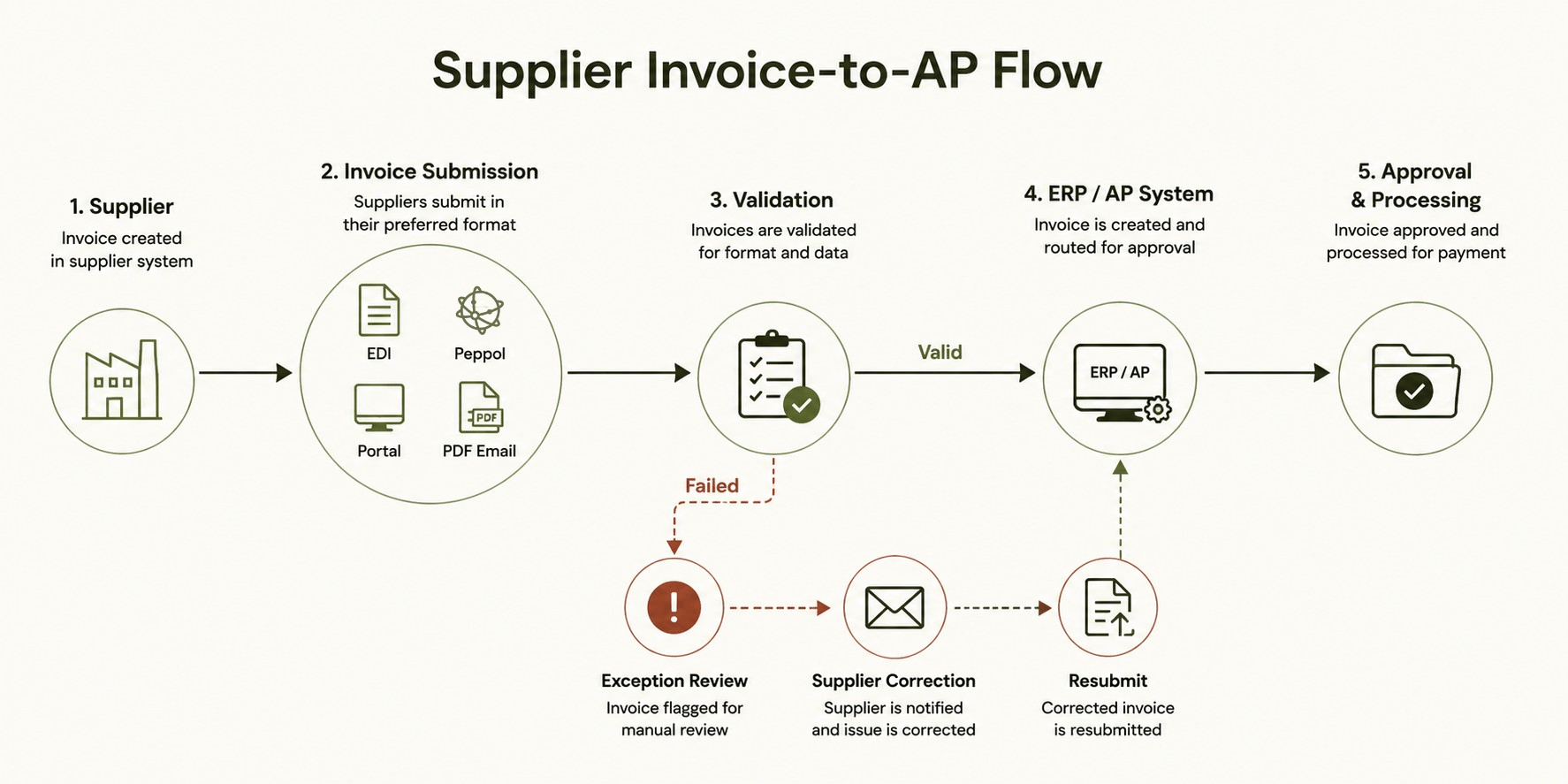
Some invoices will fail validation. Establish clear procedures before Phase 1 goes live: who reviews failed invoices, what the escalation path is, how corrections are requested from suppliers, and how resubmissions are tracked. Documented procedures prevent exceptions from sitting unresolved in a shared inbox.
Protecting AP During the Transition
E-invoicing changes the nature of AP work, not just the tools. Manual data entry decreases, but exception management and supplier communication increase particularly in the first several months.
Do not assume the transition immediately reduces headcount. During the changeover, AP volume may temporarily increase as the team manages both channels. Efficiency gains become visible after supplier coverage is substantially complete and exception rates stabilize.
AP teams also benefit from targeted training on validation-based processing: how to read error codes, which errors can be corrected internally versus requiring supplier resubmission, and when to escalate. Involving AP leads in platform configuration not just go-live training tends to shorten the adjustment period.
If you run parallel processing during the transition, set a firm end date. Suppliers who know a PDF email will still be accepted have little urgency to complete onboarding.
The Long-Term Value
Completed e-invoicing supplier onboarding creates the data foundation that broader AP automation depends on three-way matching, dynamic discounting, and real-time cash flow visibility all require structured, reliable invoice data at scale.
The transition also tends to improve supplier relationships. Shorter payment cycles, consistent acknowledgment, and fewer disputed invoices reduce friction on both sides.
If you are planning a supplier onboarding program or evaluating platforms, HubBroker's e-invoicing and EDI solutions support Peppol network connections, PDF-to-XML conversion, and ERP integration with systems including Microsoft Dynamics 365 and SAP Business One. Visit HubBroker to review your options or book a conversation about your supplier base and AP requirements.
