
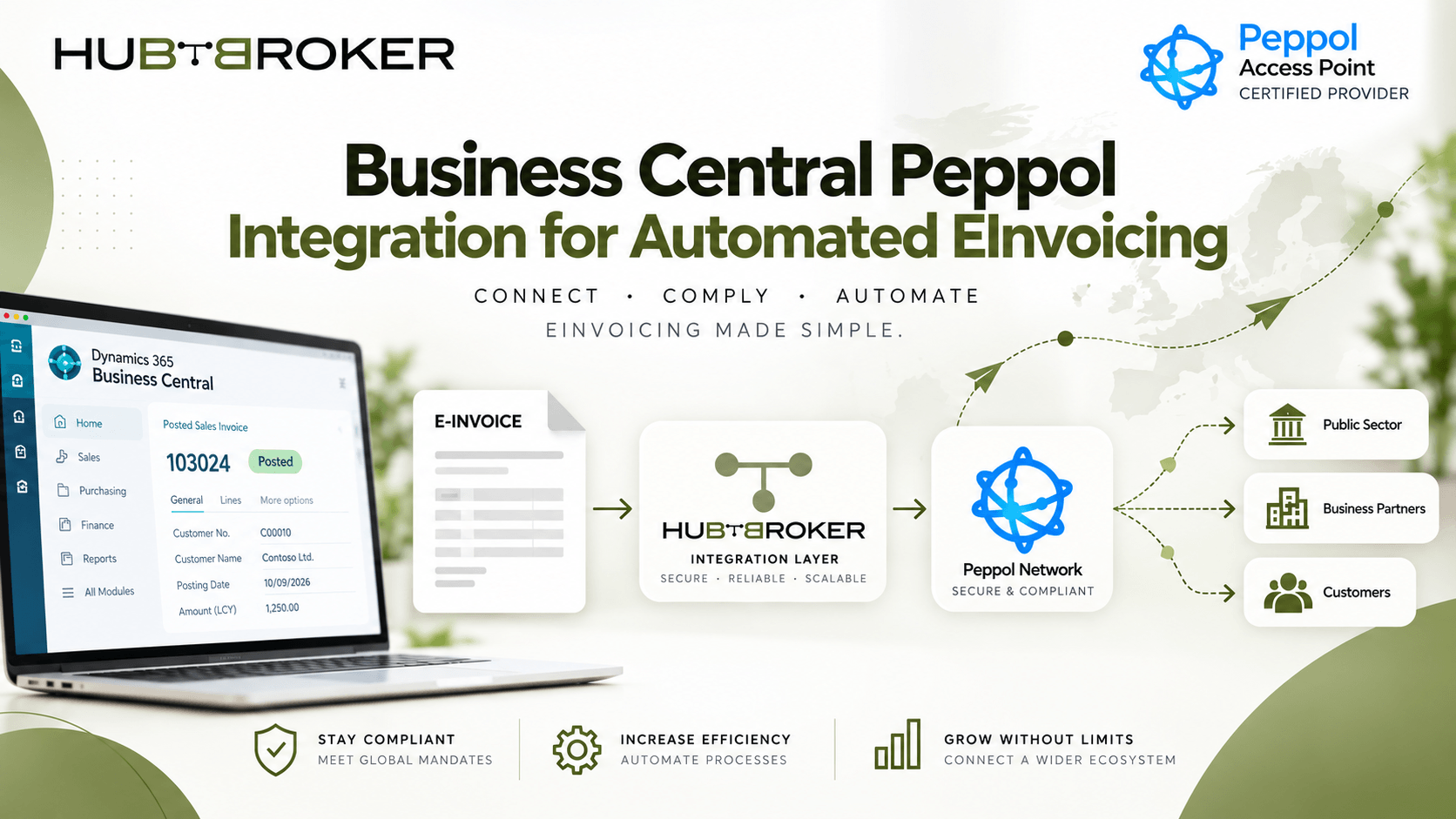
Business Central Peppol Integration for Automated EInvoicing
A finance team creates an invoice in Microsoft Dynamics 365 Business Central. Amount, VAT and customer details all look correct. Normally, they save a PDF and send it by email.
Then one major customer says: “Please send invoices through Peppol.”
Now a simple invoice brings many new questions.
➡ Where is the customer Endpoint ID stored?
➡ Who creates the Peppol BIS Billing invoice?
➡ Who checks if it was delivered?
This is where business central peppol integration becomes a real business workflow issue, not just another ERP setting.
Our Invoice Is Already in Business Central — Why Is Integration Still Needed?
Business Central already holds the finance and invoice data, but Peppol needs structured information, correct electronic identifiers and proper network delivery. An integration layer normally reads the posted invoice from Business Central, maps the data into UBL or Peppol BIS Billing, validates the required fields, finds the receiver and sends the invoice through a Peppol Access Point.
Scenario 1: a company previously sent invoices as PDF by email. Now its retail customer requires Peppol.
The new flow becomes:

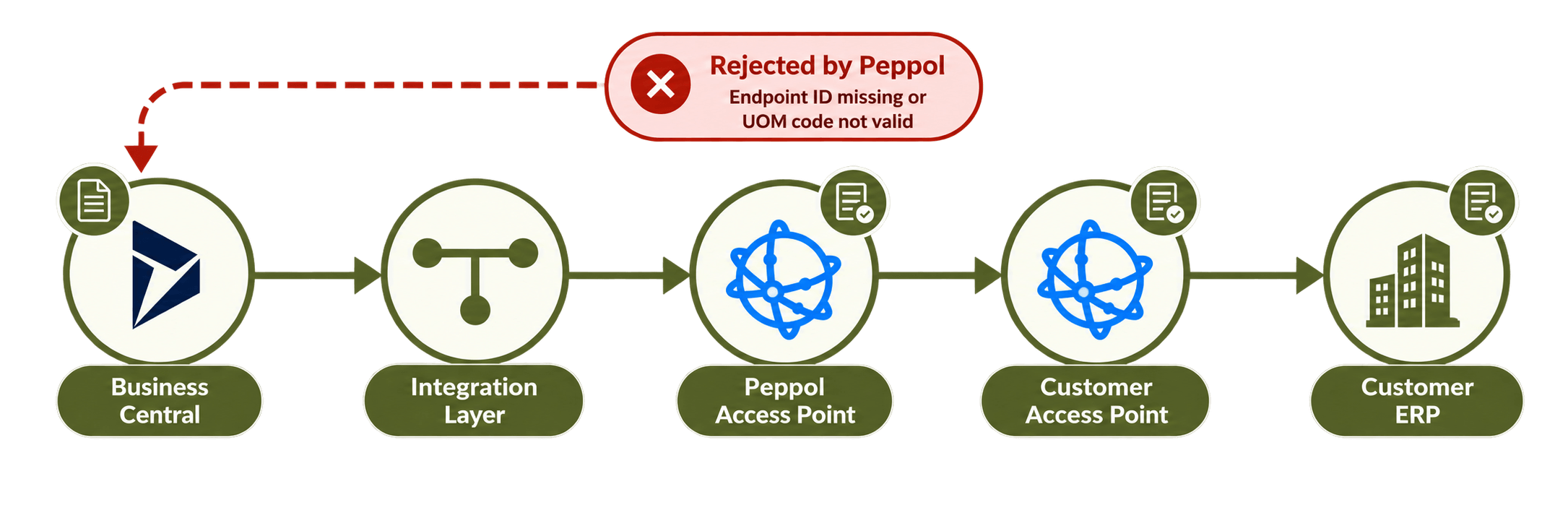
Business Central → Integration Layer → Peppol Access Point → Customer Access Point → Customer ERP
Finance still creates and posts invoice inside Business Central. The main difference is that delivery happens automatically through the Peppol network instead of email.
The Invoice Looks Correct, So Why Can Peppol Reject It?
Business Central validation and Peppol validation are not exactly same thing. Customer legal name, VAT number, address, currency, invoice number, Endpoint ID and qualifier need to be correct. Buyer reference, PO number, quantities, UOM, unit price, VAT category, VAT percentage, payment terms and IBAN may also be required depending on the invoice.
Mapping connects Business Central fields with the structured Peppol invoice.
For example:
Business Central Sales Line → Peppol Invoice Line
Country requirements can add another layer as well. A Peppol Access Point is the certified network connection used for sending and receiving Peppol documents. The receiver is found using its Peppol participant identifier, such as an Endpoint ID together with correct scheme or qualifier. If customer master data contains wrong identifier, the invoice may fail before it even reaches the customer accounting system.
Scenario 2: an invoice posts successfully in Business Central, but Peppol rejects it because Endpoint ID is missing or UOM code is not valid.
Other common problems include wrong VAT ID, missing buyer reference, incorrect credit-note mapping, total or VAT mismatch, and unsupported document structure. Checking these errors before sending can save lot of correction work later.
What Finance Automation Data Says About This Process
Ardent Partners’ 2026 State of AP research included responses from 194 AP, P2P and finance leaders. The results show why structured invoice processing and proper monitoring still matters. AP priorities and friction — Ardent 2026
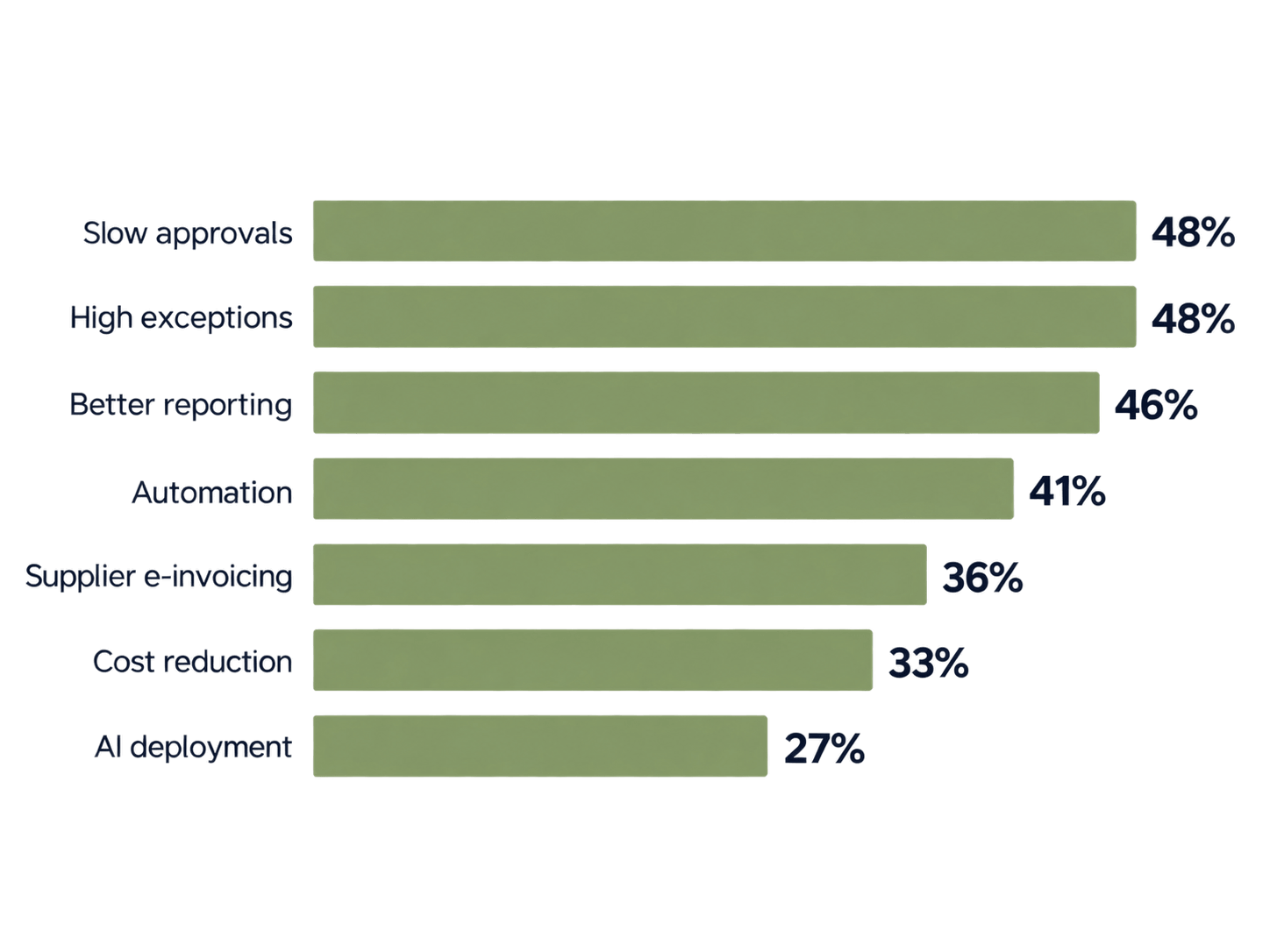
These numbers also show that sending invoice is only one part of automation. Finance teams still need good validation, reporting and exception handling around the process.
Can Supplier Peppol Invoices Enter Business Central Automatically?
Yes, with the right integration setup.
Scenario 3 starts from opposite side:
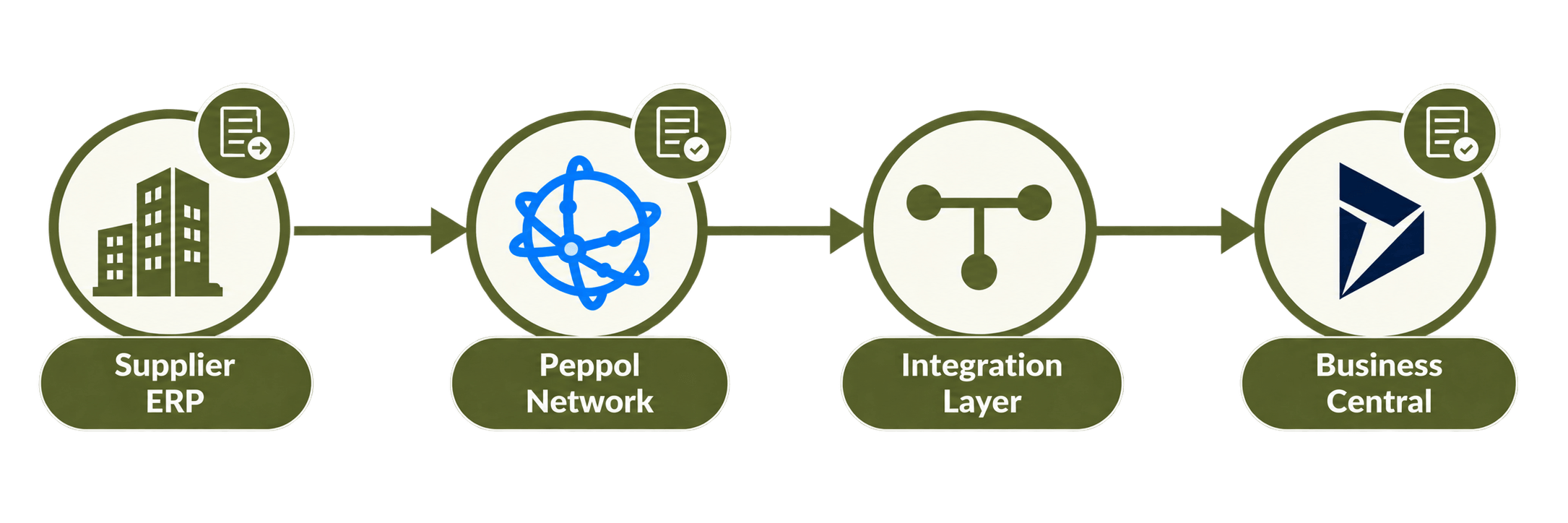
Supplier ERP → Peppol → Integration Layer → Business Central
The integration receives the structured supplier invoice, validates the information and transforms it into the format needed by Business Central. From there, suitable Business Central records can be created for finance review or further posting. This reduces manual typing and gives finance team a clearer link between received invoice, supplier data and final ERP transaction.
Who Checks Failed Invoices After Go-Live?
A good Business Central Peppol connector should show more than just “sent”.
The invoice may move through several stages:
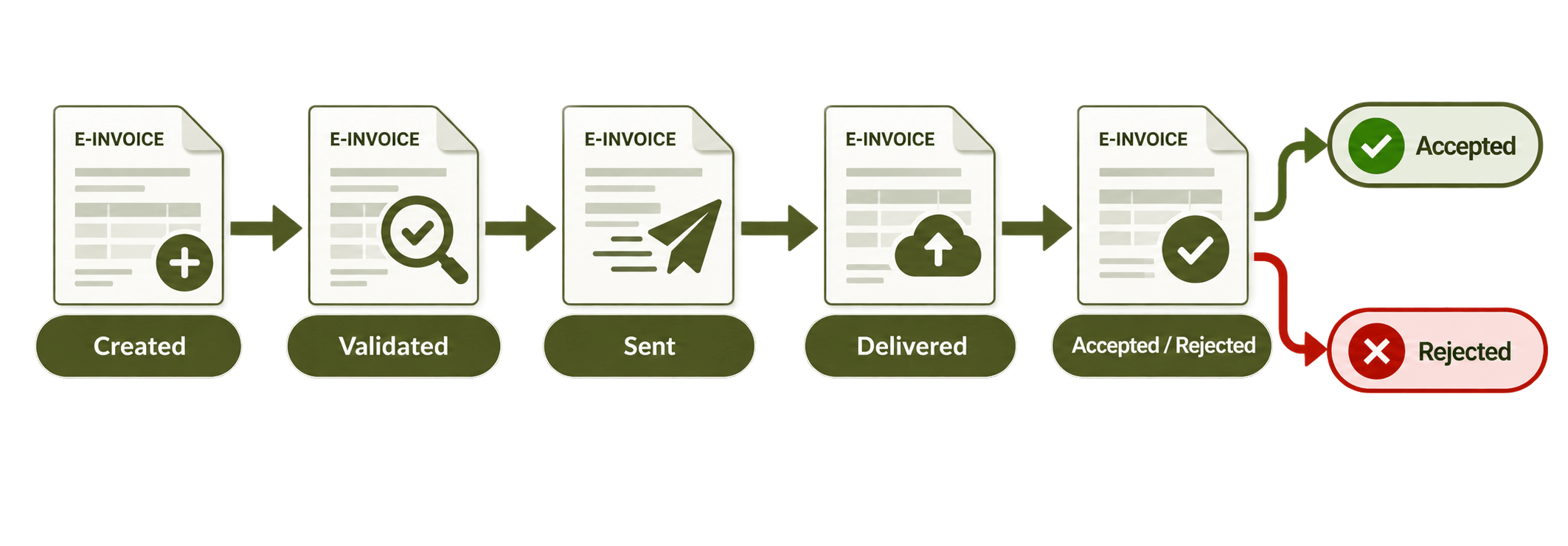
Created → Validated → Sent → Delivered → Accepted / Rejected
Finance users should be able to see validation errors, delivery failures, duplicate messages, missing acknowledgements, retry attempts and inbound processing errors without asking IT every time. Endpoint routing is also important when different customers use different GLNs, participant IDs or other Peppol identifiers. As customer numbers grow, checking all of this manually becomes difficult quite quickly.
Direct Setup or Integration Provider — What Should We Compare?
Requirement | Direct / Basic Setup | Integration Provider |
|---|---|---|
Peppol connection | Separate solution may be needed | Can be included |
Mapping / validation | More configuration | Centrally managed |
Multiple countries | More maintenance | Easier central control |
Monitoring | May be separate | Shared status view |
EDI / API needs | Extra integrations | Same platform can help |
A basic direct setup can work well when requirements are limited. Companies working with many customers, suppliers, countries and invoice formats may prefer an integration provider because more of the process can be managed from one place. Before choosing a solution, check how it handles Peppol BIS updates, country-specific rules, customer identifiers, credit notes, attachments, retries and acknowledgements. Also ask where errors are shown and who can correct them. This becomes more important when customer count grow and finance team cannot depend on one technical person for every invoice problem.
HubBroker can connect Business Central with Peppol, EDI, APIs and other business applications while Business Central stays as the main finance system. The integration layer can manage transformation, validation, Endpoint routing, invoice status and error handling. That is the real test of business central peppol integration: not only whether an invoice can be created, but whether it can reach the correct customer reliably and return as a process finance team can actually manage.
