
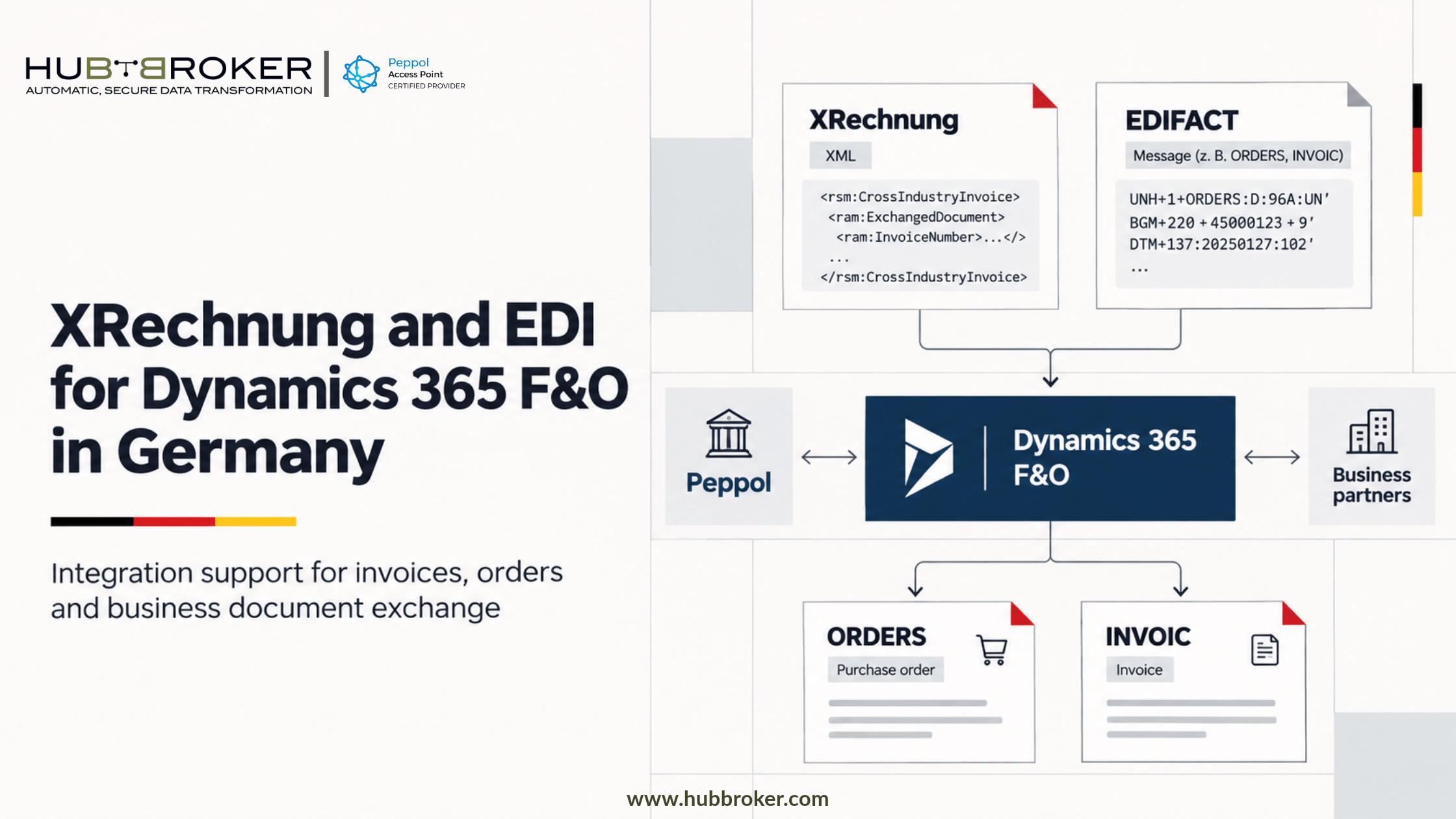
Which providers support XRechnung and EDI for Dynamics 365 Finance & Operations in Germany?
Companies using Microsoft Dynamics 365 Finance & Operations often exchange invoices, orders and shipping documents with German customers, suppliers and public authorities. Several providers support XRechnung and EDI for Dynamics 365 Finance & Operations in Germany. Microsoft offers electronic invoicing features within its ERP, while HubBroker and cover a wider range of business document exchanges. The right choice depends on whether a company needs electronic invoicing alone or also wants to connect its purchasing, sales and shipping processes with trading partners.
Why German businesses need both XRechnung and EDI
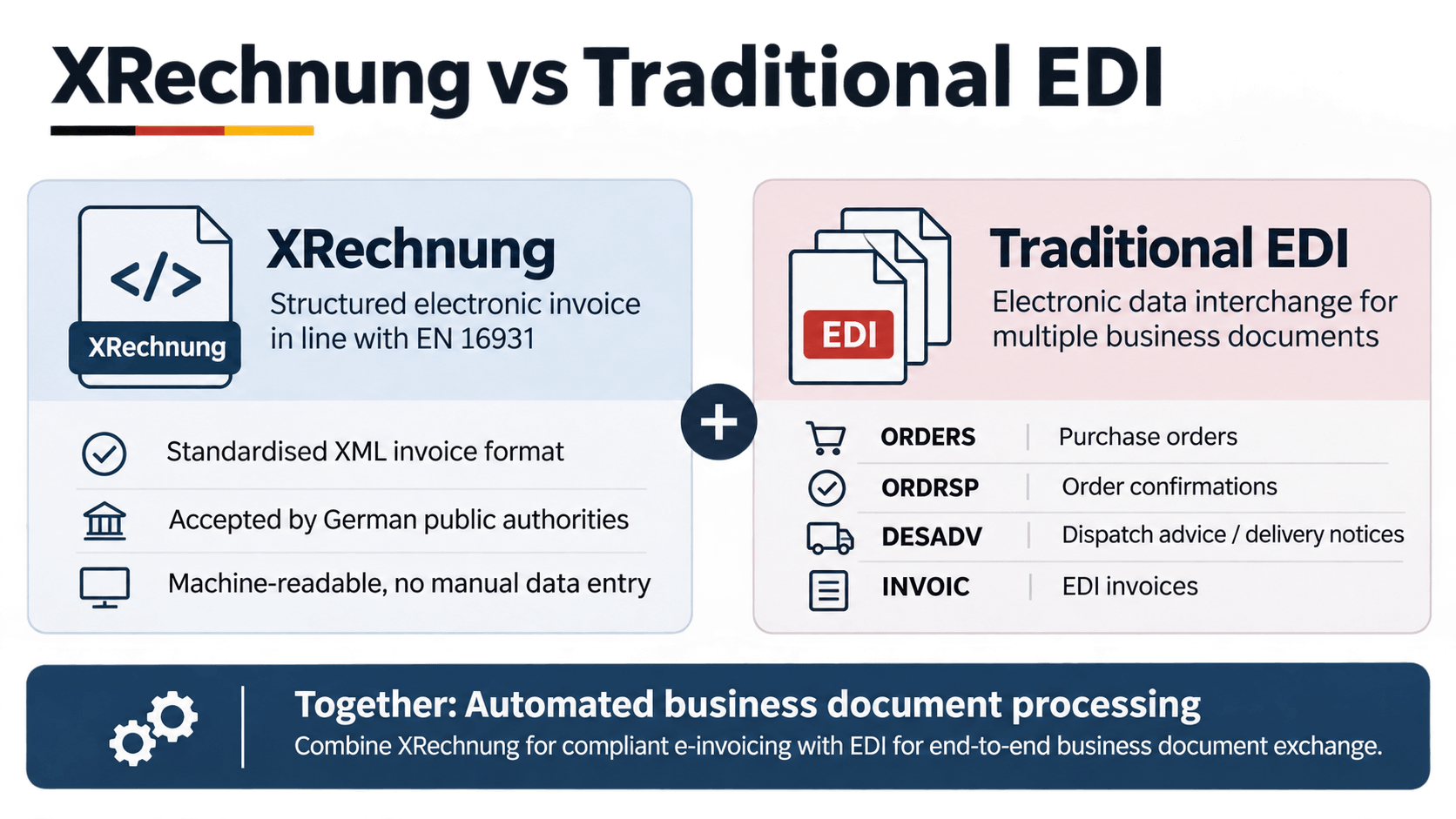
XRechnung follows the European EN 16931 standard for electronic invoices. Unlike an ordinary PDF invoice, it contains structured data that receiving software can read and process without manual data entry.
EDI stands for Electronic Data Interchange and covers more than invoicing. German retailers, manufacturers, wholesalers and automotive suppliers use it to exchange purchase orders, order confirmations, delivery notices and invoices. Since January 2025, businesses covered by Germany's domestic B2B e-invoicing rules have been required to receive electronic invoices. Issuing requirements are being introduced in stages during 2027 and 2028, with transitional arrangements and certain exemptions.
Existing EDIFACT invoicing arrangements can continue beyond the transition period if they meet the legal requirements. Companies may therefore be able to keep their current EDI systems while adding XRechnung support.
Struggling to Connect Your ERP with German Retailers?Simplify EDI integration with German retailers, warehouses, and logistics partners. HubBroker helps you connect your ERP, automate orders, invoices, and shipping messages, and manage partner-specific EDI requirements through one integration platform. |
Which providers offer integration for Dynamics 365 F&O?
Microsoft Dynamics 365 Finance supports XRechnung creation and supplier invoice imports through its Electronic Reporting framework. This may suit companies whose main requirement is structured invoicing within their ERP.
HubBroker connects Dynamics 365 F&O with trading partners through EDI, XRechnung and Peppol. Its integration platform handles both financial documents and supply chain transactions. When comparing providers, look beyond invoice creation. Find out who handles document mapping, delivery, new partner connections and daily transaction monitoring. Generating an electronic invoice within the ERP does not necessarily meet every customer's document exchange requirements.
Which document formats and connections matter in Germany?
A German distributor may receive an EDIFACT order from a retailer and send an XRechnung invoice to a government department. Although both documents are handled through the same ERP environment, they follow different formats and delivery requirements.
Document or standard | Typical use | ERP integration requirement |
|---|---|---|
XRechnung | Structured invoices | Map invoice fields |
ZUGFeRD | Hybrid electronic invoices | Process PDF and XML |
ORDERS | Purchase orders | Create sales orders |
ORDRSP | Order confirmations | Export order responses |
DESADV | Dispatch advice | Exchange shipment details |
INVOIC | EDI invoices | Convert billing data |
Peppol | Document exchange network | Identify participants and route documents |
How to prepare Dynamics 365 F&O for integrated document exchange
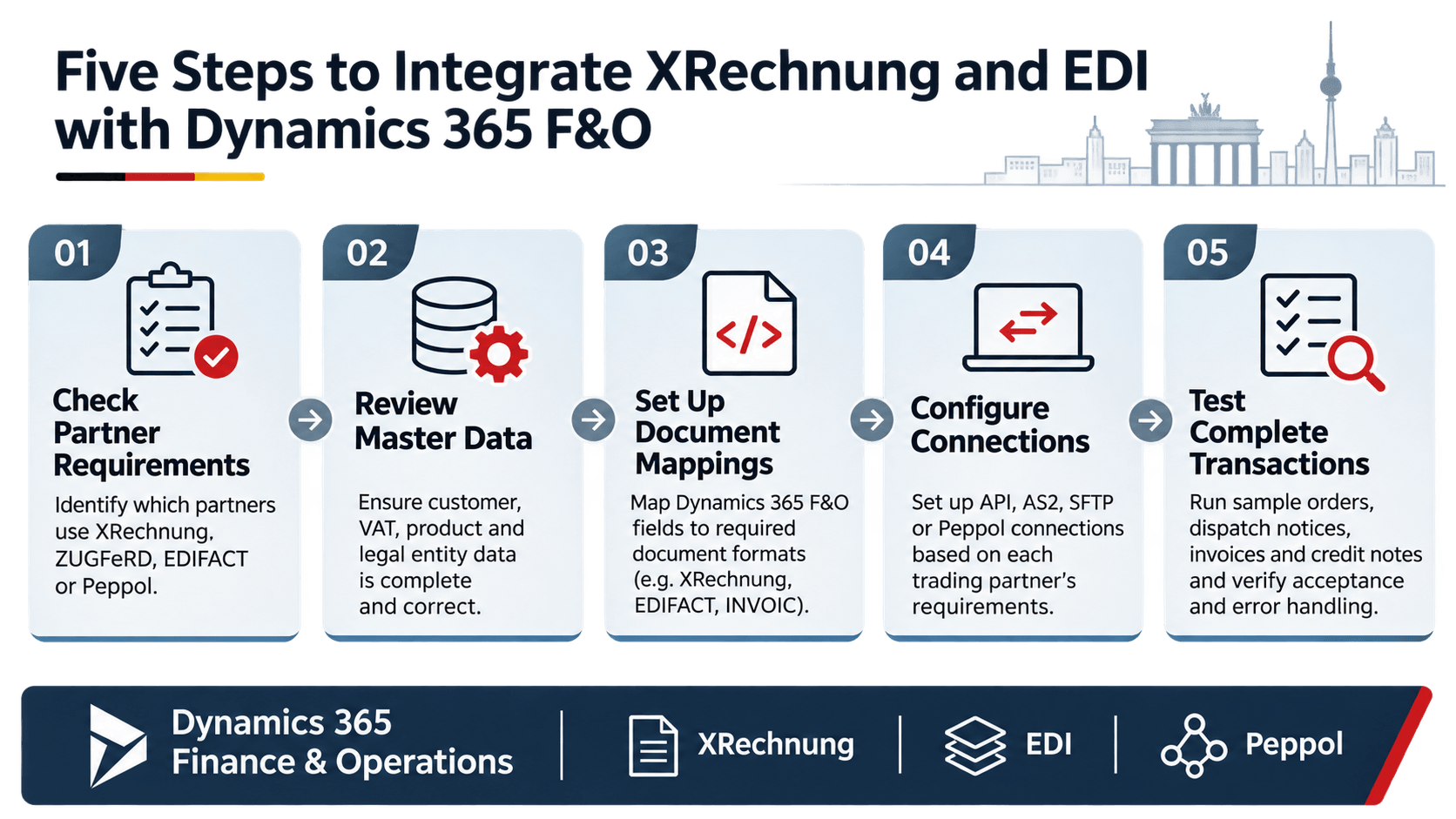
Check partner requirements. Find out which customers and suppliers use XRechnung, ZUGFeRD, EDIFACT or Peppol. Some public authorities also require specific buyer references.
Review master data. Check customer addresses, VAT identifiers, product codes, payment terms and legal entity details. Missing information could cause invoices to fail validation.
Set up document mappings. Match ERP fields with the required external document formats. Account for credit notes, allowances, tax categories and item quantities where needed.
Configure connections. Set up API, AS2, SFTP or Peppol connections depending on how each trading partner sends and receives documents.
Test complete transactions. Run sample orders, dispatch notices, invoices and credit notes. Before going live, check document acceptance, error handling and whether each document is linked to the correct ERP record.
What happens when invoice validation or delivery fails?
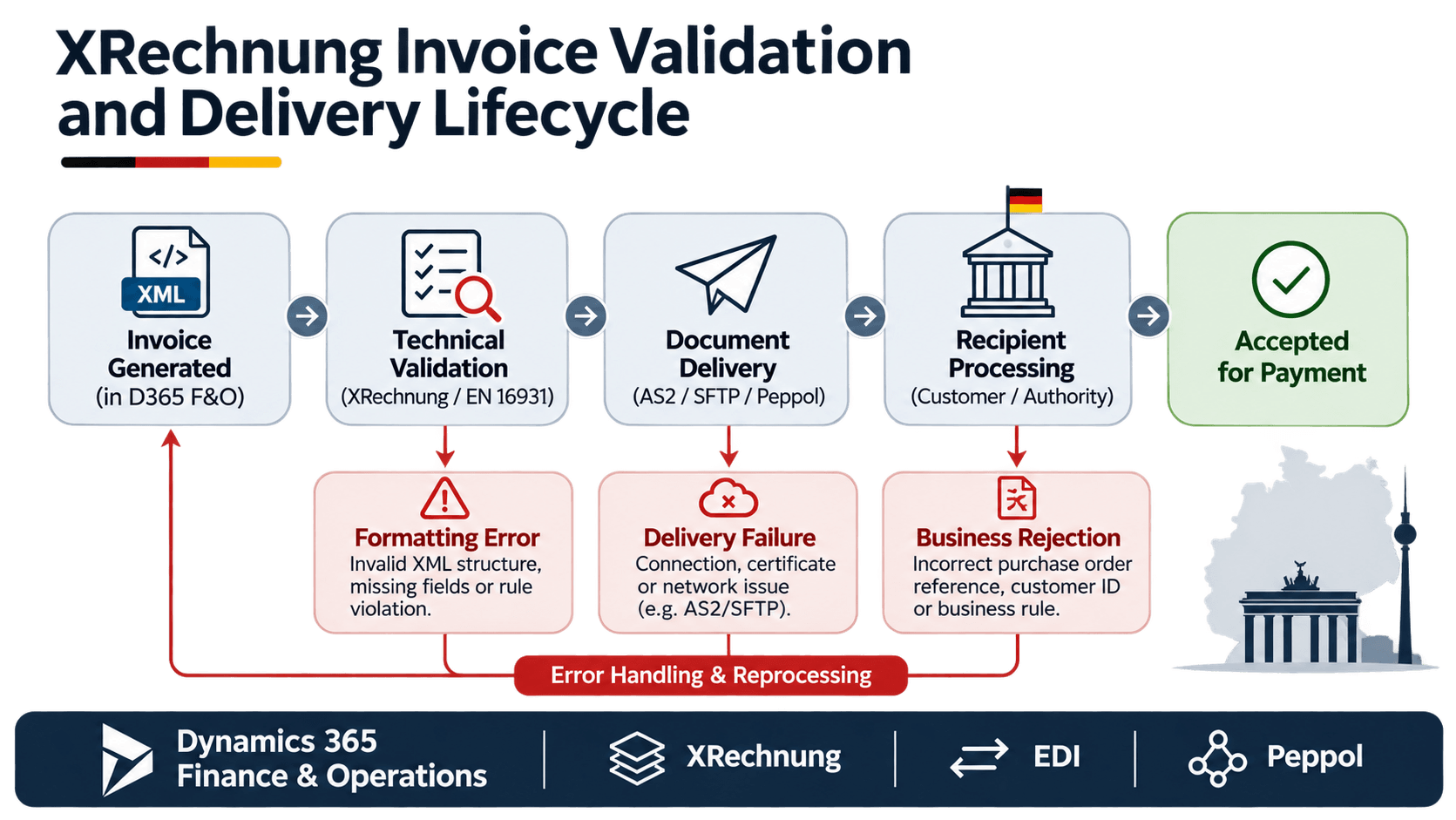
An XML invoice can pass technical validation but still be rejected because the purchase order reference is wrong or the customer identifier is incorrect. Similarly, sending an invoice successfully does not mean the recipient has approved it for payment. The integration should show whether a problem comes from incorrect formatting, failed delivery or rejection by the receiving business.
Finance teams need clear error messages, while technical teams need transaction histories to investigate problems that keep occurring.
Connecting XRechnung and EDI in Dynamics 365 F&O with HubBroker
HubBroker uses its iPaaS platform to connect Dynamics 365 Finance & Operations with German trading partners. Its mapping and validation tools convert ERP invoice data into XRechnung and support traditional EDI document exchanges. Companies can handle incoming supplier invoices, retailer orders, shipping notices and outgoing customer invoices through their existing ERP processes. HubBroker also provides Peppol connectivity and transaction monitoring, helping teams identify failures and manage documents exchanged with connected partners.
Combining electronic invoicing and EDI can reduce the need for separate document processing systems. The setup depends on existing ERP configurations, partner requirements and applicable invoicing rules. Businesses can book a free demo with HubBroker to discuss how these connections would work within their current Dynamics 365 environment.
