
Which provider can integrate ERP with German retail EDI and logistics partners?
Working with German retailers can mean receiving orders in one system, preparing deliveries in another, and sending invoices through a separate portal. German retail EDI and logistics Integration connects these exchanges with your ERP, so teams don't have to enter the same details several times. A provider must understand documents and deliveries.
What must an ERP integration provider connect in Germany?
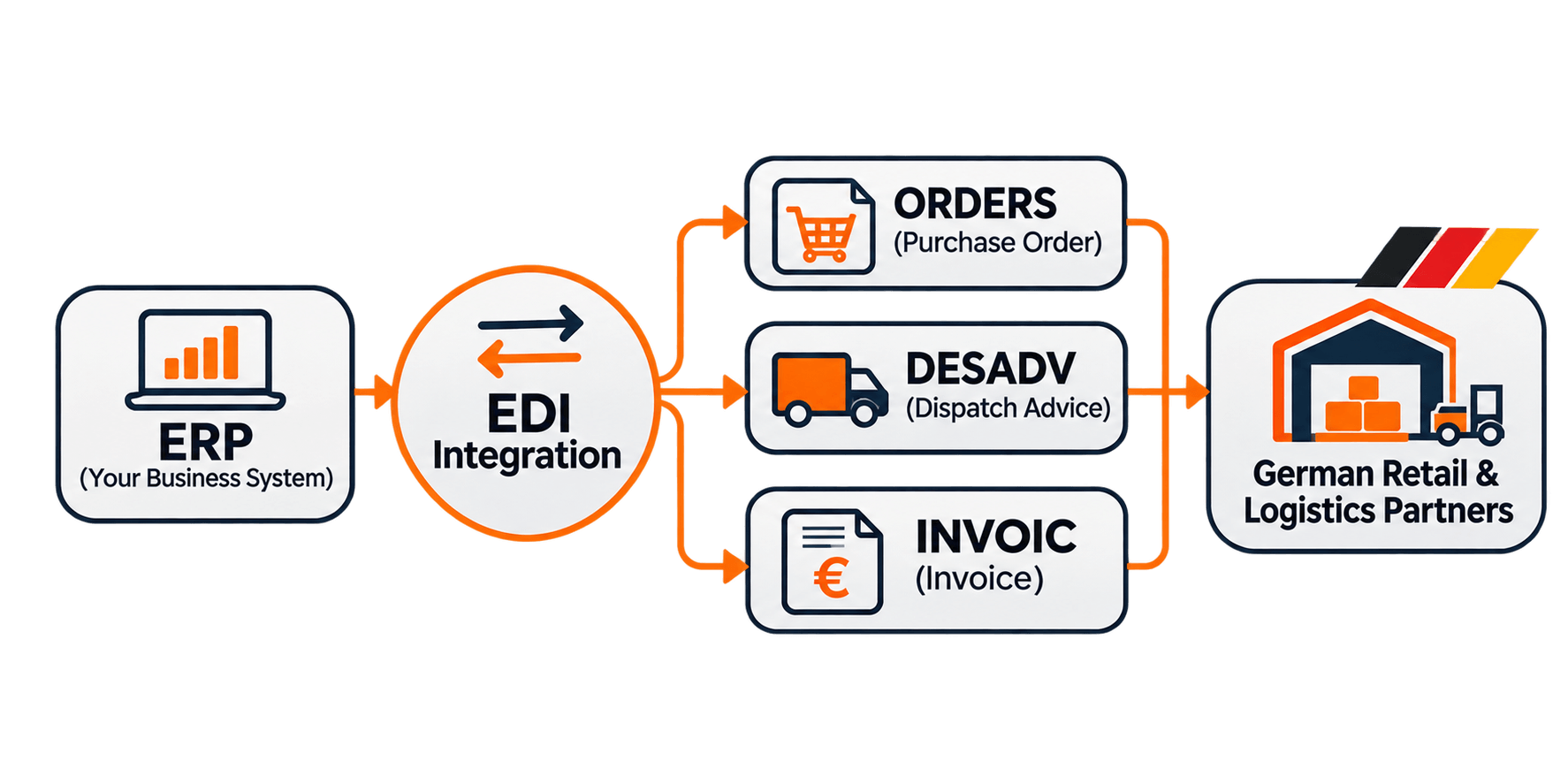
The provider needs to link your ERP with each retailer and any warehouse, distribution centre, or transport partner involved. The integration service translates information into the formats other parties accept and delivers it through agreed connections. Imagine a retailer sends a purchase order. That order should reach your ERP with the right item numbers, quantities, and delivery address. The warehouse then needs enough information to pick and ship the goods.
Struggling to Connect Your ERP with German Retailers?Simplify EDI integration with German retailers, warehouses, and logistics partners. HubBroker helps you connect your ERP, automate orders, invoices, and shipping messages, and manage partner-specific EDI requirements through one integration platform. |
Which EDI standards matter to German retailers?
EDIFACT. Typical messages include ORDERS for purchase orders, DESADV for dispatch advice, and INVOIC for invoices. GS1 Germany provides recommendations, but each retailer can still have its own rules for what a message must contain. Identifiers matter here. A Global Location Number (GLN) identifies a business location, a Global Trade Item Number (GTIN) identifies a product, and a Serial Shipping Container Code (SSCC) identifies a logistics unit.
Even a correctly formatted message can be rejected when the retailer expects a missing reference or different packaging information.
The main messages and identifiers are:
Item or message | What it describes | What to check |
|---|---|---|
ORDERS | Retail purchase order | Items and quantities |
DESADV | Upcoming delivery | Shipment references |
INVOIC | Invoice details | Required retailer references |
GLN | Business location | Correct sender and receiver |
GTIN | Product identity | Matching product records |
SSCC | Logistics unit | Pallet or package identifiers |
IFTMIN | Transport instructions | Carrier requirements |
Kaufland describes electronic exchanges for orders, dispatch notices, and invoices. REWE also provides DESADV guidance. Their different requirements show why supporting EANCOM alone isn't enough. Each trading partner's setup still needs checking and testing.
Why do logistics connections complicate ERP-to-EDI projects?
An order in the ERP doesn't always match what eventually ships. A warehouse might divide it into separate deliveries, adjust a picked quantity, or assign pallet numbers only after packing. The dispatch notice needs to reflect those final details, not an earlier plan. That means the ERP and warehouse system must share accurate shipment information before the retailer receives a DESADV. Otherwise, the physical delivery and electronic record may disagree. Some transport partners also exchange IFTMIN messages, depending on their arrangements.
 HubBroker offers EDI and ERP integration services that connect existing software with trading partners. Its platform handles mapping, format conversion, validation, and communication through AS2, SFTP, and APIs. For businesses using Microsoft Dynamics 365 Business Central or SAP Business One, an integration layer can support data exchange without replacing the ERP.
For a German retail setup, HubBroker can assess each retailer's guidelines, map orders, dispatch notices, and invoices to internal fields, and help monitor errors. Warehouse and carrier connections can be reviewed against the documents and interfaces those partners actually support. This gives teams a clearer way to coordinate order and shipment details and reduces repeated manual checks.
Start by sharing your ERP setup and the EDI specifications supplied by your retail and logistics partners. HubBroker can review the required connections, mappings, and tests before you commit to an implementation plan.
