
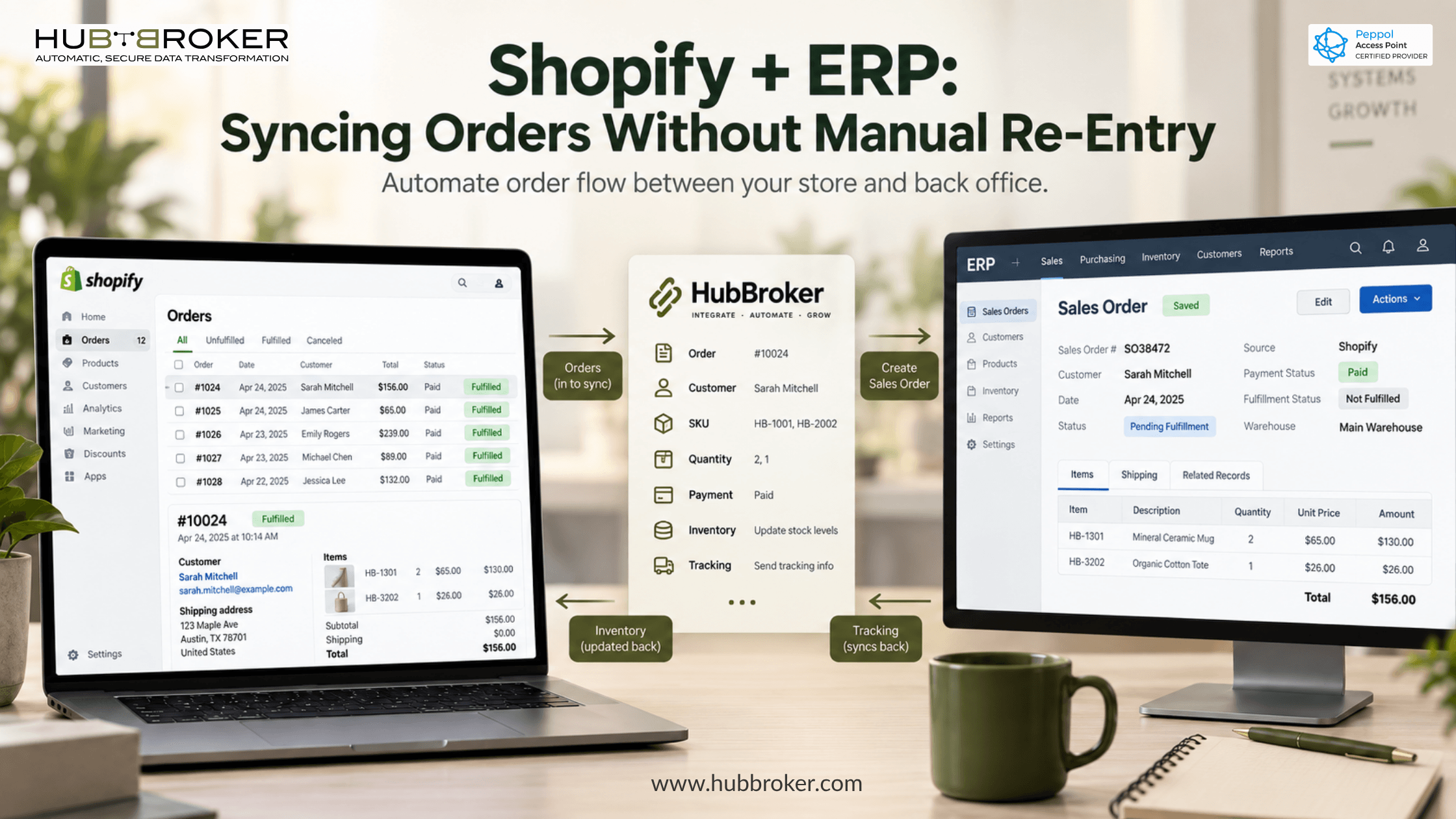
Shopify + ERP: Syncing Orders Without Manual Re-Entry
Your Shopify store is doing its job. Orders come in, payments clear, customers get their confirmation email. Then someone on your operations team opens the admin panel, opens the ERP in another tab, and starts typing.
That gap between the two systems is where most Shopify merchants quietly lose margin. A proper Shopify ERP integration closes it not by replacing anything, but by letting the two systems trade data directly.
What manual order entry actually costs you
The cost is rarely one big failure. It's a slow leak.
Wrong quantities, wrong addresses, wrong prices
Rekeying is error-prone at any volume. One transposed digit in a quantity field becomes a short shipment, a customer service ticket, a credit note, and a reconciliation problem. The order took two minutes to enter and four hours to fix.
Delayed fulfilment and the customer-service tail
Orders placed Friday evening don't reach the warehouse until Monday afternoon if a human has to move them. Customers who were promised two-day shipping start emailing on day three.
Finance closing on numbers that don't reconcile
When Shopify holds one version of the truth and the ERP holds another, month-end becomes an investigation. Revenue, VAT, and shipping costs all have to be traced back to individual orders by hand.
Why Shopify and your ERP don't talk by default
The two systems were built for different jobs, and it shows in the data.
Different data models
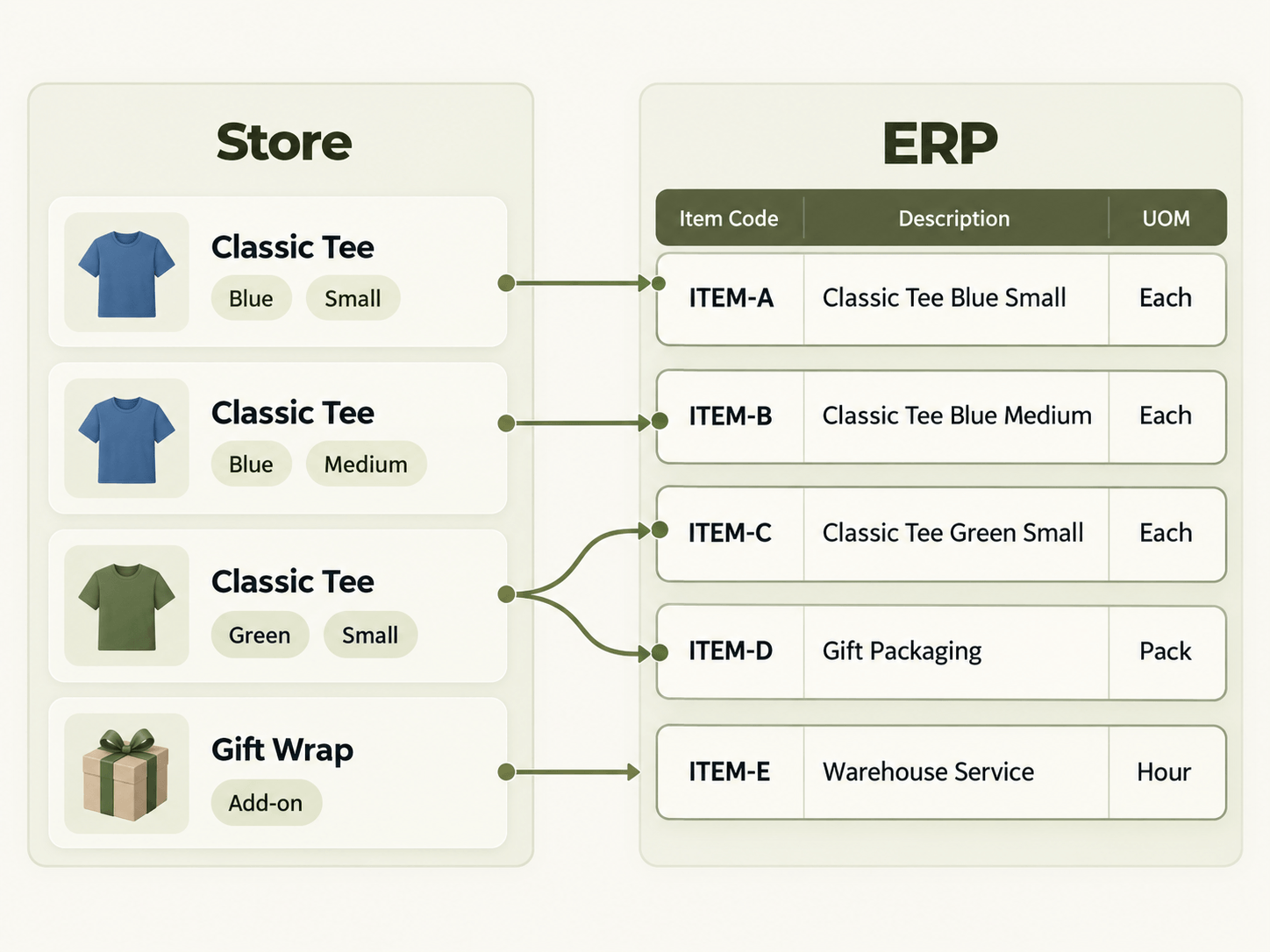
Shopify thinks in products and variants. Your ERP thinks in item numbers, units of measure, and warehouse locations. A Shopify variant SKU isn't automatically an ERP item someone has to define the relationship.
Order statuses that don't map cleanly
Shopify's fulfilment states and your ERP's sales order lifecycle rarely line up one-to-one. Partial fulfilment, backorders, and refunds are where the mapping gets interesting.
Tax, currency and shipping mismatches
Multi-currency stores, VAT rules per market, and shipping methods that need to translate into ERP delivery terms all need explicit rules. Guessing produces invoices that finance has to correct.
What a Shopify ERP integration moves, in both directions
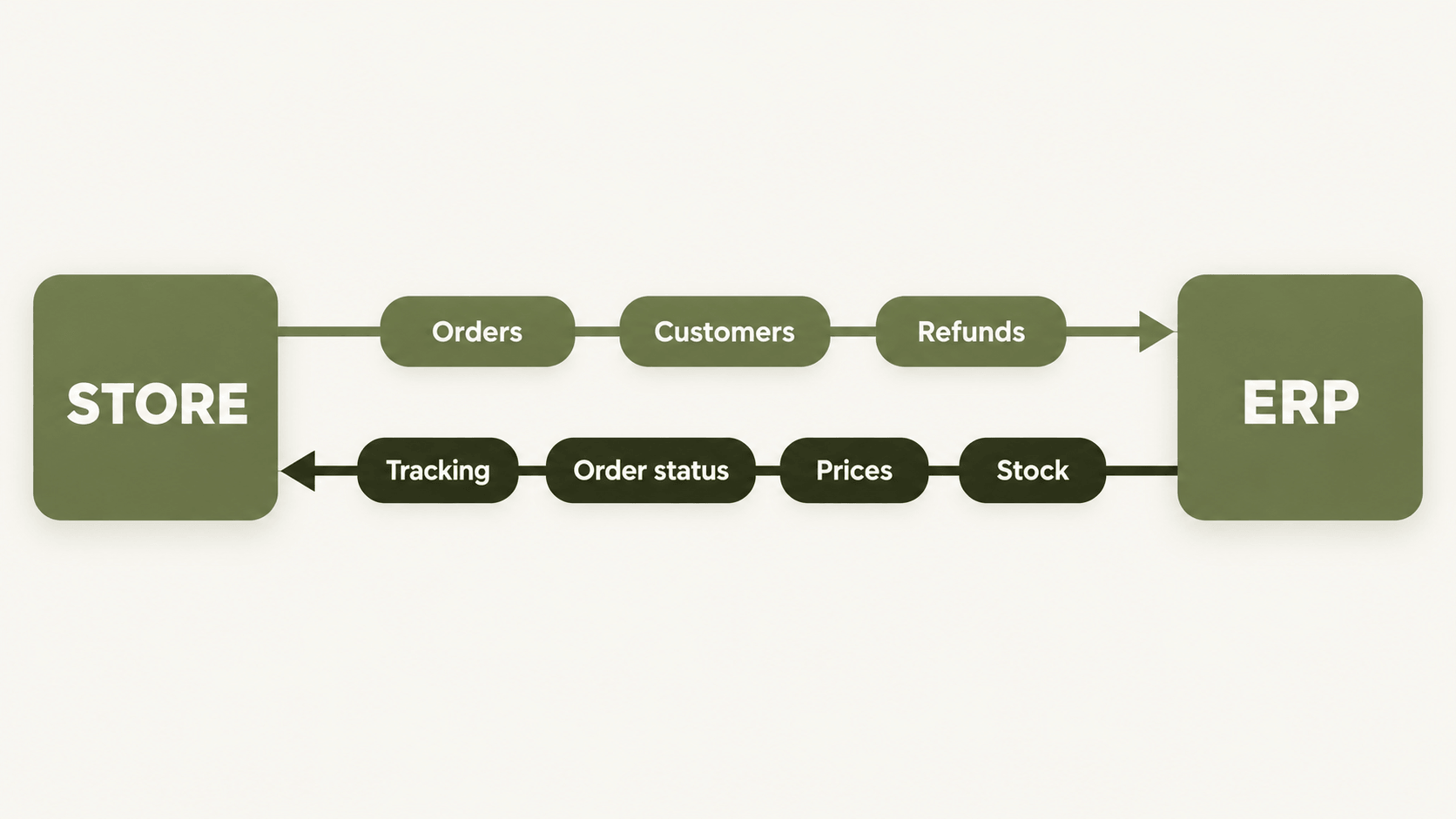
A working setup is bidirectional, not a one-way export.
Outbound from Shopify: orders, order lines, customer records, payment references, refunds and returns.
Inbound to Shopify: stock levels, prices, order status, and shipment tracking numbers so customers see progress without anyone updating anything manually.
The awkward cases matter more than the simple ones. Partial shipments, credit notes, and B2B orders with payment terms are where cheap integrations break.
Three approaches, and the trade-offs
App-store connectors
Fast to install and cheap to start. They tend to cover the standard order flow well and struggle with anything specific to your business custom fields, multi-warehouse logic, partner-specific invoicing.
Custom point-to-point development
Full control, and you own the result. You also own the maintenance. Every Shopify API version change, every new sales channel, and every ERP upgrade becomes your development backlog.
An integration layer on top of your existing ERP
A middleware platform sits between Shopify and the ERP, handling mapping, validation, retries and monitoring in one place. Your ERP stays as it is. When you add a second store, a marketplace, or a 3PL, you extend the layer rather than building a new connection from scratch. Our ERP EDI integration services page walks through how that works across different ERP systems.
What to get right before you connect anything
Clean item and customer master data
Integration exposes bad master data immediately. If the same product exists under three SKUs in your ERP, decide which one wins before you map anything.
Error handling with a named owner
Some orders will fail validation. The question is who finds out, how fast, and where they go to fix it. An integration without a visible exception queue just moves the problem somewhere less obvious.
Mapping rules written down
Field mappings that live in one person's head are a risk. Document them. You will need them the next time Shopify changes an API or a partner changes a format.
HubBroker connects Shopify to your existing ERP as an integration layer no replatforming, no ERP migration. Orders, inventory, invoices and fulfilment data move automatically between the store and the back office.
Our Shopify EDI integration covers ERP sync alongside trading partner exchange, so the same setup serves your D2C store and your retail or wholesale partners. For merchants on Microsoft Dynamics 365, the Business Central EDI integration page covers how orders land directly in BC sales documents. Connectors for SAP Business One, D365 F&O, Visma e-conomic, Uniconta and Rackbeat work the same way.
FAQ
How long does a Shopify ERP integration take? It depends on the number of document types, sales channels and partner-specific rules involved. A single-store setup with standard order and invoice flow is considerably faster than a multi-store, multi-currency setup with 3PL and retail partners attached.
Do we need to change our ERP? No. The integration layer connects to your ERP as it is. Your posting rules, document types and workflows stay in place.
What happens to orders that fail validation? They go to an exception queue with the reason attached, rather than disappearing. Someone reviews, corrects and reprocesses. The point is visibility you should never find out about a failed order from the customer.
Can it handle multiple Shopify stores and currencies? Yes. Multiple stores, regions and currencies can run through one connected setup, which is the main argument for a layer over one-off connectors.
Does this cover Shopify B2B? Shopify B2B orders with company profiles and payment terms can be mapped into ERP sales documents, and invoices sent to partners in the formats they require including Peppol where that applies.
Worth a conversation?
If your team is copying Shopify orders into an ERP by hand, the fastest way to see whether that's fixable is to map the current flow which fields move, where they break, and what the exceptions look like.
Our integration team does that as a starting point. No commitment, and you keep the map either way. Get in touch when it's useful.
