
SAP Business One and EDI for Retail Suppliers: Orders, Despatch Advice, Invoices
Selling into retail means working to the retailer’s rules. Orders arrive as EDI messages, deliveries must be announced before they reach the dock, and invoices are checked line by line against what was ordered and received. If one document is wrong, the next one fails with it.
For supply chain leads running SAP Business One, EDI for retail comes down to three documents: the order, the despatch advice and the invoice. This guide explains what each one does, where SAP Business One fits, and where suppliers most often lose time and money.
How retail EDI works: one loop, three core documents
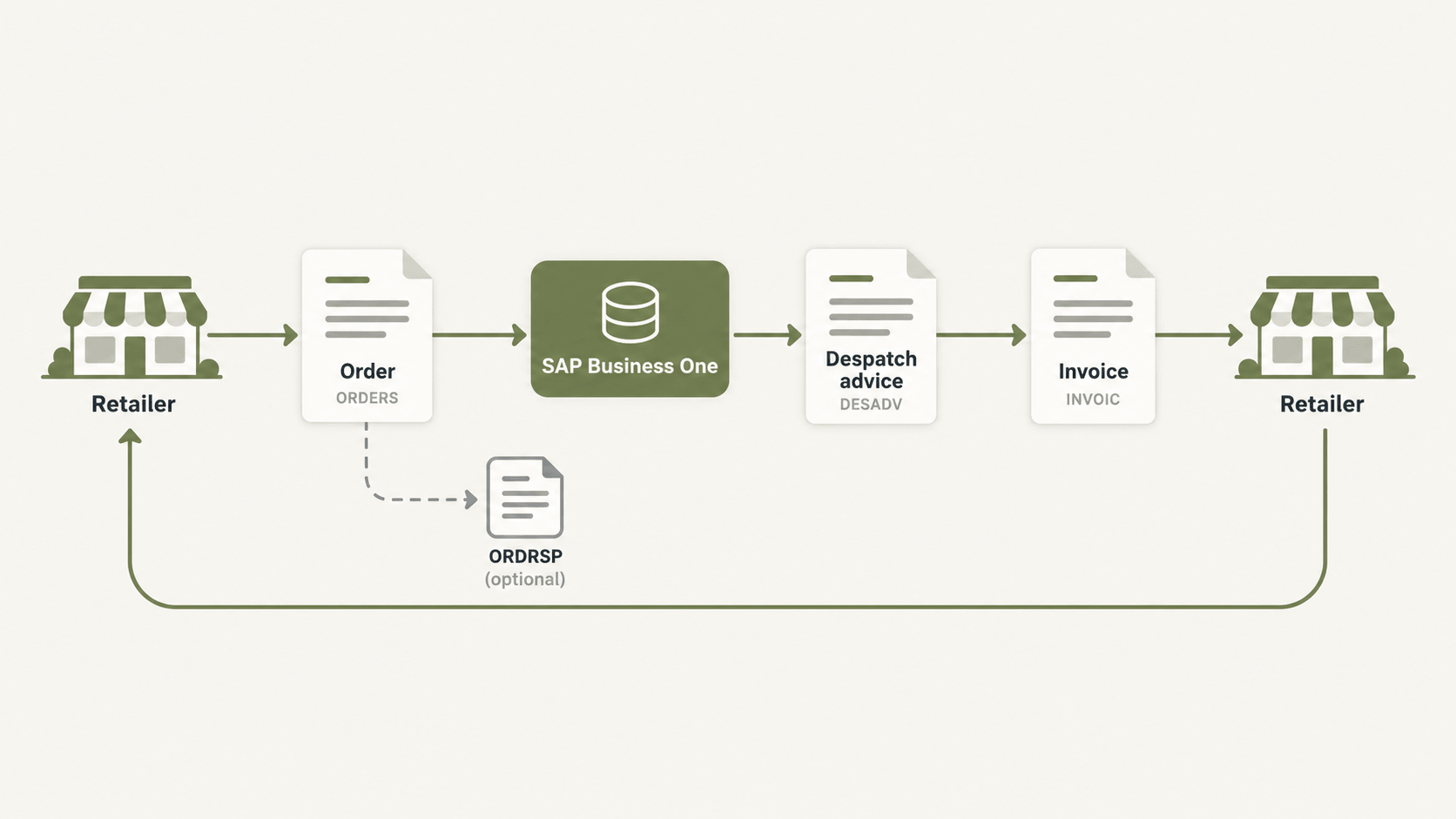
European retailers usually run the same order-to-cash loop with their suppliers:
Order (ORDERS): the retailer tells you what to deliver, where and when.
Despatch advice (DESADV): you tell the retailer exactly what is on the truck.
Invoice (INVOIC): you bill for what was delivered.
Many retailers also require an order response (ORDRSP) to confirm or adjust the order. Each message references the one before it, which is why a small error early in the chain shows up later as an invoice hold or a deduction.
Where SAP Business One fits
SAP Business One already holds the business side of this loop: business partners, items, sales orders, deliveries and A/R invoices. What it doesn’t do on its own is translate those documents into EDIFACT or EANCOM, apply each retailer’s rules, or manage the connection and acknowledgements.
That job belongs to an integration layer between SAP B1 and your trading partners. Your team keeps working in SAP Business One, and the integration layer handles the format, validation and delivery for each retailer. This is the model behind HubBroker’s SAP Business One integration. It works with your ERP rather than replacing it.
Orders: from retailer EDI to SAP Business One sales order
Matching retailer data to your master data
Retailers send their own identifiers: GTINs for products, GLNs for stores and distribution centres, and their own buyer references. Before a sales order can be created, the integration has to match these to the right SAP B1 business partner, item code, unit and ship-to address.
Most order problems start here, not in the EDI file itself. A missing GTIN or an outdated delivery location stops the order before anyone sees it.
Order changes and responses
Some retailers send order changes and expect an order response within a fixed window. Decide early whether changes update the existing sales order or create a new one, and who on your side approves a short-ship or substitution.
Despatch advice: the document retailers check most closely
Build it from what actually ships
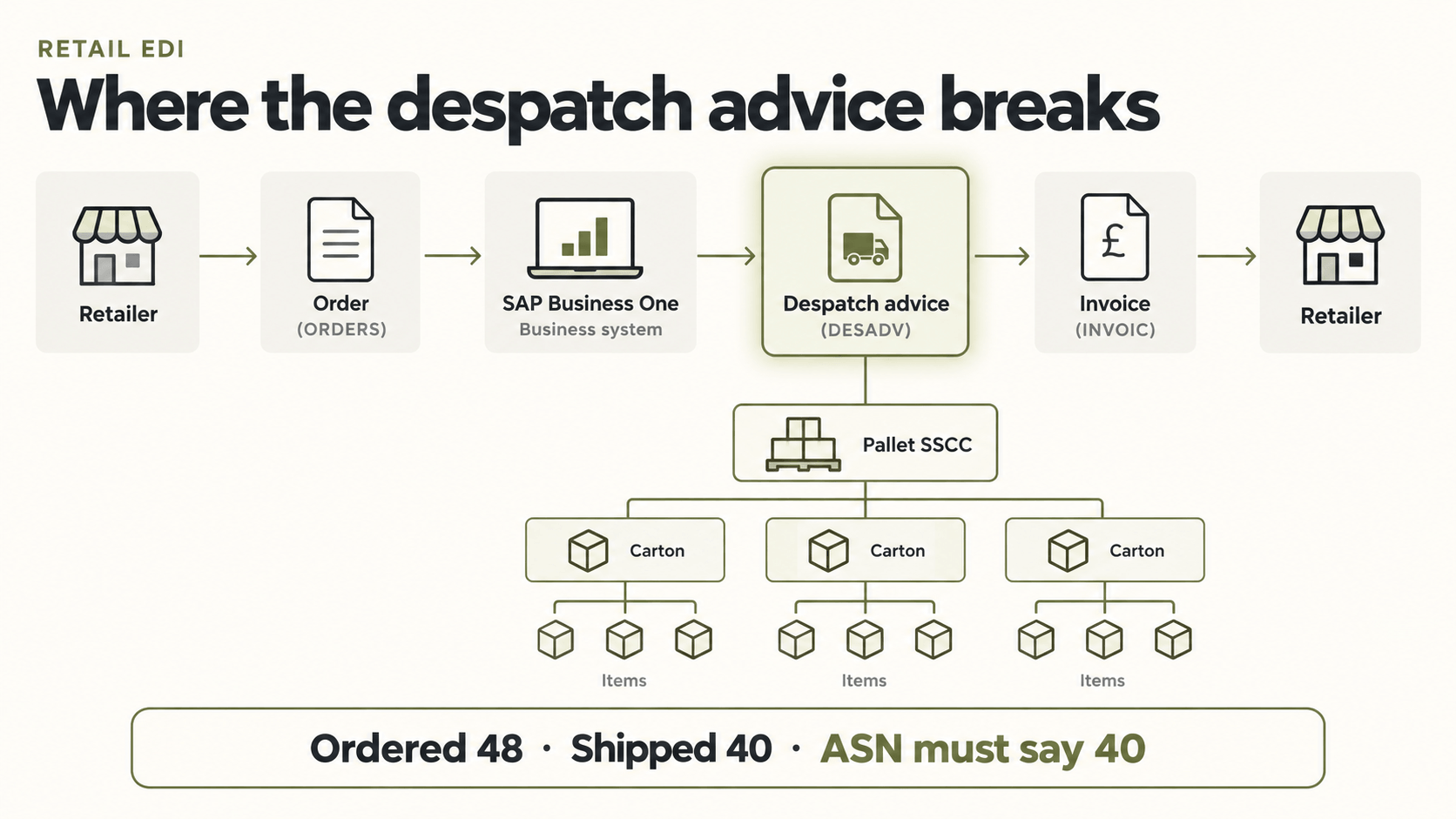
The despatch advice, often called the ASN, tells the retailer’s warehouse what to expect before the goods arrive. It should be generated from the SAP B1 delivery document, not from the original order. If you ship 40 of 48 ordered units, the despatch advice must say 40.
Packaging, labels and timing
Many retailers require SSCC-labelled pallets and cartons, with the packaging hierarchy in the despatch advice matching the labels scanned at the dock. Most also set a deadline for when the message must arrive relative to the delivery. This is where warehouse process and EDI meet, so involve the warehouse team from the start.
Invoices: closing the loop and getting paid
Three-way matching
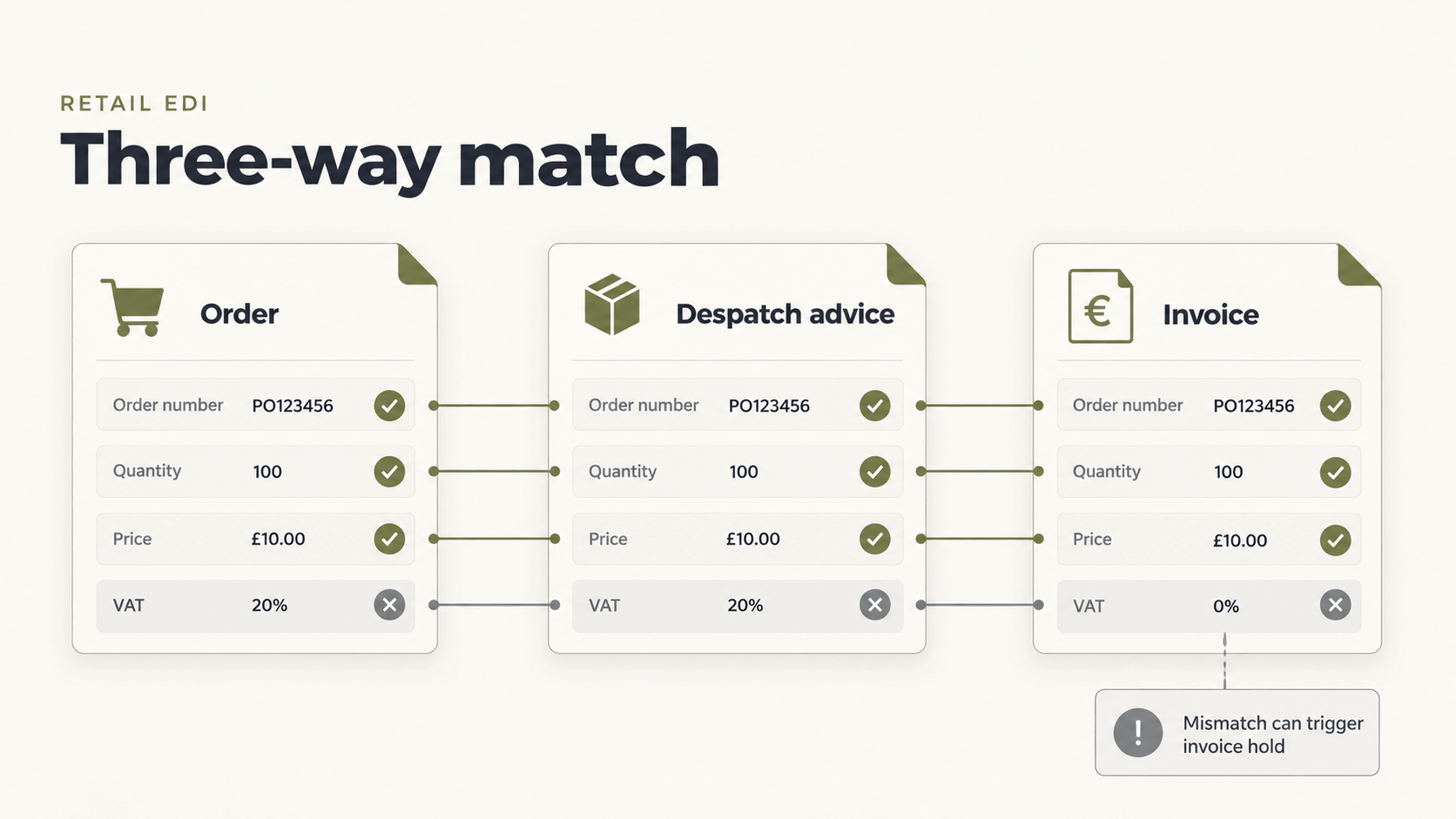
The retailer compares your invoice with its order and the received despatch advice. Order numbers, line references, quantities, prices and VAT need to flow from SAP Business One unchanged. Credit memos must point back to the original invoice so they can be matched rather than queried.
EDI invoices and e-invoicing mandates
E-invoicing mandates across Europe are changing how invoices must be delivered. Some customers will expect Peppol or a national format instead of, or alongside, classic EDI. An integration layer that handles both EDI and Peppol e-invoicing means you don’t run two separate setups. Suppliers selling into Germany can read more in our guide to SAP Business One and German e-invoicing.
Before go-live: a short checklist for supply chain leads
Retailer guidelines: get the current version for every message, including mandatory fields and timing rules.
Master data: clean up GTINs, GLNs, units and price lists in SAP Business One.
End-to-end tests: test the full order → despatch advice → invoice loop, including partial deliveries and rejected messages.
Error ownership: decide who is alerted when a message fails and how quickly they respond.
Visibility: make sure the team can see message status without asking IT.
How HubBroker connects SAP Business One to retail trading partners
HubBroker connects to your existing SAP Business One company. Retailer orders become sales orders. Delivery data drives the despatch advice. Invoices and credit memos go out in each retailer’s required format. Acknowledgements and errors are tracked in one place, and new retailers reuse existing mappings instead of starting from scratch.
FAQ
Does SAP Business One support EDI out of the box?
No. SAP Business One holds the documents, but EDI translation, retailer-specific rules and communication need an integration layer or add-on.
Is a despatch advice the same as an ASN?
Yes, in practice. ASN (advance shipping notice) is the common term; DESADV is the EDIFACT/EANCOM message name.
Which EDI standards do European retailers use?
EDIFACT and its GS1 subset EANCOM are common. Some retailers use XML or their own formats, so always check the retailer’s guideline.
Why does the despatch advice cause so many problems?
Because it has to match what physically arrives, at quantity and packaging level. Generating it from the order instead of the delivery is the most common mistake.
Can the same setup handle Peppol e-invoicing?
Yes, if the integration layer supports both. HubBroker handles EDI and Peppol through the same platform.
What happens when a retailer changes its EDI requirements?
The mapping is updated in the integration layer. SAP Business One itself normally needs no change.
Map your order-to-invoice flow
If your team is still correcting despatch advices or chasing invoice mismatches by hand, start by mapping where the flow breaks. Book a demo and we’ll walk through your SAP Business One setup against your retailers’ requirements.
