
Magento Microsoft Dynamics Business Central Integration for Ecommerce
Magento can manage the online store while Microsoft Dynamics 365 Business Central manages stock, sales orders, customers, finance and fulfilment. When both systems work separately, ecommerce teams can face repeated data entry, old inventory information and slower order processing. A proper Magento Microsoft Dynamics Business Central integration connects the important business data between both systems without making both platforms control the same information.
What Should Magento and Business Central Each Own?
A successful integration starts with clear data ownership. Business Central may manage:
SKU
Inventory
Operational product data
Pricing
Sales orders
Fulfilment process
Magento may manage:
Store descriptions
Categories
Product images
SEO content
Merchandising information
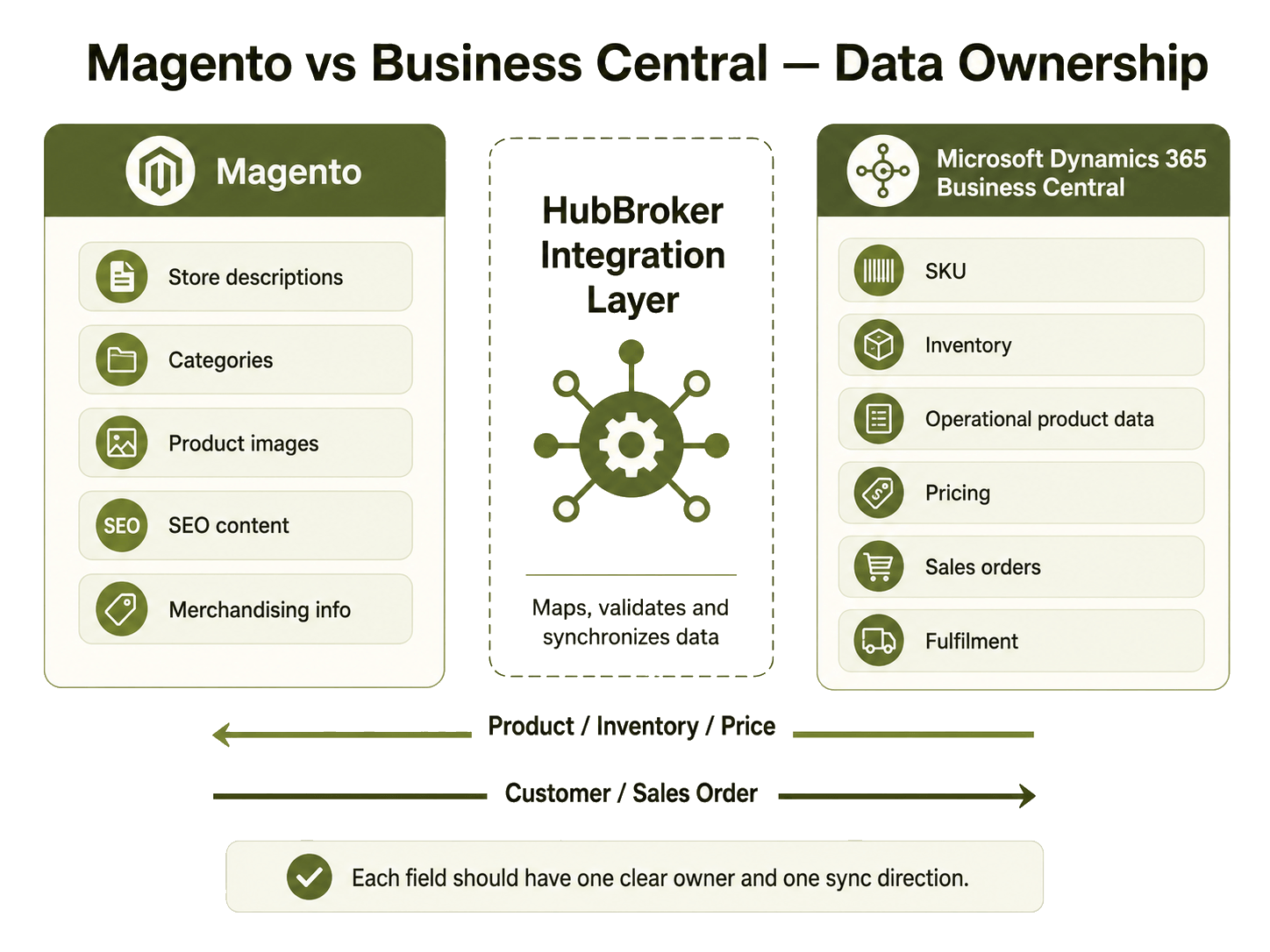
If a PIM system is used, it may become the main source for product content. The simple rule is: every field should have one clear owner and a clear direction for synchronization.
How Does a Magento Order Move Through Business Central?
A normal order process can look like this:
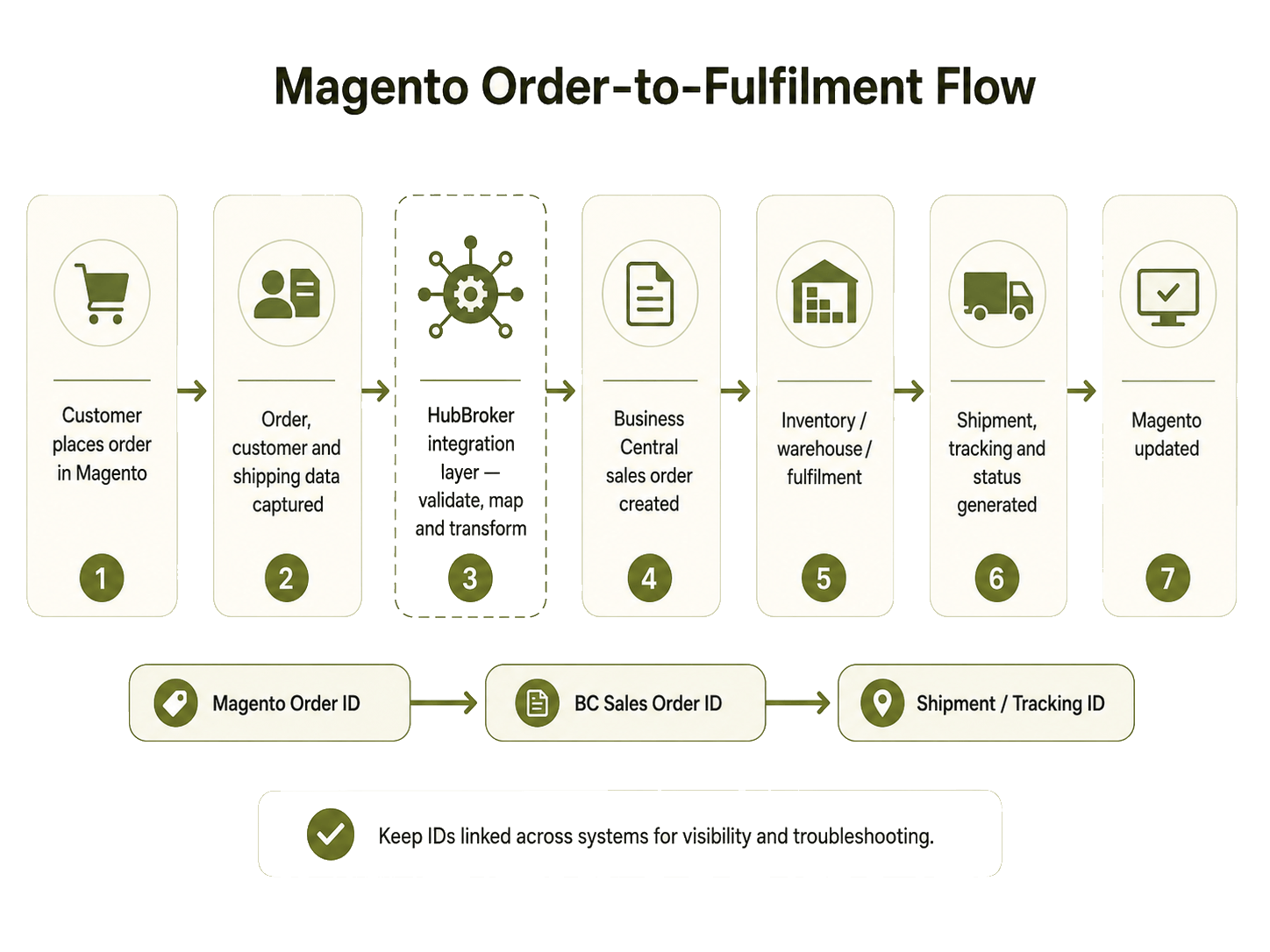
The integration should keep the connection between Magento Order ID, Business Central sales order and shipment details. This makes it easier to find problems when an order fails or data does not move correctly.
How Should Inventory and Product Data Sync?
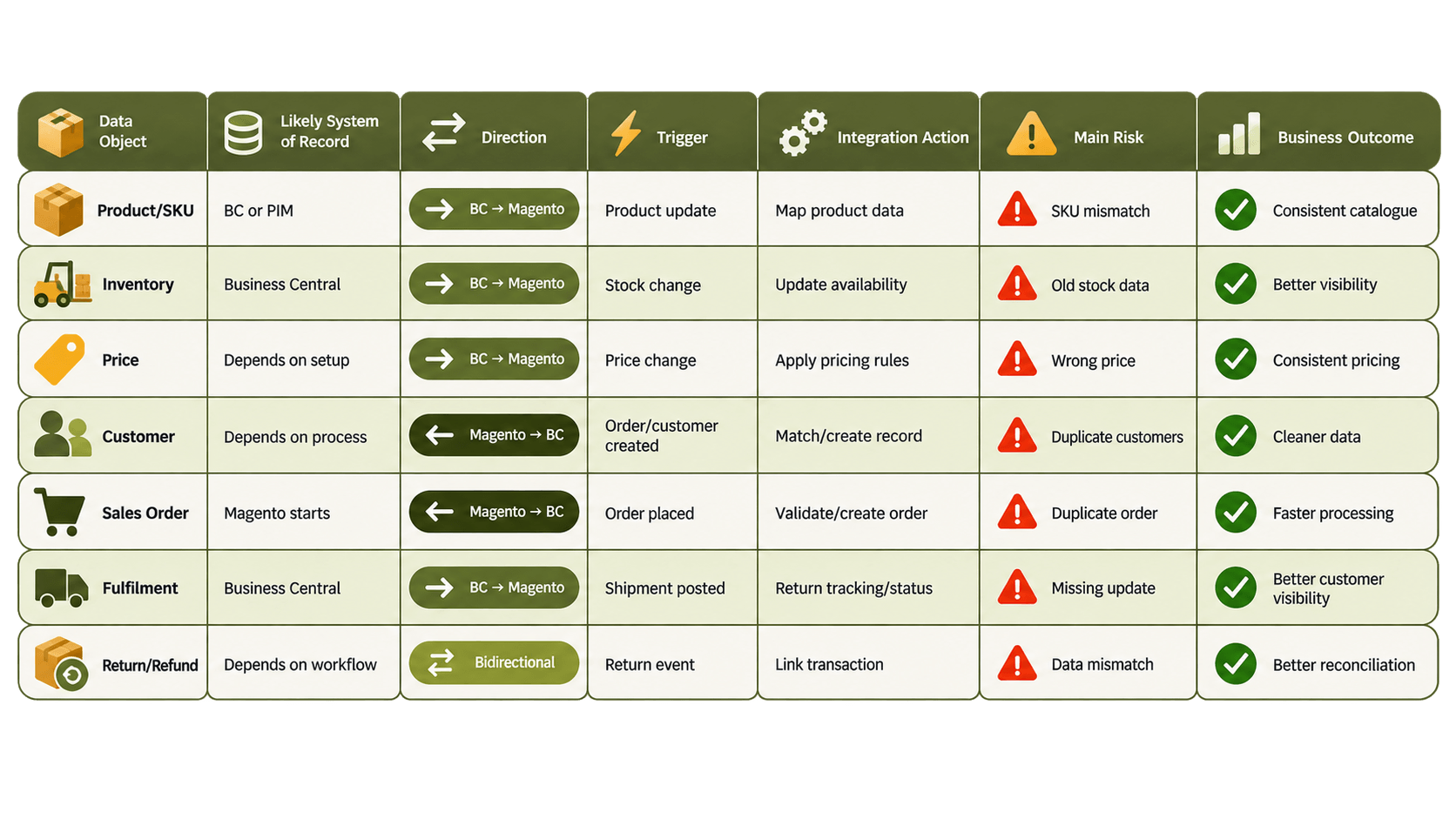
Inventory is usually one of the most important flows from Business Central to Magento. The sync timing depends on the business requirement.
For example:
New orders may need faster updates.
Important stock changes may need near real-time sync.
Large product catalogue updates may work better on scheduled processing.
For businesses with multiple Business Central locations, rules should define which warehouse stock Magento should show online. Regular updates can reduce the chance of customers seeing unavailable products, but integration cannot guarantee that overselling will never happen. Product data also needs clear ownership. Business Central may control SKU, price and operational product details, while Magento may manage richer ecommerce content. If a PIM is involved, the data flow can be different.
What Happens When an Order Fails?
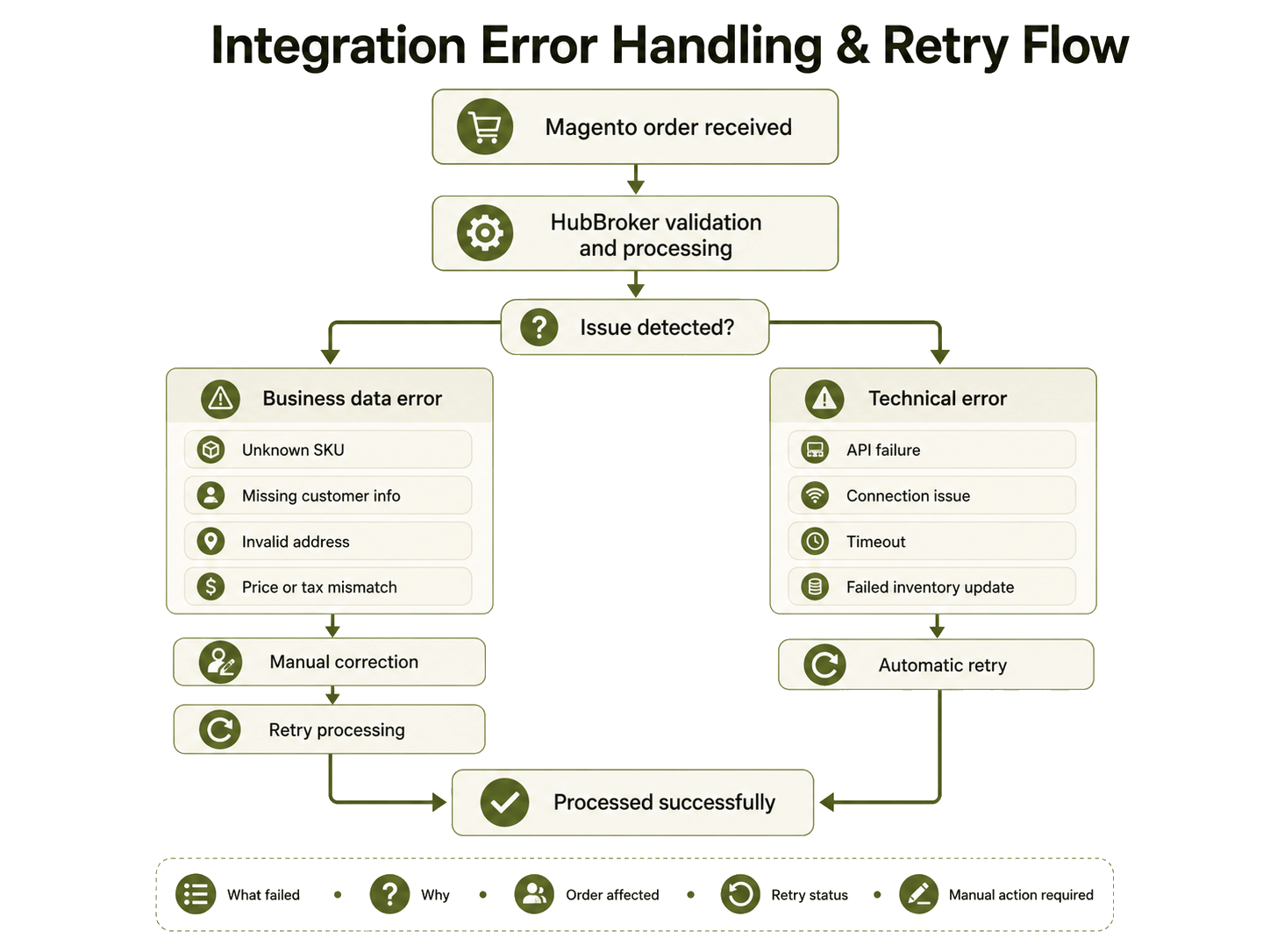
A good integration should make failures visible instead of silently losing transactions. Common business issues include:
Unknown SKU
Missing customer information
Invalid address
Duplicate order
Price mismatch
Incorrect tax information
Technical problems can include:
API failure
Connection issue
Failed inventory update
System timeout
Business data errors usually need correction before processing again. Technical errors may be handled with automatic retry. Monitoring should clearly show:
What failed
Why it failed
Which order was affected
Whether retry happened
Whether manual action is required
Direct Connector or Integration Layer?
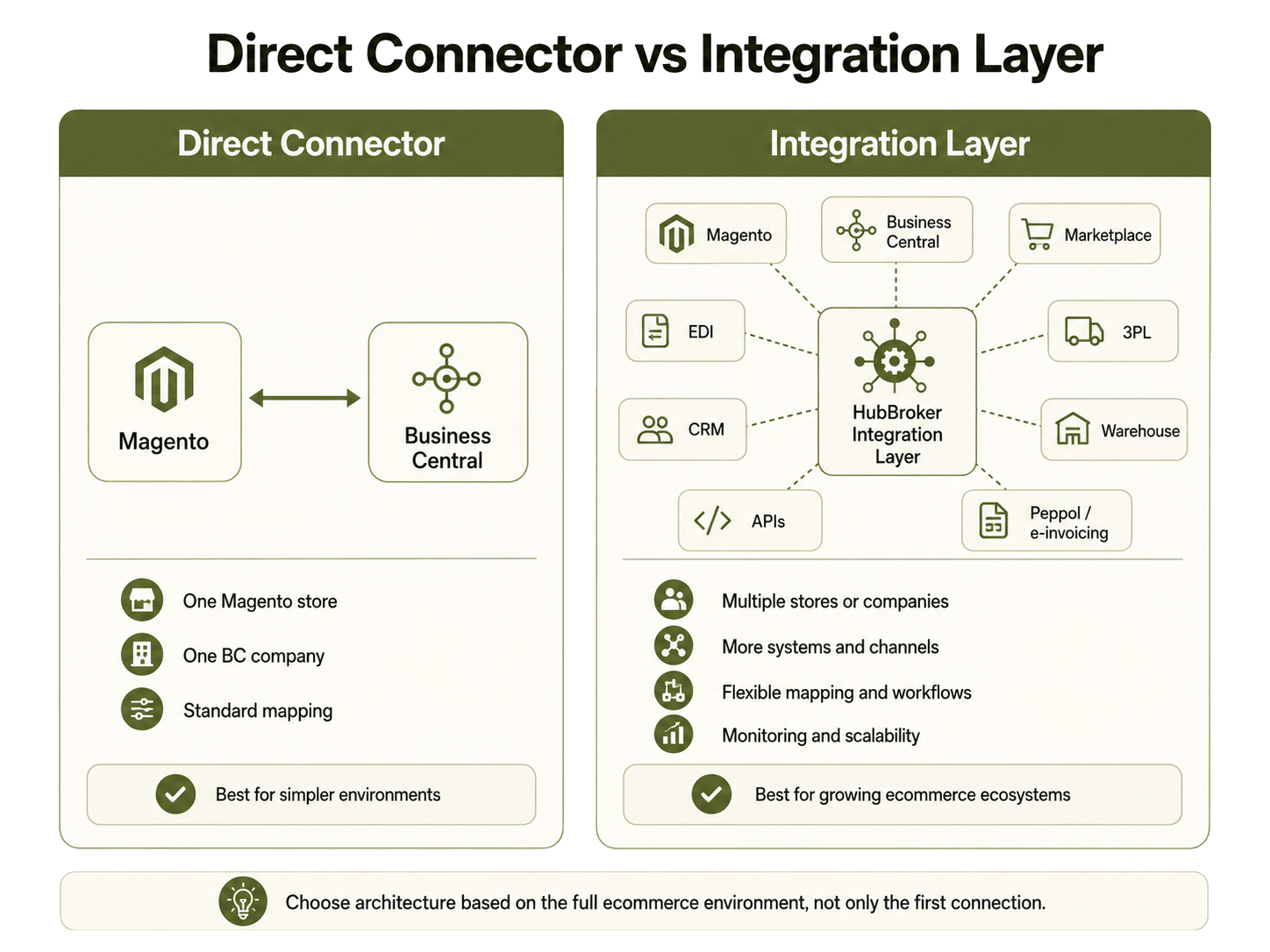
A direct connector may work well for a simple setup with:
One Magento store
One Business Central company
Standard data mapping
An integration layer becomes more useful when ecommerce includes:
Multiple stores
Multiple companies
Marketplaces
EDI connections
3PL systems
APIs
Peppol/e-invoicing
CRM
Warehouse systems
The architecture should be selected based on the complete ecommerce environment, not only the first Magento-to-Business Central connection. For Danish ecommerce businesses, this may also include:
DKK and multi-currency sales
International customers
Multiple EU stores
Different warehouses
Customer data and tax requirements should be reviewed based on the actual business setup.
Magento Microsoft Dynamics Business Central Integration with HubBroker
HubBroker can act as the integration layer between Magento and Microsoft Dynamics 365 Business Central, supporting data mapping, transformation, workflow automation, synchronization and monitoring where required.
A typical flow can look like:
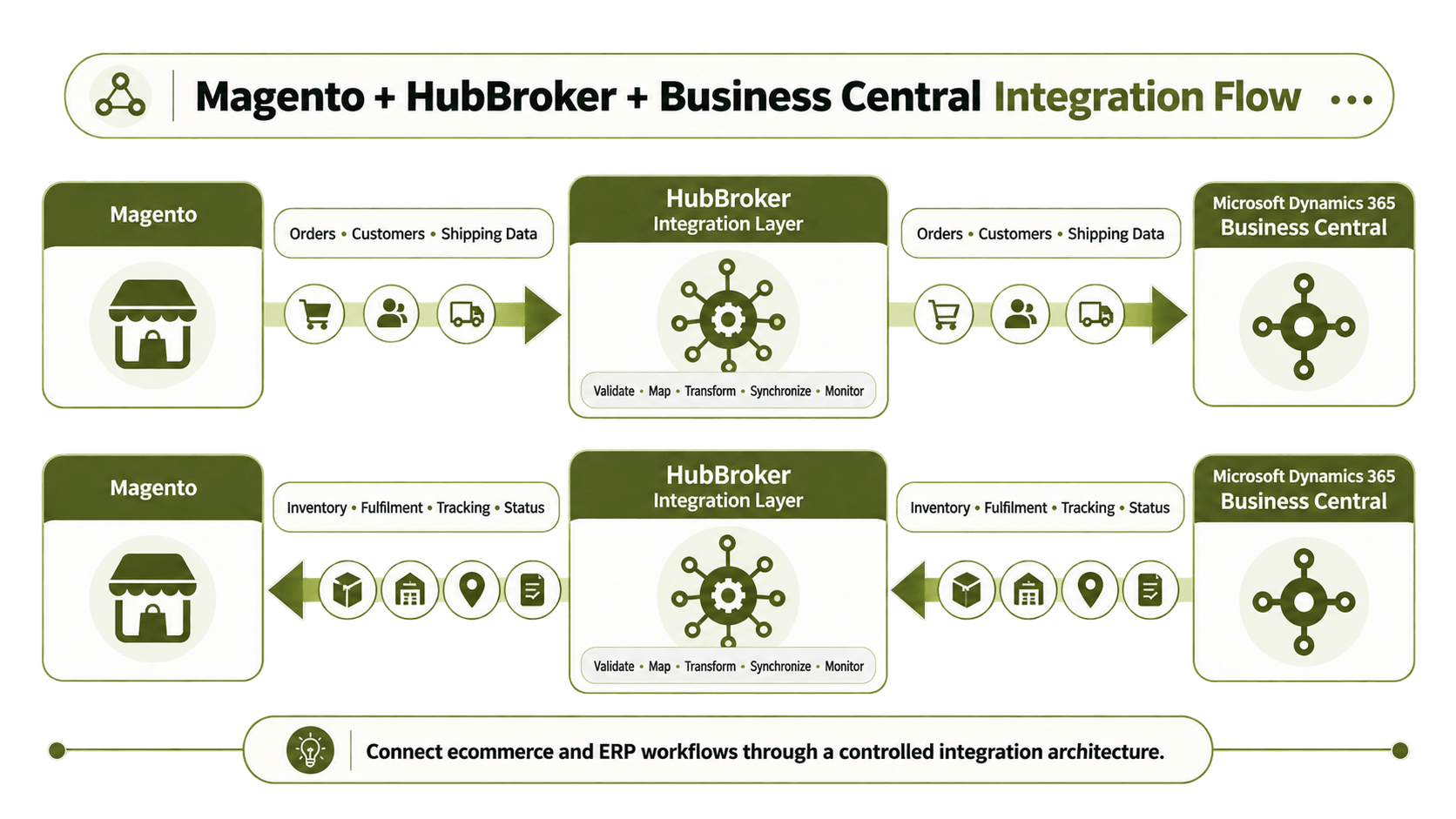
HubBroker acts as the connection between Magento and Microsoft Dynamics 365 Business Central so both systems can exchange the right data automatically. In this setup, Magento sends ecommerce information, such as customer orders and related order details, to HubBroker. HubBroker then maps and transforms the data into the format required by Business Central and sends it to the ERP for processing. Business Central can then manage important back-office activities such as inventory updates, order fulfilment, shipment processing and order status changes. Once this information is updated in Business Central, it flows back through HubBroker to Magento.
Magento can then show customers accurate stock availability, tracking details, fulfilment updates and order status information. HubBroker also helps monitor the data flow, identify failed transactions and support synchronization between both platforms. This means Magento can remain focused on the ecommerce experience while Business Central manages ERP operations. The integration reduces manual data entry, keeps information consistent across both systems and helps ecommerce and finance teams work with more accurate, up-to-date business data. It also provides a scalable foundation for handling higher order volumes.
Using Magento with Business Central?
Talk to HubBroker about connecting your ecommerce and ERP workflows through a controlled integration architecture.
